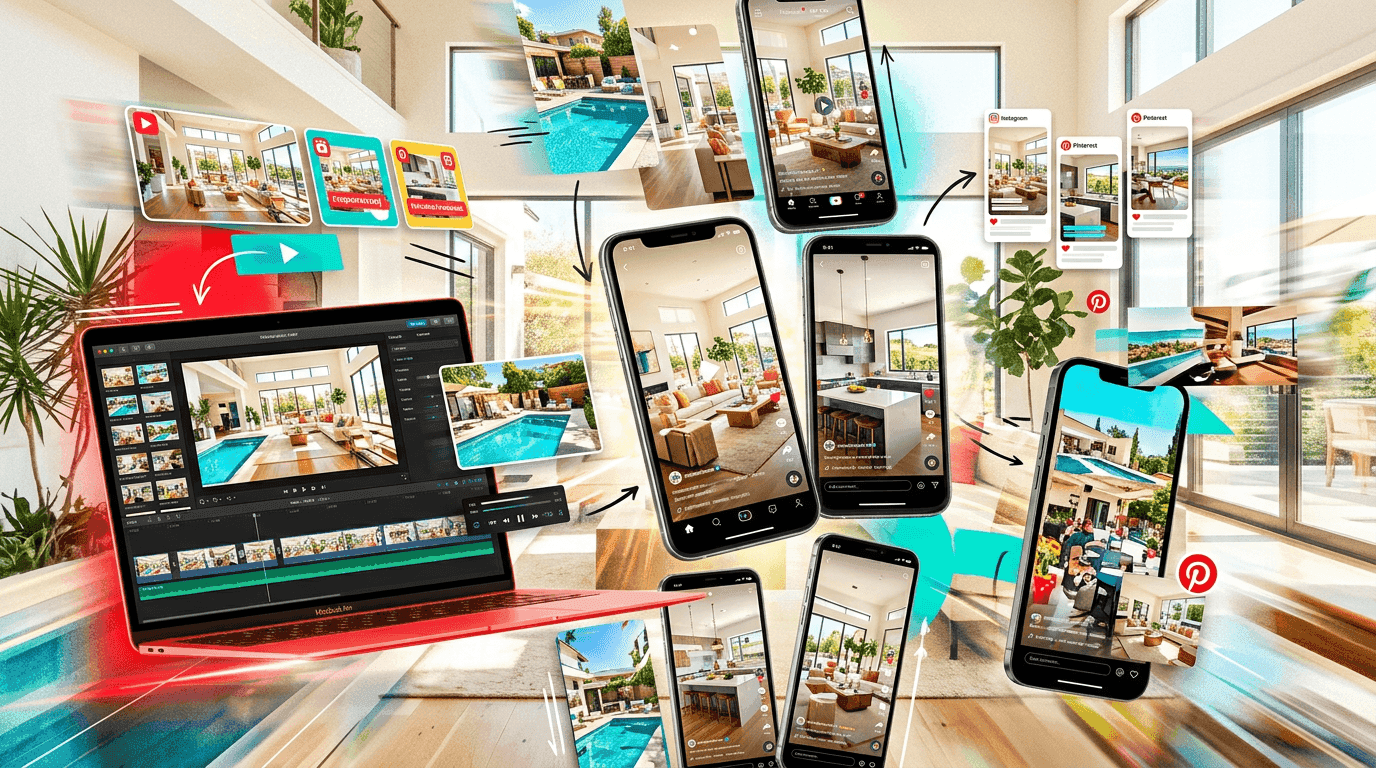
Most real estate agents treat every video as a brand new production. New listing? Film a new video. Need a Reel? Create a new Reel. Need a TikTok? Open TikTok and start from scratch. They are working 5x harder than they need to.
Here is the truth: one listing, processed correctly, can produce 10 or more distinct pieces of video content. Not 10 copies of the same video posted to different platforms. Ten genuinely different pieces, each optimized for a different platform, audience, and purpose. One afternoon of work, two to three weeks of content. That is the system.
I watch agents burn out from content creation constantly. They post for two weeks, get exhausted, go silent for a month, then start the cycle again. The problem is not discipline. The problem is workflow. They are creating each piece from zero when they should be extracting multiple pieces from one source. This is not a new idea in content marketing (bloggers have been doing this for years with written content), but real estate agents have been painfully slow to adopt it for video.
This guide walks through the exact repurposing system. What to create first, what to cut from it, how to reformat for each platform, and how to schedule it so you show up consistently without losing your mind. No videography degree required. No editing team required. Just a system that works.
The Source Asset: Your Full-Length Listing Video
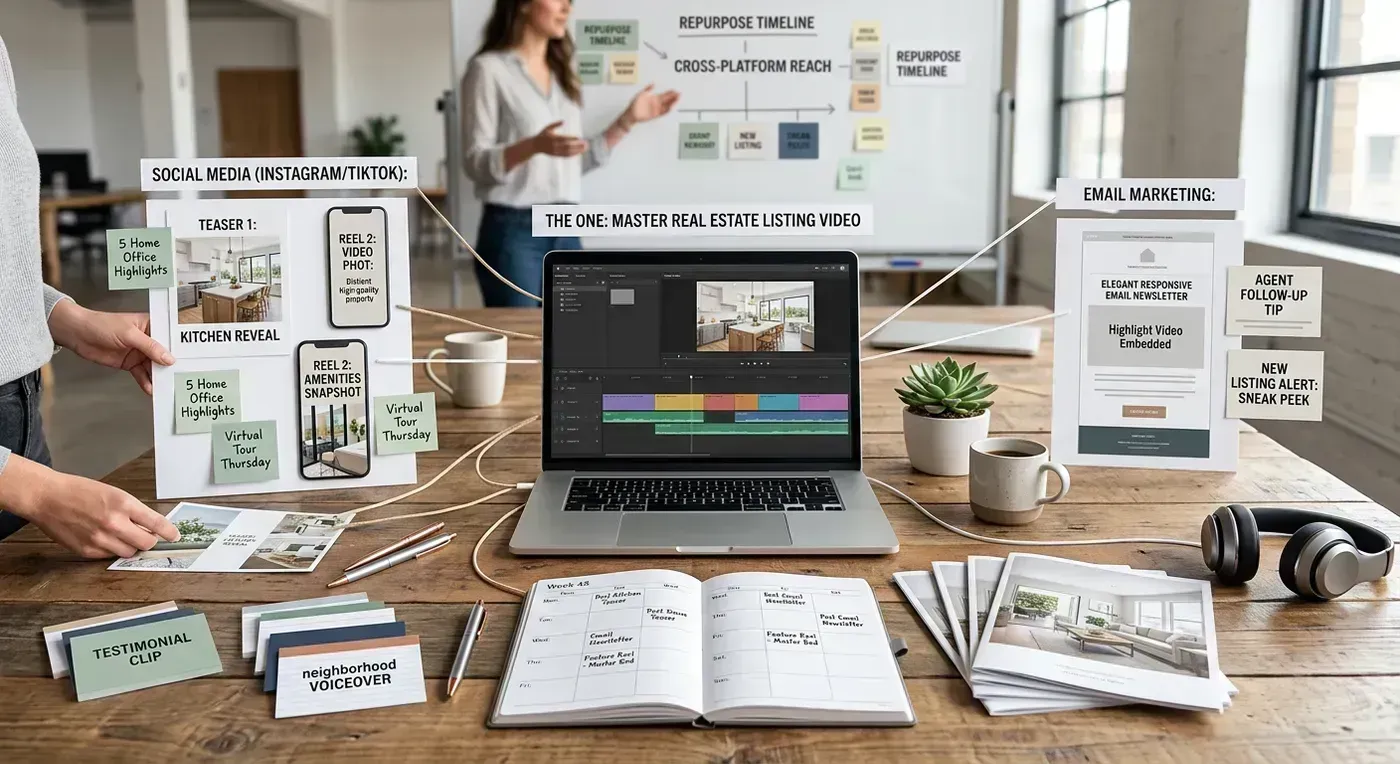
Everything starts with one well-made listing video. This is your "source asset," the master file from which all other content is derived. The quality of this source determines the quality of everything else, so do not skip this step or cut corners here.
What Makes a Good Source Video
A good source video includes:
- 12 to 20 property photos or video clips. Enough coverage to show every important room and exterior angle. More source material means more options for cutting individual clips later.
- Professional-quality visuals. Sharp focus, balanced exposure, good lighting. If your listing photos look good on MLS, they will look good in video.
- Music. A soundtrack that matches the property's vibe. Upbeat and modern for a contemporary home. Warm and acoustic for a craftsman bungalow. The music sets the emotional tone for every piece of content you derive from this source.
- Branding. Your logo, name, and contact information. This should be in the source video so every derived clip carries your brand.
- Multiple output formats. Both horizontal (16:9) and vertical (9:16) versions. Both branded and unbranded versions. This is where tools that output multiple variants save you enormous time downstream.
Creating the Source Video
You have three options for creating the source, and they produce very different results:
Option 1: AI Photo-to-Video (Fastest, Highest Quality)
Upload your listing photos to an AI video tool like Reel-E. The AI generates realistic camera motion for each photo, syncs transitions to the music, adds your branding, and outputs all four variants (horizontal branded, horizontal unbranded, vertical branded, vertical unbranded). Total time: about 5 minutes including upload. You walk away with four finished source files.
This is the approach I recommend for most agents because the multi-variant output gives you the widest repurposing base. Having both branded and unbranded versions means you can post branded clips on your own social media and provide unbranded versions to your seller for their personal sharing. Having both horizontal and vertical means you are ready for every platform without reformatting.
Here is what the output looks like:
Option 2: Phone Walkthrough (Free, More Time-Intensive)
Film a walkthrough of the property on your phone. Walk slowly, keep the phone stable, cover every room. Edit in CapCut with music and text overlays. Export in both horizontal and vertical. Total time: 45 to 90 minutes. The output quality depends on your filming skill and the quality of your editing.
Option 3: Slideshow (Free, Lowest Quality)
Import listing photos into CapCut or Canva. Add transitions and music. Export. Total time: 15 to 25 minutes. This works as a source asset, but the derived clips will inherit the "slideshow" feel, which limits their impact on platforms where viewers expect dynamic content.
The 10 Content Pieces: What to Create and Where to Post
Here is the complete breakdown. Each piece is numbered, with its platform, format, and the effort required to create it from your source video.
Piece 1: Full Listing Tour (YouTube)
Platform: YouTube
Format: 16:9 horizontal, 1 to 3 minutes
Effort: None (this IS the source video)
Upload your horizontal branded listing video to YouTube. Write a detailed description (300+ words) including the property address, price, bed/bath/sqft, neighborhood name, school district, and your contact information. YouTube is a search engine, so keyword-rich descriptions matter. Title it: "[Address] | [Price] | [Beds] Bed [Baths] Bath Home Tour | [City] Real Estate"
This piece does double duty. It serves as your YouTube listing content, and it creates a link you can share in emails, texts, and other marketing. YouTube links also play nicely in MLS systems that accept video URLs.
Piece 2: Full Listing Tour (MLS)
Platform: MLS
Format: 16:9 horizontal, 1 to 3 minutes, unbranded
Effort: None (download the unbranded variant)
Most MLS systems require or prefer unbranded media. Upload the horizontal unbranded variant as an MP4. If your MLS only accepts YouTube links, upload the unbranded version to a separate YouTube channel (or an unlisted video on your main channel) and paste the link. Listings with video receive 403% more inquiries than those without, according to NAR data. This is the lowest-hanging fruit in real estate marketing. Do not leave it on the tree.
Piece 3: The "Just Listed" Reel (Instagram)
Platform: Instagram Reels
Format: 9:16 vertical, 15 to 30 seconds
Effort: 5 to 10 minutes
Take your vertical branded video and trim it to the best 15 to 30 seconds. In CapCut, add a text overlay on the first frame: "JUST LISTED | [Neighborhood] | $[Price]" and a smaller text at the end: "DM for a showing." The Instagram algorithm favors Reels under 30 seconds because they get higher completion rates.
Pro tip: Use the first 2 seconds strategically. Start with the most visually stunning room (usually the kitchen, pool, or primary suite). The hook determines whether people watch or scroll. A mediocre living room in frame one loses 60% of viewers before they ever see the dream kitchen at frame three.
Piece 4: The "Best Feature" Reveal (TikTok + Instagram)
Platform: TikTok, Instagram Reels
Format: 9:16 vertical, 8 to 15 seconds
Effort: 5 minutes
Extract the single best clip from your listing video. The kitchen with the waterfall island. The backyard with the pool at sunset. The primary bathroom with the soaking tub. Trim it to 8 to 15 seconds. Add text: "This [kitchen/pool/bathroom] sold the house" or "One room. That is all it took." Post with a trending audio if one fits.
Single-feature reveals perform exceptionally well on short-form platforms because they deliver an immediate visual payoff. No buildup. No slow introduction. Just the best thing about the house, served in a format that rewards short attention spans. These clips regularly outperform full listing tours in engagement because the viewer gets the dopamine hit in 3 seconds instead of waiting 90.
Piece 5: The "Guess the Price" Clip (TikTok + Instagram)
Platform: TikTok, Instagram Reels
Format: 9:16 vertical, 15 to 25 seconds
Effort: 10 minutes
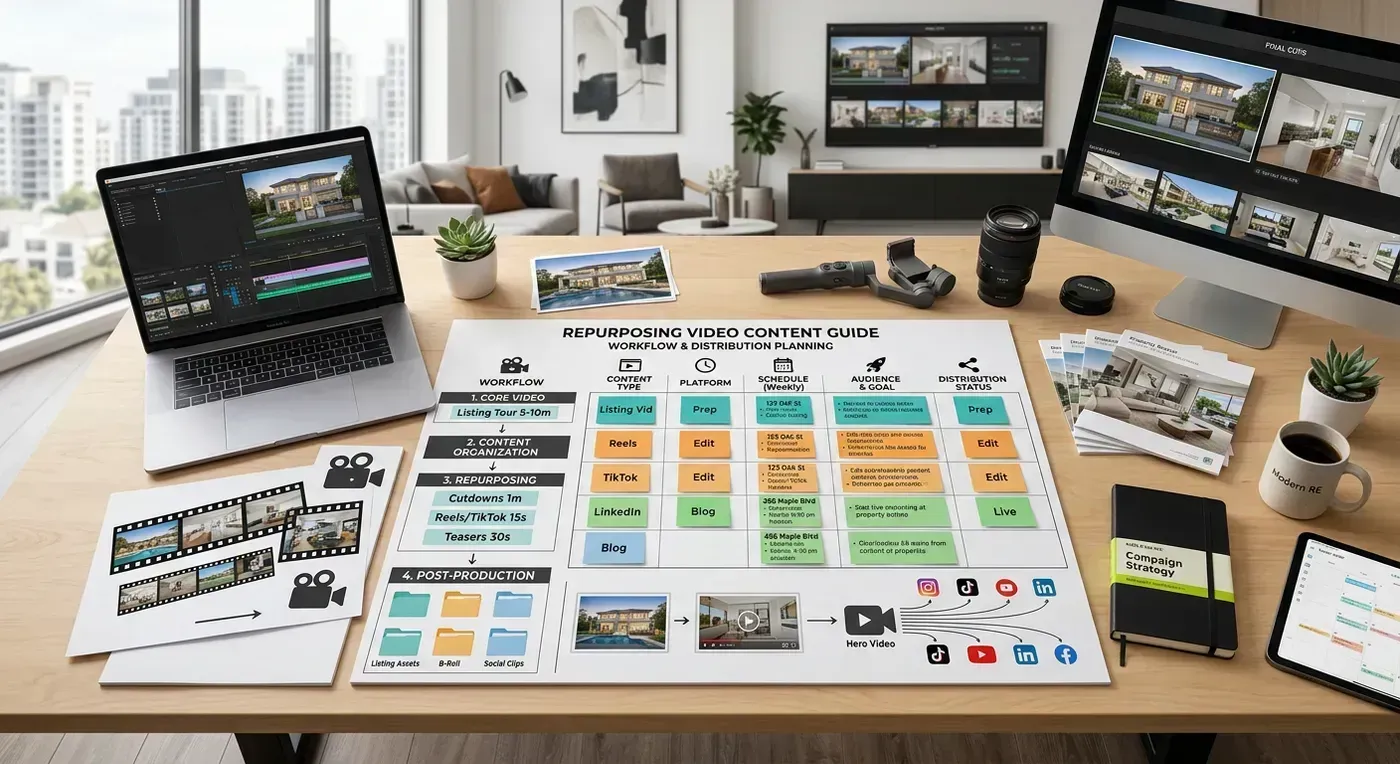
Take several clips from the listing video and stitch them together in a quick montage (3 to 4 rooms, 3 to 5 seconds each). Add text overlay at the beginning: "How much does this house cost?" Show the rooms, building anticipation. Then reveal the price on the final frame. Add text: "Comment if you guessed right!" and end with your contact info.
This format is an engagement machine. People cannot resist guessing, and they love being right or dramatically wrong. The comments section fills with guesses, which triggers the algorithm to push the video to more people. I have seen agents get 10x their normal engagement with this format. One agent in Austin told me her price guess Reels regularly hit 50,000 views while her standard listing tours peak at 5,000. Same house. Different format. Different results.
Piece 6: The Facebook Full Tour (Facebook)
Platform: Facebook
Format: 16:9 horizontal, 1 to 3 minutes
Effort: 5 minutes (upload + caption)
Upload the horizontal branded video natively to Facebook (do not share a YouTube link, Facebook buries external links). Write a caption that tells the story of the property: neighborhood context, key features, price, and a clear CTA. "This [style] home in [neighborhood] just hit the market at $[price]. [Key feature 1], [key feature 2], and [key feature 3]. Comment or DM for a private showing."
Facebook still reaches a massive audience of 35+ adults who are statistically more likely to be buying or selling homes. Do not sleep on it just because the younger social media crowd has moved to TikTok. Your 45-year-old seller client is on Facebook, not TikTok.
Piece 7: The Open House Promo (Instagram + Facebook)
Platform: Instagram Reels, Facebook, Instagram Stories
Format: 9:16 vertical, 10 to 15 seconds
Effort: 10 minutes
Take 3 to 4 of the best clips from the listing, stitch them into a fast-paced 10 to 15 second montage, and add text overlays: "OPEN HOUSE | Saturday 1-4 PM | [Address]." Post 48 hours before and again the morning of the open house.
This piece drives foot traffic. It is not designed to go viral or generate massive engagement. It is designed to put butts in your open house. Post it to your Stories as well (Stories reach your existing followers, while Reels reach new audiences). Both matter for open house attendance.
Piece 8: The Neighborhood Context Reel (Instagram + TikTok)
Platform: Instagram Reels, TikTok
Format: 9:16 vertical, 20 to 30 seconds
Effort: 15 minutes
This is where you add context beyond the property itself. Take 1 to 2 clips from the listing video (the exterior shot and one interior highlight) and combine them with 2 to 3 clips of the neighborhood (film these on your phone, it takes 5 minutes: the nearby park, the local coffee shop, the tree-lined street). Text overlay: "This $[Price] home in [Neighborhood]: the house AND the neighborhood."
This piece attracts buyers who are still in the neighborhood research phase. They may not be interested in this specific listing, but the neighborhood content pulls them into your orbit. For a deeper strategy on neighborhood video content, see our guide on social media videos for real estate.
Piece 9: The Seller Shareable (Email/Text)
Platform: Email, text message, WhatsApp
Format: 16:9 horizontal or 9:16 vertical, unbranded, 1 to 3 minutes
Effort: None (download the unbranded variant)
Send the unbranded video to your seller so they can share it on their personal social media. "Here is a video of your home ready to share. Feel free to post it on Facebook, Instagram, or send it to friends and family."
This is one of the most underused content distribution channels in real estate. Your seller has a network of friends, family, and colleagues who may know someone looking for a home in that area. When the seller shares an unbranded video (no agent branding means it does not feel like an advertisement), their network watches it organically. One seller share can reach 500 to 2,000 people who would never see your social media posts.
The unbranded format is key here. A branded video feels like the seller is promoting their agent, which most people are uncomfortable doing. An unbranded video feels like the seller is proudly sharing their beautiful home, which is a natural, welcome behavior.
Piece 10: The "Just Sold" Follow-Up (All Platforms)
Platform: Instagram, TikTok, Facebook, LinkedIn
Format: 9:16 vertical (social) or 16:9 horizontal (LinkedIn), 10 to 20 seconds
Effort: 10 minutes
When the property sells, take 3 to 4 clips from the original listing video and add a "SOLD" text overlay. Include the sale price (if allowed by your MLS and the client approves) and a brief note: "Listed for $[list price], sold for $[sale price] in [X] days." This is pure social proof. It shows future sellers that you get results.
Post this to every platform. On LinkedIn, add a brief professional narrative about the transaction (without confidential details). LinkedIn "just sold" posts consistently generate referral business from professional contacts who did not know you sold real estate or who forgot to recommend you to a colleague who was house hunting.
Bonus Pieces: Getting Even More From the Same Listing
If you want to push beyond 10 pieces, here are five more content formats you can derive from the same source material.
Piece 11: The Photo Carousel (Instagram)
Take screenshots from the best moments of the video and post them as an Instagram carousel. 6 to 8 images showing the highlights. Carousels still get strong engagement on Instagram (22% higher than single-image posts, according to Later's 2025 benchmark data), and they take seconds to create from your existing video.
Piece 12: The YouTube Short
Take your vertical branded Reel and upload it as a YouTube Short. YouTube Shorts are still underutilized by real estate agents, which means less competition for views. The algorithm is generous with new Shorts creators, so your early content will get more distribution than you might expect.
Piece 13: The Email Hero Video
Embed a thumbnail from the listing video in your email newsletter with a "Play" button linking to the YouTube upload. Email open rates for "new listing" emails with video thumbnails are 19% higher than text-only listing emails (Campaign Monitor, 2025). The click-through rate to the video averages 4.5% compared to 2.1% for emails without a video link.
Piece 14: The Website Property Page Embed
Embed the horizontal branded video on the property's page on your personal website. If you do not have individual property pages, embed it on a "current listings" page. Websites with embedded video see 80% higher time-on-page, which improves both user engagement and SEO. For the right video specifications per platform, check our social media video specs guide.
Piece 15: The "How I Marketed This" Case Study
After the sale, create a short talking-head video (filmed on your phone in 5 minutes) where you walk through your marketing strategy for this listing. "I listed this home, created a listing video, posted it across 5 platforms, held two open houses, and it sold in 8 days with 4 offers." Show clips from the original listing video as B-roll. This content attracts future sellers by demonstrating your marketing process.
The Repurposing Workflow: Step by Step
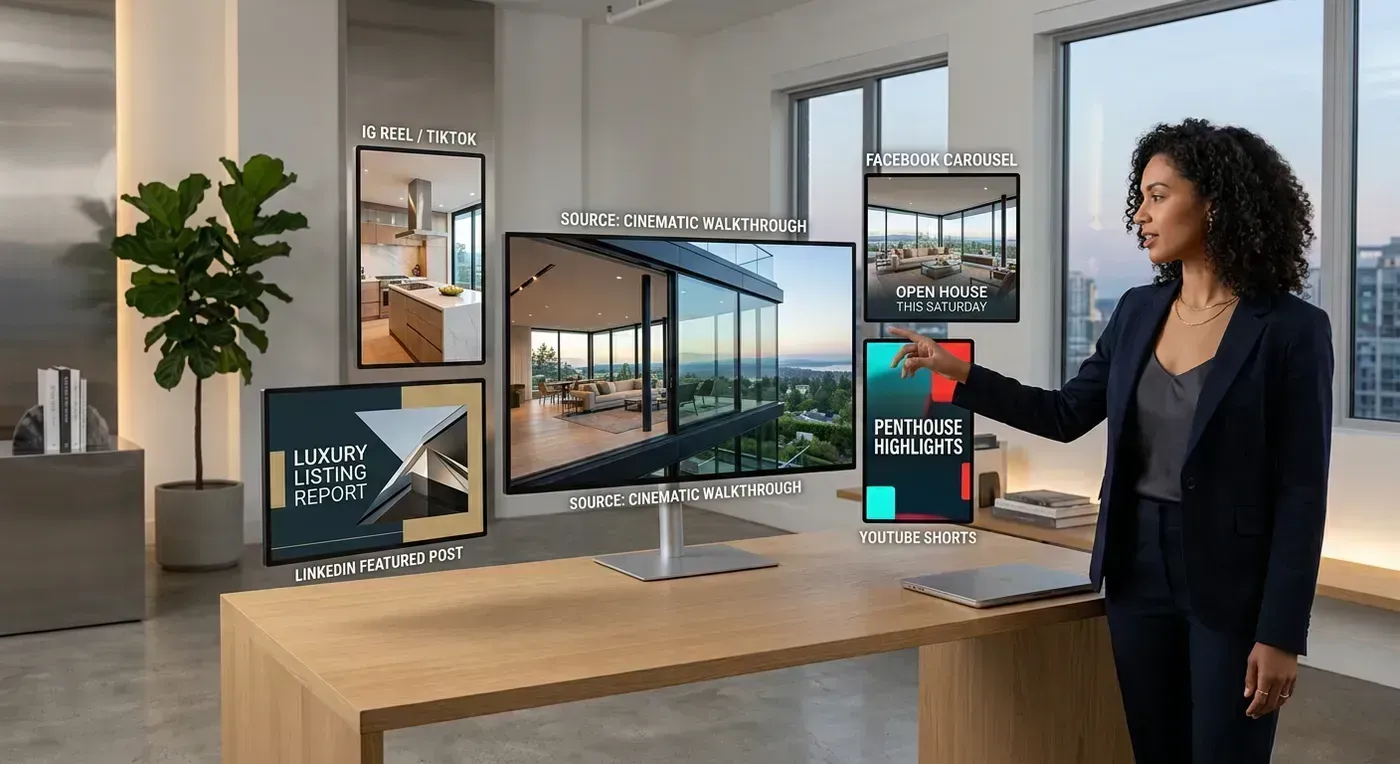
Here is the exact process to go from "I just got listing photos" to "I have 10 pieces of content scheduled" in under an hour. I am going to be specific because vague advice is useless advice.
Step 1: Generate the Source Video (5 Minutes)
Upload your 12 to 20 listing photos to Reel-E (or your AI tool of choice). Select music, confirm branding, and start processing. While it renders (about 2 minutes), move to step 2.
Step 2: Write Your Captions (10 Minutes)
While the video renders, write your captions for each platform. Use a notes app and draft all of them in one sitting:
- YouTube description: 300+ words with property details, neighborhood info, and keywords
- Instagram caption: 2 to 3 sentences plus CTA ("DM TOUR for a private showing")
- TikTok caption: 1 sentence plus hashtags
- Facebook caption: 3 to 5 sentences telling the property's story
- MLS description: Already written (use what you have)
Writing all captions at once is faster than context-switching between platforms throughout the week.
Step 3: Download All Variants (2 Minutes)
Download the four output variants: horizontal branded, horizontal unbranded, vertical branded, vertical unbranded. If your tool only outputs one format, this is where you open CapCut and reformat. (This is also why multi-variant tools save so much time. Reformatting a 2-minute video from horizontal to vertical takes 10 to 15 minutes in CapCut versus 0 minutes if the tool does it for you.)
Step 4: Cut the Short-Form Clips (15 Minutes)
Open the vertical branded video in CapCut. Identify your best 3 to 4 moments. Cut each into a standalone clip:
- "Best feature" reveal: the single most stunning room, 8 to 15 seconds
- "Just listed" teaser: 3 to 4 rooms in a quick montage, 15 to 20 seconds
- "Guess the price" clip: quick montage with price reveal at end, 15 to 25 seconds
- Open house promo (if applicable): fast montage with date/time/address, 10 to 15 seconds
Add text overlays and hooks to each clip. Export all clips.
Step 5: Schedule Everything (15 Minutes)
Use Later, Buffer, or the native scheduling features on each platform to queue your content across the next 10 to 14 days.
Here is a sample schedule:
| Day | Platform | Content Piece | Format |
|---|---|---|---|
| Day 1 | YouTube + MLS | Full listing tour | Horizontal |
| Day 1 | Email to seller | Unbranded video | Both |
| Day 2 | Instagram Reels | "Just listed" Reel | Vertical |
| Day 3 | Full listing tour | Horizontal | |
| Day 4 | TikTok | "Best feature" reveal | Vertical |
| Day 5 | Rest (post other content) | ||
| Day 6 | Instagram + TikTok | "Guess the price" | Vertical |
| Day 7 | Rest (post other content) | ||
| Day 8 | Instagram Stories + Facebook | Open house promo | Vertical |
| Day 9 | Instagram Reels | Neighborhood context | Vertical |
| Day 10 | YouTube Shorts | Short tour clip | Vertical |
| Day 14+ | All platforms | "Just sold" (after close) | Both |
Total active time for the entire process: 45 to 60 minutes. Content output: 10+ pieces across 5+ platforms over 2 weeks. If you have ever felt like you "do not have time for social media," this system proves otherwise. You do not have a time problem. You had a workflow problem. Now you do not.
The Math: Why Repurposing Changes Everything
Let me put this in stark terms because the magnitude is worth seeing.
Without repurposing: 3 listings per month x 1 video each = 3 pieces of content per month. You post roughly once per week. The algorithm barely knows you exist.
With repurposing: 3 listings per month x 10 pieces each = 30 pieces of content per month. You post daily or near-daily. The algorithm actively promotes your content because you are feeding it consistently.
Same number of listings. Same source material. 10x the content output. The agents who seem to "always be posting" are not spending 10x more time on content. They are repurposing.
There is also a compounding effect that most agents miss. When you have 30 pieces of content out in the world instead of 3, you create 10x more entry points for potential clients to discover you. A buyer in your market might never see your single listing tour. But if you have 10 variations of that content scattered across 5 platforms, the probability of them encountering at least one of your posts goes up dramatically.
Content marketing is a numbers game. Not in the spammy "post as much as possible" sense, but in the mathematical "more quality touchpoints equals more opportunities" sense. Repurposing is how you play that game efficiently.
Platform-Specific Optimization Tips
Each platform has quirks that affect how your repurposed content performs. Here are the optimizations that actually move the needle.
- Use 5 to 10 hashtags mixing broad (#realestate) and local (#[city]homes) tags
- Post Reels between 7 to 9 AM, 12 to 1 PM, or 7 to 9 PM for best reach
- First frame matters more than anything else. Use a text hook or the most visually striking moment
- Share every Reel to your Story immediately after posting for an initial engagement boost
- Reply to every comment within 30 minutes to signal the algorithm
TikTok
- Use trending audio whenever possible. TikTok aggressively promotes content using trending sounds
- Keep videos under 15 seconds for maximum completion rate
- Add captions or text overlays (many viewers watch without sound)
- Post 1 to 3 times per day during your growth phase
- Engage with other real estate content in your area to build community visibility
YouTube
- Write descriptions over 300 words with keyword-rich content
- Create custom thumbnails with large text and high contrast
- Add end screens linking to your other listing tours
- Use chapters (timestamps) in longer videos so viewers can jump to specific rooms
- Respond to every comment. YouTube rewards active channels with better distribution
- Always upload video natively (never share YouTube links, Facebook suppresses them)
- Write captions that tell a story, not just list features
- Share to local community groups (with permission)
- Facebook Reels are growing rapidly. Post your vertical clips there too
- Tag any relevant local businesses, neighborhoods, or community pages
Common Repurposing Mistakes to Avoid
The system is simple, but there are a few traps that trip agents up repeatedly.
- Posting all 10 pieces on the same day. This floods your followers' feeds and looks desperate. Space content over 10 to 14 days. Each piece should feel like a new post, not a content dump.
- Using the exact same caption everywhere. "Just listed! 4 bed 3 bath $549K" works on MLS. It does not work on TikTok. Adapt your language to each platform's culture. TikTok is casual and hook-driven. LinkedIn is professional. Instagram is visual-first. Facebook is story-driven.
- Forgetting the vertical version. If all your repurposed clips are cropped from horizontal, they look cramped and awkward on Reels and TikTok. Start with native vertical output (or at least reformat properly in CapCut) so the content fills the screen.
- Never creating a "just sold" follow-up. Most agents post the "just listed" content and forget about the property entirely once it sells. The "just sold" piece is social proof that generates future listing appointments. It takes 10 minutes. Do not skip it.
- Repurposing without re-hooking. Each piece needs its own hook. The same opening 2 seconds repeated across 10 clips trains your audience to scroll past your content. Change the text overlay, change the opening clip, change the question. Same footage, different entry point.
- Only repurposing listing content. If every piece in your feed is a listing derivative, your account becomes a billboard, not a brand. Mix repurposed listing content with original talking-head tips, market updates, and community Reels. The 60/40 rule: 60% listing content, 40% non-listing content.
Getting Started This Week
You have the system. You have the breakdown. Now here is the assignment.
- Pick your best current or recent listing. The one with the best photos and the most visual appeal.
- Create the source video. Upload the photos to Reel-E or film a phone walkthrough. Get the source asset done today.
- Set a 45-minute timer tomorrow morning. In those 45 minutes, cut your short-form clips, write your captions, and schedule everything. Follow the workflow above. Do not overthink it.
- Post the first piece tomorrow. Full listing tour on YouTube. Then follow the schedule for the rest of the week.
- Repeat with your next listing. By the third time, you will do this on autopilot.
One listing, ten pieces of content. One hour of work, two weeks of posts. That is the system. The agents who look like they have a full content team behind them are not working harder than you. They are repurposing smarter. Now you know how. Go do it.