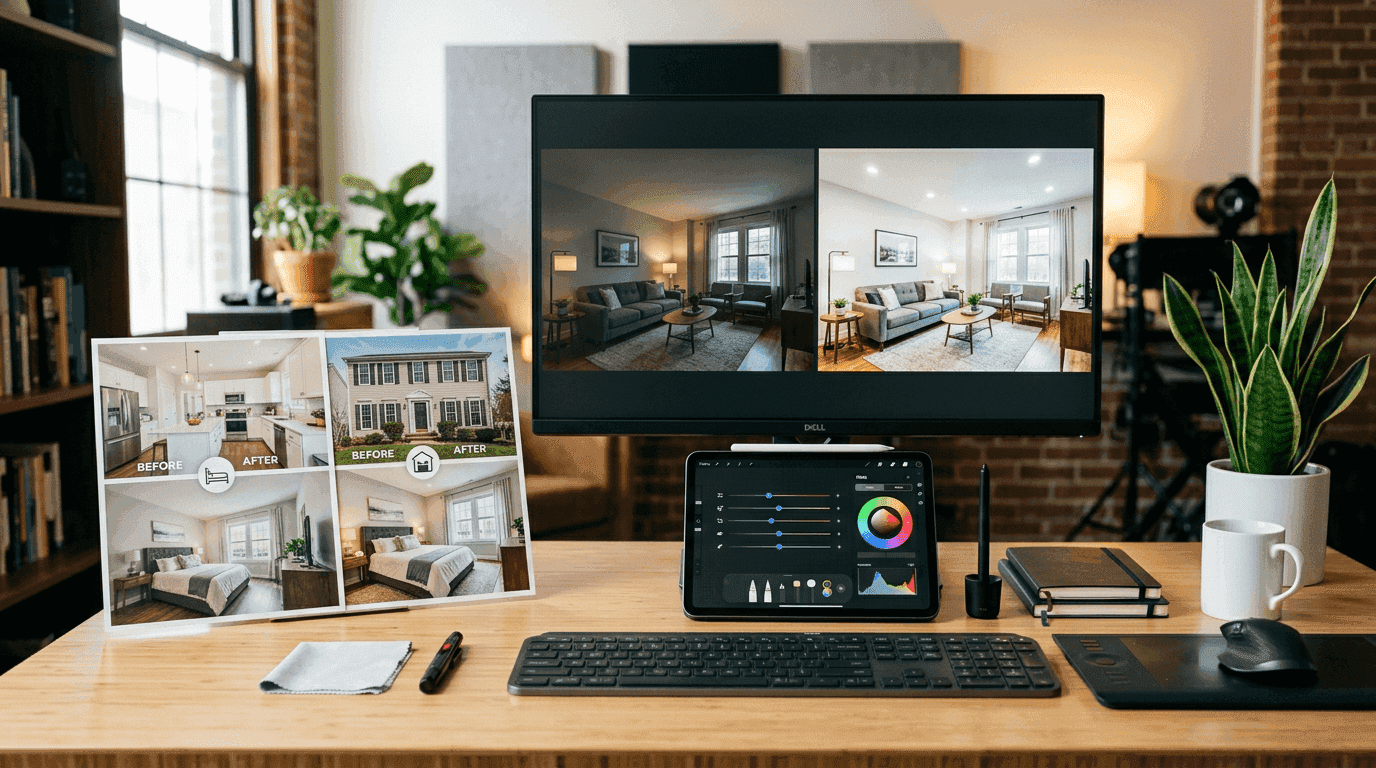
The best AI real estate photo editing tools do not just make rooms look brighter. They make your whole marketing workflow easier. That is the real test.
Agents tend to evaluate editing tools one image at a time, but listings are sold as packages. The right tool should help you publish the photo set faster, hand off less chaos to your marketing coordinator, and make it easier to turn those finished images into video, social, and email assets later.
What agents actually need from a photo editing tool
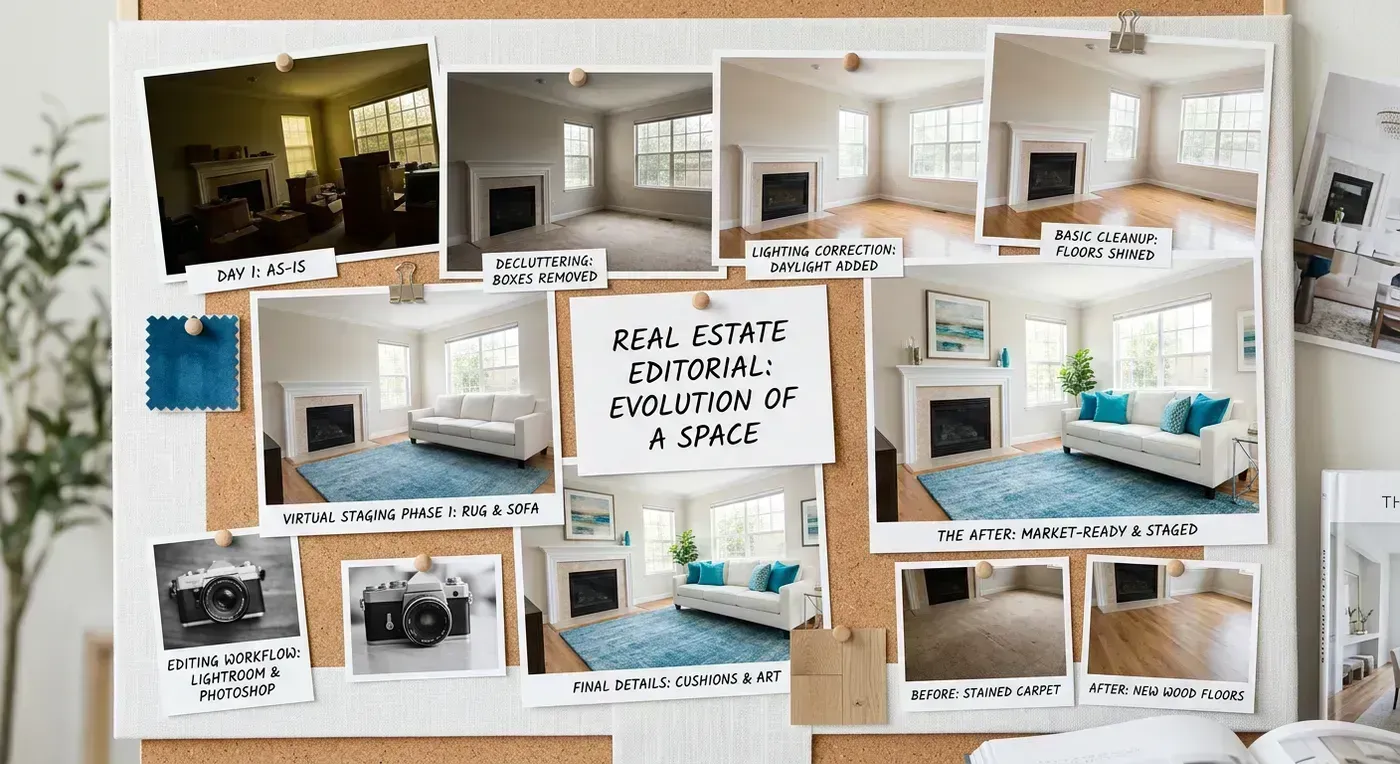
There are four common jobs in real estate photo editing: exposure and color cleanup, object removal, virtual staging, and perspective correction. Everything else is secondary. If a tool is impressive but still leaves you waiting for revisions, it is not helping much.
For most agents, the winner is not the most advanced tool on paper. It is the one that gets a listing package from raw photos to publishable images with the least friction. That means turnaround matters. Consistency matters. And the handoff to the next step of the workflow matters more than people admit.
- Cleanup and enhancement for routine listing prep
- Virtual staging for empty or awkward rooms
- Object removal for clutter, cords, signage, or lawn mess
- Output quality that still works when the images become video later
A practical shortlist
If you want a pragmatic shortlist, most agents will land somewhere between a service-led editor, a staging-led tool, and a faster DIY AI workflow. The categories matter more than the brand names because the right choice depends on whether you need fast cleanup, furnished visuals, or a more polished luxury finish.
For example, service-heavy editors can be useful when you want a predictable handoff. Virtual staging tools are best when empty rooms are killing the listing. But if you want the listing to keep moving after the photo set is done, you also need to think about what happens next. That is where the workflow gap shows up.
| Need | Best fit | Watch out for |
|---|---|---|
| Fast cleanup | AI enhancement or service editor | Revision loops that erase the time savings |
| Empty room presentation | Virtual staging workflow | Over-staged rooms that trigger buyer skepticism |
| Luxury polish | Manual review plus AI assist | Paying premium rates on average inventory |
| Content reuse | Tools that pair well with video creation | Stopping at photos and missing easier distribution |
Where AI editing helps and where it still falls apart
AI editing is strong when the task is clear. Brighten the room. Remove the clutter. Add furniture to the empty living room. Clean up the lawn. It is much weaker when the instruction is vague or the room is already borderline. That is when you get surreal chairs, windows that look like portals, or staging choices that feel like a landlord furnished the home through a fever dream.
The answer is not to avoid AI. It is to use it for the jobs where it is obviously good and keep a human eye on the final set. Think of AI as the fast first pass that gets you eighty percent of the way there. Then spend human judgment on the handful of shots that actually need taste.
Do not stop at the photo set
This is the part most agents miss. Once the edited images are ready, the asset set should keep working. That is why turning listing photos into video matters so much. If the photos are already clean, you are sitting on the raw material for realtor video content, social clips, and a faster listing launch.
That is also why photo editing and video creation should be evaluated together. A lot of teams polish the photos and then go quiet because they assume video still requires another shoot, another vendor, or another week. With photo-to-video real estate workflows, that excuse disappears.
If your edited photo set dies in the MLS gallery, you are leaving easy distribution on the table. If you want the video side of the workflow to stop eating your afternoon, start a Reel-E project and turn one listing shoot into multiple finished video assets.
How to choose the right tool for your market
If you handle standard suburban inventory, speed and consistency matter more than a hyper-bespoke editing process. If you handle luxury listings, you may still want a more reviewed finish for the top end of the portfolio. The trick is not forcing your $450,000 ranch workflow to behave like a $4.5 million waterfront listing. Those are different jobs.
A useful rule of thumb: choose the simplest editing tool that gets the listing package to publishable quality, then invest the saved time in better distribution. That means stronger social-ready formats, better follow-up, and more listing visibility rather than endless tinkering on the same window glare.
Judge the tool by the hardest room in the set
The hero image is the easiest place for a tool to look smart. The real test is the ugly room. That means the bathroom with the green cast, the bedroom with awkward mixed light, the kitchen with blown-out windows, and the exterior where the grass looks tired and the sky refuses to cooperate. A lot of photo editing products look fantastic on a hero living room and much less convincing when the property starts behaving like a normal listing instead of a demo property.
This matters because agents rarely market one perfect frame. They market a sequence. If the kitchen looks neutral and expensive but the next bathroom looks strangely plastic, the listing loses trust. Buyers do not need a design degree to notice when one image feels believable and the next feels like a rendering from a rental-site fever dream. Trust in the photo set is cumulative, and one obviously overcooked frame can make the whole package feel less reliable.
That is why room-by-room judgment is more useful than a broad statement like quality looks good. Kitchens reveal color and line distortion. Bathrooms reveal how the tool handles mirrors, edges, and tight spaces. Bedrooms reveal whether staging remains restrained or starts pretending every guest room belongs in a boutique hotel. Exteriors reveal whether the software understands atmosphere or just paints confidence over everything. Test the worst room first. The best room will flatter almost anything.
- Kitchen check: white balance, straight lines, and believable window handling.
- Bathroom check: mirror edges, glass reflections, and fixture detail.
- Bedroom check: staging restraint and texture realism.
- Exterior check: sky treatment, lawn cleanup, and curb-detail consistency.
Virtual staging is useful right up until it starts showing off
Virtual staging is often the category that gets people excited because the before-and-after is dramatic. It is also the category most likely to embarrass the listing if used badly. Empty rooms genuinely benefit from context. Buyers need scale. They need to understand whether the dining area fits six seats or four, whether the nook reads like an office or dead space, and whether the awkward bonus room has an obvious purpose. That is real value.
What does not help is staging that behaves like it is auditioning for a luxury magazine spread that has never met the property. Absurdly oversized furniture, impossible lamps, bizarre art choices, or a style that has nothing to do with the home do not make the listing feel aspirational. They make the listing feel slippery. The software equivalent of too much cologne is still too much, and buyers notice faster than people in SaaS demos like to admit.
The best AI staging tools for real estate are the ones that stay humble. Give the room a believable use. Keep the scale sane. Match the likely buyer and price band. If the property is a clean starter condo, stage it like someone sensible might actually live there. If it is a luxury new build, the finish can be sharper, but it still needs to feel anchored to the architecture. Good staging clarifies the room. Bad staging tries to distract from it.
The cheapest workflow usually gets expensive later
Agents often choose an editing workflow because the first-line cost looks low. That is understandable and often wrong. A cheap tool that still requires heavy manual review, repeated exports, or a second editing pass is not cheap. It is deferred spending with a friendlier onboarding screen. The invoice matters, but so does the amount of patient human cleanup required to make the output actually usable.
This is why a strong pricing discussion should include turnaround time, revision effort, and how often the edited set becomes the raw material for the next asset. If the photo package feeds video creation, social crops, and email assets, consistency starts carrying financial value. A small improvement in reliability can be worth more than a larger difference in sticker price because the output gets reused instead of dying as a static gallery.
The real cost question is not what the tool charges per listing. The real question is how many minutes of human judgment it consumes after the first pass and whether those minutes are being spent on taste or on cleanup. Taste is worth paying for. Cleanup is where software is supposed to help. If the human still has to rescue the tool from obvious mistakes on every ordinary property, the savings story is not real yet.
| Workflow style | Looks cheap at first because | Gets expensive later when |
|---|---|---|
| Low-cost DIY AI editor | The subscription is modest | Every set needs manual cleanup before it can ship |
| Service-led editing | The handoff feels reliable | Turnaround and revision cycles slow the launch |
| Hybrid AI plus human review | The tool handles the repetitive work | The team lets premium review bleed into every routine listing |
| Photo workflow tied to video reuse | The tool cost seems slightly higher | Only if the team never reuses the output across more channels |

The handoff into video is where editing starts paying twice
One of the most useful questions to ask about any editing tool is whether the output still holds up once the images become motion. This is the workflow gap many agents never think about. They approve the gallery and assume the job is finished. In reality, the cleanest photo workflow is the one that makes the next asset easier to create. If the windows, sky, brightness, and room consistency are stable across the set, turning that listing into video becomes much smoother.
This is exactly why photo-to-video real estate workflows matter in the tool selection conversation. If the software produces inconsistent colors across adjacent rooms, or if the sky treatment looks dramatically different from frame to frame, the video will expose that immediately. Motion is less forgiving than the gallery. A still image can hide a weak edit. A sequence of edited images will tell on the workflow very quickly.
The best AI real estate photo editing tool is not just the one that makes the gallery prettier. It is the one that creates a cleaner asset package for everything that follows. If the output can move cleanly into video maker workflows, social formats, and follow-up assets without another repair job, then the tool is doing real operational work for the business instead of just decorating one step of the funnel.
Questions to ask before committing to an editing workflow
Agents should ask much better questions than does it look good. Ask how fast the first pass returns. Ask how batch work is handled across a full listing, not just one hero image. Ask whether different rooms can be reviewed consistently. Ask how the team handles revisions, rights, and export sizes. Ask what the output looks like after compression because many images survive the editor and then fall apart once a portal or social platform gets involved.
If the workflow includes virtual staging, ask what guardrails exist for realism. If the workflow includes object removal, ask how edge artifacts are handled in reflective rooms. If the workflow includes manual review, ask what actually triggers it. Vague promises are expensive. Specific process answers are useful. The best vendors and tools can explain how they handle ugly real estate problems without turning every sentence into a product slogan.
Also ask what happens after the gallery is delivered. Can the output feed video? Can it be resized cleanly? Does the tool assume the photo set is the final destination, or does it acknowledge that modern listing marketing is multi-format by default? If the answer sounds like the software believes the gallery is still the whole job, you are probably buying yesterday's workflow with fresh branding.
- What is the real turnaround on a normal listing package, not a sample shot?
- How are revisions handled when one room still looks wrong?
- Do the edits stay consistent enough for video or carousel reuse?
- What does the workflow assume happens after the gallery is approved?
What a strong small-team workflow looks like
For a small team, the best photo editing workflow is usually boring, fast, and very easy to explain. The photographer or agent uploads the raw set, the first-pass edits come back quickly, someone with taste reviews the weird edge cases, and the approved package immediately feeds the next asset. That next asset might be the MLS gallery, but it should also include social-ready planning, property-site media, and video production if the workflow is healthy.
The team should not be debating style at the end of the process on every listing. That is how weeks disappear. Define the baseline look, define when staging is appropriate, define which properties deserve a more premium pass, and define who approves the final set. The clarity matters as much as the tool because the wrong approval pattern can make a good editor feel slow and unreliable.
A healthy workflow also respects listing type. Everyday inventory needs speed and consistency. High-end listings may deserve more review. Vacant listings may need more staging judgment. Rental inventory may need the simplest possible workflow so the team can keep up. The right tool is the one that supports those choices without turning each one into a custom project. That is where software finally starts acting like leverage instead of homework.
How to review a finished photo set without wasting an hour
One reason editing workflows drag on forever is that teams review the gallery like anxious perfectionists instead of operators. The goal is not to stare at every image until you invent a new insecurity. The goal is to confirm that the set is consistent, believable, and strong enough to support launch. A fifteen-minute review with the right checklist usually beats a forty-minute spiral where everyone starts arguing about whether a throw pillow looks authentic enough for a room no buyer will make an offer on because of the throw pillow.
A useful review pass starts with sequence, not individual images. Scroll the full set and check whether the property feels coherent. Then inspect the known danger zones: bathrooms, windows, staging realism, edge artifacts, and any frame with reflective surfaces. Last, look at the set through the lens of reuse. Will these images hold up if they become a carousel, a short video, or a property-site hero sequence? If the answer is yes, stop editing. Most teams lose more time chasing theoretical perfection than they gain in perceived marketing quality.
This is also where judgment should be centralized. One person can gather comments, but one person should decide whether the set is approved. Otherwise the review turns into design-by-group-chat, and the photo editor becomes the least efficient democracy in the business. Good review is fast, clear, and tied to business use. If the image is good enough to help market the property confidently across channels, it should move forward. The listing is not waiting for art school. It is waiting for launch.
- First pass: does the set feel visually coherent from image to image?
- Second pass: check the obvious danger zones where AI usually slips.
- Third pass: confirm the images can feed video, social, and site placement cleanly.
- Then approve or send one tight revision note instead of twenty tiny opinions.

If you want the next step after editing, pair this guide with listing photos to video and our real estate photography guide. Better photos are only half the win. Better distribution is the rest of it.
A stronger gallery is good. A stronger gallery that also makes video, social, and launch-day execution easier is much better. That is the standard worth paying for.
If a tool makes one hero image look impressive but leaves the rest of the listing package inconsistent, it is not helping enough. The best editing workflow is the one that makes the whole property easier to market, easier to reuse, and easier to trust.
That is the real bar for AI real estate photo editing in 2026. Not whether the first screenshot looks dramatic. Whether the full listing package gets stronger, faster, and more usable across the rest of the campaign.
Agents should buy the workflow that strengthens the whole listing, not the trick that flatters one frame.
That is where the ROI actually lives.
Anything less is just prettier delay.
And delay is expensive.
In real estate marketing, delay compounds faster than people admit.
So does confusion.
Both matter.