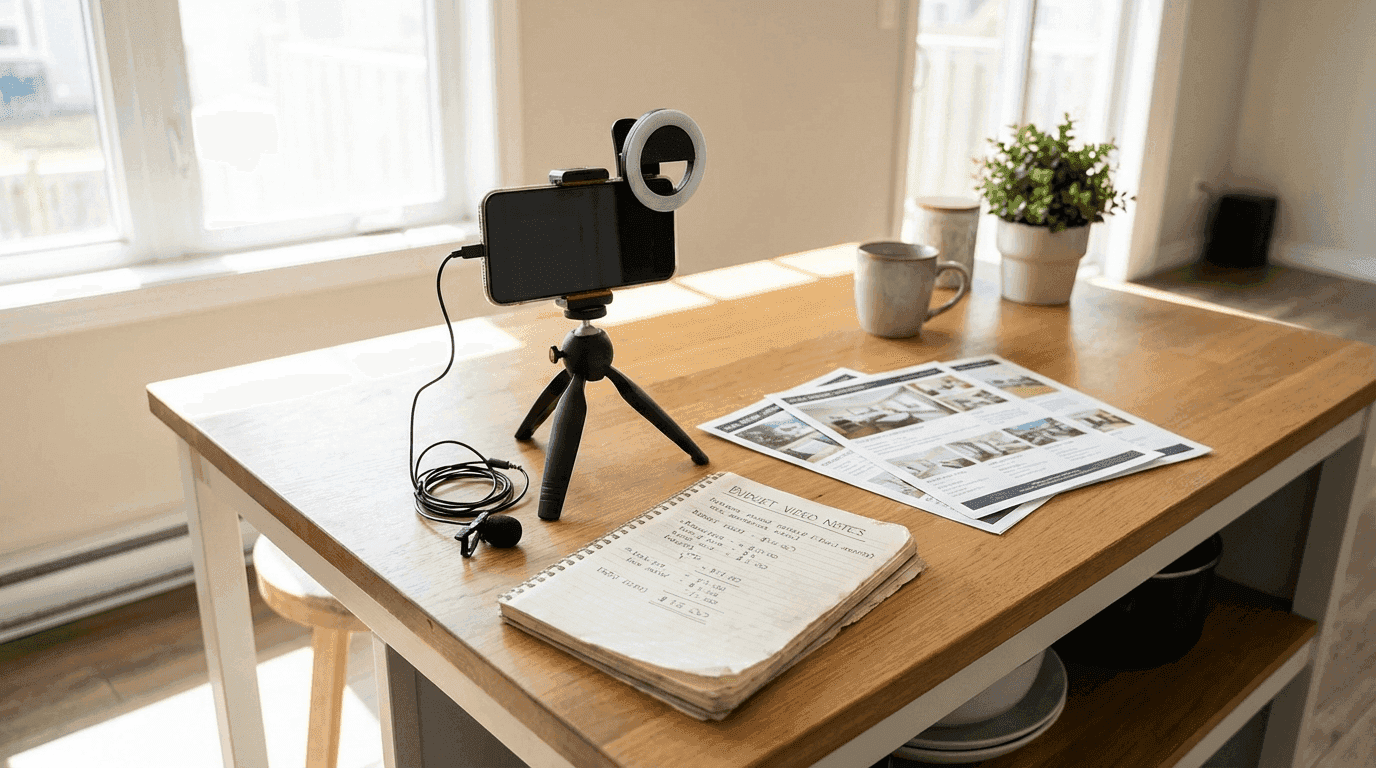
"I cannot afford video marketing." I hear this from agents at least once a week. And I understand where it comes from. When you Google "real estate video," you see productions with drone shots, gimbals, professional editing, and price tags starting at $300 per property. If you are a new agent or a solo agent doing 3 to 5 deals a year, dropping $300 to $1,200 per listing on video feels insane. Because it is.
But here is what most agents get wrong: they think the choice is between $500 professional video and no video at all. That is a false binary. The real choice is between $500 professional video, $50 per month AI-generated video, and $0 DIY video that still looks better than 80% of what agents are posting right now. This guide is about the middle path, and honestly, a bit of the free path too.
I am going to break down exactly how to create professional-quality real estate video content on a budget of $50 per month or less. Not "decent" content. Not "good enough" content. Content that actually competes with agents spending 10x more. The tools have gotten that good in 2026, and most agents have not caught on yet. That is your advantage.

The $50/Month Budget Breakdown
Let me be specific about what $50 per month gets you. Not vague "you can do a lot with a little" hand-waving. Actual dollar amounts, actual tools, actual output.
Option A: The AI-Powered Path ($59/Month)
OK, I am already $9 over budget. But hear me out because this is the highest-ROI path for most agents, and $59 per month is less than you spend on coffee. (I checked. The average American spends $92 per month on coffee. You are telling me your video marketing budget is worth less than lattes?)
| Item | Monthly Cost | What You Get |
|---|---|---|
| AI video tool (Reel-E Essential) | $59 | 3 listings/month, 4 video variants each, music sync, branding |
| CapCut (editing) | $0 | Trim, add text overlays, repurpose clips for social |
| Canva Free (thumbnails, graphics) | $0 | Video thumbnails, social graphics, text overlays |
| YouTube Audio Library (music) | $0 | Royalty-free music for DIY videos |
| Total | $59/month | 12 video variants + unlimited social clips |
For $59 per month, you get 3 full listing videos per month, each with 4 output variants (horizontal branded, horizontal unbranded, vertical branded, vertical unbranded). That is 12 finished videos. Plus you can cut those into shorter clips for social media, giving you 20 to 30+ pieces of video content monthly. Try getting that from a videographer.
Here is what the output looks like. Every frame in this video started as a still photograph:
Option B: The Completely Free Path ($0/Month)
| Item | Monthly Cost | What You Get |
|---|---|---|
| Your smartphone | $0 (already own) | 4K video recording with stabilization |
| CapCut | $0 | Full video editing: transitions, text, music, effects |
| Canva Free | $0 | Slideshow videos, thumbnails, graphics |
| iMovie / DaVinci Resolve | $0 | Desktop editing for longer-form content |
| YouTube Audio Library | $0 | Royalty-free music tracks |
| Instagram / TikTok native editors | $0 | In-app editing, trending audio, text overlays |
| Total | $0/month | Unlimited videos (your time is the cost) |
The free path works. I will not pretend otherwise. With CapCut, a decent phone, and 30 to 45 minutes per listing, you can create videos that look substantially better than what most agents are posting. The trade-off is time and output quality. Free tools cannot generate AI camera motion, so your listing videos will be slideshows (photos with transitions and music). They look fine. They do not look cinematic. For most agents starting out, that is an acceptable trade-off.
Option C: The Hybrid Path ($25 to $40/Month)
| Item | Monthly Cost | What You Get |
|---|---|---|
| Canva Pro | $13 | Premium templates, brand kit, background remover |
| CapCut Pro (optional) | $8 | Premium effects, AI captions, cloud storage |
| Epidemic Sound or Artlist (annual) | $13 to $17 | Professional licensed music library |
| Total | $25 to $38/month | Premium slideshow videos with pro music |
The hybrid path gives you better templates, better music, and better effects than the free path. The output still lacks AI camera motion, but the production polish is noticeably higher. This is a good middle ground for agents who want to look professional without committing to a dedicated video tool.
The One-Time Equipment Investment (Under $100)
Before we get into the content strategies, let us address equipment. I am going to save you hundreds of dollars right now by telling you what you do not need.
What You Do Not Need
- A DSLR or mirrorless camera. Your phone shoots 4K video with optical stabilization. Unless you are creating cinema-grade content (you are not), a camera is an unnecessary expense.
- A drone. Nice to have for luxury listings, completely unnecessary for 90% of real estate video. If you want aerial shots, hire a drone pilot for $100 to $150 per shoot when you actually need one. Do not buy a $800 drone that sits in a drawer.
- Professional lighting. For indoor filming, open every blind and turn on every light. For talking-head videos, a $25 ring light is enough. Studio lights are overkill.
- A gimbal. Phone stabilization in 2026 is good enough for most purposes. A gimbal helps for long walking shots, but it is a $100 to $150 purchase that can wait until your budget grows.
What You Actually Need (One-Time Purchase)
| Item | Cost | Why It Matters |
|---|---|---|
| Clip-on lavalier microphone | $15 to $25 | Clear audio is the #1 quality signal. Bad audio makes everything feel amateur. |
| Phone tripod with flexible legs | $15 to $30 | Stable shots for talking-head videos and stationary property shots. |
| Ring light (10-inch) | $20 to $35 | Even, flattering light for indoor talking-head content. |
| Total | $50 to $90 | One-time purchase. Lasts for years. |
That is it. $50 to $90 one-time, and you have everything you need to create professional-looking content. The lavalier mic is the single most impactful purchase. I cannot overstate this. Audio quality is the invisible line between "amateur" and "professional" in the viewer's subconscious. Spend the $20. Your content will thank you.

The Free Tool Stack: What to Use and How
Let me walk through each free tool and exactly how it fits into your video workflow. For a broader comparison of all the apps worth considering, see our roundup of the best apps for real estate agents.
CapCut (Free, iOS/Android/Desktop)
CapCut is the Swiss Army knife of budget video. It does everything: trim clips, add transitions, insert text overlays, add music, adjust color, and export in any aspect ratio. It is also the editing engine behind TikTok, so it integrates seamlessly with that platform.
Best for: Editing phone footage, creating Reels/TikToks, adding text overlays and captions, basic color correction.
Budget video workflow with CapCut:
- Import your listing photos or video clips
- Add transitions between clips (dissolve or slide work best for real estate)
- Insert a music track from the built-in library or YouTube Audio Library
- Add text overlays: property address, price, bed/bath count, your name and phone number
- Export at 1080x1920 (vertical for Reels/TikTok) or 1920x1080 (horizontal for YouTube/MLS)
Time to create a basic listing video: 15 to 25 minutes.
Canva Free (Browser and App)
Canva's video editor is surprisingly capable. It offers drag-and-drop video creation with pre-built templates specifically designed for real estate. The free tier limits you to basic templates and no background removal, but it is enough for clean slideshow-style listing videos.
Best for: Quick slideshow videos from photos, social media graphics, video thumbnails, Instagram Stories.
Limitation: The output looks like a Canva template. If three other agents in your market also use Canva, your videos look similar. Customize fonts, colors, and layouts to differentiate.
DaVinci Resolve (Free, Desktop)
This is Hollywood-grade editing software available for free. The learning curve is steep (plan for a few hours of YouTube tutorials), but the capabilities are extraordinary. Color grading, motion graphics, audio mixing, multi-track editing. If you are willing to invest time in learning, DaVinci Resolve can produce output that rivals $50 per month subscription tools.
Best for: Agents who want maximum control and are willing to learn a professional tool. Long-form YouTube videos. Complex edits with multiple camera angles.
Reality check: Most agents will never use 10% of DaVinci Resolve's features. If you just want to put listing photos to music with text overlays, CapCut is faster and simpler.
YouTube Audio Library (Free, Browser)
Google provides a library of thousands of royalty-free music tracks and sound effects that you can use in any video, on any platform, commercially. The quality ranges from "background elevator music" to "genuinely good." Spend 20 minutes browsing and download 5 to 10 tracks that match the vibe you want for your videos. Upbeat pop for listing tours, mellow acoustic for neighborhood guides, modern electronic for luxury properties.
Instagram and TikTok Native Editors
Do not overlook the built-in editing tools on these platforms. Instagram's Reel editor lets you trim clips, add text, use trending audio, and apply effects, all within the app. TikTok's editor is even more powerful, with green screen, voice effects, and AI-generated captions. For quick social content, you often do not need a separate editing app at all.
Five Types of Budget-Friendly Real Estate Videos
Now let us talk about what to actually create. These five video types work on any budget, from $0 to $59 per month.
1. The AI-Powered Listing Tour (Best Quality, $59/Month Path)
Time to create: 2 to 5 minutes
Quality level: Professional
What you need: Listing photos + AI video tool
This is the format that has democratized real estate video. Upload your listing photos to an AI tool, select music, add your branding, and the system generates a cinematic video with realistic camera motion in each clip, transitions synced to the beat of the music, and professional output in four formats.
No filming required. No editing required. No video production skills required. You need photos (which you already have for MLS) and about 5 minutes. The output quality is genuinely competitive with mid-range videographer work at a fraction of the cost.
At $59 per month for 3 listings, that is about $20 per listing. Compare that to $300 to $1,200 for a videographer. The math is not subtle.
2. The Phone Walkthrough (Free Path)
Time to create: 30 to 60 minutes (filming + editing)
Quality level: Good (with proper technique)
What you need: Phone + CapCut
Hold your phone horizontally (for MLS and YouTube) or vertically (for Reels and TikTok). Walk slowly through the property, lingering 3 to 5 seconds on each room. Move smoothly. Let the house do the talking. Do not narrate unless you have something genuinely useful to say ("this kitchen was fully remodeled in 2024 with custom cabinetry and quartz countertops" adds value; "and here is the kitchen" does not).
Filming tips that cost nothing:
- Walk heel-to-toe for smoother movement (the "model walk")
- Keep the phone at chest height, tilted slightly downward
- Turn on every light in the house and open every blind
- Film during the day for natural light through windows
- Do a full walkthrough without stopping. You can trim in editing, but cuts during a walkthrough feel jarring
- Shoot multiple takes. Your third walkthrough will be 3x smoother than your first
Edit in CapCut: trim the beginning and end, add music, insert text overlays with property details, and export. Total time: 20 to 30 minutes. Total cost: $0.
3. The Photo Slideshow (Free Path)
Time to create: 15 to 25 minutes
Quality level: Adequate
What you need: Listing photos + CapCut or Canva
Import your listing photos into CapCut or Canva. Add dissolve transitions (2 to 3 second duration). Set each photo to display for 3 to 4 seconds. Add a music track. Insert a title card at the beginning (address, price, bed/bath) and a contact card at the end (your name, phone, email, brokerage). Export.
Is this exciting? No. Is it better than posting nothing? Dramatically. A basic slideshow video on MLS gets 2x the engagement of photos alone, according to NAR data. It is the lowest-effort entry point into video marketing, and for agents doing 1 to 2 listings per month on a $0 budget, it is a perfectly acceptable starting point.
Just do not call it a "cinematic tour." Viewers can tell the difference between a slideshow and a video with actual camera motion. Set expectations honestly and let the photos speak for themselves.
4. The Talking-Head Market Update (Free Path)
Time to create: 10 to 15 minutes
Quality level: Good (with decent audio)
What you need: Phone + lavalier mic + ring light
Set up your phone on a tripod with the ring light behind it. Clip on your lavalier mic. Look at the camera and share one market data point with your analysis. "Inventory in [your city] hit 4.2 months of supply this week, up from 3.1 months last year. Here is what that means for sellers: your home is not going to sell in a weekend anymore. Pricing correctly from day one has never been more important."
Keep it under 30 seconds for Reels, 60 seconds for TikTok, 2 to 3 minutes for YouTube. Film 3 to 5 of these in one sitting (change your shirt between takes if you want them to look like different days. This is the oldest batch-filming trick in the book and nobody has ever gotten caught). Post one per week.
These videos cost literally nothing to produce and they position you as the market expert in your area. That positioning is worth more than any listing tour because it attracts both buyers and sellers.
5. The Neighborhood Reel (Free Path)
Time to create: 45 to 90 minutes (filming + editing)
Quality level: Good
What you need: Phone + CapCut
Walk through a neighborhood and film 15 to 30 second clips at 4 to 5 stops: the best coffee shop, the park, the school, a pretty residential street, and one hidden gem. Stitch them together in CapCut with text overlays naming each spot. Add a trending audio track. Post to Reels and TikTok.
Neighborhood content is the ultimate budget play because it is evergreen (it stays relevant for years), it requires no listing, and it positions you as the local expert. An agent with zero listings but great neighborhood content will attract more leads than an agent with 10 listings and no community content.
The Monthly Content Calendar ($50 Budget Edition)
Here is a realistic monthly content plan for an agent spending $50 to $59 per month on video. This assumes you have 2 to 3 active listings and are willing to spend about 4 hours per month on content creation.
| Week | Content | Tool | Time | Cost |
|---|---|---|---|---|
| Week 1 | Listing tour video (AI-generated) | Reel-E | 5 min | Included in $59 |
| Week 1 | Market update talking head | Phone + CapCut | 15 min | $0 |
| Week 2 | Neighborhood Reel | Phone + CapCut | 60 min | $0 |
| Week 2 | Listing tour video (AI-generated) | Reel-E | 5 min | Included in $59 |
| Week 3 | Home buying/selling tip | Phone + CapCut | 10 min | $0 |
| Week 3 | Listing tour video (AI-generated) | Reel-E | 5 min | Included in $59 |
| Week 4 | Behind-the-scenes / day in the life | Phone + Instagram editor | 20 min | $0 |
| Week 4 | Market update talking head | Phone + CapCut | 15 min | $0 |
| Total | 8 videos/month | ~2.5 hours | $59/month |
Eight videos per month. Two and a half hours of your time. $59 total. That is less than a single Starbucks visit per day, producing more video content than 90% of agents in your market.
For the complete $0 version, replace the three AI-generated listing tours with phone walkthroughs or slideshows (add about 90 minutes total). Same 8 videos, zero monthly cost, about 4 hours of time. The quality of the listing tours will be lower, but the talking head and neighborhood content will be identical.
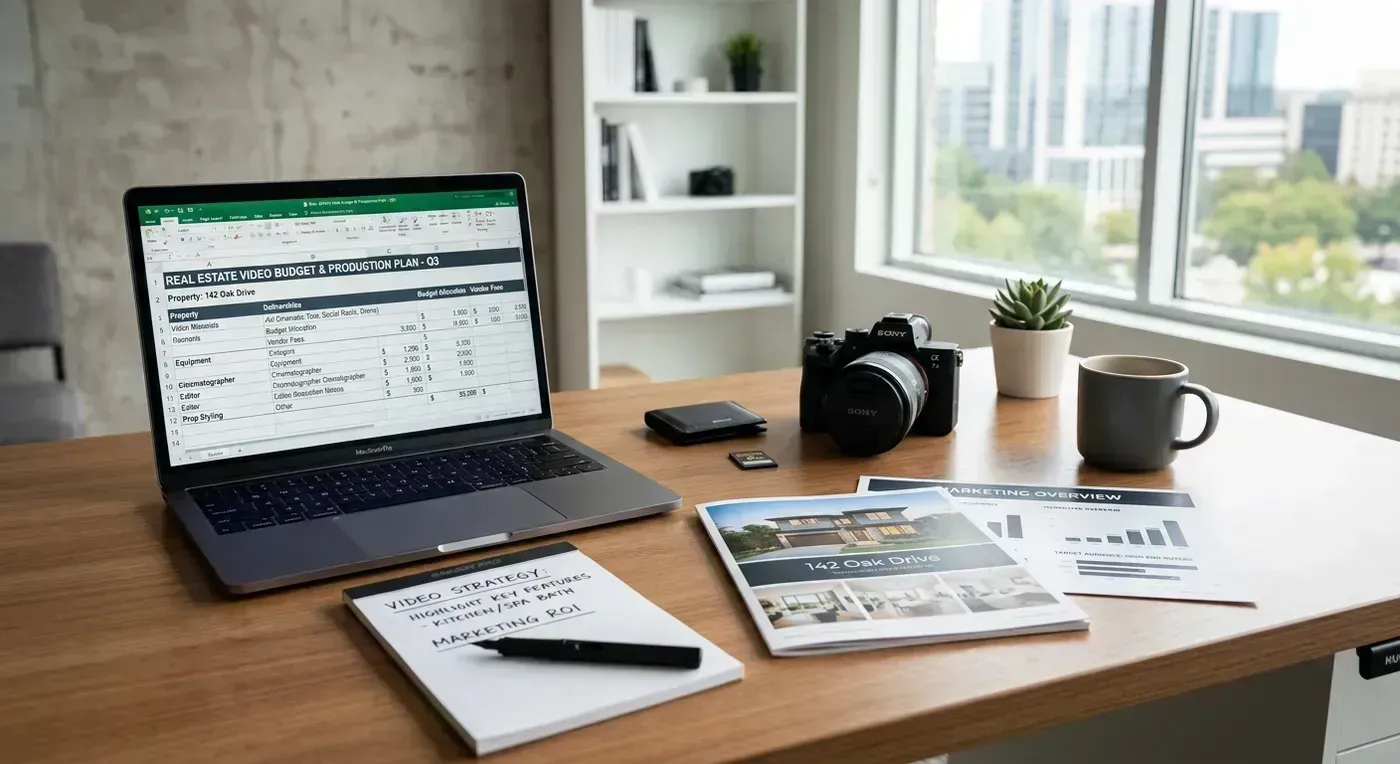
Where to Post Your Budget Videos (Platform Strategy)
Creating the video is half the battle. Distribution is where leads happen. Here is how to maximize reach on every platform without spending a dime on promotion.
Instagram Reels
Post: 2 to 3 Reels per week (vertical, 9:16)
Best content: Listing tours (vertical cut), neighborhood Reels, quick tips
Optimization: Add text hooks in the first frame, use 5 to 10 relevant hashtags mixing broad and local, post during peak hours (check your Insights)
TikTok
Post: 3 to 5 videos per week (vertical, 9:16)
Best content: Market hot takes, myth busters, price guess games, neighborhood vibe checks
Optimization: Use trending sounds, keep videos under 30 seconds for maximum completion rate, post 2 to 3 times per day during growth phase
YouTube
Post: 1 to 2 videos per week (horizontal, 16:9)
Best content: Longer listing tours, neighborhood guides, market analysis
Optimization: Write detailed descriptions (300+ words), use keyword-rich titles, create custom thumbnails, add end screens linking to related videos
Post: 2 to 3 videos per week
Best content: Listing tours, community content, market updates
Optimization: Share to local community groups (with permission), use Facebook's native upload (never just link to YouTube, Facebook buries external links), write engaging captions that prompt comments
MLS
Post: Every listing should have a video
Best content: Horizontal unbranded listing tours (most MLS systems require unbranded media)
Optimization: Upload as MP4 (1080p, 16:9). If your MLS only accepts links, upload to YouTube first and paste the YouTube link. Listings with video get 403% more inquiries according to NAR data. There is no excuse to list without video in 2026.
Time vs. Money: The Honest Trade-Off
Let me be real about the economics here, because nobody talks about this honestly.
When you create video for "free," you are not actually spending $0. You are spending time. And time has a dollar value. If you bill (or could bill) $100 per hour for your professional time, a 45-minute DIY video costs you $75 in opportunity cost. A $20-per-listing AI video that takes 5 minutes costs you about $28 total ($20 tool cost + $8 of your time).
| Method | Dollar Cost | Time Cost | True Cost (@$100/hr) | Quality |
|---|---|---|---|---|
| DIY slideshow (Canva/CapCut) | $0 | 25 min | $42 | Basic |
| DIY phone walkthrough | $0 | 45 min | $75 | Good |
| AI video (Reel-E Essential) | $20/listing | 5 min | $28 | Professional |
| Professional videographer | $300 to $800 | 0 min (outsourced) | $300 to $800 | Highest |
The AI path is actually the cheapest option when you account for time. This is not a sales pitch (OK, it is a little bit of a sales pitch). It is just math. If your time is worth anything at all, a 5-minute workflow at $20 per listing beats a 45-minute workflow at $0 per listing.
That said, if you are a brand new agent and your time is genuinely not filled with income-producing activities yet, the free path makes total sense. Use the free tools until your business grows to the point where 45 minutes per video is a real opportunity cost. Then upgrade. There is no shame in starting with Canva and CapCut. Every agent I know who now uses professional tools started exactly there.
Common Budget Video Mistakes (And How to Avoid Them)
I review agent videos constantly, and the same budget-killing mistakes show up over and over. Here is how to avoid them.
- Spending money on the wrong things first. Agents buy a $150 gimbal before they buy a $20 microphone. A shaky video with great audio looks amateur but sounds professional. A stabilized video with tinny, echoing audio looks professional but sounds amateur. Guess which one viewers tolerate? Audio first. Always audio first.
- Using a free tool's watermark. Some free tools add a watermark to exports. A watermarked video screams "I could not afford the real version." Either use a tool without watermarks (CapCut's free version has no watermark) or pay for the premium tier to remove it. A watermark damages your professional image more than not posting video at all.
- Over-editing. New video creators tend to add every effect, transition, and filter they can find. Lens flares, zoom transitions, particle effects. Stop. Clean, simple editing with dissolve transitions and subtle text overlays looks 10x more professional than a video that looks like it fell through a kaleidoscope. Less is more. Always.
- Ignoring aspect ratio. A horizontal video posted as a Reel (with black bars above and below) wastes 40% of the screen. A vertical video posted on YouTube (with black bars on the sides) looks unprofessional. Create both versions. If your tool outputs both formats (like Reel-E), great. If not, CapCut can reformat a horizontal video to vertical (crop and resize).
- Not posting consistently. The biggest waste of money in video marketing is not the tools. It is paying for a tool, creating two videos, and then not touching it for three months. Consistency matters more than quality. Three decent videos per week will outperform one perfect video per month, every time, on every platform.
- Paying for music you do not need. Epidemic Sound ($13/month) is great, but the YouTube Audio Library is free and has thousands of usable tracks. Unless you are creating high-volume content where music variety matters, free music is fine. Save that $13 for something else.
Scaling Up: When and How to Increase Your Budget
The $50 budget is a starting point, not a ceiling. Here is when to consider leveling up.
When You Hit 4+ Listings Per Month
If you are consistently listing more than 3 properties per month, the Essential plan ($59, 3 listings) no longer covers your volume. The Growth plan at $129 per month covers 10 listings and adds features like higher revision limits. At 4+ listings per month, the cost per listing drops and the time savings increase. This is the natural upgrade point for growing agents.
When You Start Getting Luxury Listings
A $2M listing deserves more than a phone video. This is when hiring a professional videographer for individual high-value listings makes sense. Use AI video for your standard listings and a videographer for the luxury ones. Your budget might look like: $59 per month for AI video (standard listings) + $400 per quarter for a videographer (1 luxury listing every 3 months) = $92 per month average. Still far less than full-service videography across all listings.
When Video Becomes a Core Lead Source
Once you can trace real transactions back to your video content (and you will, if you post consistently), it is time to invest proportionally. The 1% to 3% of GCI rule applies here. If video is generating 20% of your leads, it should receive at least 5% to 10% of your marketing budget. For a comparison of the tools available at higher budgets, check our guide on real estate video marketing tools.
The Real ROI: What $50/Month in Video Actually Produces
Let me run the math one more time, because this is the section that should convince you to start today rather than "eventually."
Assumptions: You are a solo agent with an average sale price of $400,000, a typical commission split netting you 1.25% per side ($5,000 per transaction). You close one deal per month. You spend $59 per month on video.
Without video: 12 transactions per year = $60,000 gross commission. Marketing cost for video: $0.
With video (conservative estimate): Video content helps you close 2 additional transactions per year (one more buyer from YouTube discovery, one more seller who chose you over a competitor because of your video presence). 14 transactions = $70,000 gross commission. Marketing cost for video: $708 per year ($59 x 12). Net gain: $9,292.
That is a 13x return on a $708 annual investment. And the "2 additional transactions" estimate is conservative. Agents who post video consistently typically report a 20% to 40% increase in lead flow within the first 6 months.
Even if video only generates one additional deal per year, you are still getting a 6x return. There is almost no marketing channel that delivers this kind of ROI at this budget level.
Getting Started Today
You do not need a perfect plan. You do not need perfect equipment. You do not need to wait until you feel "ready" (spoiler: you will never feel ready, that is just a fancy word for procrastination dressed up in business casual).
Here is your assignment for this week:
- Today: Download CapCut if you do not have it. Take 5 minutes to explore the interface. It is intuitive. You will figure it out faster than you think.
- Tomorrow: Film a 30-second talking-head video about one thing happening in your local market. Post it to Instagram Reels. Do not overthink it.
- This week: Create your first listing video. If you have $59, try Reel-E's free trial and upload your listing photos. If you have $0, import those photos into CapCut, add transitions and music, and export. Either way, you will have a listing video by Friday.
- Next week: Do it again. And the week after that. The agents who win at video marketing are not the ones with the biggest budgets. They are the ones who show up consistently.
Your $50 per month (or $0 per month) is enough. The tools are here. The playbook is in front of you. The only thing standing between you and a professional video presence is the decision to start. Make it today.