
Here is a stat that should bother you: the average real estate listing video on YouTube gets 23 views. Twenty-three. That is fewer people than attended your last open house. And yet, some agents consistently get 500 to 5,000 views per listing video without spending a dollar on ads. The difference is not video quality or production budget. It is SEO.
Search engine optimization for video is one of the highest-impact, lowest-effort marketing activities available to real estate agents, and almost nobody in the industry is doing it correctly. Most agents upload a listing video to YouTube with a title like "123 Oak Street Video Tour," write nothing in the description, add zero tags, and wonder why nobody watches it. That is like putting a "For Sale" sign in your trunk instead of the front yard. The content exists, but nobody can find it.
This guide covers everything you need to rank your real estate videos on both Google and YouTube. We are talking specific keyword strategies, title formulas, description templates, thumbnail optimization, schema markup, and the watch-time signals that determine whether YouTube shows your video to 20 people or 2,000. No vague advice about "creating quality content." Just the technical and strategic steps that actually affect rankings.
For context on why video matters for real estate in the first place, our real estate video statistics roundup covers the engagement and conversion data. This guide assumes you already have videos (or are about to create them) and focuses specifically on getting those videos found.
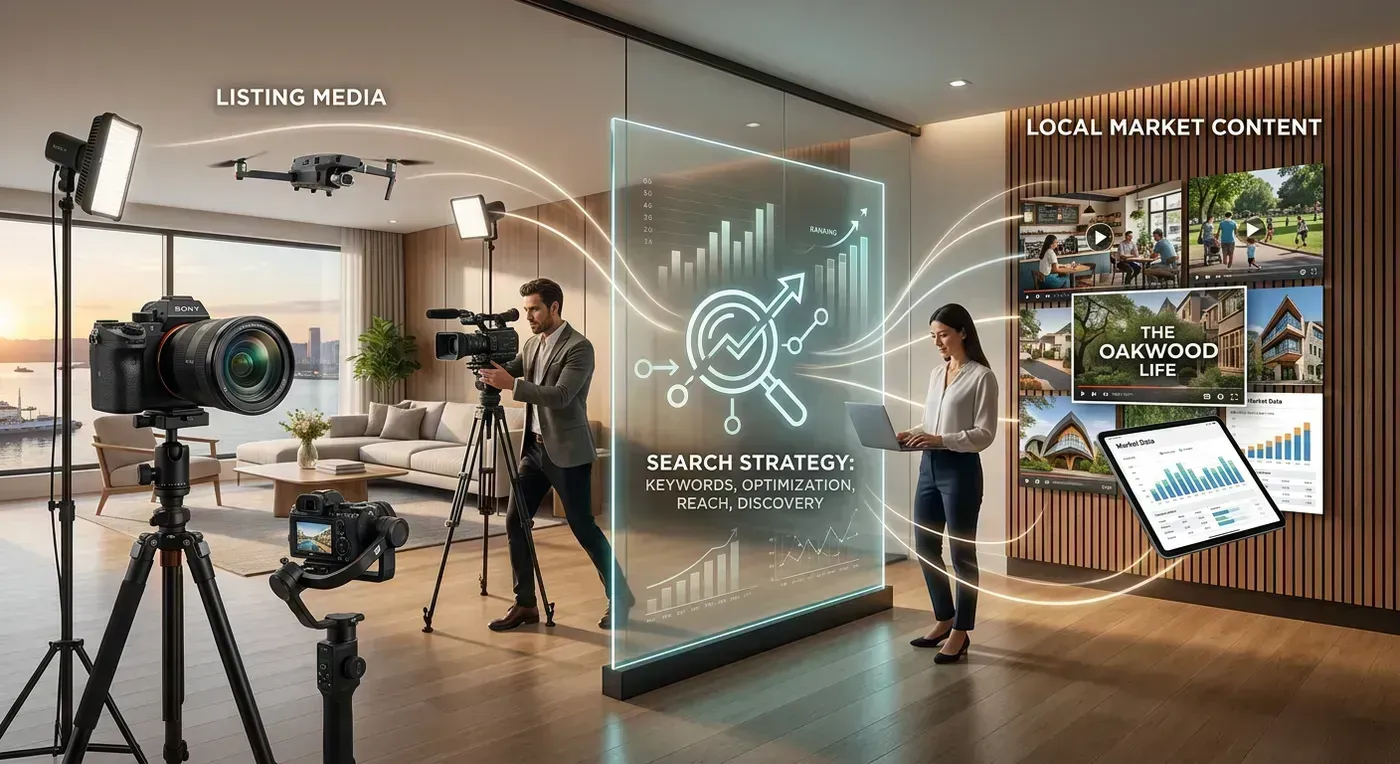
How Google and YouTube Actually Rank Real Estate Videos
Before we get into tactics, you need to understand how the ranking systems work. Google and YouTube are owned by the same company but use different ranking algorithms for video. Your listing video can appear in both, but each requires different optimization.
YouTube's Ranking Algorithm
YouTube ranks videos based on three primary signals, roughly in this order of importance:
- Click-through rate (CTR): What percentage of people who see your video thumbnail actually click on it. YouTube shows your video to a test audience first. If the CTR is high, it expands distribution. If it is low, the video dies quietly. This is why thumbnails matter more than almost anything else.
- Watch time and retention: How long viewers watch before clicking away. YouTube wants to keep people on the platform, so it prioritizes videos that hold attention. A 3-minute video where viewers watch 2 minutes and 30 seconds will outrank a 3-minute video where viewers bail after 45 seconds. Average view duration is the metric to watch here.
- Engagement signals: Likes, comments, shares, saves, and subscriptions generated from the video. These are secondary to CTR and watch time but still influence ranking, especially for competitive keywords.
Notice what is NOT on this list: video quality, production budget, equipment used, or whether you shot on a phone or a cinema camera. YouTube does not evaluate visual quality as a ranking factor. A perfectly optimized phone video will outrank a poorly optimized 4K production every single time. I know agents spending $1,200 per listing video on videography and getting 30 views. Meanwhile, agents using AI-generated video from photos and spending 5 minutes on SEO optimization are getting 500 to 1,000 views per listing. The production method does not matter to the algorithm. The metadata does.
Google's Video Ranking
Google surfaces videos in regular search results (the main blue links) in two ways:
- YouTube results embedded in search: Google pulls YouTube videos directly into search results for queries where video content is relevant. For real estate, this includes searches like "homes for sale in [neighborhood]," "[address] house tour," and "living in [city]." Your YouTube video can appear right alongside traditional web results.
- Video-rich snippets from your website: If you embed video on your listing pages with proper VideoObject schema markup, Google can display your page with a video thumbnail in search results. Pages with video thumbnails get a dramatically higher click-through rate than plain text results. Forrester Research found they are 53x more likely to reach page one.
The key insight: you want both. Your YouTube video should rank independently for property and neighborhood keywords. Your website listing page (with embedded video and schema markup) should also rank. This gives you two chances to appear in search results for the same query, and they reinforce each other.
Keyword Strategy: What Buyers Actually Search For
Most agents guess at keywords. They use whatever sounds natural to them ("beautiful home in great neighborhood") rather than what buyers actually type into search boxes. Let me save you the guessing by sharing the keyword patterns that have consistent search volume in real estate.
High-Intent Keyword Patterns
These are the search queries from people who are actively looking to buy. They have the highest conversion potential.
| Pattern | Example | Monthly Search Volume (Typical) | Competition |
|---|---|---|---|
| [City] homes for sale | "Austin homes for sale" | 5,000 to 50,000 | Very high |
| [Neighborhood] homes for sale | "Mueller Austin homes for sale" | 100 to 2,000 | Low to medium |
| [Address] house tour | "4521 Oak Lane Austin tour" | 10 to 100 | Very low |
| homes in [Neighborhood] [City] | "homes in Westlake Hills Austin" | 200 to 3,000 | Medium |
| [City] real estate [year] | "Austin real estate 2026" | 1,000 to 10,000 | High |
| [beds] bedroom [City] under [price] | "3 bedroom Austin under $500K" | 50 to 500 | Low |
Notice the pattern: the more specific the keyword, the lower the competition and the higher the buyer intent. "Austin homes for sale" has massive search volume but you will never outrank Zillow, Realtor.com, and Redfin for that term. "Mueller Austin homes for sale 2026" has much less competition, and the person searching it is far more likely to be an actual buyer in your market.
The Neighborhood Strategy (Your Biggest Opportunity)
This is where individual agents can actually compete with the big portals. Zillow dominates city-level searches, but neighborhood-level video content is wide open. Here is why: the big portals do not create video content for specific neighborhoods. They aggregate listings. You can fill that gap.
Create a listing video for every property you list (obviously). But also create neighborhood guide videos for 5 to 10 neighborhoods in your market. "Living in Clarksville Austin: What You Need to Know" or "Hyde Park Austin Home Tour: What $700K Buys You." These videos rank relatively easily because competition is low, and they generate views for months or years because people continuously search for neighborhood information when considering a move.
One agent I know in Denver created 12 neighborhood guide videos over two months. Those videos now generate about 300 to 500 views per month each, consistently, with zero ongoing effort. That is 3,600 to 6,000 monthly views from content created once. Several of those viewers became clients because they reached out to the agent who clearly knew the neighborhood inside and out.
How to Find Your Keywords
Three methods, in order of usefulness:
- YouTube search autocomplete: Go to YouTube and start typing "homes for sale in [your city]." Watch what autocomplete suggests. These suggestions are based on actual search behavior. If YouTube suggests "homes for sale in Round Rock TX under $400K," that is a real search term with real volume. Build content around it.
- Google Keyword Planner: Free with a Google Ads account (you do not need to run ads). Enter your city + "homes for sale" and look at related keywords with their monthly search volumes. Focus on terms with 100 to 2,000 monthly searches and low to medium competition.
- Competitor analysis: Find the top-ranking real estate YouTube channels in your market. Look at their most-viewed videos. What keywords are in the titles? What terms are in the descriptions? These agents have already done the research. Learn from their success. (Just do not copy their content. That is tacky and YouTube can detect it.)
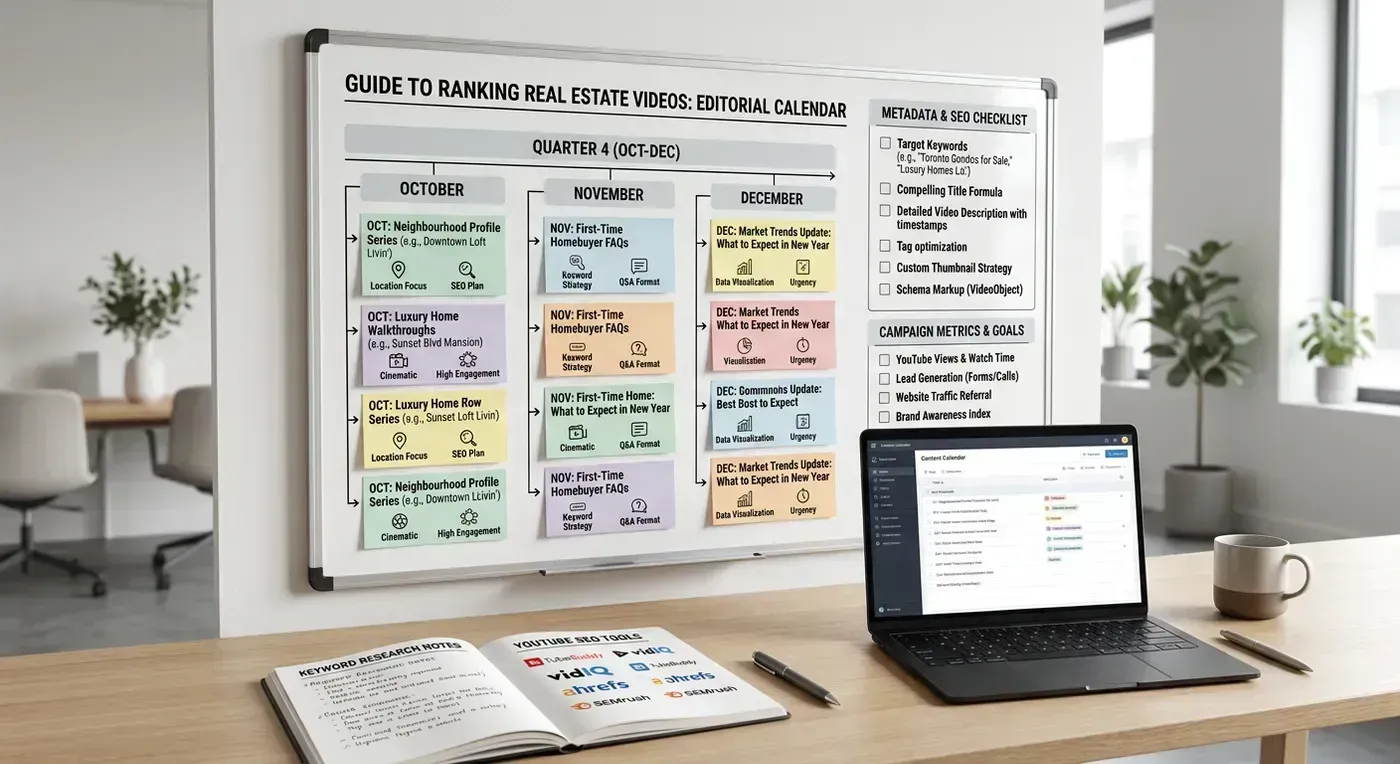
Title Optimization: The Formula That Works
Your video title does two jobs simultaneously: it tells YouTube's algorithm what the video is about, and it convinces human viewers to click. Most agents write titles that do neither.
Bad Titles (Do Not Do This)
- "123 Oak Street" (no context, no keywords, no reason to click)
- "Beautiful Home Tour" (generic, no location, competes with millions of videos)
- "New Listing!" (meaningless to search, no information for the viewer)
- "Check Out This Amazing Property in Austin Texas WOW" (clickbait without substance, too long, will get truncated)
Good Titles (Do This Instead)
The formula: [Key Feature or Hook] | [Location] Home Tour | [Price or Key Stat]
- "Stunning Modern Farmhouse | Mueller Austin Home Tour | $625K 4 Bed 3 Bath"
- "Inside a $1.2M Westlake Hills Home with Hill Country Views | Austin TX"
- "What $450K Buys in Round Rock TX | 2026 Home Tour | 3 Bed 2.5 Bath"
- "Living in Hyde Park Austin | Neighborhood Guide 2026 | Homes, Restaurants, Schools"
Why these work:
- They front-load the most compelling information (the hook or key feature)
- They include the neighborhood and city (location keywords)
- They include price and specs (search terms buyers actually use)
- They fit within YouTube's 100-character display limit (titles get truncated in search results after about 60 to 70 characters, so put the important stuff first)
Title Testing
YouTube now allows A/B testing of thumbnails (called "Test and Compare"), but not titles. You can, however, change your title after publication if the video is underperforming. Give a video 7 days with the original title. If the click-through rate is below 4%, try a revised title. YouTube will re-evaluate the video with the new metadata. I have seen CTR improvements of 30% to 50% from title changes alone.
Description Templates That Rank
YouTube's algorithm reads your entire description to understand what the video is about. Most agents write three sentences and call it done. That is leaving ranking potential on the table.
The Real Estate Video Description Template
Here is the template I recommend. Copy it and fill in the brackets for each listing video.
First 2 lines (shows above the fold):
[Property Address] | [Price] | [Beds] Bed [Baths] Bath | [Sqft] Sqft
Tour this stunning [property type] in [Neighborhood], [City]. Schedule a private showing: [phone] | [email]
Below the fold:
[Full property description, 150 to 300 words. Include neighborhood name, street name, nearby amenities by name (schools, parks, restaurants, shopping centers), architectural style, key features, recent updates/renovations, lot size, garage details, HOA information if applicable.]
Neighborhood Highlights:
- [School district name] school district
- [X] minutes to [downtown/major employer/landmark]
- Walking distance to [park name], [restaurant name], [shop name]
- [Other relevant neighborhood feature]
Property Details:
- Price: $[XXX,XXX]
- Bedrooms: [X]
- Bathrooms: [X]
- Square Feet: [X,XXX]
- Year Built: [XXXX]
- Lot Size: [X.XX] acres
- Garage: [X]-car
- MLS#: [XXXXXXX]
View the full listing: [URL to your listing page]
Search more [City] homes: [URL to your search page]
[Your Name] | [Brokerage] | [License #]
[Phone] | [Email] | [Website]
Follow me:
Instagram: [URL]
Facebook: [URL]
#[City]RealEstate #[Neighborhood]Homes #HomesForSale #[City]Homes #RealEstateTour
This description serves multiple purposes. The first two lines give immediate context and a call to action. The property description provides keyword density for YouTube's algorithm. The neighborhood highlights add local keyword signals. The structured property details make the information scannable. The links drive traffic to your website. And the hashtags (yes, YouTube uses them) help with discovery.
I know this looks like a lot of work. It is not. Once you have the template saved, filling it in takes about 3 minutes per listing. And those 3 minutes of description writing can be the difference between 23 views and 2,300 views. That is probably the best ROI on 3 minutes of work you will find anywhere in your marketing.
Thumbnail Strategy: Your Video's Billboard
This section might be the most important in this entire guide. Your thumbnail is the single most influential factor in whether someone clicks your video. YouTube's own Creator Academy says that 90% of the best-performing videos use custom thumbnails. For real estate videos, the difference between a good thumbnail and a bad one is often a 3x to 5x difference in click-through rate.
What Works for Real Estate Thumbnails
- Hero shot of the property: The single most stunning image of the property. Wide-angle exterior at golden hour, or the show-stopping kitchen/living room. This should be the image that makes someone stop scrolling and say "I want to see this house."
- Price overlay: "$625K" in large, readable text. Buyers search by price range, and seeing the price immediately qualifies or disqualifies interest. This saves the viewer a click if it is out of their range (which improves your watch time metrics for the viewers who do click, because they are genuine prospects).
- Location text: "Mueller, Austin TX" in smaller text below or beside the price. This signals local relevance.
- Bright, high-contrast images: Thumbnails appear as small tiles in search results. Dark, low-contrast images disappear. Bright, saturated images pop. If your listing photo is dark, increase the brightness and contrast for the thumbnail version.
- Minimal text: 3 to 5 words maximum. More text becomes unreadable at thumbnail size. Price + neighborhood is usually enough.
What Does NOT Work
- Auto-generated thumbnails: YouTube picks a random frame from your video. It is almost always unflattering. Always upload a custom thumbnail.
- Your headshot as the main image: Nobody is searching YouTube to look at your face. They are searching for properties. Put the property front and center. Your headshot belongs in the video itself (contact card/outro), not the thumbnail.
- Cluttered collages: Four photos crammed into one thumbnail is unreadable at scale. One strong image beats four mediocre ones.
- Clickbait that does not deliver: "You Won't BELIEVE This House!" with a shocked face emoji is tempting, and it might get clicks initially. But if the video does not deliver on the promise, viewers bounce quickly, which tanks your watch time and tells YouTube to stop showing your video. Honest thumbnails build a sustainable channel. Clickbait builds a channel that peaks and dies.
Thumbnail Specs
| Specification | Requirement |
|---|---|
| Resolution | 1280 x 720 pixels minimum (1920 x 1080 recommended) |
| Aspect ratio | 16:9 |
| File size | Under 2 MB |
| Format | JPG, PNG, or GIF (no animation) |
You can create thumbnails in Canva (free), Photoshop, or even your phone's photo editor. The tools do not matter. What matters is: one strong property image, price in readable text, and location context. That is it.
Watch Time Optimization: Keeping Viewers Watching
After someone clicks your thumbnail, the next battle is keeping them watching. YouTube measures "average view duration" and uses it as a primary ranking signal. If viewers consistently watch 70% or more of your video, YouTube interprets that as high-quality content and shows it to more people. If viewers bail at 20%, the video gets buried.
For listing tour videos specifically, here are the factors that improve watch time.
Start With Your Best Shot
Do not start with the exterior. Do not start with a title card. Do not start with "Hey guys, welcome to another home tour." Start with the most visually striking room in the house. The kitchen with the waterfall island. The living room with the two-story windows. The primary bathroom with the freestanding tub and floor-to-ceiling marble. Hook them in the first 3 seconds, or they are gone.
Here is an example. This listing video opens with the hero interior shot, not the front door:
Keep It Moving
Real estate video has a natural advantage for watch time: every few seconds, there is a new room. That novelty keeps viewers engaged. The challenge is pacing. If you linger too long on any single room (more than 5 seconds for a standard room, 7 to 8 seconds for a spectacular feature room), viewer attention drops. AI tools with beat-synced transitions handle this automatically by matching clip lengths to musical phrases. Manual editors need to be disciplined about pacing.
End Strong
Most agents end their videos with a static logo card or a "Thanks for watching!" text screen. Both are missed opportunities. End with the best exterior or lifestyle shot (pool, view, landscaping) and a clear call to action: "Schedule a private showing" with your contact information. The viewer just watched the entire tour and is at peak interest. Do not waste that moment on a generic sign-off.
Optimal Video Length by Content Type
| Content Type | Optimal Length | Why |
|---|---|---|
| Listing tour (standard residential) | 1.5 to 3 minutes | Enough to show every room, short enough to maintain 60%+ retention |
| Listing tour (luxury) | 3 to 5 minutes | Luxury buyers expect more detail, more features to showcase |
| Neighborhood guide | 5 to 10 minutes | Deeper topic supports longer viewing, YouTube rewards longer watch sessions |
| Market update | 3 to 7 minutes | Data-driven content holds attention if well-structured |
| Agent introduction | 2 to 3 minutes | Short enough that potential clients watch the whole thing |

Schema Markup: The Technical SEO Nobody Does
Here is the dirty secret of real estate video SEO: almost nobody adds schema markup to their listing pages. Which means if you do it, you have an immediate advantage over 95% of agents in your market. Schema markup is structured data that tells Google exactly what your page and video are about. It is not visible to visitors, but it is very visible to search engines.
VideoObject Schema (Essential)
Add this JSON-LD script to the <head> section of any page with an embedded listing video:
{ "@context": "https://schema.org", "@type": "VideoObject", "name": "Mueller Austin Home Tour | 4521 Oak Lane | $625K", "description": "Tour this stunning 4 bed 3 bath modern farmhouse in Mueller, Austin TX. 2,400 sqft, open floor plan, quartz countertops, covered patio.", "thumbnailUrl": "https://yoursite.com/images/4521-oak-lane-thumb.jpg", "uploadDate": "2026-02-15", "duration": "PT2M30S", "contentUrl": "https://yoursite.com/videos/4521-oak-lane.mp4", "embedUrl": "https://www.youtube.com/embed/VIDEO_ID" }
This tells Google: this page has a video, here is what it is about, here is the thumbnail to show in search results, and here is where to find the video file. Without this markup, Google has to guess whether your page contains video and what it is about. With it, Google knows with certainty and can display your result with a video thumbnail.
RealEstateListing Schema (Bonus Points)
If your listing page includes both the video and property details, add RealEstateListing schema alongside the VideoObject schema. This gives Google structured data about the property itself (address, price, rooms, square footage) which helps your page rank for property-specific searches.
Most real estate website platforms (kvCORE, Sierra Interactive, Real Geeks) add basic listing schema automatically. Check whether your platform adds VideoObject schema for pages with embedded video. If it does not (most do not), you will need to add it manually or through a plugin.
Testing Your Schema
Use Google's Rich Results Test (search "Google Rich Results Test") to validate your markup. Paste your page URL and it will tell you whether Google can read your structured data and if there are any errors. Fix errors before expecting results. Invalid schema is worse than no schema because it can confuse Google's indexing.
YouTube Tags and Hashtags
YouTube tags are less important than they were five years ago, but they still matter for discovery, especially for new channels and niche content like local real estate.
Tag Strategy
Add 10 to 15 tags per video. Order matters: YouTube gives more weight to earlier tags. Structure them like this:
- Exact match keyword: The exact phrase you want to rank for. "Mueller Austin homes for sale"
- Broader location keywords: "Austin real estate" "Austin homes" "Austin TX homes for sale"
- Property-specific terms: "4 bedroom Austin" "modern farmhouse Austin" "homes under $700K Austin"
- Generic real estate terms: "home tour" "house tour" "real estate" "listing video"
- Your brand: Your name, your brokerage name. This helps your videos appear as suggestions alongside each other.
Hashtags in Description
YouTube supports hashtags in video descriptions. The first three hashtags appear above the video title as clickable links. Use them for your most important keywords: #AustinRealEstate #MuellerHomes #HomeTour. Do not use more than 15 hashtags total. YouTube may ignore all of them if you use too many.
Cross-Platform Distribution for Maximum SEO Impact
Your listing video should not live on YouTube alone. Each platform creates a separate discovery channel, and the combined effect amplifies your overall search presence.
The Distribution Checklist
- YouTube: Upload horizontal version with full SEO optimization (title, description, tags, thumbnail, end screen). This is your primary SEO asset.
- Your website: Embed the YouTube video on the listing page. Add VideoObject schema markup. This boosts both the YouTube video's authority and your page's search ranking.
- Instagram Reels: Upload vertical version as a Reel. Use location tags, relevant hashtags, and a caption with the property address and key details. Link to the full listing in your bio.
- TikTok: Upload vertical version with trending sounds and relevant hashtags. TikTok's algorithm is less keyword-dependent, but property address in the caption helps local discoverability.
- Facebook: Upload horizontal version natively (do not share the YouTube link; Facebook deprioritizes external links). Tag the location. Post in local real estate and community groups.
- Google Business Profile: Upload the video to your Google Business Profile if you have one. This can appear in local search results and Google Maps.
Creating the video once and distributing it to six platforms takes about 15 minutes total. If you use a tool like Reel-E that outputs both horizontal and vertical formats with branding variants, you already have the right files for every platform. No reformatting required.
Measuring Your Video SEO Performance
You cannot improve what you do not measure. Here are the specific metrics to track and what they tell you.
YouTube Studio Metrics
| Metric | What It Tells You | Target | How to Improve |
|---|---|---|---|
| Impressions | How often YouTube shows your thumbnail | Growing month over month | Better titles and tags |
| Click-through rate | How often viewers click your thumbnail | 4% to 10% | Better thumbnails and titles |
| Average view duration | How long viewers watch | 50%+ of video length | Better opening hooks, tighter pacing |
| Traffic sources: YouTube search | What % of views come from search | 30%+ for SEO-focused channels | Better keyword targeting |
| Top search terms | What queries drive views | Matching your target keywords | Adjust titles and descriptions |
Google Search Console Metrics
If you embed videos on your website with schema markup, Google Search Console shows how your video-rich results perform in Google search. Track:
- Video appearance in search: How often your pages appear with a video thumbnail
- Click-through rate for video results: Whether the video thumbnail increases clicks compared to non-video results
- Queries triggering video results: What searches show your video-enhanced pages
The Metric That Actually Pays Your Bills
All of these SEO metrics are proxies for the one that matters: inquiries. How many people contact you about a listing after watching the video? Track this by adding UTM parameters to links in your YouTube descriptions (utm_source=youtube&utm_medium=video&utm_campaign=listing-4521-oak) and monitoring form submissions and calls from those sources.
If your videos are getting views but not inquiries, the problem is not SEO. It is conversion. Your call to action is weak, your contact information is buried, or the video itself is not compelling enough to drive action. Fix the content first, then optimize the distribution.
Advanced Tactics: Standing Out in Competitive Markets
If you are in a market with dozens of agents already doing video (Austin, Miami, Los Angeles, Denver), basic SEO will get you started but will not be enough to dominate. Here are the advanced tactics that separate page-one channels from everyone else.
Create Series Content
Instead of random one-off listing videos, create series: "Homes Under $500K in Austin" (Episode 1, 2, 3...), "Best Neighborhoods in Denver" (one video per neighborhood), or "This Week in [City] Real Estate" (weekly market updates). Series content builds subscriber loyalty and gives YouTube a clear signal about what your channel covers, which improves ranking for all videos in the series.
Playlists as SEO Assets
YouTube playlists appear in search results independently from individual videos. Create playlists organized by neighborhood, price range, and property type. A playlist called "Mueller Austin Homes for Sale 2026" can rank for that exact search term, showing your entire catalog of Mueller listing videos as a single, binge-worthy result.
End Screens and Cards
Use YouTube end screens (the last 20 seconds of your video) to suggest related videos. If someone just watched a Mueller listing, suggest your other Mueller listings or your Mueller neighborhood guide. This increases session time on your channel, which YouTube rewards with higher rankings across all your content.
Community Posts
YouTube's Community tab lets you post text, images, and polls to your subscribers. Use it to announce new listing videos, ask what neighborhoods subscribers want to see next, and share market stats. Community engagement boosts your channel's overall authority, which trickles down to better rankings for individual videos.
The 15-Minute Video SEO Workflow
Here is the complete workflow for optimizing a listing video for search. Total time: about 15 minutes per listing, assuming you have the template structure set up.
- Create the video (3 to 5 min): Upload photos to your AI video tool, select music, confirm branding, generate. While the video processes, move to step 2.
- Write the title (1 min): Use the formula: [Hook] | [Neighborhood City] Home Tour | [Price Beds Baths].
- Fill in the description template (3 min): Property details, neighborhood highlights, links, contact info, hashtags.
- Create the thumbnail (3 min): Best property photo + price overlay + location text. Save as 1920x1080 JPG.
- Upload to YouTube (2 min): Set title, description, thumbnail, tags, and category (People & Blogs or Travel & Events for real estate).
- Distribute to other platforms (3 min): Upload vertical version to Instagram and TikTok. Embed on your listing page with schema.
Fifteen minutes. One listing video, optimized for Google and YouTube, distributed to six platforms, generating organic traffic for months. That is the kind of compounding marketing activity that builds your business while you sleep. Or while you are at a closing. Or while you are watching Netflix. The video keeps working regardless.
For more on how video marketing fits into a broader real estate strategy, our video marketing for real estate guide covers distribution, content planning, and ROI measurement across all channels.
Getting Started Today
You do not need to be an SEO expert. You just need to be slightly more intentional than the 95% of agents who upload a video titled "New Listing" with an empty description and an auto-generated thumbnail. That bar is low. Step over it.
Your first action: take your most recent listing video (or create one in under 5 minutes) and re-upload it to YouTube with a properly optimized title, description, tags, and custom thumbnail using the templates in this guide. Compare the view count after two weeks against your previous videos. The difference will convince you that this is worth the 15 minutes.
The agents who will dominate their markets in the next 2 to 3 years are the ones building video libraries now. Every listing video you upload and optimize is a permanent asset. It does not expire. It does not stop working. It sits on YouTube and Google, attracting buyers to your listings and your brand, long after the property has sold. That video becomes proof of your work, your market expertise, and your marketing professionalism. Future sellers searching for agents will find your videos and think, "This is the agent I want representing my home."
Start today. Optimize every video from now on. The compound effect is real.