There are roughly 1.5 million active real estate agents in the United States. Fewer than 3% of them have a YouTube channel with more than 10 videos. That is not a typo. Ninety-seven percent of agents are completely absent from the second-largest search engine on the planet, a platform where millions of potential homebuyers search for neighborhoods, market data, and property tours every single day.
If you are reading this, you are probably in that 97%. Or maybe you started a channel, posted four videos, got 38 views on each, felt embarrassed, and quietly stopped. (No judgment. That was me with my first three attempts at anything creative.) Either way, you are here because you know YouTube should be generating leads for your business but it is not, and you want to fix that.
Good. Because a well-built real estate YouTube channel is the closest thing to a lead generation machine that runs while you sleep. Unlike Instagram Reels that peak in 48 hours or Facebook ads that stop the second you stop paying, YouTube videos keep working for years. A neighborhood tour you film this weekend could bring you a relocation buyer 18 months from now. That is not speculation. That is how YouTube search works, and I will show you exactly how to set it up.
This guide covers everything: channel setup, content strategy, YouTube SEO, analytics, thumbnails, the subscriber-to-client conversion pipeline, and the equipment question everyone obsesses over (spoiler: your phone is fine). If you want the broader case for why video marketing matters at all, our video marketing for real estate guide covers the strategic foundation. This article is the YouTube-specific playbook.
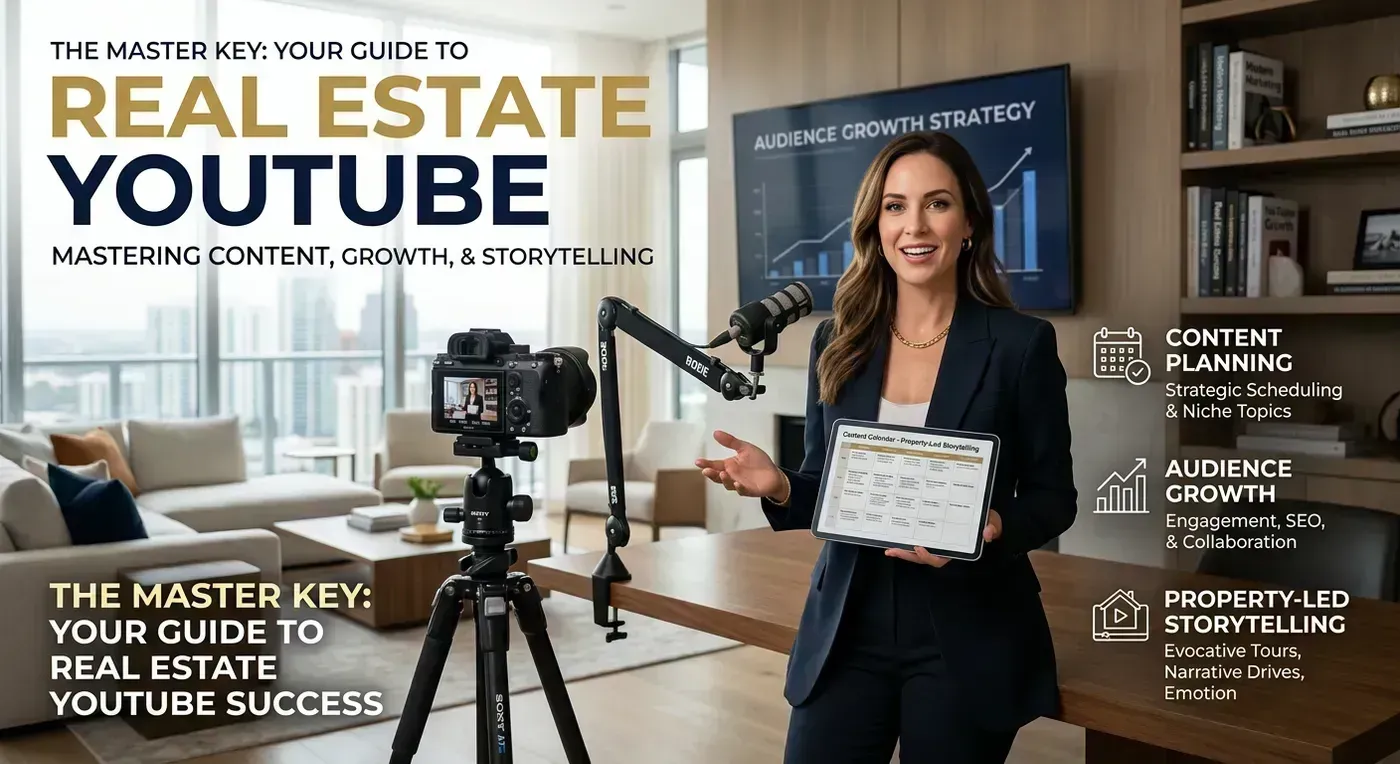
Why YouTube Works Differently Than Every Other Platform
Before we get tactical, you need to understand why YouTube deserves its own strategy separate from Instagram, TikTok, or Facebook. The fundamental difference comes down to one word: intent.
On Instagram, people are scrolling. They did not open the app looking for a home. They opened it to procrastinate, and your Reel happened to interrupt their scroll in a good way. On YouTube, people are searching. They typed "best neighborhoods in Austin" or "homes for sale in Denver under 500K" or "is it a good time to buy a house in 2026" into the search bar. They came looking for answers. Your video is the answer.
This distinction matters enormously for lead quality. Instagram followers are casual. YouTube viewers who find you through search are high-intent. They are actively researching a purchase decision. A study by the National Association of Realtors found that 73% of homebuyers use online video during their home search, and YouTube is where most of that viewing happens.
The Compounding Effect
Here is what makes YouTube uniquely powerful: videos compound over time. A blog post might get 80% of its lifetime traffic in the first two weeks. An Instagram Reel peaks in 48 hours and flatlines. A YouTube video often gets more views in month 6 than it got in month 1. YouTube's algorithm continuously surfaces older content when it matches a new search query. Your neighborhood tour from last March? Still ranking, still bringing in viewers, still generating leads.
I have talked to agents who report that 60% to 70% of their YouTube leads come from videos that are 6 to 18 months old. One agent in Charlotte told me her top lead-generating video was a neighborhood tour she filmed two years ago. It still gets 800 to 1,200 views per month and generates 2 to 3 inbound calls monthly. She has not touched it since the day she uploaded it.
That is the power of search-driven content on an evergreen platform. No other social network offers this. For the hard data on how video impacts real estate outcomes, our real estate video statistics analysis covers the research.
YouTube Versus Social Media: Different Strategies for Different Platforms
| Factor | YouTube | Instagram/TikTok | |
|---|---|---|---|
| Content lifespan | Years | 24 to 72 hours | 1 to 2 days |
| Discovery method | Search + suggestions | Algorithm feed | Friends + groups |
| Viewer intent | High (searching) | Low (scrolling) | Low to medium |
| Ideal video length | 3 to 15 minutes | 15 to 60 seconds | 1 to 3 minutes |
| Lead quality | High | Medium | Medium |
| Time to first lead | 3 to 6 months | 1 to 2 months | Immediate (paid) |
| Effort per video | Medium to high | Low to medium | Low |
| Compounding returns | Strong | Minimal | Minimal |
The takeaway is not "YouTube is better than Instagram." It is that YouTube serves a fundamentally different role in your marketing. Instagram builds awareness and keeps you top of mind. YouTube captures demand that already exists. You want both, but if you are only going to invest serious effort in one video platform, YouTube has the higher long-term ROI.
Setting Up Your Channel (Do This Right the First Time)
I have seen agents create YouTube channels with their personal Gmail, upload three landscape videos rotated sideways, and wonder why nobody watches. Let us set this up properly from the start so you do not have to redo it later.
Channel Name and Branding
Your channel name should include your name and your market. Examples that work well:
- "Sarah Chen | Austin Real Estate"
- "Living in Denver with Mike Torres"
- "Charlotte Homes - Jessica Park Realty"
- "The Phoenix Agent - David Nguyen"
The pattern is: something searchable + something personal. You want someone searching "Austin real estate" to find your channel, but you also want the name to feel like a person, not a corporation. Avoid names like "Premier Luxury Homes Network" unless you want to sound like a cable TV channel from 2009.
For your profile picture, use a professional headshot. Not your brokerage logo. Not a photo of a house. Your face. People subscribe to people, not brands. Your banner image should feature your market (skyline, recognizable landmark) with your tagline and contact info.
Channel Description and Keywords
Your channel description is prime YouTube SEO real estate (pun unavoidable). Write 200 to 300 words that naturally include your target keywords. Here is a template that works:
"Welcome to [Channel Name]. I am [Your Name], a real estate agent serving [City/Region] with [X] years of experience. On this channel, you will find [city] neighborhood tours, market updates, listing tours, and home buying tips for anyone thinking about moving to [city/region]. Whether you are a first-time buyer, relocating for work, or looking to invest in [city] real estate, I publish new videos every [day] to help you make smarter decisions. Questions about [city] real estate? Leave a comment or reach me at [email/phone]."
This description hits all the right keywords while sounding like a human wrote it. YouTube uses your channel description to understand what your channel is about and who to recommend it to.
Channel Sections and Playlists
Organize your channel page into playlists from day one. Even before you have many videos, create playlists for:
- Neighborhood Tours (your most important playlist)
- Market Updates
- Listing Tours
- Home Buying Tips
- Home Selling Tips
Playlists do two things. First, they keep viewers watching longer (YouTube autoplays the next video in a playlist, increasing your total watch time). Second, they organize your channel so new visitors can quickly find what interests them. A relocating buyer lands on your channel, sees a "Neighborhood Tours" playlist, and watches three in a row. That is 20 minutes of watch time and a warm lead.
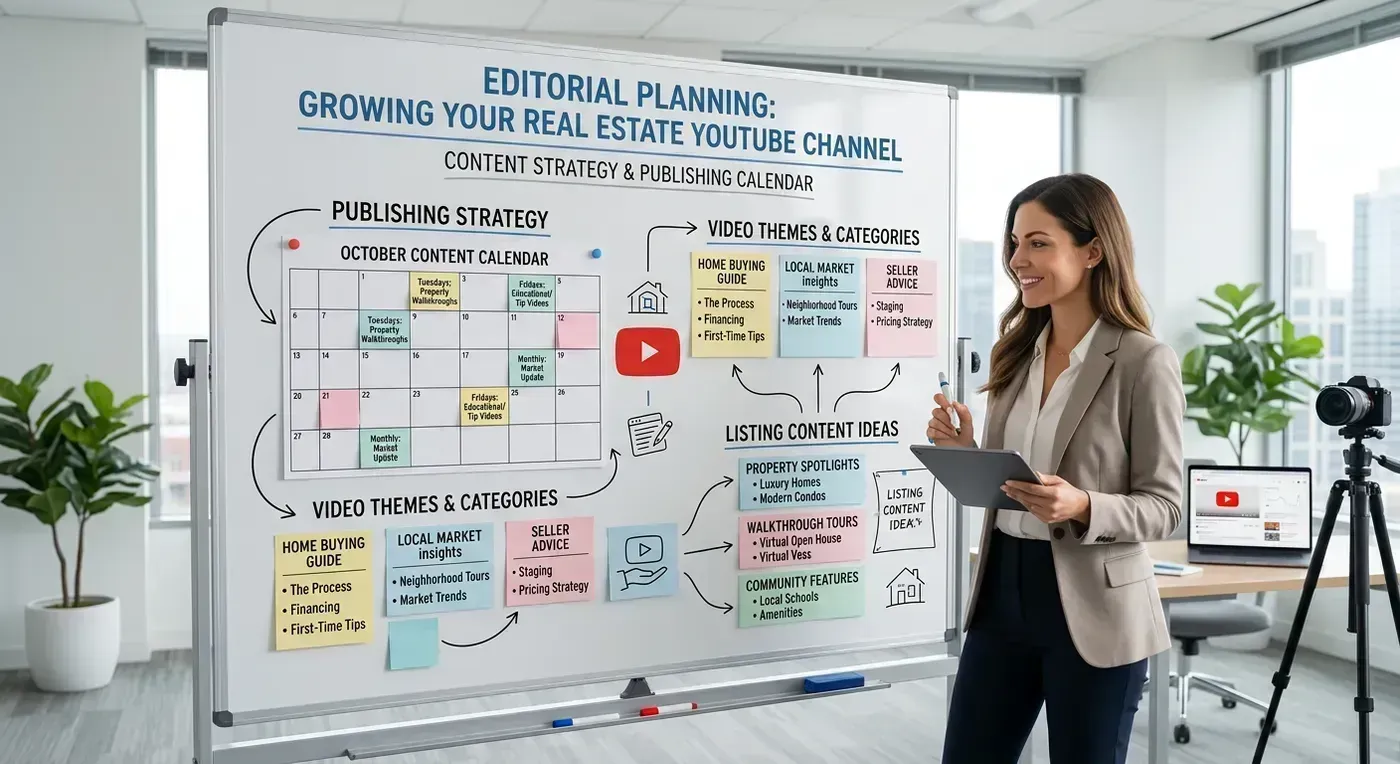
The Content Strategy That Actually Works
Here is where most real estate YouTube channels go wrong. They post listing tours and nothing else. Listing tours are important, but they are the least searchable content type for real estate on YouTube. Nobody searches "123 Oak Street listing tour" unless they already know the address. The videos that drive discovery and subscribers are the ones that answer questions people are actually typing into the search bar.
The Three Content Pillars
Every successful real estate YouTube channel is built on three types of content, and the ratio matters.
Pillar 1: Neighborhood and City Guides (50% of content)
These are your workhorses. "Living in [Neighborhood]," "Pros and Cons of [City]," "Best Neighborhoods in [City] for Families," "Moving to [City] in 2026." These videos target high-volume, high-intent search queries and have the longest useful life. A neighborhood guide filmed today will still be relevant (and ranking) two years from now.
Each neighborhood video should cover: location and proximity to key areas, housing stock (what types of homes, typical price range), schools, restaurants and shopping, parks and recreation, vibe and personality of the neighborhood, and who it is best suited for. Aim for 8 to 12 minutes per video.
Funny aside: I once watched an agent's "neighborhood tour" that was literally just 4 minutes of them driving down one street with no narration. The top comment was "Nice screensaver." Do not be that agent. Talk to the camera. Share opinions. Tell people what you actually think about the neighborhood.
Pillar 2: Market Updates and Educational Content (30% of content)
Weekly or biweekly market updates position you as the data-informed expert. Monthly inventory numbers, median price changes, interest rate impacts, new development announcements. These do not get massive view counts, but they build subscriber loyalty and demonstrate expertise to viewers who are evaluating you as a potential agent.
Educational content fills out this pillar: "5 Mistakes First-Time Buyers Make in [City]," "How to Get Pre-Approved for a Mortgage," "What to Expect at a Home Inspection." These videos attract viewers earlier in the buying journey and start the trust-building process months before they are ready to work with an agent.
Pillar 3: Listing Tours (20% of content)
Listing tours are your conversion content. They do not drive massive search traffic, but they showcase your active listings to an audience that is already watching your channel (and therefore already interested in your market). For listing tours, you have two options.
Option A: Film walkthrough videos yourself. This works well for standout properties where your narration adds value. "Let me show you this incredible kitchen renovation" is more engaging than a silent slide show.
Option B: Use AI-generated listing videos. Upload your listing photos to a tool like Reel-E and get a polished, music-synced video in under 2 minutes. This is ideal for standard listings where you want professional video without the time investment of filming and editing. Here is what AI-generated listing content looks like:
The smart play is to combine both approaches. Film walkthroughs for your best listings (the ones that sell your brand) and use AI video for the rest. That way every listing gets video without you spending three hours per property.
The Weekly Content Calendar
Here is a practical weekly schedule for an agent posting twice per week. This is sustainable for a solo agent without a video editor or marketing team.
| Week | Video 1 (Tuesday) | Video 2 (Thursday/Friday) |
|---|---|---|
| Week 1 | Neighborhood tour: [Area A] | Listing tour (AI or filmed) |
| Week 2 | Market update: Monthly numbers | Neighborhood tour: [Area B] |
| Week 3 | Educational: Home buying tip | Listing tour (AI or filmed) |
| Week 4 | Neighborhood tour: [Area C] | "Best of" or comparison video |
Notice the pattern: neighborhood tours appear most frequently because they drive the most search traffic and have the longest shelf life. Listing tours appear every other week. Market updates anchor one video per month. Over a year, this schedule produces 104 videos: roughly 40 neighborhood guides, 26 listing tours, 12 market updates, and 26 educational/comparison videos. That is a serious content library.
YouTube SEO: How to Actually Rank in Search
Creating great content that nobody finds is the YouTube equivalent of printing beautiful business cards and leaving them in your desk drawer. SEO is what gets your videos in front of the people who are searching for them.
Keyword Research for Real Estate YouTube
You do not need expensive SEO tools for this. YouTube itself tells you what people are searching for. Open YouTube, start typing "living in" and watch the autocomplete suggestions. Those are real search queries from real people. Do the same with "homes for sale in," "moving to," "best neighborhoods in," and "[your city] real estate."
Here are the keyword patterns that consistently drive traffic for real estate channels:
- "Living in [city/neighborhood] [year]" (highest volume)
- "Moving to [city] pros and cons"
- "Best neighborhoods in [city] for [families/young professionals/retirees]"
- "[City] real estate market update [month/year]"
- "Homes for sale in [city] under [price]"
- "Is [city] a good place to live?"
- "[City] vs [city] where should I move?"
- "Cost of living in [city] [year]"
- "First time home buyer [city]"
Write these down. Each one is a video idea. A channel that covers all of these for its market has a content library that captures every stage of the relocation and buying journey.
Title Optimization
Your video title is the single most important ranking factor. Include your primary keyword as close to the beginning as possible. Compare these two titles:
- Bad: "Check Out This Amazing Area! | My Thoughts on Westlake Hills"
- Good: "Living in Westlake Hills, Austin TX: Full Neighborhood Tour (2026)"
The second title includes the keywords someone would actually search ("living in Westlake Hills," "Austin TX," "neighborhood tour"), includes the year for freshness, and tells the viewer exactly what they are going to get. No clickbait, no vagueness, just clear value.
Descriptions and Tags
Write at least 200 words in your video description. The first two lines appear in search results, so front-load them with your keyword and a compelling reason to click. Then expand with related keywords, timestamps, and links.
Tags still matter on YouTube, though less than they used to. Use 8 to 15 tags per video: your exact keyword, variations of it, your city name, and related terms. Example tags for a Westlake Hills video: "living in westlake hills," "westlake hills austin," "westlake hills homes," "austin neighborhoods," "best neighborhoods austin," "austin texas real estate," "moving to austin."
Thumbnails: The Skill Nobody Talks About
Your thumbnail is arguably more important than your video content. Here is why: YouTube might show your video to 1,000 people in search results or suggested videos. If your thumbnail gets a 2% click-through rate, 20 people watch. If your thumbnail gets a 10% click-through rate, 100 people watch. Same video, 5x the viewers, entirely because of a better thumbnail.
YouTube's algorithm also uses click-through rate as a ranking signal. Higher CTR means YouTube shows your video to more people, which means more views, which means more leads. Thumbnails are a multiplier on everything else you do.
Thumbnail Rules for Real Estate
- Include a face. Thumbnails with a human face get 30% higher CTR than thumbnails without one. Your face, specifically. Looking at the camera. With an expression that matches the video's emotion (surprised for a reveal, confident for a market update, excited for a great listing).
- Use 3 to 5 words of text. Large, bold, readable on a phone screen. The text should add context that the image alone cannot communicate. "AVOID THIS" on a neighborhood video. "$450K" on a listing tour. "MARKET CRASH?" on an update.
- High contrast colors. YouTube's interface is mostly white and gray. Thumbnails that use bright colors (yellow, orange, red, teal) stand out more in search results. Avoid all-white or all-gray thumbnails. They disappear.
- Show the property or neighborhood. For listing tours, feature the home's best angle. For neighborhood guides, show a recognizable landmark or streetscape. The viewer should be able to tell what the video is about from the thumbnail alone.
- Be consistent. Use the same font, color scheme, and layout across your thumbnails so your videos are instantly recognizable when someone is scrolling through search results. Brand recognition builds over time.
Use Canva for thumbnails. It is free, it has YouTube thumbnail templates, and you can batch-create thumbnails for a month of videos in under an hour. No Photoshop skills required.
The Equipment Question (Answered Honestly)
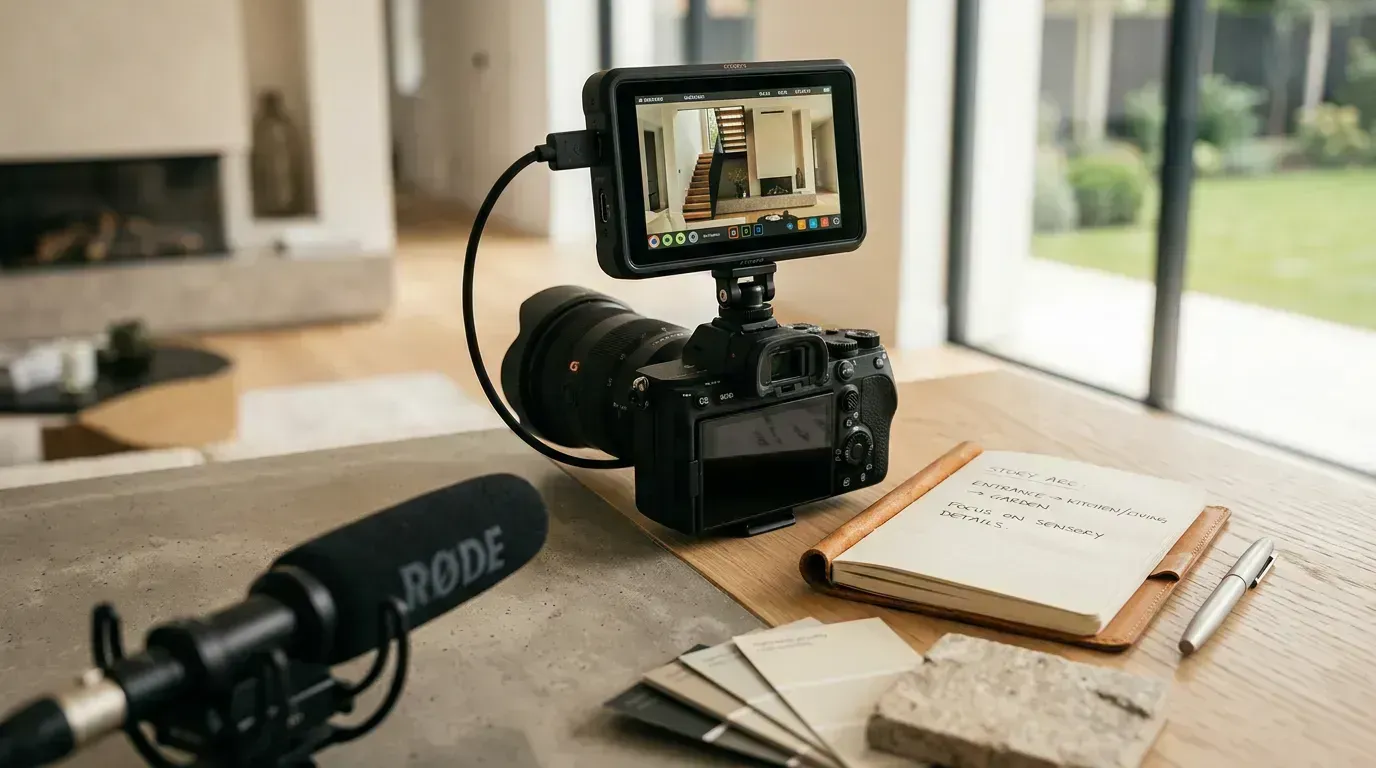
Every aspiring real estate YouTuber asks the same question: "What camera should I buy?" And every experienced creator gives the same answer: "The one you already have."
I am not being cute. Your iPhone or Android phone from the last three years shoots 4K video that is objectively better than what professional videographers were using ten years ago. The camera is not your bottleneck. Your audio, lighting, and consistency are.
Starter Setup (Under $75)
- Camera: Your smartphone (you already have it)
- Microphone: Wireless lapel mic, $20 to $40 (the single best investment you will make)
- Tripod: Phone tripod with adjustable height, $15 to $25
- Lighting: Stand near a large window. Free.
Upgraded Setup (Under $500)
- Camera: Still your smartphone, or a used mirrorless camera ($300 to $500)
- Microphone: Rode Wireless Go II ($200 to $250, but worth every cent for on-location filming)
- Stabilizer: DJI OM or similar phone gimbal ($100 to $150) for smooth property walkthroughs
- Lighting: Ring light ($30 to $50) for talking-head videos at your desk
Professional Setup ($1,000 to $3,000)
- Camera: Sony a6400 or Canon M50 Mark II ($800 to $1,100)
- Lens: Wide-angle (10-18mm or similar) for interiors ($200 to $400)
- Audio: Rode VideoMic Pro ($150) or wireless lav system
- Gimbal: DJI RS series ($300 to $500) for cinematic walkthroughs
- Drone: DJI Mini 4 Pro ($760) for aerial neighborhood footage
Here is the thing nobody mentions: the jump in quality from "smartphone" to "upgraded smartphone setup" is enormous. The jump from "upgraded setup" to "professional setup" is noticeable but much smaller. Do not let equipment anxiety delay your start. Some of the most successful real estate YouTube channels were built entirely on smartphones. The content matters infinitely more than the camera.
Editing: Keep It Simple
You do not need to become a video editor. Real estate YouTube is one of the few categories where minimal editing outperforms over-production. Viewers want authenticity and information, not fancy transitions and color grading.
The 80/20 Editing Rule
These five edits cover 80% of what makes a video watchable:
- Cut the dead air. Remove pauses, "ums," and moments where nothing happens. This alone makes your videos 30% more watchable.
- Add b-roll. When you are talking about the neighborhood, cut to footage of the streets, restaurants, and parks. For listing tours, cut to the rooms as you describe them. B-roll keeps the visual interesting while you narrate.
- Add text overlays for key information. Price, address, square footage, neighborhood name. Viewers retain text-based information better than spoken information, and it helps viewers watching without sound.
- Add background music. Low-volume instrumental music under your narration makes the video feel polished. YouTube's Audio Library has thousands of free tracks.
- Add an intro and outro. A 5-second branded intro and a 10-second outro with your contact info and a subscribe reminder. Keep them short. Nobody watches a 30-second animated intro.
For software, CapCut (free) or DaVinci Resolve (free) handle everything a real estate agent needs. iMovie works in a pinch. You do not need Adobe Premiere or Final Cut unless you want to make editing a hobby.
For listing footage specifically, AI tools eliminate the editing step entirely. Upload your photos to Reel-E, select a music track, and the platform outputs a fully edited video with transitions synced to the beat. No timeline, no cuts, no export settings. You can use the output as standalone YouTube Shorts or as b-roll within your longer videos.
Growing Your Subscriber Base
Subscriber count is the metric everyone obsesses over and one of the least important for lead generation. An agent with 300 subscribers who are all in her target market is generating more business than an agent with 10,000 subscribers scattered across the country. That said, a larger audience does help, so here is how to grow it the right way.
The First 100 Subscribers
This is the hardest milestone. YouTube's algorithm does not really kick in until you have some baseline of engagement. Here is how to accelerate it:
- Share every video on all your other platforms. Instagram Story, Facebook page, email signature, LinkedIn. Your existing audience is the seed for your YouTube audience.
- Embed videos in your listing pages and website. If you have a website (you should), embed relevant neighborhood tour videos on your area pages. This drives views from people already interested in your market.
- Collaborate with local businesses. Film a "Best Coffee Shops in [City]" video and feature 5 local shops. Tag them when you post. Most will share the video with their audience, exposing your channel to hundreds of local viewers.
- Ask for subscribers in every video. "If this video helped you learn about [neighborhood], hit subscribe so you do not miss my next neighborhood tour." Simple, direct, effective. I know it feels awkward. Do it anyway.
- Respond to every comment. This builds community and signals to YouTube that your channel has active engagement. Early on, you might get 2 to 3 comments per video. Reply thoughtfully to all of them. Ask follow-up questions. Start conversations.
100 to 1,000 Subscribers
At this stage, YouTube's algorithm starts showing your content to people who did not search for it. You will see "suggested video" and "browse features" appear in your traffic sources. Keep posting consistently, double down on the video types that are getting traction (check your analytics), and start thinking about series. A "Best Neighborhoods in [City]" series with 10 episodes is more compelling than 10 random standalone videos.
Beyond 1,000 Subscribers
At 1,000 subscribers and 4,000 watch hours, you unlock YouTube monetization. The ad revenue is small for real estate channels (maybe $100 to $500/month) but it is a nice perk. More importantly, at this level your channel is likely generating 5 to 15 leads per month from YouTube alone. That is where the real ROI lives.
Converting Viewers Into Clients: The Pipeline
Views without conversions are just vanity metrics. Here is the system that turns YouTube viewers into real estate clients.
Step 1: Capture Attention (The Video Itself)
Your content brings viewers in through search. A relocating buyer watches your neighborhood tour. A seller watches your market update. They are now aware you exist. This is the top of the funnel.
Step 2: Build Trust (Multiple Videos)
Most YouTube leads watch 3 to 10 videos before reaching out. This is why consistency matters more than any single viral video. Each video adds a layer of trust. By the fifth video, the viewer feels like they know you. Your playlists play a key role here because they keep viewers watching video after video, compressing the trust-building timeline.
Step 3: Capture Information (Lead Magnets)
In every video description and pinned comment, offer something valuable in exchange for contact information. Examples that work for real estate:
- "Download my free [City] Relocation Guide" (link to a landing page with email capture)
- "Get my list of the 10 best neighborhoods for families in [City]" (email capture)
- "Schedule a free 15-minute call to discuss your [City] home search" (calendar link)
The lead magnet should match the video content. Neighborhood tour? Offer the relocation guide. Market update? Offer the monthly market report. Listing tour? Offer a private showing or similar listings.
Step 4: Nurture (Email and Follow-Up)
Once you have an email, add them to your CRM and a nurture sequence. Weekly market updates, new listing alerts, and helpful content keep you top of mind until they are ready to buy or sell. The typical YouTube-to-client timeline is 3 to 12 months, so patience and consistent follow-up are essential.
Step 5: Convert (The Conversation)
When the viewer is ready (they have watched your videos, downloaded your guide, and replied to your emails), the sales conversation is easy. They already trust you. They already know your market expertise. The call is not a pitch. It is a planning session.
This pipeline is why YouTube leads often close at a higher rate than leads from paid ads or cold calls. The trust has been built over weeks or months of content consumption, not a single ad impression.
Analytics: What to Track and What to Ignore
YouTube Studio gives you mountains of data. Most of it is interesting but not actionable. Here are the four metrics that actually matter for a real estate agent's channel.
1. Click-Through Rate (CTR)
This measures what percentage of people who see your thumbnail actually click on the video. Average for real estate channels is 4% to 7%. Below 4%, your thumbnails or titles need work. Above 8%, you are doing something right. Check CTR for every video and note what your best-performing thumbnails have in common.
2. Average View Duration
This tells you how long viewers watch before clicking away. YouTube's algorithm heavily favors videos with high average view duration. For a 10-minute video, an average view duration of 4 to 5 minutes is good. If viewers consistently leave at the 2-minute mark, your intros are too long or your content is not delivering on the promise of the title.
3. Traffic Sources
Where are your views coming from? "YouTube Search" means your SEO is working. "Suggested Videos" means YouTube is recommending your content. "External" means your social media sharing is driving views. For a real estate channel, you want YouTube Search to be your primary traffic source (50%+) because those are the highest-intent viewers.
4. Subscriber Conversion
What percentage of viewers subscribe after watching? Anything above 1% is good for real estate. If a video gets lots of views but zero subscribers, the content might be too narrow (single-listing videos) or the call-to-subscribe might be missing.
Check these metrics every Sunday. Spend 15 minutes reviewing what worked and what did not. Adjust your content plan for the next week based on the data, not your gut feeling. Your gut is wrong surprisingly often. The numbers are not.
YouTube Shorts for Real Estate
YouTube Shorts (vertical videos under 60 seconds) are YouTube's answer to TikTok and Instagram Reels. They deserve a dedicated section because they serve a different purpose than your long-form content.
What Shorts Do Well
Shorts are discovery engines. They expose your channel to viewers who might never search for your long-form content. A Short that gets 5,000 views introduces your face, name, and market expertise to 5,000 potential subscribers. Some of those viewers will click through to your channel and watch your longer videos.
Short Ideas for Real Estate
- Quick listing teaser (15 to 30 seconds of the best rooms)
- One-stat market update ("Inventory just dropped 12%")
- Home buying tip in under 30 seconds
- Before/after staging reveal
- Neighborhood quick take ("3 reasons to live in [area]")
- Price guess ("How much is this house?")
AI-generated listing videos are perfect for Shorts. The vertical branded variant from Reel-E is already in 9:16 format and under 60 seconds. Upload it directly as a YouTube Short with a title like "Stunning 4-bed in [Neighborhood] | $XXX,000" and you have a polished Short with zero additional work.
Shorts Strategy
Post 2 to 3 Shorts per week alongside your 1 to 2 long-form videos. Shorts require minimal production time (most can be filmed on your phone in under 5 minutes) and they feed the algorithm data about your channel's relevance. Think of Shorts as the appetizer that brings people to the main course of your long-form content.
Common Mistakes That Kill Real Estate YouTube Channels
I have watched dozens of real estate agents start YouTube channels and quit within three months. The failure pattern is almost always the same. Here are the mistakes to avoid.
- Quitting after 10 videos. YouTube is a slow burn. Most successful real estate channels did not see significant traction until video 30 to 50. If you quit after 10 videos with 40 views each, you never gave the algorithm enough data to know who to recommend your content to. Commit to 52 videos (one year of weekly content) before evaluating whether YouTube "works."
- Only posting listing tours. Listing tours get low search volume and die when the listing sells. If your channel is 100% listing tours, your content library has an expiration date. Mix in evergreen neighborhood tours and educational content.
- Ignoring SEO. Uploading a video titled "Beautiful Home!" with no description and no tags is like opening a store with no sign on the door. Spend 15 minutes on title, description, and tags for every video. It is the difference between 50 views and 5,000 views over the life of the video.
- Over-producing. You are a real estate agent, not a filmmaker. Spending 8 hours editing a single video is not sustainable. Good enough is good enough. A "B+" video published today beats an "A+" video published next month.
- Not including a call to action. If you never tell viewers to subscribe, comment, or contact you, they will not. End every video with a specific ask. It feels uncomfortable at first. Get over it. Every successful YouTuber does this.
- Being boring. I am sorry, but someone has to say it. If you are reading from a script in a monotone voice with a blank expression, people will click away in 5 seconds. Show some energy. Share your opinions. Be a person, not a press release. Your personality is what differentiates you from the other 15 agents who also made a video about your neighborhood.
Monetization Beyond Ad Revenue
YouTube ad revenue for a real estate channel with 1,000 to 10,000 subscribers is probably $50 to $500 per month. Nice, but not why you are here. The real monetization comes from the leads your channel generates.
Consider the math: one YouTube-sourced client who buys a $400,000 home generates a $12,000 commission (at 3%). If your channel generates just one client per month (very achievable at 500+ subscribers), that is $144,000 per year in commissions sourced directly from YouTube. Compare that to what most agents spend on paid lead generation: $500 to $2,000 per month on Zillow Premier Agent, realtor.com leads, or Google Ads, often with lower close rates.
YouTube is not a marketing expense. It is a marketing investment that compounds over time and costs nothing but your time to maintain.
Getting Started This Week
You have read 3,500+ words about YouTube strategy. Here is what to actually do in the next seven days:
- Today: Create your YouTube channel (or update your existing one). Set your name, profile photo, banner, and description using the guidelines above. 30 minutes.
- Tomorrow: Research 10 video ideas using YouTube autocomplete. Write them in a list. Highlight the 3 you are most excited about. 20 minutes.
- Day 3: Film your first video. A neighborhood tour of the area you know best. Use your phone. Do not overthink it. 60 to 90 minutes for filming.
- Day 4: Edit the video (cut dead air, add text overlays, add background music). Write the title, description, and tags. Create a thumbnail in Canva. 60 to 90 minutes.
- Day 5: Upload and publish. Share it on Instagram, Facebook, and LinkedIn. Send it to 5 friends and ask them to watch and comment. 15 minutes.
- Day 6: Generate AI listing videos for your current listings. Upload the horizontal versions as YouTube videos and the vertical versions as YouTube Shorts. 15 minutes per listing.
- Day 7: Plan next week's videos. You are already ahead of 97% of agents. Keep going.
The agents who win on YouTube are not the ones with the best cameras, the biggest budgets, or the most polished editing. They are the ones who show up every week, answer the questions their market is asking, and treat every video as a chance to help someone. Start there. The subscribers, the views, and the leads will follow.
For more on the broader video marketing strategy that YouTube fits into, our complete video marketing guide covers every platform and format. And for the data behind why video listings consistently outperform photo-only listings, the real estate video statistics roundup has all the numbers.