I am going to say something that might sting if you are a real estate photographer: you are leaving $50 to $150 on the table with every single shoot. Not because you are undercharging for photography. Because you are walking out the door with professional photos on your memory card and not turning them into video.
Here is the thing. Agents want listing video. The data on this is clear. 73% of sellers say they prefer to list with an agent who uses video (NAR, 2025). But only 26% of agents actually use video consistently. The gap is not demand. The gap is friction. Agents know they should have video for every listing, but hiring a videographer is expensive ($300 to $1,200 per property), takes extra time to coordinate, and requires a separate appointment. Most agents look at that friction and think "I will just skip video for this one."
You, the photographer, are already on site. You already have the photos. You already have the client relationship. And with AI video tools, you can now deliver a professionally produced listing video from those same photos without buying a single piece of video equipment, without learning editing software, and without adding a single extra minute to your shoot time.
This is not a future thing. This is a right-now thing. Some of the highest-volume users on our platform are real estate photography companies. They add $75 to $150 to every shoot for video, and their cost to produce is $12 to $20 per listing. That is 80%+ margins on a service that takes 5 minutes of post-shoot work. I have watched photography businesses add $30,000 to $50,000 in annual revenue with this approach. And the best part? Their clients love them for it.
Why AI Video Is the Perfect Upsell for Photographers
Most upsell opportunities in real estate photography require more time on site, more equipment, or more editing. Drone photography means buying a drone, getting licensed, and adding 30 minutes to every shoot. Matterport 3D tours mean a $3,000+ camera and 45 minutes of scanning per property. Twilight shoots mean coming back at sunset and spending another hour on site.
AI video is different. It requires nothing extra from you on the shoot. You are already taking the photos. The AI uses those exact photos to generate video. Your shoot workflow does not change. Your editing workflow barely changes (5 minutes of uploading and clicking buttons). The only thing that changes is your invoice, which now has an additional $75 to $150 line item.
Let me be specific about why this works so well for photographers compared to other business models.
You Already Have the Input (High-Quality Photos)
AI video from photos is only as good as the photos fed into it. And professional real estate photography, shot with proper wide-angle lenses, HDR bracketing, balanced lighting, and correct composition, is the ideal input. Your photos are literally the best possible raw material for this technology.
When agents try to create AI video from their phone camera snapshots, the output is mediocre. When they use your professionally shot, properly lit, perfectly composed images, the output looks cinematic. This is a competitive moat for you. An agent with a Reel-E subscription and iPhone photos will get decent results. An agent working with your photos will get noticeably better results. You can (and should) use this quality gap as a selling point.
You Already Have the Client Relationship
The agent already trusts you to represent their listings visually. Extending that trust from "I trust you with my photos" to "I trust you with my video" is a small step. Pitching video as a new service to an existing photography client has a much higher close rate than pitching a standalone video product to an agent who has never worked with you.
Zero Incremental Shoot Time
This is the killer advantage. You are already at the property. You are already capturing every room, every angle, every detail. The video is generated from those same photos after you leave. There is no "adding video to the shoot." There is only "adding video to the deliverables." Your per-property time investment stays the same. Your revenue per property goes up.
How the AI Video Workflow Works for Photographers
If you have never used an AI photo-to-video tool, here is what the workflow actually looks like in practice. For the technical details of how the AI generates motion from still photos, our How Reel-E Works guide goes deep on the depth estimation and rendering pipeline.
Step 1: Shoot and Edit Normally
Nothing changes about your photography workflow. Shoot the property with your standard approach. Edit, retouch, and deliver the photos to the agent as you always do. The photos you deliver to the agent are the same photos you will use for video.
Step 2: Upload to AI Video Tool (3 Minutes)
Select 12 to 20 of the property's best photos (you will develop an instinct for which photos create the best video clips). Upload them to the AI platform. Drag and drop. Reorder if needed. Three minutes, tops.
Step 3: Select Music and Branding (2 Minutes)
Choose a music track from the built-in library (BPM-analyzed tracks that sound professional and fit different property styles). Add the agent's branding: their logo and a contact card with phone number, email, and website. If you have set up the branding once before for a repeat client, it auto-populates. Two minutes.
Step 4: Submit and Wait (90 Seconds to 3 Minutes)
Click submit. The AI processes each photo: depth estimation, 3D scene reconstruction, camera path generation, frame synthesis. Then it assembles the clips, syncs transitions to the music's downbeats, adds the branding overlays, and renders four output variants. The entire process takes 90 seconds to 3 minutes on cloud GPUs. You can do other editing work while it renders.
Here is what the finished product looks like, generated entirely from listing photos:
Step 5: Download and Deliver (1 Minute)
Download the four output variants: horizontal branded (for MLS, Zillow, agent website), horizontal unbranded (for MLS boards that require unbranded media), vertical branded (for Instagram Reels, TikTok, YouTube Shorts), and vertical unbranded (for the seller to share on personal social media). Deliver them alongside the photos, either through your existing delivery platform (ShootProof, Pixieset, Google Drive) or a custom branded link.
Total active work time: about 5 minutes per listing. That is it. Five minutes for a service you charge $75 to $150 for. I genuinely cannot think of a higher-ROI use of five minutes in the real estate photography business.
Pricing Strategy: How to Charge for AI Video
Pricing is where most photographers get it wrong. They either charge too little ($25, which signals "cheap add-on" and gets no respect) or too much ($250+, which makes agents think "I could just get a real videographer for that"). Here is the pricing framework that works.
Option A: The Simple Add-On
| Service | Price | Your Cost | Margin |
|---|---|---|---|
| AI listing video (single variant, H or V) | $75 | ~$15 | 80% |
| AI listing video (all 4 variants) | $125 | ~$15 | 88% |
| AI listing video + social media cuts (15s, 30s, 60s) | $175 | ~$20 | 89% |
This approach works if you want to keep things simple and let agents opt in or out. The risk is that many agents will default to "no video" because it is an extra decision and an extra cost.
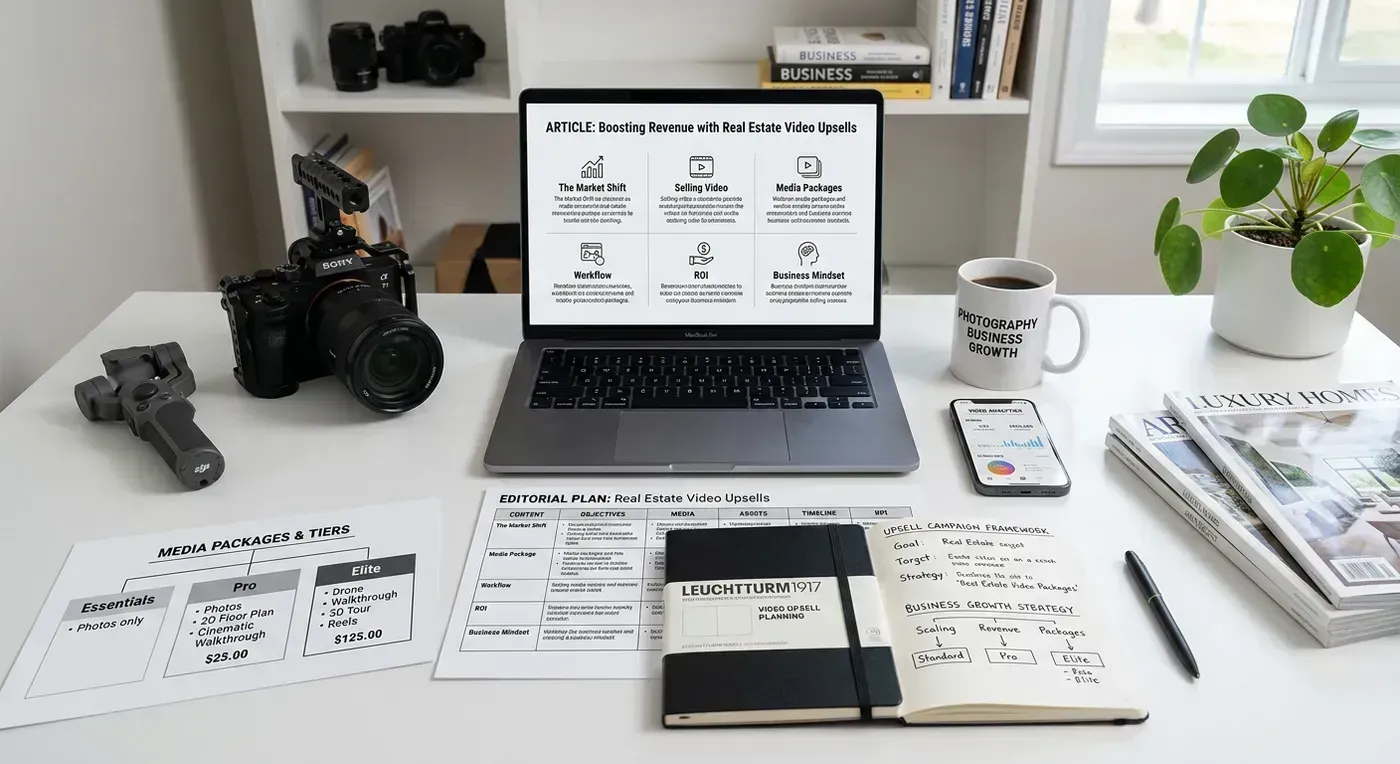
Option B: The Tiered Package (Recommended)
This is the approach that generates the most revenue because it makes video the default, not the exception.
| Package | Includes | Price | Video Cost to You |
|---|---|---|---|
| Standard | 25 edited photos | $175 | $0 |
| Premium | 35 edited photos + AI video (4 variants) | $275 | ~$15 |
| Luxury | 50 edited photos + AI video (4 variants) + twilight exterior | $425 | ~$15 |
In this structure, the Premium package is $100 more than Standard. The agent looks at it and thinks "For $100 more, I get 10 extra photos AND a full video package? That is obviously worth it." The video is not an afterthought add-on. It is a core part of the package that makes the upgrade compelling.
Here is the psychology: when video is bundled into a package rather than sold separately, the adoption rate goes from roughly 20% (as an add-on) to 60% or higher (as part of the upgrade). The perceived value of "photos + video" as a bundle is much higher than the sum of its parts. And the agent does not have to make a separate buying decision. They just pick the better package.
Option C: The Volume Deal (For Agency Clients)
If you shoot for brokerages or large teams that send you 10+ properties per month, offer a volume rate.
| Monthly Volume | Per-Listing Video Price | Monthly Revenue to You | Your Monthly Tool Cost |
|---|---|---|---|
| 5 to 9 listings | $100/listing | $500 to $900 | ~$59 to $129 |
| 10 to 24 listings | $85/listing | $850 to $2,040 | ~$129 |
| 25 to 50 listings | $70/listing | $1,750 to $3,500 | ~$599 |
At the 25 to 50 listing tier, you are earning $1,750 to $3,500 per month in video revenue while paying $599 for the tool. That is $1,151 to $2,901 in pure profit from a service that adds almost zero incremental time to your business. I understand this math might feel too good to be true, but it is just the reality of selling a digital product with near-zero marginal cost.
For current plan pricing, check the Reel-E pricing page. The Essential plan ($59/mo for 3 listings) works for photographers starting out. The Growth plan ($129/mo for 10 listings) covers most solo photographer volumes. The Pro plan ($599/mo for 50 listings) is built for photography companies and high-volume operations.
How to Pitch Video to Your Agent Clients
The pitch matters more than the product. An amazing video offering with a bad pitch will get ignored. A good video offering with a great pitch will close easily. Here are the approaches that work.
The Sample-First Approach (Highest Close Rate)
After your next shoot for a regular client, create the AI video from their photos and send it as a free sample. No pitch, no sales language, just: "Hey [Name], I created a listing video from the photos we shot yesterday. Thought you might want it for your social media. Let me know what you think."
When the agent sees their actual listing transformed into cinematic video with their branding and music, they sell themselves. The follow-up conversation is easy: "I can include this with every shoot going forward. The Premium package includes video for $100 more. Want me to set that up?"
I have talked to photographers who converted 8 out of 10 regular clients to the video package using this approach. The sample eliminates all objections because the agent has already seen exactly what they get.
The Value Comparison Approach
For agents who have used (or considered) a videographer before:
"Right now, if you want a listing video, you're scheduling a separate appointment with a videographer at $300 to $500 per property. That is a second day of coordination, a second vendor to manage, and it usually takes a week for the final edit. With my Premium package, you get a professionally produced listing video delivered alongside your photos, within 24 hours of the shoot, for $100 extra. Same quality on MLS. Same engagement on social. One appointment, one vendor, one delivery."
The Data Approach
For data-driven agents:
"Properties with video get 403% more inquiries than properties without video. That is NAR data, not my opinion. Right now, only 26% of agents in our market are using video. Which means 74% of listings have no video at all. Adding video to your listings puts you in a different category. My Premium package makes that easy."
What NOT to Say
Do not lead with the technology. "I use AI to turn your photos into video" invites skepticism and questions you do not want to answer ("Is it going to look fake?"). Instead, show the result first and explain the process only if asked. The agent cares about the deliverable, not the method.
Also, do not position it as "just a slideshow." It is not. The AI generates genuine 3D camera motion with depth-aware parallax, not a Ken Burns zoom on a flat image. If an agent says "I can make a slideshow myself in Canva," show them the difference. The quality gap is immediately obvious. For a detailed explanation of how this differs from basic slideshow tools, our AI listing video guide covers the technical distinctions.
Revenue Math: What This Actually Means for Your Business
Let me run the numbers for three photographer profiles, because vague promises about "additional revenue" are useless without actual math.
Profile 1: Solo Photographer, 12 Shoots/Month
| Scenario | Monthly Photo Revenue | Monthly Video Revenue | Video Tool Cost | Net Video Profit |
|---|---|---|---|---|
| No video upsell | $2,100 (12 x $175) | $0 | $0 | $0 |
| 50% adoption at $100/listing | $2,100 | $600 (6 x $100) | $129 | $471 |
| 80% adoption via packages | $2,100* | $960 (9.6 x $100) | $129 | $831 |
*With tiered packaging, much of the photo revenue increases too because agents upgrade to the premium package. The real number is closer to $2,640 in base photo revenue.
Net impact: $471 to $831 per month in additional profit. That is $5,652 to $9,972 per year from a service that adds 5 minutes per listing to your workflow. Enough to cover your car payment, equipment upgrades, or that vacation you keep postponing.
Profile 2: Photography Company, 30 Shoots/Month
| Scenario | Monthly Video Revenue | Video Tool Cost | Net Video Profit | Annual Net |
|---|---|---|---|---|
| 50% adoption at $100/listing | $1,500 | $129 | $1,371 | $16,452 |
| 80% adoption at $85/listing (bundled) | $2,040 | $129 | $1,911 | $22,932 |
At 30 shoots per month with the Growth plan ($129/month for 10 listings), you would actually need the Pro plan at $599/month for the full 30 listings. Even so, the math works beautifully: $2,040 revenue minus $599 tool cost equals $1,441 net profit per month, or $17,292 per year.
Profile 3: High-Volume Photography Studio, 50+ Shoots/Month
| Scenario | Monthly Video Revenue | Video Tool Cost | Net Video Profit | Annual Net |
|---|---|---|---|---|
| 70% adoption at $75/listing | $2,625 | $599 | $2,026 | $24,312 |
| 90% adoption at $75/listing (all packages) | $3,375 | $599 | $2,776 | $33,312 |
At this volume, even with a lower per-listing price, you are adding $24,000 to $33,000 in annual profit. That is the salary of a part-time employee, funded entirely by a 5-minute-per-listing add-on service. Honestly, the hard part is not the math. The hard part is believing the math is real until you see the first few invoices come in.
Handling Objections
You will hear these objections. Here is how to handle each one.
"I can make a slideshow myself for free."
Response: "Absolutely. But a slideshow with Ken Burns zoom is just a photo getting bigger. This is AI-generated camera motion with depth and parallax, the same look as a gimbal walkthrough. Let me show you the difference." Then show a side-by-side. The difference is obvious. No agent who sees both will choose the slideshow.
"Video is not in my budget right now."
Response: "I get it. But consider this: properties with video get 403% more inquiries. If video helps you sell even one additional property per year, the cost of adding it to every listing is covered 10x over. And with my Premium package, it is only $100 more per listing, less than a single dinner out."
"My sellers do not care about video."
Response: "Your sellers might not ask for it. But 73% of sellers say they prefer to list with an agent who uses video. Showing them a cinematic video of their home alongside the photos during your listing presentation is a powerful differentiator. It shows sellers you are investing in marketing their property, not just the minimum."
"I already have a videographer."
Response: "That is great for your luxury listings. But are you using a videographer on every listing? Most agents use video on 20% to 30% of their properties because of the cost. AI video fills the other 70% to 80%. You do not have to choose between me and your videographer. Use both."
"Will it look fake or AI-generated?"
Response: Show them a sample. Then ask "Does this look fake to you?" The answer is always no. And then you have closed the objection.
Scaling: From Side Revenue to Core Offering
Most photographers start with AI video as an experiment. They add it to a couple of shoots, see the margin, and gradually expand. Here is what the evolution typically looks like:
Month 1 to 3: Testing
- Offer free video samples to 5 to 10 regular clients
- Track adoption rate and feedback
- Refine your pricing and packaging
- Monthly video revenue: $300 to $800
Month 4 to 6: Standardizing
- Build video into your standard package tiers
- Update your website and marketing materials to feature video
- Create a sample reel of your best AI videos for new client pitches
- Monthly video revenue: $800 to $2,000
Month 7 to 12: Scaling
- Video becomes part of your brand identity ("We deliver photos AND video")
- New clients come specifically because you offer the video package
- Existing clients refer other agents who want the same service
- Monthly video revenue: $1,500 to $3,500+
Year 2+: Core Revenue Stream
- Video revenue represents 25% to 40% of total business revenue
- 90%+ of clients choose packages that include video
- You are known in your market as the photographer who delivers "the full package"
- Competitors who do not offer video start losing clients to you
The compounding effect is real. Once agents see the video quality, they tell other agents. I have talked to photographers who traced 30% of their new client acquisition directly to video referrals: "My friend Sarah uses you and her listing videos are amazing. I want that too."
Practical Tips for Maximum Quality
Your photos are good. But there are specific things you can do during shooting and editing that make the AI video output even better. For a complete guide to photography best practices, see our real estate photography guide.
During the Shoot
- Shoot at the highest resolution your camera supports. The AI needs pixel headroom for camera movement. 4K+ resolution gives the algorithm more data to work with when generating motion, resulting in cleaner edges and less visible artifacts.
- Include a few extra-wide establishing shots. These create the most dramatic AI motion because there is more visual information for the depth estimation to work with.
- Make sure every room is well-lit. Dark rooms produce noisier depth maps, which leads to less convincing camera motion. Turn on all lights. Open all blinds. Add supplemental lighting to dark corners.
- Shoot corners, not flat walls. A photo taken from the corner of a room has more depth variation (objects at different distances from the camera) than a photo shot straight at a flat wall. More depth variation produces better AI motion.
During Editing
- Deliver full-resolution exports for video. Do not downscale for MLS and then use those downscaled files for video. Export at full resolution for the video workflow, even if you deliver smaller files for MLS separately.
- Skip extreme HDR processing. Heavy HDR with halos and oversaturated colors looks worse in motion because the artifacts become more visible when the camera moves. Clean, natural-looking HDR is ideal.
- Exclude photos that will not work well in video. Close-ups of doorknobs, details with very shallow depth of field, panoramic shots, and photos with large text or signage. These produce awkward or distracting motion.
- Choose 12 to 20 photos per listing for video. More is not always better. Pick the photos that show each space at its best, with good variety between wide shots and medium shots.
Getting Started Today
The simplest way to start is the sample-first approach. Pick your three best agent clients. After your next shoot for each one, spend 5 minutes creating an AI video from their listing photos and send it to them for free. Watch their reactions. Listen to their feedback. Then introduce your updated pricing packages with video included.
Start a free trial to create your first sample videos. Upload 15 photos from a recent shoot, choose music, and add the agent's branding. In under 3 minutes, you will have four video variants ready to send. Show them to your clients and let the quality speak for itself.
Your photos are already amazing. Now they can also be amazing videos. And that $75 to $150 per listing adds up fast when you multiply it by 10, 20, or 50 shoots per month. For the full technical breakdown of how the AI turns your photos into cinematic video, check our How Reel-E Works deep-dive. And to see our AI real estate video product page for a feature overview, that covers everything your clients will ask about.