Key Takeaways
- AI listing video uses artificial intelligence to generate cinematic camera motion from still photos, closing about 80% of the quality gap between a slideshow and a professional videographer.
- Cost comparison: AI listing video runs $9-15 per listing vs $500-1,200 for a videographer. At 10 listings per month, that's $97 vs $7,500.
- Five types of AI video technology exist (Ken Burns, 2D parallax, neural radiance fields, video diffusion, hybrid). Only hybrid approaches deliver consistent, artifact-free results for real estate.
- Every property type benefits, but the ROI is highest for the $300K-$800K middle market where videography budgets don't exist.
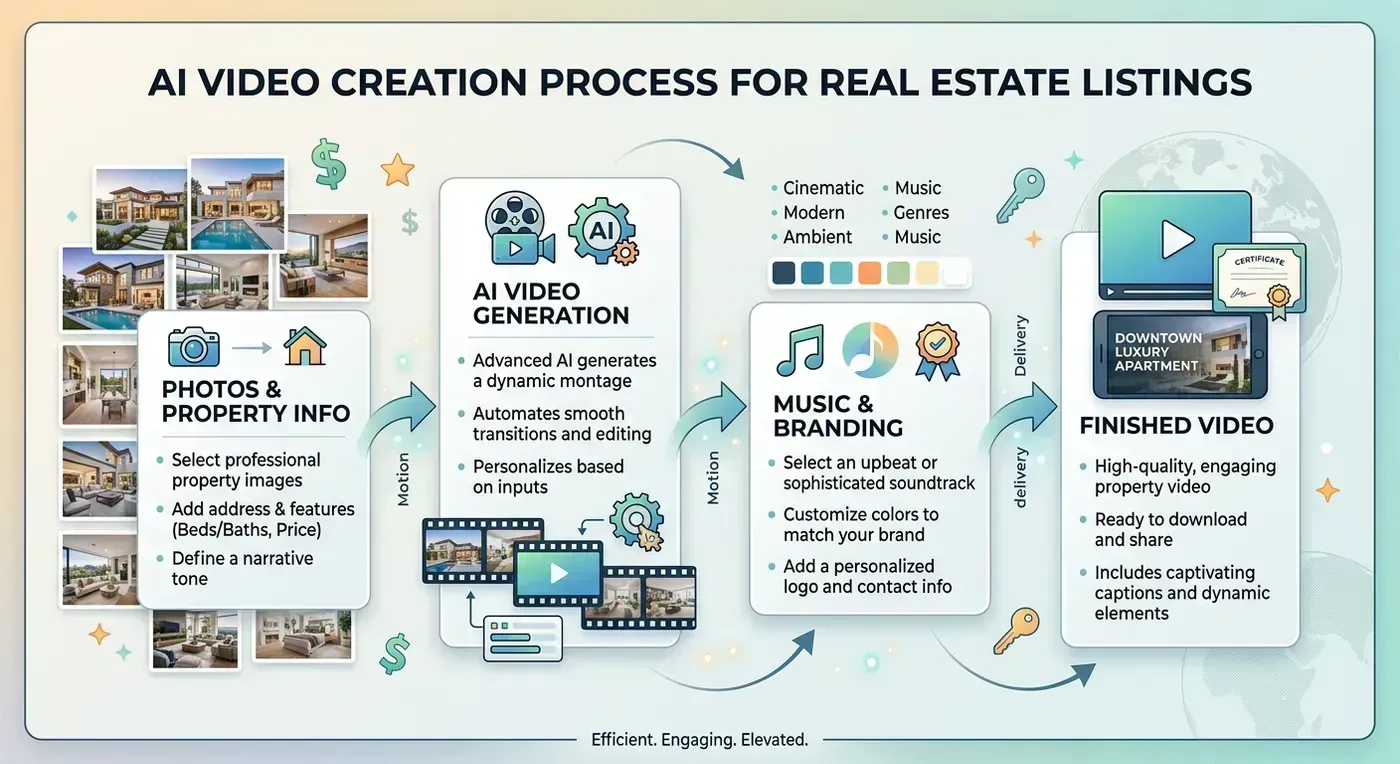
An AI listing video is a property tour video created by artificial intelligence from your listing photos. Instead of hiring a videographer or spending hours in an editor, you upload photos, pick a music track, and AI handles the rest: cinematic camera movements, beat-synced transitions, speed ramps, and multi-format delivery. The result looks like a professional filmed your property. It takes under two minutes.
This guide covers everything you need to know: what AI listing video actually is, how it differs from slideshows and traditional videography, the different types of AI video technology, a step-by-step walkthrough, cost analysis, and which properties benefit most. No fluff, no jargon, just what you need to decide if this technology fits your business.
What is an AI listing video?
An AI listing video takes your existing listing photos and transforms them into a cinematic property tour using artificial intelligence. The AI turns each flat photo into smooth camera movement through the scene. A living room photo becomes a slow orbit that makes you feel like you are standing in the room and turning your head. A kitchen photo becomes a push-in that draws you toward the countertops.
On top of camera motion, transitions land on the music's rhythm automatically. The cuts feel intentional. The pacing between scenes has the same cinematic flow that professional editors spend hours creating by hand.
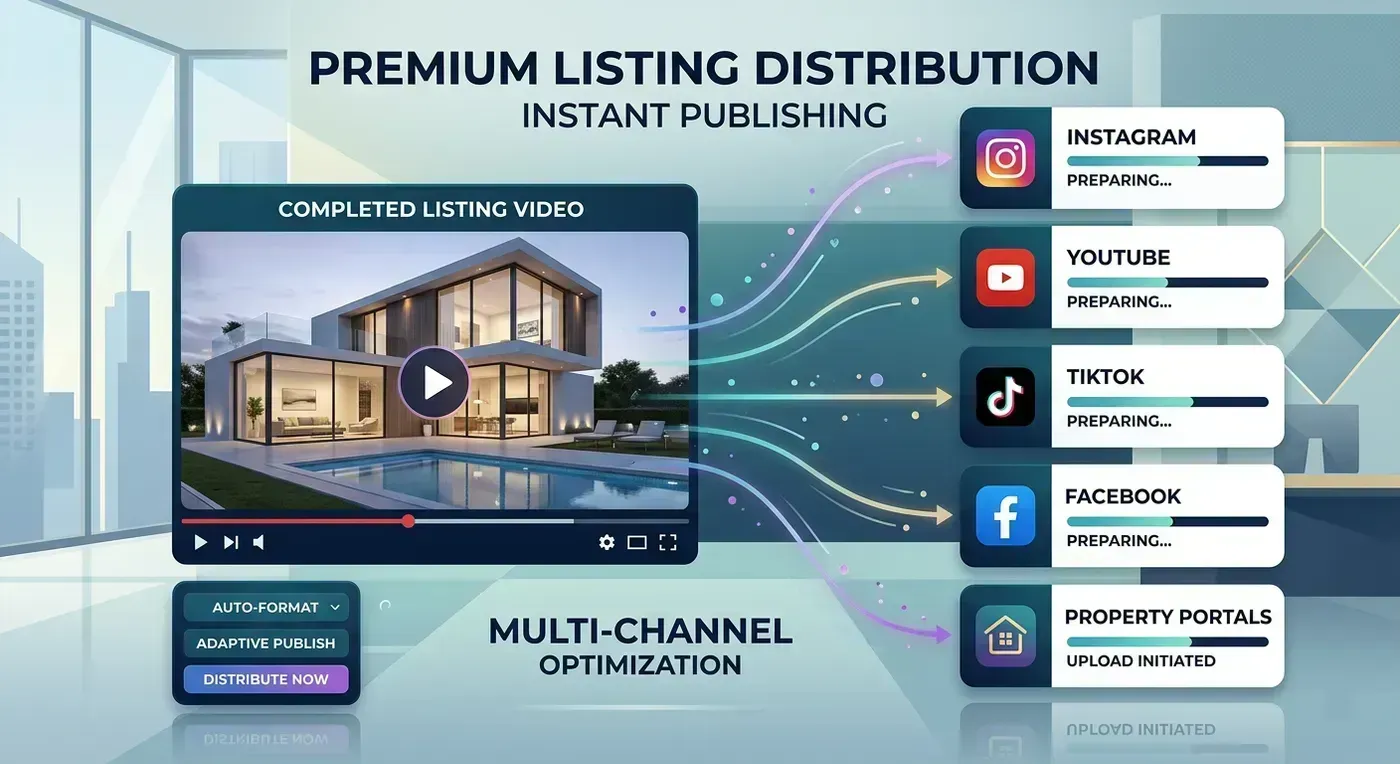
The output is four video files delivered simultaneously: horizontal branded (16:9 with your logo and contact info), horizontal clean (16:9 without branding), vertical branded (9:16 for Instagram Reels and TikTok), and vertical clean (9:16 for platforms that require unbranded content). One upload, four videos, every platform covered.
How AI listing video differs from slideshows, templates, and videography
There are four ways to create a listing video. Understanding the differences helps you choose the right approach for your budget and timeline.
| Slideshow (Canva, PowerPoint) | Template (Animoto, FlexClip) | AI Listing Video (Reel-E) | Professional Videographer | |
|---|---|---|---|---|
| Input | Photos | Photos + template | Photos + music | On-site filming |
| Camera motion | None | Basic zoom/pan | AI-generated orbits, push-ins, pull-outs | Real camera on gimbal |
| Music sync | Background only | Manual timing | Automatic beat-synced cuts | Manual in post-production |
| Time to create | 10-20 min | 15-30 min | Under 2 min | 3-7 days |
| Cost per video | Free-$15 | $10-$30 (subscription + time) | $8-$15 (subscription) | $300-$1,200+ |
| Output formats | 1 | 1 per export | 4 simultaneously | Varies (usually 1-2) |
| Editing skill needed | Low | Low-Medium | None | None (outsourced) |
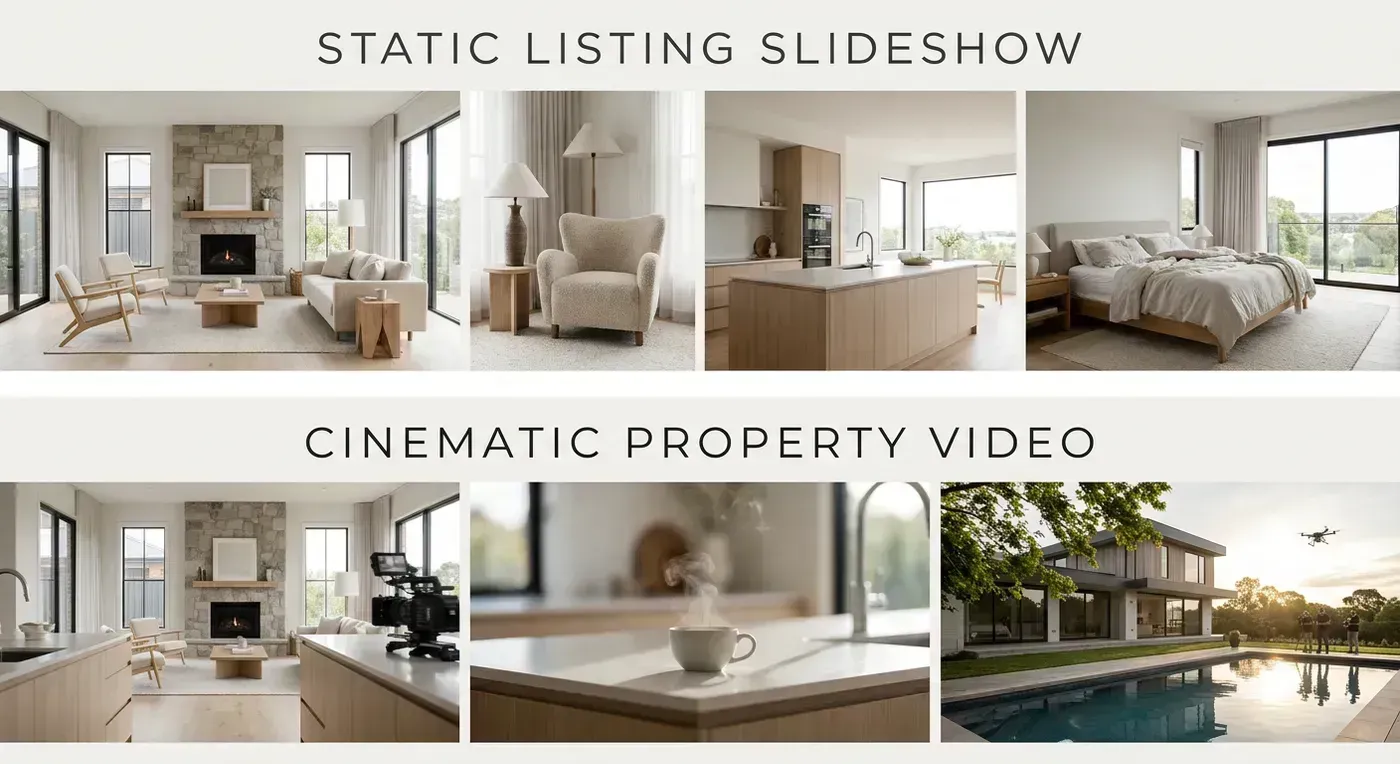
The gap between a slideshow and an AI listing video is the same gap between a PowerPoint presentation and a movie trailer. Both communicate information, but one holds attention and the other gets clicked past. The gap between an AI listing video and professional videography is smaller than you might think, and it is closing every month as the AI improves.
Five types of AI video technology (and why it matters which one you use)
Not all "AI video" is the same. Here are the five categories you will encounter, and why the distinction matters for realtor video content.
1. Custom inference stacks (Reel-E). The AI models are built in-house, trained specifically for real estate photography, and run on dedicated GPU infrastructure. Your photos never leave the company's data centers. This gives full control over camera movements, speed ramps, stability, and output quality. The trade-off is that this technology is purpose-built for one job (listing video) and does not generalize to other video types.
2. Off-the-shelf generative models (Google Veo, Kling, Runway). These are general-purpose AI video generators that can turn images into video clips with motion. Some competitors use these models behind the scenes while marketing themselves as having "custom AI." You can test this yourself: upload the same photo to the competitor and to the model directly (through platforms like Google AI Studio or Kling's web app). If the output looks identical, they are reselling an off-the-shelf model, not running custom technology. The output quality varies widely and you have less control over camera paths.
3. Template-based "AI" (Animoto, Canva, Promo.com). These tools use the word "AI" in their marketing but the video creation is template-driven. You pick a template, add photos, and the "AI" adjusts timing or suggests layouts. The photos sit flat on screen with basic zoom effects. There is no AI-generated camera motion, no depth analysis, no beat-synced transitions. Calling this AI is like calling a calculator a computer. It is technically accurate and practically misleading.
4. Text-to-video AI (InVideo, Lumen5). These tools use AI to generate videos from text prompts or scripts. They pair your words with stock footage, add voiceovers, and create marketing content. Powerful for educational content, market updates, and brand videos. Not useful for showcasing a specific property because the video uses stock footage, not your listing photos.
5. AI-enhanced editing (CapCut, Adobe Premiere with AI features). Traditional video editors with AI bolt-ons: automatic captions, AI background removal, AI transitions. You still edit on a timeline. The AI assists but does not replace the editing process. Good for agents who want creative control and have time to edit.
For AI listing tour video specifically (transforming your listing photos into cinematic property tours), only category 1 (custom inference) delivers the quality and speed that makes this technology worth using. The rest either require manual editing, use stock footage, or apply basic zoom effects that do not create the sense of depth and motion that makes AI listing tour video look like filmed footage.
Step-by-step guide: creating your first AI listing tour video
Here is exactly what the process looks like with Reel-E. The whole thing takes under 2 minutes.
Step 1: Upload your listing photos (30 seconds)
Select 15 to 25 photos from your listing. Arrange them in walkthrough order: exterior, foyer, living room, kitchen, bedrooms, bathrooms, outdoor spaces. Higher resolution is better. See our listing photography guide for tips on shooting photos optimized for AI video.
Step 2: Choose your music (15 seconds)
Browse the curated library of licensed tracks. Every track is pre-analyzed for BPM and downbeats. Pick something that matches the property's vibe: elegant and slow for luxury homes, warm and upbeat for family homes, modern and energetic for urban condos. The AI builds the entire video timeline around this track.
Step 3: Add your branding (10 seconds)
Upload your logo, headshot, and contact details. These are saved from your previous videos, so after the first time, this step is a one-click confirmation.
Step 4: Click create (5 seconds)
The AI processes your photos: depth analysis, motion generation, beat mapping, speed ramp calculation, and four-format rendering. You get a notification when the videos are ready (usually 60 to 90 seconds).
Step 5: Download and distribute (30 seconds)
Download all four video files. Post the vertical branded version on Instagram Reels and TikTok. Upload the horizontal branded version to YouTube and Zillow. Upload the horizontal unbranded version to your MLS and Realtor.com. See our MLS video requirements guide for platform-specific specs and our social media video specs for optimal formats.
Quality comparison: AI listing tour video vs slideshow vs videographer
We uploaded 15 photos from the same mid-range suburban listing to three different approaches:
Canva slideshow: Clean, professional look. Photos displayed with cross-dissolve transitions and background music. Each photo sits flat on screen for 4 seconds. No sense of depth or movement. The result is adequate for social media where viewers scroll past in seconds. Total time: 22 minutes of manual assembly.
Reel-E AI listing tour video: Each photo features AI-generated camera motion: an orbit around the kitchen island, a push-in through the living room, a pull-out revealing the backyard. Every transition lands on a musical downbeat with speed ramps between cuts. The result feels like a professional videographer filmed the property. Total time: 1 minute 47 seconds, fully automated.
Professional videographer: Filmed on-site with a gimbal-mounted camera. Smooth movement through every room, professional lighting adjustments, drone footage of the exterior. The result is the highest quality of the three. Total time: 2 hours on-site, 5 days for editing and delivery. Cost: $750.
The AI listing tour video closes about 80% of the quality gap between a slideshow and a videographer at about 2% of the cost and time. For agents producing 5+ videos per month, the math is not even close.
Cost analysis: AI listing tour video for every budget
| Approach | Monthly cost (10 listings) | Cost per listing | Your time per listing | Total monthly time |
|---|---|---|---|---|
| No video | $0 | $0 | 0 min | 0 |
| Canva slideshow | $15 (Pro) | $1.50 + 22 min labor | 22 min | 3.7 hours |
| Animoto template | $33 (Professional) | $3.30 + 20 min labor | 20 min | 3.3 hours |
| Reel-E AI listing tour video | $97 (Growth) | $9.70 | 2 min | 20 min |
| Professional videographer | $5,000-$10,000 | $500-$1,000 | 0 (outsourced) | 0 (but 3-7 day turnaround) |
If you value your time at $50/hour (conservative for a producing agent), those 3.3 to 3.7 hours of monthly editing in Canva or Animoto cost you $165 to $185 in implicit labor on top of the subscription. Reel-E's $97 subscription with 20 minutes of total monthly time costs $16.67 in labor. The "expensive" option is actually cheaper when you account for time.
Which properties benefit most from AI listing tour video?
Every property benefits from video, but the ROI varies by price point and market conditions.
Highest ROI: $300K-$800K homes in competitive markets. This is the sweet spot. Properties in this range face the most competition on listing portals. Buyers are scrolling through dozens of similar options. An AI listing tour video with cinematic camera motion stops the scroll and drives showing requests. At $9 to $15 per video, the cost is negligible relative to your commission.
Strong ROI: $800K-$2M homes. At this price point, presentation quality directly impacts perceived value. A cinematic property tour signals professionalism and justifies the asking price. It also helps you win listing presentations, since 73% of homeowners prefer agents who offer video marketing (NAR 2024).
Good ROI: Under $300K homes. Even budget-friendly listings benefit from video. The data shows video impacts all price points, not just luxury. At $300K, a 31% reduction in days on market (Zillow data) means faster closings and more listings per year.
Different approach: $2M+ luxury. At the luxury tier, consider using AI listing tour video for the fast social media launch (day 1) and then supplementing with professional videography (day 5-7) for the full cinematic experience including drone footage. You get the speed advantage of AI for initial marketing and the quality advantage of a videographer for the premium presentation.
Distribution strategy: where to post your AI listing tour video
Creating the video is step one. Getting it in front of buyers is step two. Here is the optimal distribution strategy ranked by impact:
- MLS and listing portals (day 1). Upload horizontal unbranded to your MLS. It syndicates to Zillow, Realtor.com, and Redfin automatically. Upload branded separately to Zillow if your MLS does not syndicate branding. This is where serious buyers see your listing first.
- Instagram Reels (day 1). Post the vertical branded version. Use 5-8 local hashtags (#DenverRealEstate, #DenverHomes, etc.). The algorithm pushes Reels to non-followers, giving you organic reach beyond your current audience.
- TikTok (day 1). Post the vertical branded version. TikTok's audience skews younger (first-time buyers) and the algorithm is the most democratic: follower count matters less than content quality. A good AI listing tour video can reach thousands of local viewers organically.
- YouTube (day 1-2). Upload the horizontal branded version with a descriptive title including the address, city, and price. YouTube videos rank in Google search results, which means your listing video can appear when buyers search for the property address.
- Email blast (day 1-2). Include a video thumbnail in your "New Listing" email to your database. Video thumbnails in email increase click-through rates by 200-300%.
- Facebook (day 2-3). Cross-post the Reel to Facebook. Share in relevant local real estate groups. Facebook's audience skews older, which means move-up buyers and downsizers.
- Your website (day 1). Embed the horizontal version on the listing page. Video on listing pages increases time-on-page, which signals to Google that your page is valuable.
Total distribution time: about 15 minutes if you batch all posts together. The AI listing tour video itself takes 2 minutes to create. Your entire listing video marketing workflow, from photo upload to full distribution, takes under 20 minutes.
Create your first AI listing tour video
Upload your listing photos and get four cinematic video variants in under 2 minutes. See the quality difference for yourself.
Try Reel-E FreeFrequently asked questions
What is an AI listing tour video?
An AI listing tour video is a property tour video created by artificial intelligence from your listing photos. The AI generates cinematic camera movements, syncs transitions to music, and delivers finished videos in multiple formats, all without manual editing.
How much does an AI listing tour video cost?
With Reel-E, costs range from $9 to $15 per video depending on your plan. Essential ($44/month) covers 3 listings. Growth ($97/month) covers 10 listings. Pro ($449/month) covers 50 listings in 4K. Compare this to $300-$1,200 for a professional videographer or 20-45 minutes of your time per video with template editors.
Do I need editing experience to create an AI listing tour video?
No. There is no timeline, no editor, no templates. Upload photos, pick music, click create. The AI makes all creative decisions.
How long does it take to make an AI listing tour video?
Under 2 minutes from upload to four finished video files. The actual processing takes 60-90 seconds after you click create.
What photos work best for AI listing tour video?
High-resolution horizontal photos with good lighting and minimal blur. Wide-angle shots give the AI more room for camera motion. See our listing photography guide for detailed shooting tips.
Can I use my MLS photos for AI listing tour video?
Yes. MLS photos are typically high resolution and well-lit, making them ideal input for AI listing tour video.
What is the difference between an AI listing tour video and a slideshow?
A slideshow displays photos with basic transitions. An AI listing tour video generates cinematic camera motion from each photo, syncs transitions to music beats, and creates the illusion of a camera moving through the property. The quality difference is immediately visible.
Do AI listing tour videos work on all social media platforms?
Yes. Reel-E delivers both horizontal (16:9 for YouTube, MLS) and vertical (9:16 for Instagram Reels, TikTok, YouTube Shorts) formats in every render. See our social media video specs guide for platform-specific requirements.
How does AI listing tour video compare to hiring a videographer?
AI listing tour video closes about 80% of the quality gap at roughly 2% of the cost. Professional videography remains the gold standard for luxury listings, but for the majority of properties, AI listing tour video delivers compelling results that drive showing requests. Many agents use AI for most listings and save the videographer budget for select high-value properties.
Is my data safe with AI listing tour video tools?
With Reel-E, your photos are processed on our own custom inference stack. They never leave our data centers and are not used to train AI models. Some competitors use third-party AI services (Google Veo, Kling, Runway) which may have different data handling policies. Ask your provider where your photos are processed.
Ready to try AI listing tour video? Use our AI real estate video generator to create your first video, or read how Reel-E's technology works. Compare all the tools in our roundup of the best AI real estate video makers.
Recommended Next Steps for Agents
Turn this strategy into a production workflow with AI real estate video, real estate video maker workflows, and listing video maker templates. For deeper tactical planning, review video marketing for real estate and real estate video statistics before your next campaign sprint.
Competitor Snapshot: AutoReelApp, PhotoAIVideo, and Amplifiles
Agents evaluating AI Listing Video: The Complete Guide for Real Estate Agents (2026) usually compare Reel-E against AutoReelApp, PhotoAIVideo, and Amplifiles AI. The decision often comes down to rendering quality, workflow speed, and channel-ready outputs that stay consistent across MLS pages and social reels.
For fair testing, run the same listing photo set through each platform, then compare motion quality, caption support, export variants, and total minutes from upload to publish. This gives a practical benchmark instead of marketing-page claims.
If your priority is listing velocity, use the tool that reduces production bottlenecks and keeps your branding consistent across every listing launch.