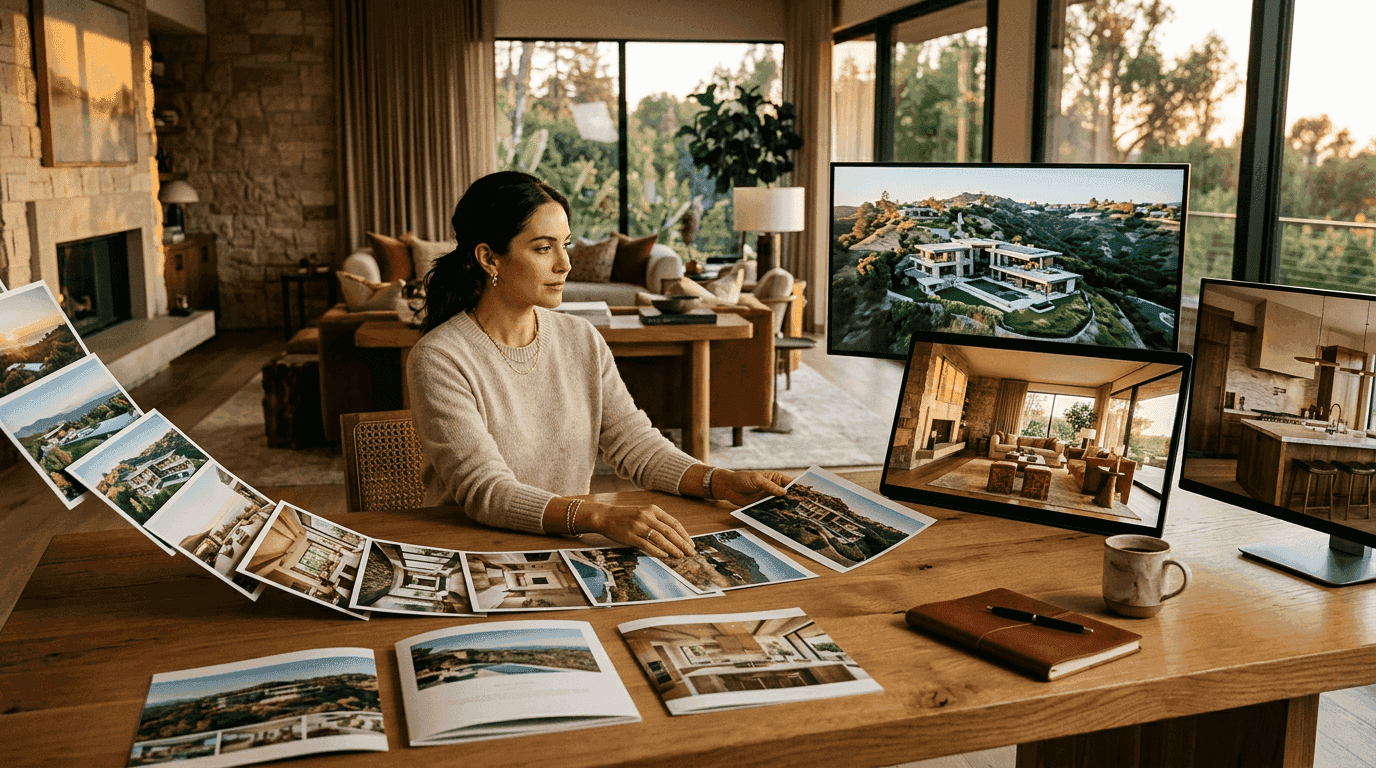
In January 2025, fewer than a dozen AI tools could turn a still photo into a video with realistic camera movement. By February 2026, there are more than 40. The technology went from "impressive demo" to "production-ready for every listing" in about 14 months. That is fast, even by AI standards.
But here is what nobody is telling you clearly: most of these tools produce mediocre output, half of them will not exist in six months, and the pricing structures are designed to confuse you into overpaying. This guide cuts through all of it. We will cover how the technology actually works (without the marketing fluff), what each major tool costs per listing, and which platforms deliver results worth paying for.
If you have read our AI listing video guide, consider this the expanded, updated, and significantly more opinionated version.
How AI Real Estate Video Actually Works (The Technical Truth)
Every AI real estate video tool makes the same basic claim: "Upload photos, get video." That is true in the same way that "add water, get bread" is technically true about baking. The interesting part is what happens between upload and output.
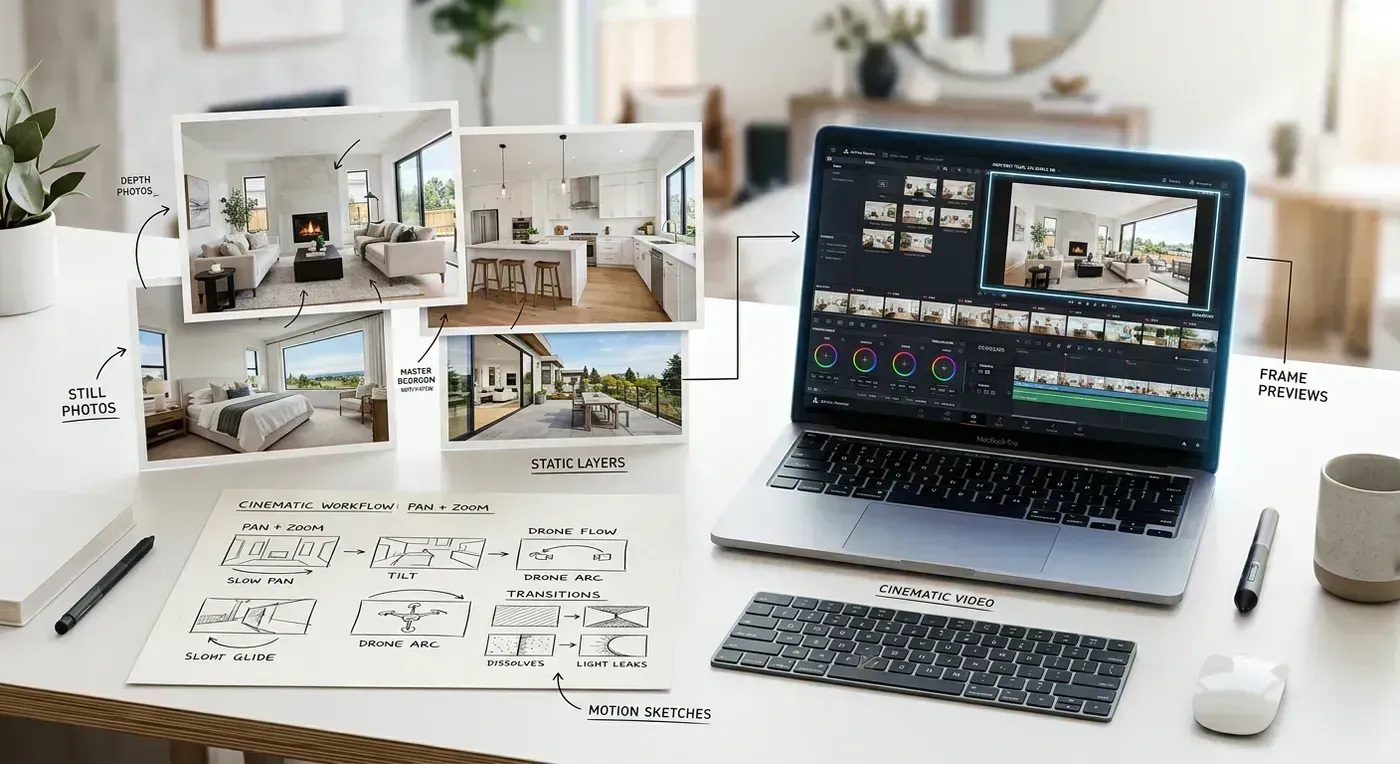
Here is the actual pipeline, stripped of marketing language.
Step 1: Depth Estimation
The AI analyzes each photo and generates a depth map. This is a grayscale version of the image where brightness represents distance from the camera. A countertop three feet away appears white. A wall twelve feet away appears dark gray. A window showing a yard fifty feet out appears nearly black.
This depth map is the foundation of everything that follows. Without accurate depth estimation, the camera movement will look warped, with objects bending and swimming as the virtual camera moves. Bad depth estimation is the single biggest reason some AI video tools look obviously fake.
Modern depth estimation models (MiDaS, Depth Anything V2, ZoeDepth) have gotten remarkably good at this. They can distinguish a kitchen island from the cabinets behind it, separate a staircase railing from the wall, and correctly estimate the depth of reflections in mirrors and windows. Not perfectly. But well enough that the average viewer does not notice the artifacts.
Step 2: 3D Scene Reconstruction
Using the depth map, the system builds a rough 3D model of the scene. Think of it as inflating the flat photo into a shallow 3D diorama. Objects at different depths are placed at different distances in virtual space. This is not a complete 3D scan. It is more like a relief sculpture: accurate from the front, but with no information about what is behind occluded objects.
Step 3: Camera Path Generation
The AI plans a virtual camera trajectory through the 3D scene. Different tools use different approaches here. Some offer fixed paths (always orbit right, always push in). The better tools analyze the scene composition and choose a path that looks natural for that specific room. A long hallway gets a forward dolly. A wide living room gets a lateral slide. A detailed kitchen gets a slow orbit that reveals depth.
This is where the "intelligence" in AI video really matters. A push-in on a bathroom mirror creates a disorienting hall-of-mirrors effect. A lateral slide through a narrow galley kitchen looks cramped. The system needs to understand not just what it is looking at, but what kind of movement will make that space look its best.
Step 4: Frame Synthesis
As the virtual camera moves through the 3D scene, the system needs to generate pixels for areas that were not visible in the original photo. When the camera slides right, it reveals space on the left edge that the original photo never captured. The AI fills in these missing areas using inpainting models that predict what "should" be there based on the surrounding context.
This is the hardest part of the pipeline, and it is where quality differences between tools become most visible. Good inpainting produces seamless extensions of walls, floors, and ceilings. Bad inpainting creates blurry smears, duplicated furniture, and obvious seams. If you have ever looked at an AI video and thought "something looks off near the edges," you were seeing bad inpainting.
Step 5: Assembly and Rendering
Each processed photo becomes a 3-to-5-second video clip. These clips are assembled into a sequence, transitions are applied between them, and the whole thing is synced to a music track. The better tools beat-match transitions to musical downbeats so the visual rhythm matches the audio rhythm. The output is a rendered MP4 file (or multiple files in different aspect ratios).
For a more detailed technical breakdown specific to one tool, see our How Reel-E Works deep-dive.

What AI Real Estate Video Costs in 2026 (Honest Numbers)
Pricing in the AI video space is deliberately confusing. Some tools charge per video. Some charge per photo. Some charge per month with listing caps. Some offer "unlimited" plans with asterisks the size of Montana. Here is a clean comparison of what you will actually pay.
Per-Listing Cost Breakdown
The metric that matters is cost per listing, because that is how you compare against the alternative (a videographer at $300 to $1,200 per property). Here is what each major tool costs when you do the math.
| Tool | Pricing Model | Entry Price | Cost/Listing (Low Vol.) | Cost/Listing (High Vol.) | Output Variants |
|---|---|---|---|---|---|
| Reel-E | Monthly subscription | $59/mo (3 listings) | ~$20 | ~$12 (Pro, 50/mo) | 4 (H+V, branded+unbranded) |
| AutoReel | Per video | $29/video | $29 | $19 (bulk pricing) | 1 per render |
| Photoflow AI | Monthly + credits | $39/mo (5 credits) | ~$8 | ~$6 (agency plan) | 1 per render |
| HomeReel | Per video + subscription | $49/mo + $5/video | ~$54 (1 video) | ~$10 (50+ videos) | 2 (H+V) |
| VidCasa | Monthly subscription | $79/mo (10 videos) | ~$8 | ~$5 (enterprise) | 1 per render |
| Pedra | Per-photo credits | $0.50/photo | ~$7.50 (15 photos) | ~$7.50 (no volume discount) | 1 per render |
| Professional Videographer | Per property | $300 to $1,200 | $300+ | $250+ (repeat client rate) | Custom |
A few things jump out from this table. Per-video pricing sounds cheap until you realize you need both horizontal and vertical versions for every listing, which doubles the cost. Credit-based pricing looks affordable until you hit 20 photos per listing and start burning through credits fast. Subscription models with listing caps give you the most predictable budgeting.
I will be transparent: I founded Reel-E, so I have a bias here. But the four-variant output is a genuine differentiator that I have not seen other tools match. When you factor in that most agents need at least two formats (horizontal for MLS/Zillow, vertical for Instagram/TikTok), tools that render one format per request effectively cost 2x their listed price.
Annual vs Monthly: When the Discount Matters
Most tools offer 15% to 25% off for annual billing. Whether that is worth it depends on your listing volume consistency. If you reliably close 3+ listings per month year-round, annual billing saves real money. If your volume is seasonal (heavy spring/summer, slow winter), monthly billing gives you the flexibility to pause or downgrade during slow months.
Reel-E's annual plans save 25%. On the Growth plan, that is $129/month vs $97/month annually. Over a year, that is $384 saved. Not life-changing, but not nothing either.
For full plan details and feature comparisons, visit our pricing page.
The 7 AI Real Estate Video Tools Worth Considering in 2026
There are more than 40 tools claiming to do AI real estate video right now. Most of them are wrappers around the same open-source models with a nice landing page. Here are the seven that actually produce professional-quality output and have been around long enough to trust with your business.
1. Reel-E
Best for: Agents and teams who want a complete, automated workflow with no editing required.
What it does well: Four output variants per listing (horizontal + vertical, branded + unbranded) from a single creation flow. Music library with beat-synced transitions. Branding customization (logo, contact card, colors). AI selects camera motion type per photo based on room composition. Processing takes about 90 seconds to 3 minutes for a 15-photo listing.
Where it falls short: No manual editing controls if you want to tweak individual clip durations or camera paths. The AI makes all creative decisions, which is a feature for most agents but a limitation for control-oriented editors. No drone/aerial footage generation (no tool does this well yet).
Pricing: Essential $59/mo (3 listings), Growth $129/mo (10 listings), Pro $599/mo (50 listings). Annual saves 25%.
Here is what the output looks like from a standard 15-photo residential listing:
2. AutoReel
Best for: Agents who want quick results and do not mind paying per video.
What it does well: Clean interface. Decent motion quality on well-lit photos. Fast processing (usually under 3 minutes). Good text overlay options for address and price information.
Where it falls short: Per-video pricing adds up quickly if you list more than 3 to 4 properties per month. Only renders one format at a time, so getting horizontal and vertical costs double. Motion quality on dark or low-contrast photos is inconsistent. No beat-synced music transitions.
Pricing: $29 per video standard, with bulk packages available for lower per-unit cost.
3. Photoflow AI
Best for: Budget-conscious solo agents who need basic AI motion on a tight budget.
What it does well: Lowest entry price for AI-quality motion. Decent depth estimation on modern, well-lit interiors. Simple upload-and-go workflow.
Where it falls short: Credit system can be confusing. Output resolution capped at 1080p on lower tiers. Limited music library. No branding customization on the entry plan. One format per render.
Pricing: $39/mo for 5 credits, scaling up with higher plans.
4. HomeReel
Best for: Teams with CRM integration needs and moderate to high volume.
What it does well: Integrates with several real estate CRMs (Follow Up Boss, kvCORE, Chime). Team management dashboard. Can render horizontal and vertical simultaneously. Decent processing speed.
Where it falls short: The $49/month base price plus $5 per video makes low-volume usage expensive. Motion quality is a step below the leaders. Music library is limited.
Pricing: $49/mo base + $5 per video. Team plans available.
5. VidCasa
Best for: High-volume agents and brokerages who prioritize cost-per-unit over bells and whistles.
What it does well: Aggressive pricing at scale. Clean, simple output. Fast processing. Enterprise plans with white-labeling.
Where it falls short: Motion quality is functional but not cinematic. Limited creative options. One format per render on standard plans. Branding options are basic.
Pricing: $79/mo for 10 videos, with enterprise pricing for higher volumes.
6. Pedra
Best for: Agents who want granular control over individual photo processing.
What it does well: Per-photo pricing means you only pay for what you use. Decent motion on well-composed photos. Clean interface. Good for agents with inconsistent volume who do not want a subscription commitment.
Where it falls short: No volume discounts, so it does not get cheaper at scale. No music syncing. No multi-format output. The per-photo model incentivizes using fewer photos per listing, which can hurt video quality.
Pricing: ~$0.50 per photo processed.
7. Professional Videographer (Still Relevant)
Best for: Luxury listings, new construction, properties where drone footage is essential, and sellers who expect premium marketing.
I know this is an article about AI tools, but I would be irresponsible not to include the human option. A great videographer with a gimbal, drone, and creative eye will produce results that AI cannot match. Not yet, anyway. The issue is cost and scalability, not quality.
When to hire one: Properties over $2M. Architectural/design homes. Sellers who are also potential referral sources for future luxury listings. Communities where you want to establish yourself as the premium agent. Any listing where the commission check can comfortably absorb $500 to $1,200 in video production.
When to skip: Standard residential listings under $800K. Investment properties. Listings where speed to market matters more than cinematic perfection. Basically, 85% to 90% of the market.
Head-to-Head Feature Comparison
Here is the feature matrix that matters. These are the capabilities that directly impact your workflow and output quality.
| Feature | Reel-E | AutoReel | Photoflow AI | HomeReel | VidCasa | Pedra |
|---|---|---|---|---|---|---|
| AI camera motion | Yes | Yes | Yes | Yes | Yes | Yes |
| Beat-synced transitions | Yes | No | No | No | No | No |
| Multi-format output (H+V) | 4 variants auto | 1 per render | 1 per render | 2 per render | 1 per render | 1 per render |
| Branding (logo + contact) | Full | Text overlay | Premium only | Yes | Basic | No |
| Music library | Licensed, BPM-analyzed | Stock | Limited | Limited | Stock | None |
| 4K output | Pro plan | Premium | No | No | Enterprise | No |
| Processing time (15 photos) | ~90s to 3min | ~2 to 3min | ~3 to 5min | ~4 to 6min | ~2 to 4min | ~5 to 8min |
| CRM integration | No | No | No | Yes | Enterprise | No |
| Team management | No | No | No | Yes | Enterprise | No |
| Free trial | Yes | 1 free video | 3 free credits | No | Yes | 5 free photos |
A note on that "beat-synced transitions" row. I realize I sound like a broken record about this feature, but it is genuinely the single biggest quality differentiator between an AI listing video that looks professional and one that looks auto-generated. When photo transitions land exactly on the downbeat of the music, the video feels intentional and polished. When they land randomly, the video feels like a tech demo. Try watching any well-produced TV commercial with the sound off, then with the sound on. The visual-audio sync is what makes it feel "real."
What AI Can and Cannot Do (Honest Limitations)
Marketing copy for AI video tools (including ours, to be fair) tends to show the best possible output from the best possible input photos. Here is what happens in the real world when the inputs are not perfect.
What AI Handles Well
- Well-lit interior photos: Living rooms, kitchens, bedrooms, dining rooms with balanced lighting. These are the sweet spot. The depth estimation is accurate, the motion looks natural, and the inpainting at edges is clean.
- Exterior photos in good light: Front-of-house shots in daylight, backyard/pool shots at golden hour. The AI handles landscape depth well.
- Wide-angle real estate photography: The standard lens and composition used by professional real estate photographers (16mm to 24mm equivalent, shot from corner of room at 4-foot height) is exactly what these models were trained on.
- Virtually staged rooms: If your virtual staging is well done, the AI treats it exactly like real furniture. No issues.
What AI Struggles With
- Mirrors and reflective surfaces: The depth estimation gets confused by reflections, sometimes treating the reflected space as real space. This can create a warping effect on bathroom mirrors, glass shower doors, and large windows at certain angles.
- Very dark rooms: Basements, windowless bathrooms, and rooms with dramatic contrast (dark interior, bright window) produce noisier depth maps and less convincing motion.
- Extreme close-ups: A photo of just a doorknob or a countertop detail does not have enough spatial information for meaningful camera motion. These photos are better left out of the video entirely.
- Panoramic or 360-degree photos: These are already warped by their own projection and confuse depth estimation models. Use standard rectilinear photos.
- Text-heavy photos: If the photo contains readable text (a sign, a poster, a branded element), the text will warp as the virtual camera moves. This is distracting. Crop or remove text-heavy photos.
The Uncanny Valley Problem
The biggest risk with AI video is what I call the "uncanny valley" of real estate. When the output is 90% convincing but 10% wrong, viewers get an uneasy feeling. A window reflection that distorts. A doorframe that bends slightly. A floor that appears to ripple. These artifacts do not ruin the video, but they break the illusion of real camera movement.
The good news: these artifacts have decreased significantly over the past year. In early 2025, maybe 3 out of 10 photos produced noticeable issues. In early 2026, it is closer to 1 in 15. The models are getting better fast. And the practical solution is simple. If one clip looks off, remove that photo and regenerate. The whole process takes seconds.
The Real Cost: AI Video vs. Videographers vs. DIY
Let me run the actual math for three agent profiles, because abstract pricing tables do not tell the full story.
Profile 1: Solo Agent, 4 Listings/Month
| Method | Monthly Cost | Time/Listing | Total Monthly Time | Output Quality |
|---|---|---|---|---|
| Professional videographer | $1,600 to $4,800 | 0 min (outsourced) | 2 hrs coordinating | Highest |
| AI tool (Reel-E Growth) | $129 | 5 min | 20 min | High |
| Template editor (Animoto) | $33 | 20 min | 80 min | Medium |
| Free slideshow (Canva) | $0 | 15 min | 60 min | Low |
For a solo agent doing 4 listings a month, the AI tool saves $1,471 to $4,671 per month compared to a videographer, while producing output that is arguably better than what a mid-range videographer delivers. The 20 minutes of total monthly time investment is negligible. I am obviously biased, but the math is the math.
Profile 2: Small Team, 15 Listings/Month
| Method | Monthly Cost | Time/Listing | Total Monthly Time | Output Quality |
|---|---|---|---|---|
| Professional videographer | $4,500 to $18,000 | 0 min (outsourced) | 5 hrs coordinating | Highest |
| AI tool (Reel-E Growth + Pro) | $129 to $599 | 5 min | 75 min | High |
| Template editor (Animoto Team) | $99 | 20 min | 5 hrs | Medium |
At 15 listings per month, the cost difference between AI and videographer becomes staggering. Even on Reel-E's Pro plan at $599/month, you are saving anywhere from $3,901 to $17,401 per month. That is $46,812 to $208,812 per year. You could hire a full-time marketing coordinator for that money. (Actually, several of our customers have done exactly that.)
Profile 3: Solo Agent, 1 to 2 Listings/Month
| Method | Monthly Cost | Cost Per Listing | Worth It? |
|---|---|---|---|
| Professional videographer | $300 to $2,400 | $300 to $1,200 | Only for $1M+ listings |
| AI tool (Reel-E Essential) | $59 | $30 to $59 | Yes, if listing consistently |
| AI tool (per-video pricing) | $29 to $58 | $29 | Best for inconsistent volume |
| Free slideshow (Canva) | $0 | $0 | If budget is zero |
For low-volume agents, per-video pricing can actually be more cost-effective than a subscription. If you close one listing every six weeks, a $29 per-video model beats a $59/month subscription. But if you list every month consistently, the subscription quickly becomes the better deal because you also get the multi-format output.
For a broader analysis of real estate video pricing across all methods, see our real estate video statistics breakdown.
Who Should Use AI Real Estate Video (And Who Probably Shouldn't)
AI video is not for everyone. Controversial opinion in an article written by someone who makes an AI video tool, I know. But honesty builds more trust than hype.

AI Video Makes Total Sense For:
- Residential agents listing $200K to $2M properties. This is the sweet spot. The commission supports a subscription, the listing volume justifies it, and the output quality matches what buyers expect. According to research on whether video listings sell faster, these are the properties where video has the highest impact on days-on-market.
- Teams and brokerages. Centralized branding, consistent output, and cost predictability make AI tools ideal for teams. One subscription covers the whole team's listings.
- New agents building their brand. If you cannot afford a videographer yet but want professional-looking content for social media, AI video is the most efficient path from "no video presence" to "polished listing content."
- Property managers marketing rentals. Rental properties rarely justify videographer costs, but they absolutely benefit from video marketing. AI makes it economical.
- Real estate photographers offering video upsells. Photographers already have the photos. Adding AI video as a service line is pure margin. Some of our highest-volume users are photography companies adding $50 to $100 to each shoot for AI video delivery.
AI Video Is Probably Not Enough For:
- Luxury agents exclusively listing $3M+ properties. Sellers at this price point expect custom videography: drone footage, gimbal walkthroughs, twilight shoots, and cinematic editing. AI from photos does not replace that. (Though AI can supplement it beautifully for social media clips and teaser content.)
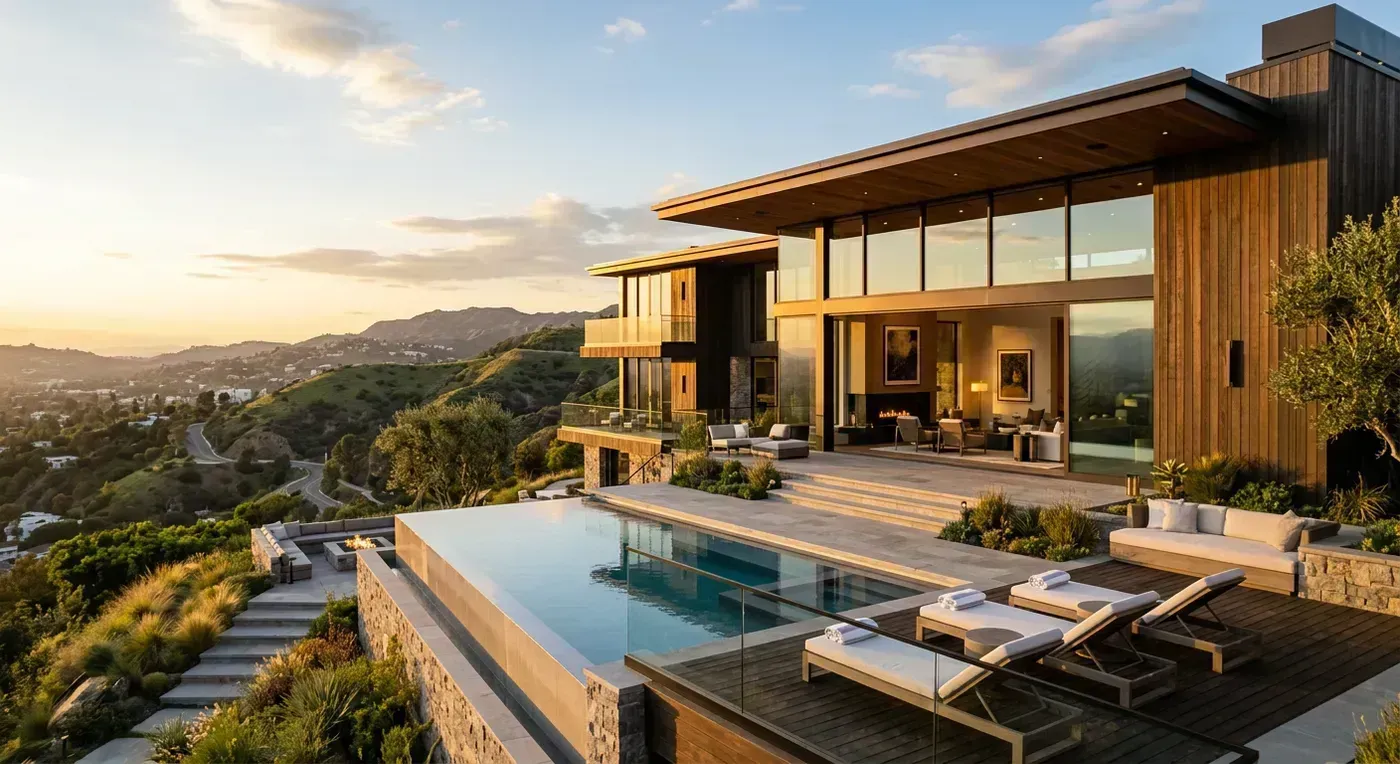
- Agents who need drone footage. No AI tool can generate aerial views from interior photos. If your market demands aerial shots (waterfront, acreage, mountain views), you need either a drone pilot or a tool that integrates with drone footage. AI can handle the interior photos while the drone handles the exterior.
- Highly customized branding needs. If you need custom animated intros, complex text overlays, color-graded looks that match a specific brand palette, or other bespoke creative work, a human editor (or a tool with deeper editing capabilities) is necessary.
Processing Speed and Workflow Integration
Speed matters more than most agents realize. When you get listing photos from the photographer at 2 PM and want to go live on MLS by 5 PM, a tool that takes 20 minutes to render is a bottleneck. Here is how the major tools compare on processing time.
Processing Benchmarks (15-Photo Listing, 1080p Output)
| Tool | Processing Time | Processing Location | Notes |
|---|---|---|---|
| Reel-E | 90s to 3min | Cloud GPU (NVIDIA A100) | 4 variants rendered simultaneously |
| AutoReel | 2 to 3min | Cloud GPU | Single variant per render |
| Photoflow AI | 3 to 5min | Cloud GPU | Single variant per render |
| HomeReel | 4 to 6min | Cloud GPU | 2 variants per render |
| VidCasa | 2 to 4min | Cloud GPU | Single variant per render |
| Pedra | 5 to 8min | Cloud GPU | Per-photo, assembly required |
Note that Reel-E's 90-second to 3-minute range includes rendering all four variants. If you need horizontal and vertical from a tool that only renders one format at a time, double its listed processing time.
Workflow Integration
The ideal workflow for most agents looks like this:
- Photographer delivers listing photos (usually same-day or next-day)
- Upload photos to AI tool, select music, confirm branding (5 minutes of active work)
- AI processes video (1 to 5 minutes, you are doing other things)
- Download all variants
- Upload horizontal branded to MLS and Zillow
- Post vertical branded to Instagram Reels and TikTok
- Email horizontal unbranded to seller for their own social sharing
- Upload vertical unbranded to seller's personal Instagram
Total active time: about 10 minutes. Total content pieces distributed: 4+ (one video across multiple platforms). That is the kind of efficiency that compounds. Ten minutes per listing, four distribution channels, measurable increase in views and inquiries. For a broader strategy on video distribution, see our guide on turning listing photos into video content.
Photo Quality Requirements for Best Results
The single most common complaint I hear from agents trying AI video for the first time is: "The output does not look as good as the demos." Nine times out of ten, the issue is photo quality, not the tool.
AI video tools are not magic. They are amplifiers. Feed in sharp, well-lit, properly composed photos, and you get cinematic output. Feed in dark, blurry, phone-camera photos, and you get a dark, blurry, slightly moving video. Garbage in, garbage out. Always has been, always will be.
Minimum Requirements
- Resolution: 1920x1080 pixels absolute minimum. 3000x2000 or higher recommended. The AI needs pixel headroom for camera movement.
- Format: JPEG or PNG. RAW files need to be exported first.
- Lighting: Balanced exposure with no blown highlights or crushed shadows. Professional HDR photography is ideal.
- Focus: Sharp corner-to-corner. Shots with shallow depth of field (blurry backgrounds) do not translate well to camera motion because the blur pattern shifts unnaturally.
- Lens: Standard wide-angle (16mm to 24mm equivalent). Ultra-wide or fisheye distortion confuses depth models.
Getting Better Photos
If your listing photos consistently produce mediocre AI video, the solution is not a different AI tool. It is a conversation with your photographer. Specifically:
- Ask for deliverables at full resolution (not downscaled for MLS)
- Request HDR bracketing if they are not already doing it
- Ensure every room is lit (turn on all lights, open all blinds, add supplemental lighting in dark corners)
- Request shots from room corners at approximately 4-foot height (standard real estate composition)
The investment in better photography pays for itself many times over, not just in AI video quality, but in higher click-through rates on MLS, better social media engagement, and more professional listing presentations overall.
AI Video and MLS Compliance
A question I get from agents constantly: "Will my MLS accept AI-generated video?" The short answer is yes. The longer answer involves some nuance worth understanding.
Current MLS Acceptance
AI-generated listing videos are accepted on virtually every major MLS system in the United States. They meet all standard video requirements: MP4 format, 16:9 aspect ratio, 1080p resolution, and reasonable file size. From a technical standpoint, there is nothing about AI video that violates MLS rules.
Some MLS boards require unbranded video on the listing itself (agent branding must go in the agent-only fields). This is why having both branded and unbranded variants matters. Upload the unbranded version to MLS, use the branded version everywhere else.
Disclosure Considerations
As of early 2026, no MLS system requires disclosure that a listing video was generated using AI. However, California's AB 723 (effective January 2026) requires disclosure of AI-generated or AI-altered images in real estate listings. The interpretation of how this applies to AI video (which uses real photos as the source material but adds synthetic camera movement) is still being debated. Our recommendation: disclose proactively. Adding a line like "Video created from listing photos using AI motion technology" is simple and transparent.
For platform-specific video requirements and upload instructions, check our listing photos to video comprehensive guide.
The Future of AI Real Estate Video: What is Coming Next
I spend most of my working hours thinking about where this technology is heading. Here is what I believe you will see in the next 12 to 18 months (with the caveat that predicting AI timelines is like predicting the weather in San Francisco: you can be roughly right about the trend and wildly wrong about any specific day).
Multi-Photo Scene Reconstruction
Current tools process each photo independently. The next generation will stitch multiple photos of the same room into a single 3D model, enabling longer, more complex camera movements that travel through a space rather than showing individual snapshots of it. Think: a continuous camera path from the front door through the living room into the kitchen, generated entirely from five still photos.
Voice-Over Integration
AI voice synthesis has gotten good enough for real estate narration. Within the next year, expect tools to offer "upload photos + property description, get a narrated video with AI voice-over." The voice will describe the home's features as the camera moves through each room. Some tools are already testing this in beta.
Automatic Listing Description Generation
Tools will analyze the photos, identify room types and features (granite countertops, hardwood floors, vaulted ceilings, pool), and generate both the video and the listing description simultaneously. One upload, two outputs.
Better Outdoor and Aerial Synthesis
The biggest current limitation (no aerial views from ground-level photos) will start to close. Early models can already generate plausible upward camera angles from ground-level exterior photos. Full drone-style flyovers from stills are probably 2 to 3 years out, but elevated-angle perspectives from front-of-house photos should arrive in 2026.
Real-Time Rendering
Processing times will drop from minutes to seconds. As GPU infrastructure scales and models get more efficient, we are heading toward near-instant preview (see the camera motion in real-time as you upload each photo) with final renders completing in under 30 seconds.
Getting Started with AI Real Estate Video
If you have read this far, you are either seriously considering AI video for your listings or you really enjoy long-form content about niche technology. Either way, here is the practical path forward.
If you have never used AI video: Try a free trial. Most tools offer one. Reel-E's free trial gives you full access to the platform so you can test it with real listing photos before committing. Upload 12 to 15 photos from your best current listing and see what comes out. The entire process takes about 5 minutes including the sign-up.
If you are already using a slideshow or template tool: Run a side-by-side comparison. Create a video from the same photos in your current tool and in an AI motion tool. Show both to a client or colleague without telling them which is which. The difference is usually obvious enough that the decision makes itself.
If you are using a competitor's AI tool and curious about alternatives: The comparison table above gives you the feature breakdown. The best way to evaluate is to run the same listing through two tools and compare output quality, processing speed, and workflow convenience. Most agents who switch tools do so because of the multi-format output and beat-synced music, features that are hard to appreciate until you see them in action.
The bottom line: AI real estate video in 2026 is not experimental technology. It is a proven, cost-effective production method that over 100,000 agents use regularly. The question is not whether to use it, but which tool fits your volume, budget, and quality expectations.
Your listing photos are already sitting in a folder somewhere, doing nothing. Five minutes from now, they could be a polished, professional video playing on Instagram, Zillow, and your MLS. That is not hype. That is just what the technology does now.
Ready to see it for yourself? Start a free trial and upload your first listing today. Or, if you want to explore the broader case for video in real estate, our real estate video statistics analysis covers the data behind why video listings consistently outperform photo-only listings.