Property managers have a specific problem that most AI real estate video tools were not built to solve: you are marketing dozens (sometimes hundreds) of units across multiple properties, and every vacant unit costs money for every day it sits empty. A single-agent tool designed for one listing presentation per week does not cut it when you need 30 apartment tour videos by Friday.
I spent a decade running a production company that filmed everything from $40M mansions to 300-unit apartment complexes in downtown LA. The luxury listings got the big budgets. The multifamily properties? Those teams were usually stuck with iPhone walkthroughs and Canva slideshows. That gap is exactly what AI video tools can close in 2026.
This roundup evaluates five AI video tools through the lens of property management: portfolio scale, turnaround speed, consistent branding across communities, and cost per unit. I tested each tool with photos from a 180-unit garden-style apartment community (two-bedroom units averaging $1,650/month) to keep the comparison grounded in reality.
Why Property Managers Need Different Video Tools Than Realtors
Before the tool breakdown, a quick note on why the standard "best real estate video maker" roundup does not quite work for property managers. The workflow differences are real:
- Volume: A busy agent might list 5-10 properties per month. A property manager might need videos for 20-50 vacant units across 4-6 communities, plus seasonal promos, amenity showcases, and community highlight reels. The tool needs to handle batch production without becoming a full-time job.
- Consistency: Every video from Oakwood Apartments should look and feel like an Oakwood Apartments video, whether it is a studio tour or a three-bedroom walkthrough. Brand templates, logo placement, and color consistency matter more here than in single-listing work.
- Speed: When a unit goes vacant, the clock starts ticking. National Apartment Association data shows the average cost of vacancy is $1,750 per month per unit. Waiting three days for a video editor to return a cut is three days of lost rent.
- Variety of content types: Agents mostly need listing videos. Property managers need apartment tours, amenity showcases, community highlight reels, seasonal promotions (pool opening, holiday events), and recruitment content for leasing staff.
- Multiple properties: Maintaining separate branding, contact info, and visual identity across different communities within a single management portfolio is a workflow that most agent-focused tools do not even consider.
With that context, here are the five tools worth evaluating in 2026.
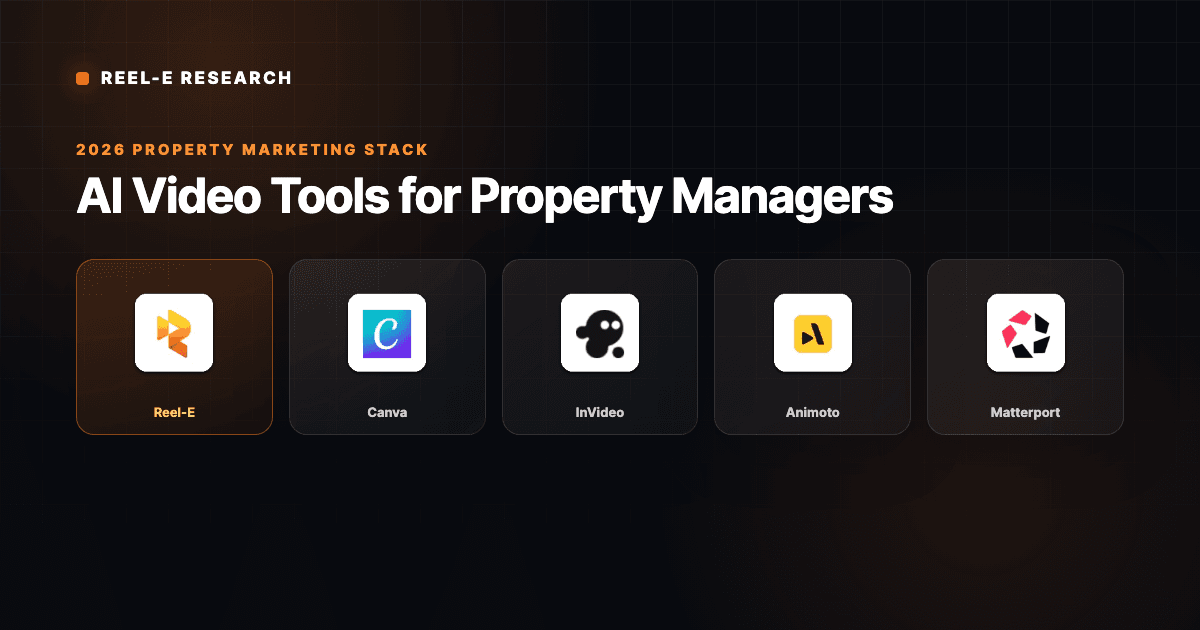
Our Top Picks at a Glance
1 Reel-EBest for Property Managers
4.9
From $44/mo
2
Reel-EBest for Property Managers
4.9
From $44/mo
2
 CanvaBest All-in-One Tool
4.2
Free / $13/mo
3
CanvaBest All-in-One Tool
4.2
Free / $13/mo
3
 InVideoBest for Narrated Promos
3.9
Free / $25/mo
4
InVideoBest for Narrated Promos
3.9
Free / $25/mo
4
 AnimotoBest Budget Option
3.7
From $8/mo
5
AnimotoBest Budget Option
3.7
From $8/mo
5
 MatterportBest for Virtual Tours
4.3
From $69/mo
MatterportBest for Virtual Tours
4.3
From $69/mo
The 5 Best AI Video Tools for Property Managers Reviewed
We tested five tools by uploading the same set of photos from a 180-unit garden-style apartment community. For each tool, we measured output quality, turnaround time, ease of use, and value for property management workflows.

1. Reel-E: Best Overall AI Video Tool for Property Managers
Editor's Choice
I built Reel-E after watching property managers struggle with the same bottleneck for years: they had great photos sitting in their property management software but no efficient way to turn those into video content for ILS listings, social media, and community websites. The traditional answer was either "hire a videographer for $300-$500 per shoot" or "have the leasing coordinator spend an afternoon in Canva." Neither scales to a 500-unit portfolio.
Reel-E runs a custom AI inference stack (not off-the-shelf Google Veo or Kling models). That matters for property managers specifically because your resident photos and community images never leave Reel-E data centers. For management companies handling Fair Housing compliance and resident privacy, third-party AI processing is a legitimate concern that most tools wave away.
Why Reel-E Works for Property Management
- 4 video variants from one upload: Horizontal branded, horizontal unbranded, vertical branded, vertical unbranded. That is your ILS listing video, your Instagram Reel, your Facebook ad creative, and your unbranded MLS/website version in a single batch. For a property manager uploading 15 photos of a two-bedroom unit, that is 4 finished videos in under 2 minutes with zero editing.
- Beat-synced transitions: The system analyzes music BPM and aligns photo transitions to downbeats. This is a subtle detail that makes a big difference at scale. When a prospect scrolls through 10 apartment community videos on Instagram, the one with rhythmic transitions feels professional. The one with random timing feels like a slideshow someone threw together.
- True AI motion effects: Orbit, push-in, pull-out, Ken Burns zoom with parallax depth. This transforms flat apartment photos into cinematic content. A kitchen photo does not just pan left to right. The virtual camera pushes into the space with depth separation between the countertop and the cabinets behind it.
- Consistent branding: Upload your community logo and contact info once, and every video from that property gets the same branded end card. When you manage multiple communities, you can set up different branding for each property. The Growth plan at $129/mo supports 10 listings per month, which is typically enough for a mid-size portfolio's monthly vacancy churn.
- Speed ramps: Adjustable pacing between clips gives the video a cinematic rhythm. Slow into the wide exterior shot, pick up pace through the kitchen and bath, slow again for the balcony view. This is the kind of editorial decision that a videographer would make manually. Reel-E does it automatically.
Property Management Use Cases with Reel-E
Vacancy marketing: A unit goes vacant on Monday. By Monday afternoon, you have four video variants ready for your ILS listing (Apartments.com, Zillow Rentals), your social channels, and your community website. Total time investment: 2 minutes to upload photos and select music.
Amenity showcases: Pool area, fitness center, co-working space, dog park. Photograph each amenity area, upload to Reel-E, and you have a portfolio of amenity highlight videos for social media. Rotate these throughout the year so your social feed is not just unit tours on repeat.
Seasonal promos: Holiday events, pool opening week, back-to-school move-in specials. Take fresh photos, upload, and generate a promo video the same day. No waiting for a videographer's availability, no back-and-forth on edits.
Community highlight reels: Combine your best exterior shots, amenity photos, and lifestyle images into a 60-second community overview video. This works for lease-up marketing on new developments where you are trying to establish identity before residents move in.
Reel-E Limitations for Property Managers
- No drone footage integration (photos only for now). If your community has a compelling aerial view, you will need to film that separately.
- The Essential plan caps at 3 listings per month and 20 photos per project. Most PMs will need Growth ($129/mo) or Pro ($599/mo) for meaningful portfolio coverage.
- No direct integration with property management software (Yardi, RealPage, AppFolio) yet. You export photos manually and upload to Reel-E.
- Credit card required for the free trial.
Pros
- AI-powered cinematic camera motion (not just Ken Burns)
- Four video variants from a single upload (ILS, social, branded, clean)
- Under 2 minutes from photos to finished video
- Beat-synced transitions matched to music
- Consistent branding across multiple communities
Cons
- No drone footage integration (photos only)
- Essential plan caps at 3 listings/month; most PMs need Growth ($129/mo)
- No direct PMS integration (Yardi, RealPage, AppFolio) yet
- Credit card required for free trial
The fastest path from vacant unit to marketing-ready video. If you manage 20+ units, the automation pays for itself in recovered vacancy days.

2. Canva: Best for Property Managers Already Using It
Best All-in-One
Canva is already in the toolkit of most property management marketing teams. I have yet to walk into a management company office where someone is not using it for flyers, social posts, or email graphics. The video features are a natural extension of that existing workflow, which is both Canva's greatest strength and its biggest limitation for property video specifically.
Here is the honest truth about Canva video for property managers: it works fine if you are already making social media graphics and want to add basic video to the same workflow. Drag photos onto a timeline, add transitions, drop in some text overlays, pick background music. You can produce a decent-looking apartment tour slideshow in 15-20 minutes.
The problem is the word "slideshow." Canva does not generate AI motion. Your photos sit on screen and transition with a dissolve, wipe, or slide effect. There is no depth, no camera movement, no parallax. For a $1,650/month apartment, that is probably fine for most prospects. For a $4,500/month luxury unit in a Class A high-rise, the slideshow look undermines the positioning.
Canva Strengths for Property Managers
- You already know how to use it. Zero learning curve for teams already on Canva. This is a bigger deal than it sounds when you are training seasonal leasing staff.
- Brand Kit: Canva Pro and Teams include Brand Kit, which stores your community colors, fonts, and logos. Every leasing associate creates content with the same brand elements. For multi-property portfolios, you can create separate Brand Kits per community.
- Template ecosystem: Thousands of real estate video templates. Search "apartment tour" or "property listing" and you will find dozens of starting points. Customize with your photos and text. The templates handle layout, so even non-designers produce clean output.
- Team collaboration: Multiple users can work on the same project. Your marketing coordinator can build the template, and leasing teams at each property can swap in their unit photos. This workflow does not exist in most AI video tools.
- Multi-format export: Create one design, then resize for Instagram Story, TikTok, YouTube thumbnail, email banner. Canva calls this "Magic Resize" on Pro. The execution is imperfect (you usually need to adjust element positioning after resize), but it saves time compared to recreating from scratch.
Canva Limitations for Property Managers
- No AI motion. This is the dealbreaker for anyone comparing Canva video to purpose-built real estate video tools. Photos sit statically or pan slowly. The output looks like a slideshow with music, because that is exactly what it is.
- Manual editing for every video. 15-30 minutes per apartment tour adds up fast. At 20 vacant units per month, that is 5-10 hours of someone's time just making tour videos. An AI tool like Reel-E does the same work in 40 minutes total.
- No beat synchronization. You pick a music track and set transition timing manually. The transitions do not align to the music rhythm. This sounds like a minor detail until you watch back-to-back videos where one hits on the beat and one does not.
- No automatic variants. If you need horizontal and vertical versions, you create them separately. Each resize requires manual adjustment of photo positioning and text placement.
- Video quality ceiling. Canva exports at 1080p on Pro, which is fine for social media. But the visual quality of a Canva slideshow will never match AI-generated cinematic motion, regardless of resolution.
Pros
- Zero learning curve for teams already on Canva
- Brand Kit maintains consistent community branding
- Massive template ecosystem for all content types
- Team collaboration with multiple users per project
- Multi-format export (Magic Resize) on Pro
Cons
- No AI motion (slideshow transitions only)
- 15-30 minutes manual editing per video
- No beat synchronization with music
- No automatic horizontal + vertical variants
The right choice if your team already lives in Canva and video quality is not a competitive differentiator. The wrong choice if you need cinematic tours at scale.

3. InVideo: Best for Narrated Community Promos
InVideo sits in an interesting position for property managers because of one specific feature: AI-powered text-to-video generation. You can type "Create a 60-second promotional video for a luxury apartment community with pool, gym, and rooftop lounge" and InVideo will attempt to generate a video from stock footage and AI. The keyword here is "attempt." The output quality varies wildly, and it often pulls generic stock footage that looks nothing like your actual property.
Where InVideo actually delivers value for property managers is in its template-based editor. There are hundreds of real estate and property templates that you can customize with your own photos, text, and voiceover. The AI voiceover feature is genuinely useful for community promo videos where you want narration without hiring a voice actor or putting a leasing associate on camera.
I tested InVideo with our 180-unit garden-style community photos. The template workflow produced a respectable community promo in about 25 minutes. The AI motion quality is limited to template-defined transitions (zoom, slide, fade), not true generative camera movement. But the text overlay options and voiceover integration made it feel more like a produced marketing piece than a simple photo slideshow.
InVideo Strengths for Property Managers
- AI voiceover: Multiple voice styles and languages. Useful for community overview videos, welcome videos for new residents, and multilingual marketing in diverse markets.
- Text-to-video for quick concepts: Type a prompt and get a rough video in minutes. The output is not polished enough for final marketing, but it is useful for concepting seasonal campaigns or pitch decks to ownership groups.
- Extensive template library: More real estate templates than most competitors. Filter by "real estate," "property," or "apartment" and you will find 50+ starting points.
- Stock media library: 8M+ stock videos and images included. Useful for filling gaps when you do not have professional photos of every amenity.
- Text animation: Property details, pricing, and amenity lists can be animated with motion graphics. This gives community promo videos a more produced feel than static text overlays.
InVideo Limitations for Property Managers
- Time-intensive for unit tours. Each video requires manual template customization. At 20-45 minutes per video, this is not viable for high-volume vacancy marketing.
- Generic AI output. The text-to-video feature pulls stock footage, not your actual property. Prospects can tell the difference between your actual pool and a stock photo of a pool in Miami.
- No automatic variants. Like Canva, you create horizontal and vertical versions separately. Each format requires re-editing.
- Learning curve. InVideo's editor is more powerful than Canva's video tool, but also more complex. Expect a day or two of ramp-up for team members who have not used timeline-based video editors.
- Brand consistency requires discipline. Without Canva-style Brand Kits, maintaining consistent colors, fonts, and logo placement across dozens of videos depends on your team using the same template and not improvising.
Pros
- AI voiceover in multiple styles and languages
- Text-to-video for quick campaign concepts
- Extensive real estate template library
- 8M+ stock videos and images included
- Animated text overlays for property details
Cons
- 20-45 minutes per video (manual template editing)
- Generic AI output uses stock footage, not your property
- No automatic format variants
- Steeper learning curve than simpler tools
- Brand consistency requires manual discipline
The pick for narrated community promos with voiceover. Impractical for high-volume unit tour production due to manual editing time.

4. Animoto: Best Budget Option for Quick Social Slideshows
Animoto has been around since 2006, which makes it ancient by real estate video marketing standards. The advantage of that longevity is a polished, stable product that does exactly what it promises: turn photos into music-backed slideshows with minimal effort. The disadvantage is that it has not meaningfully innovated in years, and the output looks like... a 2020-era slideshow.
For property managers on a tight marketing budget (which, let us be honest, describes most management companies that are not institutional REITs), Animoto's price-to-quality ratio is hard to beat. At $8/month, you can create unlimited videos with the Basic plan. The videos will not win any awards, but they will be clean, watchable, and better than no video at all.
I tested Animoto with the same garden-style apartment photos. The drag-and-drop interface is genuinely the simplest of any tool on this list. I had a decent-looking apartment tour slideshow in about 12 minutes, including music selection and text overlays. The output was perfectly serviceable for a Facebook Marketplace rental listing or an Apartments.com supplemental video.
Animoto Strengths for Property Managers
- Dirt cheap. $8/month for unlimited videos. For a 200-unit portfolio, that is 4 cents per unit per month. No other tool on this list comes close to that per-unit cost.
- Dead simple. Drag photos in, pick a template, choose music, export. A leasing associate with zero video experience can produce their first video in 10 minutes. Training new hires takes about 5 minutes of screen-sharing.
- Licensed music library. All tracks are commercially licensed, which matters if your videos will appear on YouTube or in paid social ads. Some free music libraries have murky licensing that can trigger copyright strikes.
- Multiple aspect ratios: Square (1:1), horizontal (16:9), and vertical (9:16) export options. You still create them separately, but the option exists without resizing workarounds.
- Storyboard view: The visual storyboard layout makes it easy to reorder photos and preview the flow before committing to a render. Useful when you are arranging 20 unit photos into a logical tour sequence.
Animoto Limitations for Property Managers
- No AI motion whatsoever. Pure slideshow with crossfades, zooms, and pans. The output feels dated compared to AI-generated video. If a prospect watches an Animoto tour and then a Reel-E tour of a competing property, the difference in production value is stark.
- Limited customization. Templates are rigid. You can change colors and fonts, but the layout and transition styles are locked to the template you chose. This limits creative differentiation between communities in your portfolio.
- No voiceover. If you want narration, you record it externally and import the audio file. InVideo and Canva handle voiceover more gracefully.
- Branding on lower tiers. The Basic plan includes Animoto branding on exports. You need Professional ($15/mo) to remove it. That doubles the effective price for client-facing content.
- Declining relevance. Animoto has not shipped a major feature update in over a year. The product feels like it is in maintenance mode. That is a risk for teams building workflows around it.
Pros
- Dirt cheap at $8/month for unlimited videos
- Simplest interface on this list (5-minute training)
- All music tracks commercially licensed
- Multiple aspect ratios (16:9, 9:16, 1:1)
- Storyboard view for easy photo reordering
Cons
- No AI motion (pure slideshow with crossfades)
- Limited template customization
- No voiceover support
- Animoto branding on Basic plan
- Declining feature development
The right choice when budget is the hard constraint and any video beats no video. The wrong choice for Class A properties where production value matters.

5. Matterport: Best for Interactive Virtual Tours
Matterport is the outlier on this list because it solves a fundamentally different problem. Instead of turning photos into video, Matterport creates interactive 3D walkthroughs from a 360-degree camera capture. You physically walk through a unit with a Matterport camera (or a compatible 360 camera, or even an iPhone with LiDAR), and the system stitches the captures into a navigable 3D model.
I am including Matterport because many property managers ask about it in the same breath as video tools, and it deserves an honest assessment. For certain use cases (primarily lease-up marketing for new construction and pre-leasing before units are move-in ready), Matterport delivers something no photo-to-video tool can: a self-guided virtual walkthrough where the prospect controls the camera.
The catch is cost and time. A Matterport scan of a two-bedroom apartment takes 30-45 minutes of on-site time, plus 1-2 hours of cloud processing. At $69/month for 5 active spaces, you are paying $13.80 per unit and investing significant labor time. Compare that to Reel-E at under 2 minutes per unit with no on-site time required.
Matterport Strengths for Property Managers
- Interactive experience. Prospects navigate the space themselves. They can look where they want, spend time in the rooms that matter to them, and get a genuine sense of the floor plan. No linear video can replicate this level of prospect agency.
- Measurement tools. The 3D model includes room dimensions and spatial measurements. Prospects can check if their furniture fits before scheduling an in-person tour. This reduces wasted showings for both the leasing team and the prospect.
- Video walkthrough export. Matterport can generate a guided video walkthrough from the 3D model. The quality is not cinematic (it looks like a smooth dolly through a 3D scan), but it works for ILS listings that accept video.
- Schematic floor plans. Automatic 2D floor plan generation from the 3D scan. Many ILS platforms display floor plans prominently, and having an accurate, attractive floor plan is a leasing conversion factor that videos alone do not address.
- Established credibility. Matterport is a publicly traded company with a decade of market presence. Enterprise management companies with procurement requirements may find it easier to justify than a newer tool.
Matterport Limitations for Property Managers
- Requires on-site capture. Someone has to physically visit each unit with a camera. For a 200-unit property with 15% monthly turnover, that is 30 scans per month. At 30-45 minutes each, you are looking at 15-22 hours of on-site scanning time. Compare that to uploading existing photos to an AI tool.
- Expensive at scale. The Professional plan ($279/mo for 25 active spaces) sounds reasonable until you realize "active spaces" means you can only have 25 units live at once. For a large portfolio, you are cycling spaces in and out constantly. The Enterprise plan removes limits but requires a sales conversation (read: expensive).
- Not video. The interactive walkthrough is an embed, not a video file. You cannot post it to Instagram, TikTok, or YouTube. The video export option exists but produces a fundamentally different (and lower-quality) output than a purpose-built AI video tool.
- Overkill for standard units. A 3D virtual tour of a 900 sq ft one-bedroom apartment provides marginal value over good photos and a well-made video. Matterport shines for unique spaces (penthouses, townhomes, unusual layouts), not for commodity units.
- Hardware dependency. The best results come from Matterport's own cameras ($3,000+). iPhone LiDAR scans are possible but noticeably lower quality. This upfront cost adds to the total investment.
Pros
- Interactive 3D walkthrough (prospects control the camera)
- Built-in room measurements for furniture planning
- Video walkthrough export from 3D model
- Automatic 2D floor plan generation
- Established credibility for enterprise procurement
Cons
- Requires 30-45 minutes on-site capture per unit
- Expensive at scale ($279/mo for 25 active spaces)
- Not video (embed only; cannot post to social media directly)
- Overkill for standard apartment units
- Best results require $3,000+ Matterport camera
Worth the investment for lease-up marketing and luxury units where interactive tours differentiate your property. Impractical for everyday vacancy marketing at scale.
How to Choose: A Decision Framework for Property Managers
After testing all five tools with the same property photos, here is the honest breakdown by scenario:
Scenario 1: High-Volume Vacancy Marketing (20+ units/month)
You need speed above all else. Every day a unit sits vacant costs you rent.
Best choice: Reel-E (Growth at $129/mo). Upload photos, get four video variants in under 2 minutes per unit. At 20 units, that is 40 minutes of total work for 80 videos (4 variants each). Nothing else on this list is even close to that throughput.
Runner-up: Animoto ($15/mo for unbranded) if budget is the hard constraint and slideshow quality is acceptable for your market.
Scenario 2: Community Branding and Social Media
Your primary need is not unit tours but ongoing social media content that builds community identity: amenity highlights, seasonal promos, event recaps.
Best choice: Canva Teams ($10/mo per user). Your team already knows it, the Brand Kit maintains consistency, and the design versatility extends beyond video to social graphics, flyers, and email banners.
Runner-up: InVideo ($25/mo) if you want AI voiceover on community promo videos.
Scenario 3: Lease-Up for New Construction
You are marketing a property that is not yet fully built or occupied. Prospects cannot visit, and you need to sell the vision.
Best choice: Matterport (Professional at $279/mo) for model units. Capture the finished models in 3D and let remote prospects explore them interactively. Pair with Reel-E for quick video tours of the same model photos to cover social media and ILS listings.
Scenario 4: Tight Budget, Small Portfolio (Under 50 units)
You manage one or two small properties and video marketing is a nice-to-have, not a core strategy.
Best choice: Reel-E Essential ($44/mo) for 3 listings per month. If you average 2-3 vacancies per month, the Essential plan covers your needs with the highest-quality output per dollar. Supplement with Canva Free for social graphics.
Runner-up: Animoto Basic ($8/mo) if even $44/mo is a stretch and slideshow-quality video is acceptable.
Scenario 5: Portfolio Marketing to Ownership Groups
You need polished video content to present to owners, investors, or during quarterly reviews. These are not vacancy marketing videos. They are brand assets that demonstrate your management quality.
Best choice: Reel-E Pro ($599/mo) for 4K output with full branding control. The cinematic AI motion effects produce output that looks like you hired a production company. The Pro plan supports 50 listings per month, which covers portfolio-wide content creation.
Runner-up: InVideo Business ($25/mo) with voiceover narration for a more "presentation" feel, supplemented by Matterport scans for the flagship properties in the portfolio.
The Math: What Video Marketing Actually Costs Per Vacant Unit
Property managers think in cost-per-unit. Here is how each tool stacks up when you factor in both subscription cost and labor time (valued at $25/hour for a leasing coordinator):
| Tool | Monthly Cost | Time per Video | Labor Cost (20 units) | Total Monthly Cost | Cost per Unit |
|---|---|---|---|---|---|
| Reel-E Growth | $129 | 2 min | $17 (40 min) | $146 | $7.30 |
| Canva Pro | $13 | 20 min | $167 (6.7 hrs) | $180 | $9.00 |
| InVideo | $25 | 30 min | $250 (10 hrs) | $275 | $13.75 |
| Animoto Pro | $15 | 15 min | $125 (5 hrs) | $140 | $7.00 |
| Matterport Pro | $279 | 3 hrs | $1,500 (60 hrs) | $1,779 | $88.95 |
The raw subscription price is misleading. Canva looks cheapest at $13/month, but the labor cost of manually editing 20 videos pushes the real cost to $180. Reel-E's higher subscription is offset by automation: 2 minutes of labor per video versus 20-30 minutes of manual editing. At 20 units per month, Reel-E and Animoto are neck-and-neck on total cost, but the quality gap between AI cinematic motion and slideshow transitions is significant.
Matterport is the most expensive option by a wide margin because of the on-site time requirement. Reserve it for high-value use cases where the interactive 3D experience justifies the investment.
Multifamily Video Marketing: What Actually Moves the Needle
Before you pick a tool, it helps to know which types of video content actually drive leasing results. I have seen property management companies invest heavily in video and get minimal return because they focused on the wrong content.
High-Impact Video Content (Proven ROI)
- Unit tour videos on ILS listings. Apartments.com, Zillow Rentals, and Rent.com all support video. Listings with video get 2-3x more views than photo-only listings. This is the baseline use case that justifies any investment in video tools.
- Instagram Reels and TikTok. Vertical apartment tours consistently perform well on both platforms. The algorithm favors short-form video, and rental-search content ("apartment tour" is a trending audio category) has built-in audience demand. A 15-second vertical tour of a newly renovated unit can reach 5,000-20,000 local views organically.
- Google Business Profile video. Your community's Google listing supports video. Properties with video appear more frequently in local search results and map packs. This is free distribution that most management companies overlook entirely.
Moderate-Impact Video Content
- Amenity showcase reels. Effective for attracting residents who prioritize lifestyle amenities (pool, gym, co-working). Less impactful in markets where price and location dominate the decision.
- Community event recaps. Useful for retention marketing (showing current residents that the community is active) and social proof for prospects. These do not directly drive leasing, but they support the overall brand.
- Seasonal/promotional videos. "Move-in special: first month free" videos work well for paid social ads because they combine visual property marketing with a direct call-to-action.
Low-Impact Video Content (Skip These)
- Generic "welcome to our community" corporate videos. Nobody watches these. They feel obligatory and tell the prospect nothing they could not read in a brochure paragraph.
- Talking-head leasing staff introductions. Prospects do not care who will hand them the keys. They care about the unit, the amenities, and the price. Save the team introductions for the in-person tour.
- Long-form (3+ minute) property overviews. Completion rates drop off a cliff after 60 seconds. Keep apartment tour videos under 60 seconds for social, under 90 seconds for ILS listings.
How to Get Started with AI Video for Your Portfolio
If you are a property manager who has not used AI video tools before, here is the practical path I would recommend:
- Start with your highest-vacancy property. Pick the community with the most turnover. This is where the ROI is most immediate and measurable. If video reduces average days-on-market by even 3 days per unit, you can calculate the exact dollar impact.
- Use existing photos first. You almost certainly have professional photos from your last marketing refresh or ILS upload. Do not wait for a new photo shoot. Upload what you have to Reel-E and see the output quality. You can always reshoot later if the photos are genuinely outdated.
- Cover ILS and Instagram first. These two channels drive the most measurable leasing traffic. Get horizontal video on your ILS listings and vertical video on Instagram Reels. Skip YouTube, TikTok, and community website video until you have the core channels covered.
- Measure days-to-lease. Track average days-on-market for units with video versus units without. After 3 months, you will have data to justify expanding video to the rest of your portfolio. Most property managers see a 15-25% reduction in vacancy duration once video is consistently deployed on ILS listings.
- Scale to amenities and promos. Once unit tours are running smoothly, expand to amenity showcase videos and seasonal promos. This content supports social media presence and community branding, which are harder to measure directly but contribute to the overall marketing funnel.
Frequently Asked Questions
What is the best AI video tool for property managers in 2026?
For high-volume vacancy marketing, Reel-E offers the fastest photo-to-video workflow (under 2 minutes) with four automatic output variants per project. For teams already using Canva for other marketing, Canva Video is the path of least resistance, though it produces slideshows rather than AI-generated cinematic motion.
How much does apartment video marketing cost per unit?
When you factor in both subscription cost and labor time, the range is $7-$14 per unit for AI-powered tools (Reel-E, Canva, Animoto) and $89+ per unit for 3D virtual tours (Matterport). The cheapest option on paper (Canva at $13/month) becomes more expensive than Reel-E ($129/month) once you account for 20+ minutes of manual editing per video.
Do apartment listing videos actually reduce vacancy?
ILS platforms report that listings with video receive 2-3x more views than photo-only listings. Property managers who consistently deploy video on vacancy listings typically see a 15-25% reduction in average days-to-lease. At $1,650/month rent, reducing vacancy by just 5 days saves $275 per unit. Across 20 monthly vacancies, that is $5,500 in recovered rent.
Can I use the same video tool for apartment tours and community promos?
It depends on the tool. Reel-E handles both use cases because you can upload any set of photos (unit photos for tours, amenity photos for showcases). Canva and InVideo are better suited for promotional content with text overlays and voiceover. The most effective approach is pairing an AI video tool for unit tours with a design tool for branded promotional content.
What video format works best for apartment listings on Apartments.com?
Apartments.com accepts MP4 video up to 100MB, recommended 1080p resolution, 16:9 aspect ratio. Keep length under 90 seconds for best engagement. Reel-E's horizontal unbranded variant is sized and formatted specifically for this use case. For social media video specs across all platforms, see our dedicated guide.
Is Matterport worth it for apartment communities?
Matterport is worth the investment for lease-up marketing (new construction), sight-unseen leasing (corporate relocations), and luxury units where the interactive experience differentiates your property. For standard unit vacancy marketing across a large portfolio, the on-site time and per-space cost make it impractical. Most property managers get better ROI from AI photo-to-video tools for everyday listings and reserve Matterport for flagship units or model apartments.
How do I maintain consistent branding across multiple properties?
In Reel-E, upload separate logos and contact info for each community. Branded video variants will automatically use the correct community branding. In Canva Teams, use separate Brand Kits per property. The challenge with Animoto and InVideo is that brand consistency depends on manual discipline (using the same templates and settings every time), which breaks down across large teams.
What photos should I use for apartment tour videos?
For a standard unit tour: wide-angle shots of each room (living area, kitchen, bedrooms, bathrooms), one balcony/patio shot if applicable, and 2-3 exterior or amenity shots. 12-18 photos per unit is the sweet spot. High-resolution, well-lit photos produce significantly better AI motion effects than dark or low-res images. See our guide on turning listing photos into video for detailed tips.
Can property managers use AI video for Fair Housing compliant marketing?
AI video tools generate content from your photos, so the Fair Housing compliance burden sits with your photo selection and any text overlays you add. Avoid photos that imply demographic preferences (images of only one age group, race, or family structure). The video tool itself does not add discriminatory content, but your choice of photos and marketing copy must follow HUD guidelines regardless of the production method.
How long should an apartment tour video be?
For ILS listings (Apartments.com, Zillow Rentals): 45-90 seconds. For Instagram Reels and TikTok: 15-30 seconds. For your community website: up to 2 minutes for a comprehensive tour. Shorter is almost always better. Completion rates drop significantly after 60 seconds. For a detailed breakdown by platform, see our real estate video length guide.
Should I use AI video or hire a videographer for my apartment complex?
For individual unit tours (high volume, time-sensitive): AI video tools are more practical and cost-effective. A videographer charges $300-$500 per visit and takes days to deliver. Reel-E produces four video variants in 2 minutes. For one-time brand videos (community overview, lifestyle marketing for a new development): a professional videographer produces higher-quality cinematic content. The best approach is using AI for everyday vacancy marketing and reserving videographer budget for flagship brand content. Read our analysis of real estate video costs for a full breakdown.
Do any AI video tools integrate with property management software?
As of 2026, direct integrations between AI video tools and PMS platforms (Yardi, RealPage, AppFolio, Entrata) are limited. Most property managers export photos from their PMS and upload to the video tool manually. This is a gap the industry is actively working to close. In the meantime, the fastest workflow is exporting your MLS-ready photos and batch-uploading them to Reel-E or your tool of choice.