Key Takeaways
- Animoto wants you to be an editor. Reel-E wants you to sell houses.
- Reel-E best for: Real estate agents who want finished listing videos without touching a timeline
- What Animoto is: a template video maker, from $9 a month billed yearly, with 4K, your logo and colors and a Getty stock library on its Pro plan (checked Nov 1, 2026)
- We uploaded the same 15 listing photos to both platforms and compared output quality, turnaround time, and ease of use.
For real estate video, Animoto gives you templates and a timeline editor. Reel-E gives you a finished listing video. Upload your photos, pick a song, and walk away. Which approach fits your schedule?
How we scored each tool
We evaluated both platforms on output quality, speed, ease of use, real estate focus, and value. Here is how they stack up:

Reel-E
Best for Listing VideosAnimoto
Animoto wants you to be an editor. Reel-E wants you to sell houses.
Animoto is a template video editor: you get templates, a timeline and, on its Pro plans, Getty stock footage (checked Nov 1, 2026). Listing content can't wait on a timeline, though. You need it today. Reel-E skips the editing work. Upload photos, pick music, get every shape back, branded and unbranded. Animoto is the Swiss Army knife of video tools. Reel-E is the power drill. You can open a wine bottle with a Swiss Army knife, but if you have 40 holes to drill, you want the power drill.
Quick comparison: Reel-E vs Animoto
| Reel-E | Animoto | |
|---|---|---|
| Price | From $44/mo (billed yearly) | $9 to $39/mo billed yearly (checked Nov 1, 2026) |
| Made for | Real estate agents who want finished listing videos without touching a timeline | Template video for any industry |
| Video creation | AI-automated from photos | Manual/template editing |
| Time per video | Under 2 minutes | 15-60 minutes |
| AI camera motion | Yes (orbit, push-in, pull-out) | No |
| Beat-synced transitions | Automatic | Manual/none |
| Output formats | 16:9, 9:16 and 1:1, branded and unbranded | 1 per export |
| Real estate focused | 100% | General purpose |
| Max resolution | 4K (Pro plan) | 4K (Pro plan) |
| Free trial | Free 7-day trial, cancel anytime | Free tier: 720p, watermarked |
| ROI vs videographer | $9.67 to $19.67 a listing vs $500-1,200 | $15-60+ time cost per video |
Pricing deep dive: Reel-E vs Animoto
Animoto's pricing has four tiers (checked Nov 1, 2026): Free (720p, watermarked), Basic at $9 a month billed yearly ($19 monthly) with 1080p and no watermark, Pro at $19 billed yearly ($29 monthly) with 4K, your logo and colors and a Getty stock library, and Pro Plus at $39 billed yearly ($79 monthly) for 3 users. Logo and brand colors are listed from Pro.
Reel-E offers Essential at $44/month (annual, 3 listings/month), Growth at $97/month (10 listings), and Pro at $449/month (50 listings with 4K output). On Essential, that works out to $14.72 per listing. On Growth, it drops to $9.67.
The hidden cost: your time. Animoto requires 15-30 minutes of hands-on editing per video. If you value your time at $50/hour (conservative for a producing agent), each Animoto video costs $12.50-$25 in labor on top of the subscription. Reel-E takes under 2 minutes with zero editing. At 10 listings per month, Animoto costs you 2.5-5 hours. Reel-E costs you 20 minutes total.
ROI vs hiring a videographer: A professional videographer charges $500-$1,200 per listing. Over 10 listings, that is $5,000-$12,000. Reel-E Growth at $97/month covers all 10 for $97. Even Animoto Pro at $19 a month billed yearly plus 5 hours of your time comes in far below professional rates. Both tools deliver massive ROI compared to hiring, but Reel-E delivers it without the time cost.
Feature-by-feature comparison
| Feature | Reel-E | Animoto |
|---|---|---|
| Video creation method | Upload photos, AI delivers finished video | Pick a template, drag and drop, edit timeline |
| Time to create | Under 2 minutes (hands-off) | 15-30 minutes (hands-on) |
| Beat-synced transitions | Automatic beat detection and sync | Manual timing |
| Output formats | Widescreen, vertical and square, each branded and unbranded, at once | One format per export |
| AI camera motion | 3D push-in, pull-out and orbit moves | Basic pan and zoom only |
| Max resolution | Up to 4K (Pro plan) | Up to 4K (Pro plan) |
| Template library | None needed. AI builds each video fresh. | Templates across industries |
| Stock footage | Uses your listing photos only | Getty stock on Pro and Pro Plus |
| Text overlays | Text overlays with timing, opening title, contact card and logo | Text editing on any frame |
| Real estate focus | Purpose-built for listings | General-purpose for all industries |
What Animoto does
- Template video maker for any industry
- Getty stock library on Pro (1M+) and Pro Plus (100M+)
- Text editing and overlays
- Basic at $9 a month billed yearly; Pro at $19 with 4K (checked Nov 1, 2026)
Where Animoto falls short
- Every video takes 15-30 minutes of your time on the timeline
- No AI camera motion. Photos sit flat with basic pans.
- Templates look generic unless you spend real time customizing
- No beat-synced transitions. You place every cut by hand.
- One export format at a time. Need vertical too? Start over.
- Built for everyone, optimized for no one in real estate
Two totally different products
Animoto is a video editor. You open it, pick a template, drag your photos onto a timeline, adjust the timing, add text, preview it, tweak it again, and eventually export. It works. It just takes time. Reel-E starts from the other end. There are no templates: you upload your listing photos, choose a music track, and the AI delivers a finished listing video with camera movements, speed ramps, and transitions locked to the beat. If you want changes, Keylight Studio lets you reorder shots and change camera moves, text and music. Think of it this way: Animoto is like renting a kitchen. Reel-E is like ordering from a chef. Both result in food, but one of them does not require you to know what a roux is.
Why beat-synced cuts actually matter
Watch any professional real estate video on YouTube. The cuts land on the beat. It is what makes a video feel polished instead of amateur. In Animoto, you set transition timing by hand. Most people get it close but not exact, and the result feels slightly off. Reel-E analyzes the music track, finds every downbeat, and locks transitions to them automatically. It also adds speed ramps between cuts, the same technique professional editors use to create that smooth, cinematic flow.
Template fatigue: why templates still can't beat AI
Templates sound great in marketing copy. But in practice, you open Animoto, search for real estate, get maybe 15 relevant results, spend 10 minutes comparing them, pick one, and then customize it anyway. After a few months, every listing starts looking the same because you keep reaching for the same 2-3 templates. Your realtor video content starts to feel like it came off an assembly line, because it did. Meanwhile, Reel-E analyzed your photos, built a timeline around your music, applied camera movements based on each room's composition, and delivered every version, branded and unbranded. More options are not better when you just need one great result. AI listing video tools generate unique motion for every photo, so no two videos feel identical.
Video creation workflow compared
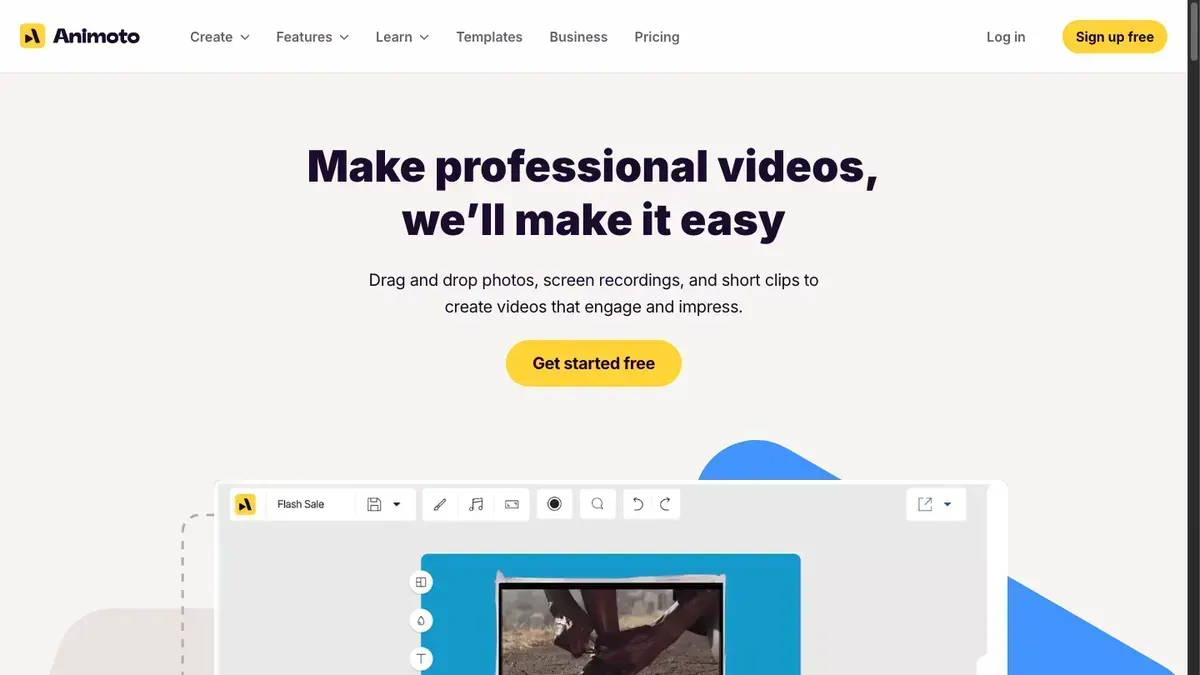
In Animoto, the workflow is: sign in, browse templates, pick one, upload photos into placeholder slots, reorder if needed, adjust durations per slide, add text overlays, choose music from the library, preview, tweak timing, preview again, export, wait for render, download. That is 12+ steps requiring your full attention. In Reel-E, the workflow is: upload photos, pick music, add branding (saved from last time), click create. Four steps, under 2 minutes, and you can walk away while it renders. The difference is not just speed. It is whether video creation is a task you dread or a task that is already done.
Music and audio: licensed vs curated
Animoto includes licensed music: 50 tracks on Free and 3,000 on Pro (checked Nov 1, 2026). The challenge is finding the right track and then manually timing your transitions to match the rhythm. Reel-E takes a different approach: every track in the curated library is pre-analyzed for BPM, downbeats, and energy profile. When you select a track, the AI builds your entire timeline around the music's structure. The result is a video where every cut, every speed ramp, and every transition feels intentionally choreographed to the beat.
Real Estate Features: Animoto vs Reel-E
Animoto was built for everyone: wedding videographers, fitness coaches, restaurants, real estate agents. It is a general-purpose tool with some real estate templates. Reel-E was built exclusively for real estate. That means every default, every AI decision, and every output format is optimized for listing marketing. Every version per render (widescreen, vertical and square, each branded and unbranded) covers every platform from MLS to Instagram Reels. The contact card and logo overlay are designed for real estate branding. The photo sorting understands property tour flow. When a tool is built for one purpose, every detail serves that purpose.
Hands-on testing: we uploaded 15 listing photos to both
We uploaded the same 15 photos from a mid-range suburban listing to both Reel-E and Animoto. Here is what we found:
Time to first video: Reel-E delivered every finished version (widescreen, vertical and square, branded and unbranded) in under 2 minutes. With Animoto, selecting a template, arranging photos, choosing music, adjusting transitions, and exporting took 22 minutes for a single horizontal video.
Output quality: Reel-E's video featured AI-generated camera movements: an orbit around the kitchen island, a push-in through the master bedroom doorway, a slow pull-out revealing the backyard. Every transition landed on a musical downbeat with speed ramps between cuts. Animoto's video used basic zoom-and-pan (Ken Burns) effects with standard cross-dissolve transitions. The photos looked fine, but there was no sense of depth or movement through the space.
The result: Side by side, the Reel-E output looked like it was filmed by a videographer. The Animoto output looked like a well-made slideshow. Both are professional enough to post, but the quality gap is immediately noticeable. For agents whose brand is built on premium presentation, that gap matters.
Sample Reel-E output from our test
Here is the actual Reel-E video generated from our 15 test photos. Every transition is AI-generated and beat-synced to the music, with no manual editing.
Is Reel-E the Right Animoto Alternative? Use Case Scenarios
Why busy agents pick Reel-E: 5+ listings a month. At that volume, the time savings alone justify the price difference. You will actually create a video for every listing instead of just the expensive ones, and the consistent quality builds your brand.
What Animoto is: a template video maker, from $9 a month billed yearly, with 4K, your logo and colors and a Getty stock library on its Pro plan (checked Nov 1, 2026).
Cinematic quality without learning to edit. If the idea of opening a timeline editor makes you sigh, Reel-E removes that entire workflow. Upload, pick music, done. The AI handles the creative decisions that usually require a professional editor.
The bottom line
Why agents pick Reel-E
- You want listing videos finished in under 2 minutes
- You never want to open a timeline editor
- You need horizontal, vertical, branded, and clean versions at once
- Beat-synced, cinematic quality matters to your brand
- You make videos regularly and speed is everything
What Animoto is
A template video maker for any industry. Basic is $9 a month billed yearly, Pro $19 (4K, logo and colors, Getty stock) and Pro Plus $39 for 3 users (checked Nov 1, 2026).
Made for you, then yours to change. Animoto hands you a template and a timeline. Reel-E hands you a finished video, and every one opens in Keylight Studio, where you can drag shots into a new order, switch a camera move or swap the song. Or skip the controls: tell the AI Director (beta) "open on the backyard" or "calmer music" and it makes the edit, with Show and Undo on each change. Edits are included on every plan. See the AI video editor.
See the difference for yourself
Upload your listing photos and get every shape, branded and unbranded, in under 2 minutes. No editing required.
Try Reel-E FreeFrequently asked questions
Is Animoto good for real estate videos?
It works, but it's not built for real estate. You'll use general-purpose templates and spend 15-30 minutes editing each video. Reel-E is built specifically for AI real estate video and creates them automatically with AI camera motion, beat-synced cuts, and every shape, branded and unbranded.
How much does Animoto cost compared to Reel-E?
Animoto runs $9 to $39 a month billed yearly (checked Nov 1, 2026). Reel-E starts at $44 a month billed yearly and makes the video for you: every Animoto video takes 15-30 minutes of editing, while Reel-E delivers finished AI real estate videos in under 2 minutes, in every shape. Factor in your time cost when comparing.
Can Animoto create videos automatically from photos?
No. Animoto requires you to arrange photos on a timeline, set transitions, and customize the template manually. Reel-E automates the entire process using AI.
Which tool is faster for creating listing videos?
Reel-E, by a wide margin. Under 2 minutes with zero editing. Animoto takes 15-30 minutes per video.
Does Animoto have AI features?
Animoto has basic AI-assisted suggestions, but no AI camera motion on your photos, no automatic beat detection, no speed ramps, and no multi-format output.
Can I use both Animoto and Reel-E?
Yes. Reel-E delivers MP4 files you can bring into any editor. For the listing video itself you won't need to: Keylight Studio covers shot order, text, music, narration and branding.
Does Animoto output vertical video for Instagram Reels?
Animoto supports multiple aspect ratios, but you must create each format as a separate project. Reel-E delivers horizontal and vertical versions simultaneously in a single render.
What is the difference between Animoto and AI real estate video?
Animoto is a template-based video editor where you manually assemble a slideshow. AI real estate video tools like Reel-E use artificial intelligence to generate cinematic camera movements, sync transitions to music beats, and deliver finished videos without editing.
Is Animoto or Reel-E better for a real estate team?
For consistent output quality across agents of varying skill levels, Reel-E ensures every listing video meets the same professional standard. Animoto's quality depends on each agent's editing ability and time investment.
How do I cancel Animoto or Reel-E?
Both tools offer self-service cancellation through their account settings. Reel-E uses standard Stripe billing. Check Animoto's specific cancellation process on their website.
Related comparisons
See how other tools compare: Reel-E vs Canva · Reel-E vs Invideo · Reel-E vs Flexclip.
For a deeper analysis of all the top tools, read our complete roundup of the best AI property video makers in 2026.
Learn how Reel-E's AI technology works, explore our guide to turning listing photos into video, or read about whether video listings actually sell faster.
Looking for an AI property video generator? Try Reel-E free.
Recommended Next Steps for Agents
Leaving Animoto's timeline behind? Start with the Keylight Studio editor to see what you can still change after the video is made, then the listing video maker for the photos-to-video flow. For the wider plan, read video marketing for real estate.