Key Takeaways
- InVideo does a hundred things. Reel-E does one thing you actually need.
- Reel-E best for: Agents who want the best possible listing videos from their own property photos
- InVideo best for: Marketers who create many types of video content and want AI to help with scripts and voiceovers
- We uploaded the same 15 listing photos to both platforms and compared output quality, turnaround time, and ease of use.
InVideo has AI scripts, AI voiceovers, Sora integration, and 16 million stock clips. It's impressive. But when a buyer wants to see your listing, none of that matters. They want to see the actual house.
How we scored each tool
We evaluated both platforms on output quality, speed, ease of use, real estate focus, and value. Here is how they stack up:

Reel-E
Best for Listing VideosInVideo
Best for Custom EditingInVideo does a hundred things. Reel-E does one thing you actually need.
InVideo is genuinely impressive technology. AI-written scripts, AI voiceovers, Sora-generated video clips, and a massive stock library. If you make explainer videos, social ads, or YouTube content, it is worth every penny. But AI listing videos are not about stock footage and scripts. They are about showing the actual property. InVideo will happily generate a beautiful video of a kitchen that is not your client's kitchen. Buyers can tell. Reel-E takes your listing photos and turns them into a cinematic tour with camera movements, beat-synced cuts, and speed ramps. No scripts needed. No stock footage. Just your photos, made to look like a professional videographer shot them.
Quick comparison: Reel-E vs InVideo
| Reel-E | InVideo | |
|---|---|---|
| Price | From $44/mo (billed yearly) | $22-$80/month |
| Best for | Agents who want the best possible listing videos from their own property photos | Marketers who create many types of video content and want AI to help with scripts and voiceovers |
| Video creation | AI-automated from photos | Manual/template editing |
| Time per video | Under 2 minutes | 15-60 minutes |
| AI camera motion | Yes (orbit, push-in, pull-out) | No |
| Beat-synced transitions | Automatic | Manual/none |
| Output formats | 4 simultaneously | 1 per export |
| Real estate focused | 100% | General purpose |
| Max resolution | 4K (Pro plan) | 1080p |
| Free trial | Yes | Varies |
| ROI vs videographer | ~$10/listing vs $500-1,200 | $15-60+ time cost per video |
Pricing deep dive: Reel-E vs InVideo
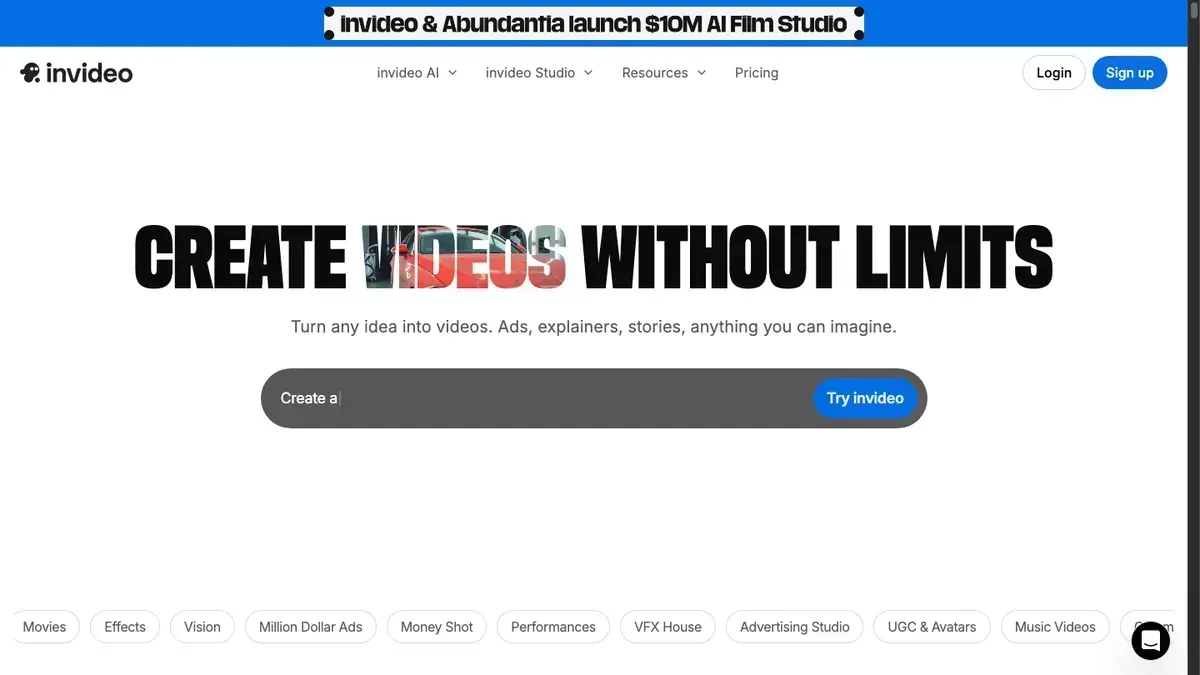
InVideo offers three tiers: a Free plan with watermarks, Business at $22/month, and Unlimited at $45/month (annual billing). The catch is the credit system. InVideo's AI features (script generation, voiceovers, Sora video clips, background removal) all consume credits. Each plan includes a monthly credit allotment, and once you burn through them, you either wait for the next billing cycle or upgrade. If you are mid-project on a listing that closes Friday, running out of credits is not a minor inconvenience.
How InVideo credits add up: A single AI-generated voiceover might cost 5-10 credits depending on length. An AI script generation costs credits. A Sora-generated video clip costs credits. If you are producing multiple listing videos per month and using AI features on each one, a Business plan's credit allotment can disappear fast. The Unlimited plan helps but costs $45/month, and even "unlimited" has fair-use caps on AI generations.
Reel-E flat pricing: Essential costs $44/month (billed annually) for 3 listings per month. Growth costs $97/month for 10 listings. Pro costs $449/month for 50 listings with 4K output. Every AI feature (camera motion, beat-synced transitions, speed ramps, multi-format rendering) is included in every listing. No credits, no metering, no surprises.
Cost-per-video math: On InVideo Business ($22/month), if you produce 3 listing videos using AI features, that is roughly $7.33 per video, but only if credits last. On Reel-E Essential ($44/month, 3 listings), each video costs $14.67 with guaranteed AI processing on every photo. On Growth ($97/month, 10 listings), each video drops to $9.70. At scale, Reel-E's flat model becomes cheaper per video because there is no credit anxiety.
ROI context: Both tools are a fraction of hiring a videographer at $500-$1,200 per listing. The real question is whether InVideo's credit-based AI features or Reel-E's flat-rate AI real estate video processing delivers better value for your specific workflow.
Feature-by-feature comparison
| Feature | Reel-E | InVideo | Winner |
|---|---|---|---|
| Video creation method | Upload photos, AI delivers finished video | AI scripts + stock footage + editor | Reel-E |
| Time to create | Under 2 minutes (hands-off) | 5-15 minutes (AI-assisted editing) | Reel-E |
| Uses YOUR photos | Yes. Your listing photos are the entire video. | Primarily stock footage based | Reel-E |
| Beat-synced transitions | Automatic | Not available | Reel-E |
| Output formats | 4 variants simultaneously | 1 format per export | Reel-E |
| AI camera motion | Orbit, push-in, pull-out on your photos | AI-generated clips via Sora/VEO | Tie |
| AI voiceover | Not available | Multiple AI voices included | InVideo |
| AI script generation | Not available | Full AI scriptwriting | InVideo |
| Stock footage library | Not included (uses your photos) | 16M+ stock clips | InVideo |
| Pricing model | Flat monthly subscription | Credit-based (credits per AI generation) | Reel-E |
Where InVideo shines
- AI scripts and voiceovers save time on marketing content
- 16 million stock clips for any topic
- Sora and VEO integration for AI-generated video
- Handles any industry, any content type, any platform
- Team collaboration on higher plans
Where InVideo falls short
- Credit-based system. You can run out mid-project.
- Stock footage doesn't show the actual property you're selling
- Zero real estate-specific features or workflows
- No beat-synced transitions
- No simultaneous multi-format output
- Lots of features you'll never touch for listing videos
Stock footage doesn't sell houses
InVideo creates videos from stock clips, AI-generated footage, and text overlays. That's perfect for a "5 Reasons to Invest in Austin Real Estate" YouTube video. It's not perfect for showing a buyer the kitchen in your $650K listing on Elm Street. Buyers don't want to see a generic kitchen that looks similar. They want to see the actual kitchen. Reel-E uses your listing photos exclusively. Every frame shows the real property.
InVideo's AI vs Reel-E's AI: different tools for different jobs
InVideo's AI writes scripts, generates voiceovers, and creates video clips through Sora and VEO integration. It is a content creation engine that produces marketing videos from text prompts and stock footage. Reel-E's AI does something fundamentally different: it analyzes the composition of your listing photos and generates cinematic camera motion (orbits, push-ins, pull-outs) that make static images look like filmed footage. InVideo's AI generates content. Reel-E's AI transforms your content. For an AI real estate video that showcases a specific property, Reel-E's approach means every frame is the actual listing. For marketing content that tells a story with stock footage, InVideo's approach is more versatile.
Stock footage looks generic for YOUR listing
Here is the core problem with using InVideo for listing videos: stock footage is designed to look universally appealing, which means it looks specifically like nothing. A stock kitchen is no one's kitchen. A stock backyard is no one's backyard. Buyers know the difference. When they see a listing video full of stock footage, they scroll past because it does not answer the question "what does this house actually look like?" Reel-E takes your actual listing photos and adds depth and motion so a flat photo of the kitchen feels like a camera gliding through it. Every frame is the real property, which is exactly what buyers are looking for when they click on a listing.
The credit system explained
InVideo's pricing looks straightforward but the credit system adds complexity. On the Business plan ($22/month), you get a set number of AI credits per month. Every AI script generation costs credits. Every AI voiceover costs credits. Every Sora or VEO clip costs credits. If you are producing 5 listing videos a month and using AI features on each, you may hit your credit limit before the billing cycle resets. The Unlimited plan ($45/month) raises the ceiling, but even it has fair-use limits on AI generations. Reel-E's flat pricing means every AI feature is included in every listing: camera motion, beat-synced transitions, speed ramps, and four-format output. You never think about credits.
Credits vs flat pricing
InVideo charges credits for AI features. Each voiceover, each script generation, each Sora clip costs credits. Run out and you either wait for the next cycle or upgrade. Reel-E charges a flat monthly rate. Essential gives you 3 listings per month. Growth gives you 10. Pro gives you 50. No credits, no metering per AI feature. For agents who produce listing videos consistently, flat pricing removes a layer of friction that credit-based systems introduce.
When InVideo is the better choice
Be honest with yourself about what you actually need. If you create neighborhood spotlight videos, market update reels, agent introduction content, or educational videos, InVideo is genuinely better for all of that. It has AI scripts, voiceovers, and stock footage that make general marketing content easy. Reel-E only wins when the goal is showcasing a specific property with an AI real estate video built from your own photos. If that's your main need, nothing else comes close.
Hands-on testing: we uploaded 15 listing photos to both
We uploaded the same 15 listing photos to both InVideo and Reel-E to compare the experience and results side by side.
InVideo: We used InVideo's AI assistant to create a real estate listing video. It generated a script, matched relevant stock footage to each section, added text overlays, and suggested a voiceover. The output was polished and professional-looking. But here is the problem: the kitchen footage was a stock kitchen, not the actual kitchen in the listing. The living room was a stock living room. The exterior was a generic suburban home, not the property. Total time with AI assistance: about 8 minutes including review and minor edits.
Reel-E: We uploaded the 15 photos, selected a music track, confirmed branding, and clicked create. Total time: 1 minute 47 seconds. The output featured AI-generated camera orbits and push-ins on every actual listing photo. Transitions landed on musical downbeats. We received four formats: horizontal branded, horizontal clean, vertical branded, vertical clean. Every frame showed the real property.
Key finding: InVideo's AI is genuinely impressive for marketing content. The script was well-written, the stock footage was relevant, and the voiceover sounded natural. But the resulting video did not show the actual property. A buyer watching InVideo's output would see beautiful rooms that are not the rooms they would walk into. Reel-E's output showed exactly what the buyer would see at the open house. For listing marketing, that difference is everything.
Quality note: InVideo's editing capabilities are far more extensive. You can customize every frame, add text animations, swap clips, and fine-tune timing. Reel-E gives you zero editing control. It is fully automated. If you want creative control, InVideo wins. If you want the fastest path from listing photos to video, Reel-E wins.
Sample Reel-E output from our test
Here is the actual Reel-E video generated from our 15 test photos. Every transition is AI-generated and beat-synced to the music, with no manual editing.
Which tool should you choose? Use case scenarios
Choose Reel-E if you need videos showing the actual property. Listing videos exist to showcase a specific home. Buyers want to see the real kitchen, the real backyard, the real master bedroom. Reel-E's AI real estate video pipeline takes your photos and adds cinematic camera motion so every frame features the actual listing. No stock footage substitutes.
Choose InVideo if you create neighborhood highlights, market reports, or educational content. InVideo's AI script generation, voiceover engine, and stock footage library are built for content that does not depend on specific property photos. A "Top 5 Neighborhoods in Denver" video, a monthly market update, an agent introduction reel. InVideo handles all of these better than Reel-E because Reel-E does not do them at all.
Choose Reel-E if you want flat pricing without worrying about credits. If you produce listing videos consistently and want predictable costs, Reel-E's subscription model means you know exactly what you are paying. No credit calculations, no mid-month surprises, no choosing between AI features because you are running low.
Consider using both. Some agents use InVideo for general marketing content and Reel-E for listing-specific property tours. InVideo for the neighborhood spotlight reel. Reel-E for the 4-bedroom colonial on Oak Street. Different tools for different jobs, and together they cover the full range of real estate video marketing needs.
The bottom line
Choose Reel-E if you want
- You want videos featuring YOUR actual listing photos, not stock footage
- Speed matters. You need finished videos in minutes.
- You want four formats (horizontal, vertical, branded, clean) at once
- Flat pricing without worrying about credits running out
- Listing marketing is your primary video need
Choose InVideo if you want
- You create many types of marketing videos beyond just listings
- AI voiceovers and AI-written scripts would save you real time
- Stock footage works for your content strategy
- You need team collaboration features
- You want to experiment with AI-generated video via Sora/VEO
See the difference for yourself
Upload your listing photos and get four cinematic videos in under 2 minutes. No editing required.
Try Reel-E FreeFrequently asked questions
Can InVideo create real estate listing videos?
InVideo can create general marketing videos, but it relies on stock footage rather than your actual listing photos. For property showcases, Reel-E creates AI property video directly from your uploaded photos with cinematic camera motion.
Is InVideo or Reel-E cheaper?
InVideo starts at $22/month but uses credits for AI features. Reel-E starts at ${PRICE_FROM}/month with flat pricing and no credits. At higher volumes (10+ listings/month on Reel-E Growth), the per-video cost is comparable and you never worry about running out of credits.
Does InVideo use your own photos?
You can import photos, but InVideo is designed around stock footage and AI-generated clips. Reel-E is built specifically to transform your listing photos into cinematic property tours with AI camera motion.
Which is better for social media real estate content?
For listing-specific content showing actual properties, Reel-E. For general marketing content like neighborhood highlights and market reports, InVideo. Reel-E automatically outputs vertical video for Instagram Reels and TikTok.
What kind of AI does InVideo use?
InVideo uses AI for script generation, voiceover creation, and video clip generation through Sora and VEO integration. It is a content creation AI that produces marketing videos from prompts. Reel-E uses AI for camera motion generation, analyzing photo composition to create cinematic orbits, push-ins, and pull-outs from your actual listing photos.
Can InVideo create videos without stock footage?
You can upload your own media to InVideo, but the platform is optimized for stock-footage-based workflows. Its templates, AI scripts, and editing tools are designed around combining stock clips with text and voiceovers. Reel-E is built from the ground up to work exclusively with your uploaded photos.
How do InVideo credits work?
InVideo's AI features consume credits from your monthly allotment. Script generation, voiceovers, and AI video clips each cost a certain number of credits. When credits run out, you wait for the next cycle or upgrade. Reel-E uses flat per-listing pricing with all AI features included.
Is InVideo or Reel-E better for Instagram Reels?
Both can produce vertical video for Instagram Reels. InVideo gives you more creative control with text animations and stock footage. Reel-E automatically delivers a vertical format with every listing video, no extra work required. For listing-specific Reels showing the actual property, Reel-E is faster and more effective.
Can I use InVideo and Reel-E together?
Yes, and many agents do. Use InVideo for general marketing content: neighborhood spotlights, market updates, agent introductions. Use Reel-E for listing-specific property tours. The tools serve different purposes and complement each other well.
What is the difference between InVideo AI and Reel-E AI?
InVideo AI generates content: scripts, voiceovers, and video clips from text prompts. Reel-E AI transforms content: it takes your existing listing photos and generates cinematic camera movements to make them look like professional filmed footage. InVideo creates new content from scratch. Reel-E enhances the photos you already have.
Related comparisons
See how other tools compare: Reel-E vs Canva · Reel-E vs Animoto · Reel-E vs Promo.
For a deeper analysis of all the top tools, read our complete roundup of the best AI property video makers in 2026.
Learn how Reel-E's AI technology works, explore our guide to turning listing photos into video, or read about whether video listings actually sell faster.
Looking for an AI property video generator? Try Reel-E free.
Recommended Next Steps for Agents
Turn this strategy into a production workflow with AI real estate video, real estate video maker workflows, and listing video maker templates. For deeper tactical planning, review video marketing for real estate and real estate video statistics before your next campaign sprint.