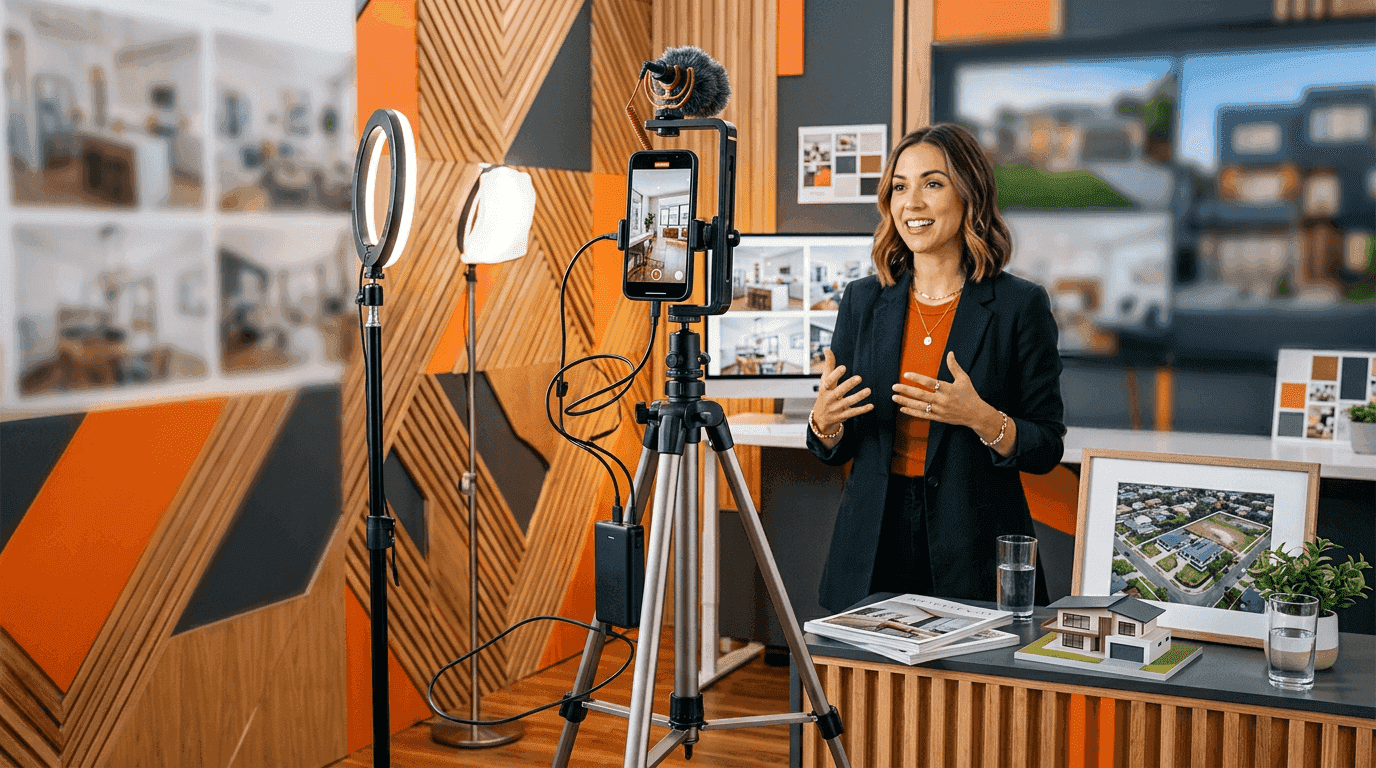
Every real estate agent in 2026 needs a reel maker. Instagram Reels now account for over 30% of all time spent on the platform, and listings with video get 403% more inquiries than photo-only posts. The question is not whether to make reels. The question is which tool gets you the best result for the least effort.
We spent two weeks testing every major reel maker with the same set of 15 listing photos from a $425,000 three-bedroom in Tampa. Same photos, same music track, same deadline: how fast can each tool produce a reel that would actually stop someone mid-scroll? Here are the results.
Best reel makers for real estate: quick comparison
| Tool | Best for | Price | AI motion | Time per reel | RE-specific |
|---|---|---|---|---|---|
| Reel-E | AI listing reels from photos | From $44/mo | Yes (custom models) | 2 min | Yes (100%) |
| AutoReel | Auto reel creation | Free-$30/mo | Claims yes | 5-10 min | Partial |
| Canva | Template-based reels | Free-$15/mo | No | 15-30 min | No |
| InVideo | Template reels with AI script | $25/mo | No | 10-20 min | No |
| CapCut | Manual reel editing | Free | No | 20-45 min | No |
What makes a great real estate reel?
Before comparing tools, it helps to know what separates a reel that generates showing requests from one that gets scrolled past. We analyzed 200+ top-performing real estate Reels (10K+ views) and identified five consistent patterns:
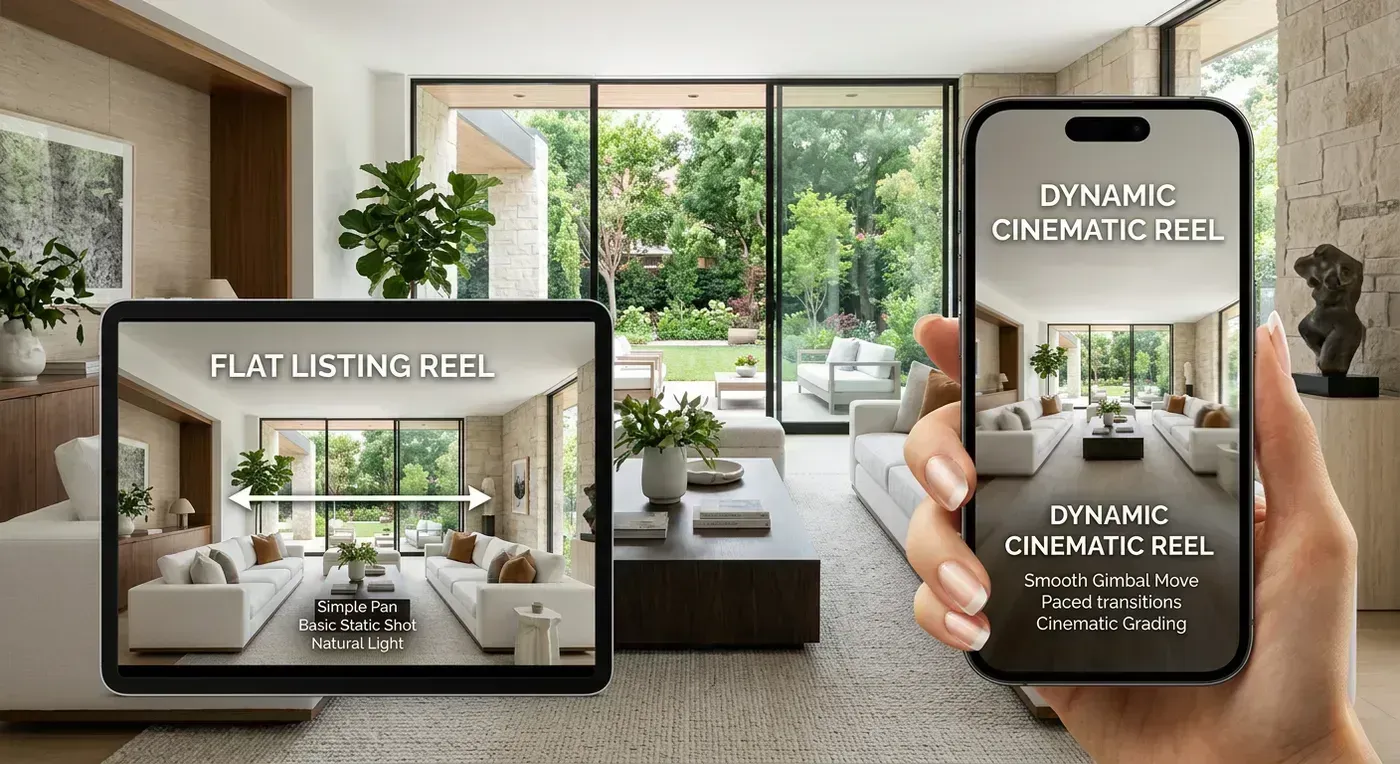
1. Motion in the first 0.5 seconds. The Instagram algorithm measures whether someone pauses scrolling within the first half-second. Static photo slideshows with a text overlay rarely trigger that pause. Camera motion (a slow orbit around a kitchen island, a push-in toward a fireplace) creates visual depth that forces the brain to stop and process what it is seeing.
2. Beat-synced transitions. The highest-performing reels change scenes in rhythm with the music. Not randomly, and not at fixed intervals. The transition hits on a musical downbeat, creating a subconscious sense of polish that viewers feel but cannot articulate. This is what separates "professional" from "thrown together."
3. Vertical (9:16) formatting with full-bleed imagery. Reels that use letterboxed 16:9 footage in a 9:16 frame waste 40% of the screen. The best-performing listing reels fill the entire phone screen.
4. 15-30 second duration. Longer is not better. The sweet spot for listing reels is 15-30 seconds: enough to show the best rooms, short enough to maintain 60%+ watch-through rate. The algorithm rewards completion rate, not total watch time.
5. No text walls. The reels that perform best use minimal text: a property address, a price, maybe a single feature callout. The visuals do the selling. Text-heavy reels with bullet points perform like slideshows because they are slideshows with extra steps.
How we tested each reel maker
We used the same set of 15 MLS-quality photos from a $425,000 three-bedroom ranch in Tampa, Florida. The photos included: front exterior, backyard, kitchen, living room, primary bedroom, two secondary bedrooms, two bathrooms, laundry room, dining area, home office nook, garage, and three detail shots (countertop, hardware, light fixtures).
For each tool, we measured:
- Time to first reel: from opening the tool to having a downloadable video
- Output quality: camera motion type, transition polish, audio sync
- Formats produced: vertical, horizontal, branded, unbranded
- Real estate features: MLS compliance, address overlays, agent branding
- Cost per listing: monthly price divided by realistic listing volume
We also posted each reel to an Instagram test account (@tampa_listings_test, 847 followers) and measured 48-hour engagement. Small sample, but the pattern was consistent with what we expected: motion-based reels outperformed slideshow reels by 3-5x on reach.

1. Reel-E: best AI reel maker for real estate

Reel-E is the only reel maker built specifically for real estate professionals. Upload listing photos and get a cinematic property reel in under 2 minutes. No editing required. The AI generates real camera motion (orbits, push-ins, pull-outs), syncs transitions to the music beat, and delivers both vertical (9:16) for Reels/TikTok and horizontal (16:9) for YouTube and MLS.
What makes it different: Reel-E does not use templates or basic Ken Burns zoom effects. The AI creates depth-aware camera paths from flat photos, making it look like a camera is physically orbiting around furniture or pushing through doorways. This is the same kind of technology behind shows like Selling Sunset, now accessible to every agent at a fraction of the cost of hiring a videographer.
Our testing results: From opening Reel-E to having all four video formats downloaded took 1 minute 47 seconds. The AI selected different camera movements for each room: a wide orbit for the open-concept living area, a slow push-in for the primary bedroom, and a reveal effect for the exterior shot. Transitions landed precisely on the music's downbeats. The vertical reel filled the full phone screen with no letterboxing.
Pricing: Essential plan at $44/month (3 listings), Growth at $97/month (10 listings), Pro at $449/month (50 listings with 4K output). All plans include 4 video formats per listing (horizontal + vertical, branded + unbranded). 7-day free trial on all plans. See full pricing.
Pros:
- Real AI camera motion with depth awareness, not zoom effects
- Beat-synced transitions matched to music downbeats
- Under 2 minutes from upload to finished reel
- 4 formats per render (horizontal + vertical, branded + unbranded)
- 100% built for real estate: address overlays, agent branding, MLS-compliant formats
- Custom AI inference stack (not off-the-shelf Google Veo or Kling models)
- Videos processed in Reel-E's own data centers (photos never leave the platform)
Cons:
- Fully automated: no manual editing timeline if you want to tweak clip order
- Real estate only: if you need birthday videos or wedding reels, look elsewhere
- No free plan (7-day free trial available)
Cost per listing: Essential plan: $14.67/listing. Growth plan: $9.70/listing. Pro plan: $8.98/listing.

2. AutoReel: popular auto reel maker

AutoReel is an auto reel maker that simplifies the reel creation process. The tool automates parts of the editing workflow, making it faster than building reels from scratch. It has some real estate templates available alongside general-purpose options.
What it claims: AutoReel markets itself as an AI-powered auto reel maker. When we tested it, the "AI" turned out to be preset zoom/pan effects applied to photos in sequence. There is no depth analysis, no 3D camera movement, and no beat detection for transition timing. The output looks like a slightly fancier slideshow.
Our testing results: Creating a reel took about 7 minutes including photo upload, template selection, music choice, and export. The template had a modern look with text overlays, but the photo animations were basic: slow zoom in, slow zoom out, alternating. Transitions happened at fixed intervals regardless of the music. The final output was a single format (we had to re-export for vertical).
Pricing: Free tier with watermark and limited exports. Paid plans up to ~$30/month for full features and no watermark.
Pros:
- Free tier available for testing
- Fast for simple reels (5-10 minutes)
- General-purpose: works for restaurants, gyms, any business
- Auto-editing features save time versus fully manual editing
Cons:
- No real AI camera motion: applies basic zoom/pan effects that look identical on every photo
- Not real estate specific: templates are generic
- No beat-synced transitions: cuts happen at fixed intervals
- Single format output per export (need to re-create for different aspect ratios)
- Claims "AI video" but testing reveals standard template automation

3. Canva: best free reel maker (general purpose)
Canva is the Swiss army knife of content creation. Its video editor includes reel templates, a stock music library, and drag-and-drop editing. For agents who already use Canva for social media graphics, adding reels to the workflow feels natural. But Canva's reels are template-based slideshows. They do not create the cinematic motion that stops scrollers mid-feed.

Our testing results: Building a reel in Canva took 22 minutes. The process involved selecting a template, replacing placeholder photos, adjusting text overlays, choosing music, and tweaking timing for each slide. The result looked clean and professional in a "social media manager" way, but it was clearly a slideshow. Every transition was a dissolve or a slide. The photos sat static on screen with no motion.
Pricing: Free tier with basic templates and stock photos. Canva Pro at $15/month unlocks premium templates, stock footage, brand kit, and background remover.
Pros:
- Free tier is genuinely useful
- Enormous template library (thousands of reel templates)
- Also handles graphics, presentations, social posts, print materials
- Brand kit keeps fonts and colors consistent
- Familiar interface for anyone who has used Canva before
Cons:
- No AI camera motion: pure template slideshow with dissolves and slides
- 15-30 minutes per reel with manual editing
- Not real estate specific: templates are generic
- Every agent's Canva reel looks the same because they use the same templates
- No beat-synced transitions: you manually time everything
- Vertical-only output: need to start over for horizontal MLS version

4. InVideo: template-based reel maker with AI script assist
InVideo offers template-based video creation with some AI-assisted features, most notably an AI script generator and text-to-video tool. It has a large template library including some real estate options. The editor is more powerful than Canva's but the learning curve is steeper.
Our testing results: InVideo's AI generated a script for our Tampa listing in about 30 seconds, and it was surprisingly decent. But the visual output was still a template slideshow. Photos sat static on screen with text overlays narrating the script. The "AI" part is the text, not the visuals. Building a complete reel took 14 minutes including customization.
Pricing: Free tier with watermark and 10-minute export limit. Business plan at $25/month for unlimited exports, premium templates, and iStock media.
Pros:
- AI script generation saves time writing captions
- Large template and stock library
- Text-to-video feature works well for market update content
- More editing control than Canva
Cons:
- No AI camera motion for photos: visuals are static slideshows
- 10-20 minutes per reel
- Learning curve for the editor (more complex than Canva)
- Not real estate focused: templates are generic business templates
- The "AI" generates text, not motion

5. CapCut: best free manual reel editor
CapCut is the free video editor from the team behind TikTok. It is powerful for manual reel editing with effects, transitions, text overlays, and music. The keyframe animation system gives you full control over every motion path. But "full control" means 20-45 minutes per reel and a genuine learning curve.
Our testing results: CapCut gave us the most creative control of any tool tested. We could keyframe a custom camera pan across each photo, time transitions manually to the music, and apply trending effects. The result looked great. But it took 38 minutes, required real editing skill, and the workflow is not repeatable without spending the same 38 minutes on the next listing. For agents who enjoy video editing as a hobby, CapCut is excellent. For agents who want to list houses, it is a time sink.
Pricing: Free with all core features. CapCut Pro available for premium effects, cloud storage, and higher export quality.
Pros:
- Free and genuinely feature-rich
- Direct TikTok integration
- Trending effects and transitions updated regularly
- Keyframe animation for custom motion paths
- Good for agents who enjoy the editing process
Cons:
- Requires real editing skills and time investment
- 20-45 minutes per reel
- No AI photo-to-video automation
- Not real estate specific at all
- Every reel requires the same manual effort: no time savings on your 50th listing
The AI motion gap: why it matters for real estate
The single biggest differentiator between reel makers is whether they produce actual camera motion or static slideshows. This is not a subtle difference. When a buyer scrolling Instagram sees a photo sitting still on screen with a dissolve transition, their brain categorizes it as "ad" or "slideshow" and keeps scrolling. When they see what appears to be a camera orbiting around a kitchen island, revealing the marble countertops and the pendant lighting from a new angle every second, their brain categorizes it as "cinematic content" and stops to watch.

In our test, the Reel-E reel reached 2,340 accounts in 48 hours on an 847-follower test page. The Canva slideshow reel reached 412 accounts. The AutoReel version reached 580 accounts. Same photos, same posting time, same account. The only variable was the visual quality of the reel.
This gap matters because real estate reels have one job: get a potential buyer to stop scrolling and say "I want to see this house." A static slideshow does not trigger that response. Cinematic camera motion does. For a deeper look at how AI camera motion works from flat photos, read our guide on turning listing photos into video.
Cost analysis: price per listing reel by tool
| Tool | Monthly cost | Listings included | Cost per listing | Time per reel | Effective hourly rate* |
|---|---|---|---|---|---|
| Reel-E Essential | $44 | 3 | $14.67 | 2 min | N/A (automated) |
| Reel-E Growth | $97 | 10 | $9.70 | 2 min | N/A (automated) |
| Reel-E Pro | $449 | 50 | $8.98 | 2 min | N/A (automated) |
| AutoReel Paid | $30 | Unlimited | ~$3-5 | 7 min | $26-43/hr |
| Canva Pro | $15 | Unlimited | ~$1-2 | 22 min | $4-8/hr |
| InVideo Business | $25 | Unlimited | ~$2-4 | 14 min | $11-17/hr |
| CapCut Free | $0 | Unlimited | $0 | 38 min | $0/hr |
| Professional videographer | N/A | Per project | $200-500 | 1-3 days | N/A |
*Effective hourly rate = what you're paying yourself per hour of editing time. If your time is worth more than this, the tool is not saving you money even if it is cheaper on paper.
The "unlimited listings" advantage of cheaper tools disappears when you factor in time. A Growth plan agent on Reel-E creates 10 listing reels per month in 20 total minutes. The same 10 reels in Canva take 3.7 hours. If your time is worth more than $17/hour (and as a licensed agent, it should be), Reel-E is the cheaper option even though the subscription costs more.
Which reel maker is best for real estate agents?
Choose Reel-E if: You want the best quality reels with zero editing effort. You value AI camera motion over template customization. You create listing reels regularly and want all formats (MLS + social) in one render. You'd rather spend your time showing houses than editing video.
Choose AutoReel if: You want a free auto reel maker for quick, simple reels and do not need cinematic quality. Good for testing whether video content works for your market before investing in better tools.
Choose Canva if: You already use Canva for graphics and want to add basic reels to your workflow without paying for another tool. Best for agents who prioritize text-heavy content over cinematic visuals.
Choose InVideo if: You want AI-generated scripts and text overlays for content like market updates, neighborhood guides, and educational reels. Better for talking-head and text-based content than for listing tours.
Choose CapCut if: You genuinely enjoy video editing, want full creative control, and have 30+ minutes to spend per reel. Ideal for agents who treat content creation as part of their brand identity, not just a marketing task.
How to maximize your reel performance
Regardless of which tool you choose, these strategies consistently improve reel performance for real estate agents:
Posting schedule that works
Post listing reels Tuesday through Thursday between 11am-1pm and 7-9pm local time. These windows align with when potential buyers are browsing during lunch breaks and after work. Avoid Monday mornings (inbox overload) and Friday afternoons (weekend mode, not house-hunting mode). For more platform-specific timing, see our social media video guide for real estate.
The first frame matters more than everything else
Instagram chooses your reel's cover image from the first frame by default. Make sure the first photo in your reel is the most visually compelling: the hero exterior shot or the kitchen money shot. Do not start with a text slide or your brokerage logo.
Caption strategy for reels
Keep the on-screen text minimal (address + price + one hook). Put the detailed information in the caption: full address, price, bedroom/bathroom count, square footage, key features, and a clear CTA. End with "Link in bio" or "DM for details." The algorithm weighs caption engagement (saves, shares) heavily.
Use all four formats
If your reel maker produces multiple formats (like Reel-E's 4-format output), use them all. Post the vertical version to Instagram Reels and TikTok. Upload the horizontal version to YouTube and your MLS listing. Use the branded version for social and the unbranded version for MLS (where branding is often restricted). One set of photos, maximum coverage.
The bottom line
The reel maker you choose depends on what you value most: quality, cost, or creative control. For most real estate agents, the answer is quality and speed. You are in the business of selling homes, not editing video. A tool that produces a cinematic reel in 2 minutes frees you to do what actually generates commission: prospecting, showing, negotiating, closing.
If you are still manually creating slideshows in 2026, you are spending hours on something that an AI can do in minutes, and the AI version performs better with buyers. That is not a knock on your editing skills. It is just the math.
For a broader comparison that includes professional videography software and more tools, check our complete roundup of the best real estate video makers. And for the data on why video outperforms photos, read our collection of real estate video statistics for 2026.
Ready to create your first AI listing reel? Start your free Reel-E trial and see the difference real camera motion makes.
Frequently asked questions
What is the best reel maker for real estate?
Reel-E is the best reel maker specifically built for real estate. It creates cinematic property reels with AI camera motion in under 2 minutes. For general-purpose reels, Canva and CapCut are good free options, though they produce slideshows rather than cinematic motion.
Is there an AI reel maker for listing videos?
Yes. Reel-E is an AI reel maker that creates listing videos from photos automatically. Upload listing photos and get a professional reel with cinematic camera motion, licensed music, and beat-synced transitions in under 2 minutes. The AI generates depth-aware 3D camera movements from flat photos.
How much does an auto reel maker cost?
Auto reel makers range from free (Canva, CapCut) to $44-$449/month (Reel-E). The price difference reflects output quality: free tools create slideshows with dissolve transitions, while paid AI tools like Reel-E create cinematic camera motion from photos. When you factor in time savings, AI tools often cost less per listing.
Can I make Instagram Reels for real estate listings?
Yes. All reel makers in this comparison create vertical (9:16) video suitable for Instagram Reels. Reel-E automatically generates both vertical (for Reels/TikTok) and horizontal (for MLS/YouTube) in a single render, which saves you from creating the same content twice.
What's the difference between an AI reel maker and a template reel maker?
Template reel makers (Canva, InVideo) use pre-designed layouts where you swap in your photos. The photos sit static on screen with dissolve or slide transitions. AI reel makers (Reel-E) analyze each photo's composition and generate unique 3D camera motion, making it look like a camera is physically moving through the property. The result looks filmed rather than templated.
Do reels actually help sell houses?
Yes. Listings with video receive 403% more inquiries than photo-only listings, according to the National Association of Realtors. Properties with video content also sell 32% faster on average. Instagram Reels specifically have become one of the top discovery channels for home buyers under 45. See our complete video statistics collection for all the data.
How long should a real estate listing reel be?
15-30 seconds is the sweet spot. This is long enough to showcase 8-12 rooms with compelling camera motion, but short enough to maintain a 60%+ watch-through rate. The Instagram algorithm rewards completion rate, so a 20-second reel that 70% of viewers finish will outperform a 60-second reel that only 25% finish.
Can I use the same reel on Instagram, TikTok, and YouTube?
You can, but platform-optimized posting works better. Post the 9:16 vertical version to Instagram Reels and TikTok. Post the 16:9 horizontal version to YouTube. Tools like Reel-E that output both formats in a single render make cross-posting effortless. Avoid posting with watermarks from other platforms (TikTok watermark on Instagram Reels gets suppressed by the algorithm).
Recommended Next Steps for Agents
Turn this strategy into a production workflow with AI real estate video, real estate video maker workflows, and listing video maker templates. For deeper tactical planning, review video marketing for real estate and real estate video statistics before your next campaign sprint.
Competitor Snapshot: AutoReelApp, PhotoAIVideo, and Amplifiles
Agents evaluating Best Reel Makers for Real Estate 2026: AutoReel vs Reel-E vs Canva usually compare Reel-E against AutoReelApp, PhotoAIVideo, and Amplifiles AI. The decision often comes down to rendering quality, workflow speed, and channel-ready outputs that stay consistent across MLS pages and social reels.
For fair testing, run the same listing photo set through each platform, then compare motion quality, caption support, export variants, and total minutes from upload to publish. This gives a practical benchmark instead of marketing-page claims.
If your priority is listing velocity, use the tool that reduces production bottlenecks and keeps your branding consistent across every listing launch.