CapCut shows up in almost every "free video editor" recommendation thread. It's popular, it's powerful, and it costs nothing. So when real estate agents start looking for ways to create listing videos, CapCut is usually the first thing they try.
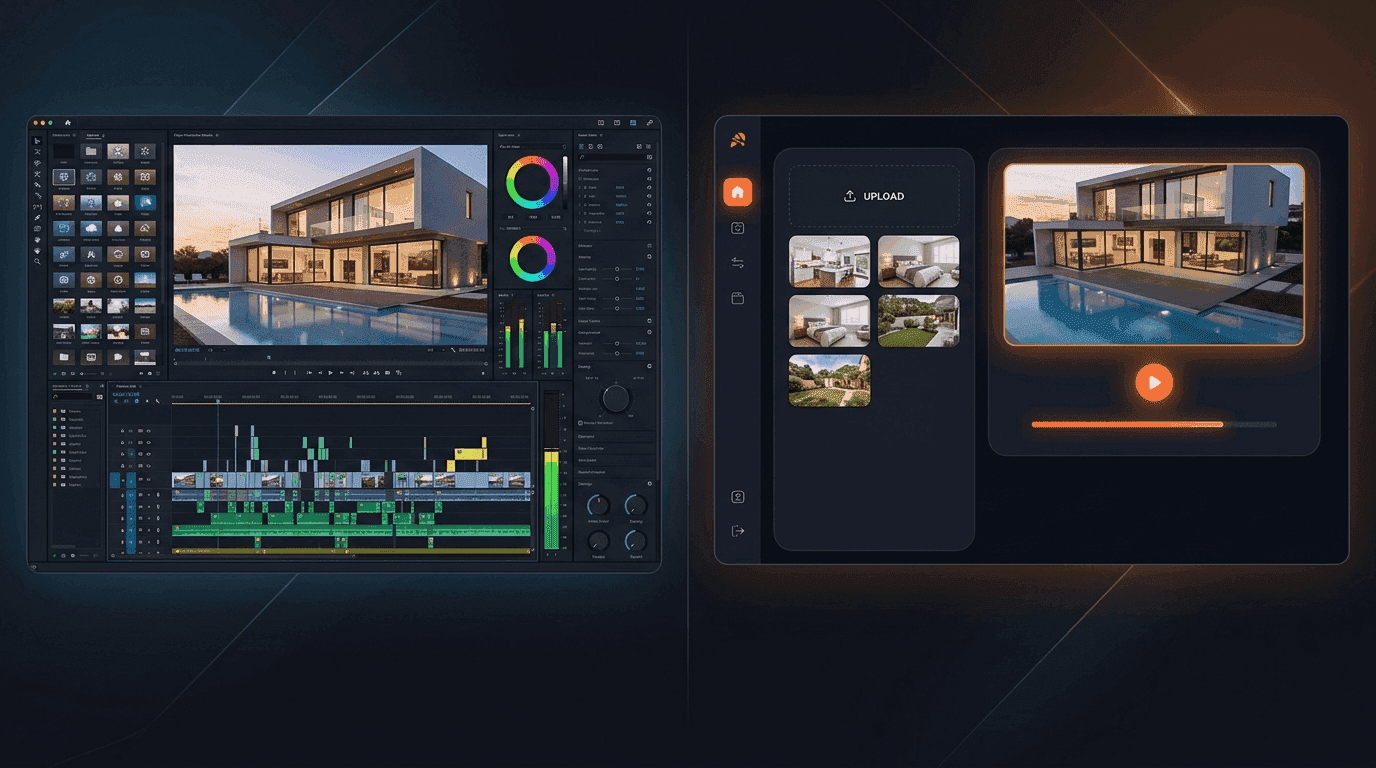
Here's what happens next: they spend an hour watching tutorials, another 45 minutes assembling their first video, realize they need to re-export it in a vertical format for Instagram, and quietly wonder if there's a faster way. There is. But whether AI real estate video tools like Reel-E are the right move depends on what you value more: full creative control or speed at scale.
This comparison breaks down exactly where CapCut wins, where Reel-E wins, and which tool fits your actual workflow. No vague "it depends" answers. Real numbers, real timelines, real trade-offs.
The short version: CapCut is a capable general-purpose video editor that's free and gives you full manual control. Reel-E is a purpose-built real estate video maker that turns listing photos into cinematic, beat-synced videos in under 2 minutes with zero editing required. If you enjoy the editing process, use CapCut. If you want professional videos without touching a timeline, use Reel-E.
Feature-by-Feature Comparison: Reel-E vs CapCut
Before we get into the details, here's the full comparison table. Every feature listed here was tested firsthand, not pulled from marketing pages.
| Feature | Reel-E | CapCut | Winner |
|---|---|---|---|
| Time to create a listing video | Under 2 minutes | 45-90 minutes | Reel-E |
| Editing skill required | None | Intermediate | Reel-E |
| AI camera motion (orbit, push-in, pull-out) | Yes, custom AI inference | No (static pan/zoom presets) | Reel-E |
| Beat-synced transitions | Automatic, matched to downbeats | Manual (align clips to audio waveform) | Reel-E |
| Output formats per project | 4 variants (16:9 + 9:16, branded + unbranded) | 1 at a time (re-edit for each format) | Reel-E |
| Real estate-specific templates | Built into every video | Some community templates | Reel-E |
| Contact card / branding overlay | Automatic (logo, name, contact info) | Manual text/image overlay | Reel-E |
| Price | From $59/mo (Essential plan) | Free (Pro plan $7.99/mo) | CapCut |
| Creative control | Limited to AI choices + arrangement | Full manual control over everything | CapCut |
| Text overlays and captions | Contact card and branding only | Full text editing, auto-captions | CapCut |
| Green screen / effects | Not applicable | Yes, extensive library | CapCut |
| Music library | Curated, pre-analyzed for beat sync | Large royalty-free library | Tie |
| Speed ramps | AI-controlled between clips | Manual keyframing | Tie |
| Video resolution | 1080p (Essential/Growth), 4K (Pro) | Up to 4K (free) | CapCut |
| Mobile app | Mobile-optimized web app | Full-featured mobile app | CapCut |
| Collaboration features | Share links, download variants | Team workspaces (Pro) | CapCut |
Count that up and the raw feature tally favors CapCut. That's not surprising for a general-purpose editor vs. a specialized tool. But features don't tell you how long it takes to actually produce something. That's where the real comparison starts.
The Time Math: 45 Minutes vs. 2 Minutes
Let's walk through what "creating a listing video" actually looks like in each tool. Not the marketing pitch. The actual steps.
Creating a Listing Video in CapCut
- Import photos (2-3 min): Upload your 15-25 listing photos. Organize them in the order you want: exterior first, then living areas, kitchen, bedrooms, bathrooms, backyard.
- Set up the project (3-5 min): Choose your aspect ratio (16:9 for MLS/YouTube or 9:16 for Instagram/TikTok). Set default photo duration. Create your sequence.
- Add transitions (5-10 min): Apply transitions between each clip. CapCut has dozens. You'll try several before settling on one that looks professional rather than cheesy. Apply consistently across all clips.
- Add music (5-8 min): Browse the music library. Find something that fits the property's vibe. A $425,000 three-bedroom in Tampa needs different music than a $4.2M modern build in Scottsdale. Trim to fit your video length.
- Sync timing to music (10-15 min): This is where most agents get stuck. Good listing videos have transitions that land on musical beats. In CapCut, you need to manually adjust each clip's duration so the cut happens on a downbeat. For 20 photos, that's 20 individual adjustments while scrubbing through the audio waveform.
- Add text overlays (5-8 min): Property address, price, key features, your contact info, brokerage logo. Position each element, choose fonts, set timing for when they appear and disappear.
- Apply motion effects (5-10 min): Ken Burns zoom/pan on each photo. CapCut offers basic pan and zoom presets, but they're uniform. Every photo gets the same slow zoom. There's no AI-driven camera movement like orbit or cinematic push-in.
- Export (3-5 min): Render at your chosen resolution. Wait for processing.
- Re-do for vertical format (15-25 min): If you need a 9:16 version for Instagram Reels or TikTok, you're essentially rebuilding the project. Reframe each photo for vertical, re-position text overlays, adjust timing. This isn't a quick resize.
Total: 45-90 minutes per listing. And that's if you already know what you're doing. First-timers should budget 2+ hours.
Creating a Listing Video in Reel-E
- Upload photos (30 sec): Drag and drop your listing photos. Reel-E accepts up to 20-40 photos depending on your plan.
- Choose music (30 sec): Pick from the curated library. Every track is pre-analyzed for BPM and downbeat positions.
- Set branding (30 sec): Upload your logo and contact info once. It persists across all future projects.
- Generate (60 sec): Reel-E's AI processes your photos with cinematic camera movements (orbit, push-in, pull-out, Ken Burns), syncs transitions to the music's actual downbeats, and renders 4 video variants automatically: horizontal branded, horizontal unbranded, vertical branded, vertical unbranded.
Total: Under 2 minutes. Four finished videos. No timeline. No keyframing. No re-export for different formats.
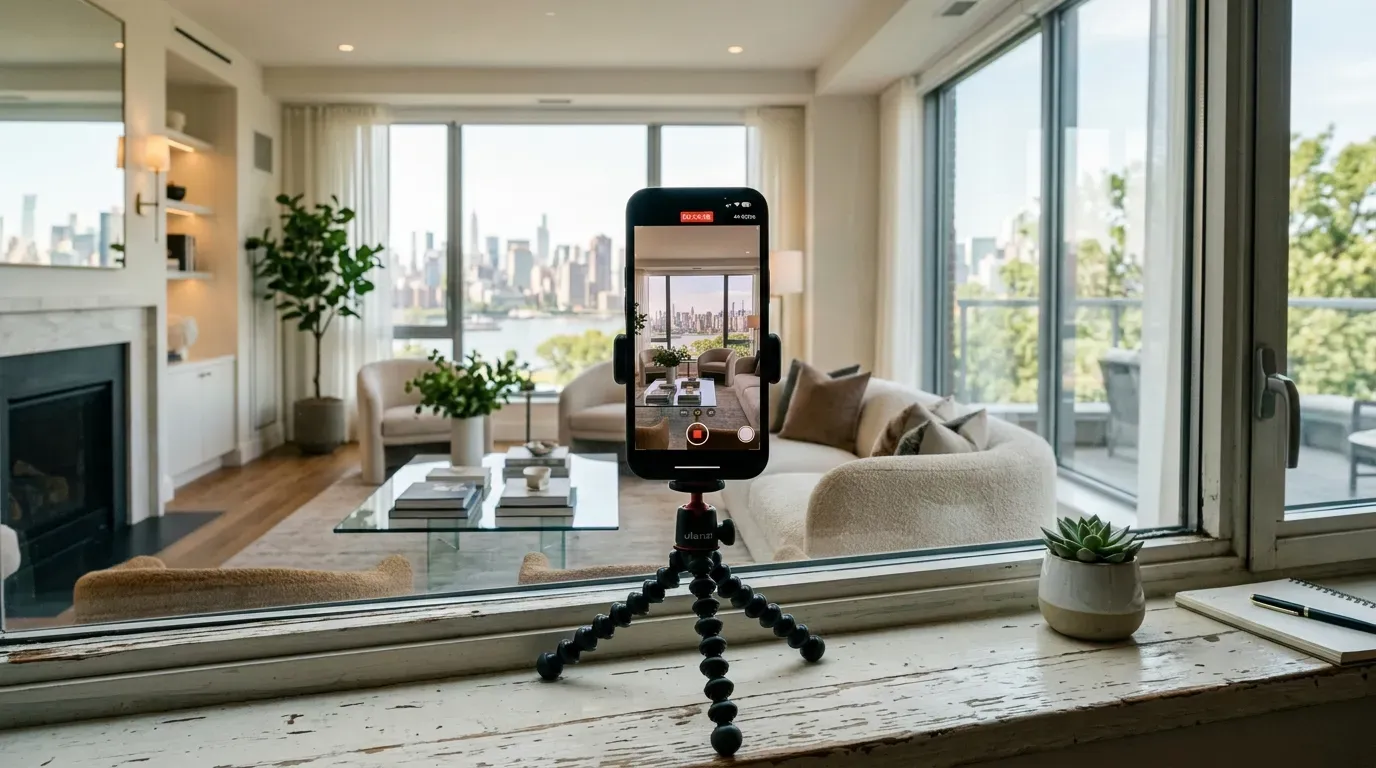
Here's a Reel-E listing video created from photos of a property, with AI motion and beat-synced transitions. This took less than 2 minutes to produce:
If you produce 3 listing videos per month (the Essential plan limit), that's the difference between 2.5 to 4.5 hours in CapCut vs. 6 minutes in Reel-E. Over a year, you're looking at 30 to 54 hours of editing time saved. That's a full work week you get back.
Where CapCut Genuinely Wins
I'm going to be honest here, because a comparison that pretends the competitor has no strengths is useless to you.
1. Price: Free Is Hard to Beat
CapCut's free tier is genuinely generous. You get 1080p export, a solid effects library, transitions, text tools, and a massive music catalog. No watermark on exports. No trial period. Just free. Their Pro plan at $7.99/month adds cloud storage, premium effects, and priority processing, but the free version handles listing videos fine.
Reel-E starts at $59/month for the Essential plan (3 listings/month, 1080p). The Growth plan at $129/month covers 10 listings. If you're a new agent with exactly one listing and unlimited free time, CapCut's price advantage is real.
2. Full Creative Control
CapCut lets you control everything. Every keyframe, every transition timing, every text position, every color grade. If you have a specific creative vision for a listing video and the skills to execute it, CapCut won't get in your way. You can create something truly custom.
Reel-E makes creative decisions for you. The AI chooses camera movements based on the photo content. Transitions are locked to musical downbeats. You can rearrange photo order and choose your music, but you're not hand-crafting each frame. For agents who enjoy the editing process or have a very particular aesthetic, that's a real limitation.
3. Beyond Real Estate
CapCut edits any video for any purpose. Client testimonials, neighborhood tours shot on your phone, "just sold" celebration clips, market update talking-head videos. Reel-E is purpose-built for AI listing videos from photos. If you need a general video editor for content beyond property listings, CapCut covers more ground.
4. Mobile Editing
CapCut's mobile app is excellent. Edit on your phone at the property, in the car between showings, wherever. The desktop and mobile experiences are comparable. Reel-E works on mobile browsers, but it's primarily designed as a web application.
Where Reel-E Wins (and Why It Matters for Agents)
1. AI Camera Motion vs. Static Presets
This is the biggest quality gap between the two tools and it's worth understanding why.
CapCut offers Ken Burns-style presets: slow zoom in, slow zoom out, pan left, pan right. Every photo gets the same treatment. The result looks like a slideshow with gentle movement. It's fine. It's not cinematic.
Reel-E runs a custom AI inference stack (not off-the-shelf models like Google Veo or Kling) that analyzes each photo and generates actual camera motion: orbits around architectural features, push-ins toward focal points, pull-outs to reveal spaces. The camera "moves through" the scene rather than sliding across a flat image. The videos never leave Reel-E's data centers, which matters if you're working with pre-listing photos that haven't hit the MLS yet.
This is the difference between a video that looks like "photos with music" and one that looks like a cinematographer walked through the property. Buyers notice. Agents notice. The MLS listing with the Reel-E video gets more clicks than the one with the CapCut slideshow. That's not a guess; listings with video get 403% more inquiries according to REA Group data, and video quality directly impacts engagement.
2. Automatic Beat Synchronization
This is the feature that separates amateur listing videos from professional ones, and most agents don't even realize it.
Watch any high-end property video from a professional production company. The cuts land on the beat. Every single time. That's not accidental. It's a deliberate editing technique that makes videos feel polished and rhythmic rather than random.
In CapCut, achieving beat-synced transitions means manually scrubbing through the audio waveform, marking each downbeat, and adjusting every clip's duration to align. For 20 photos with a 120 BPM track, that's 20 manual adjustments. Most agents skip this step entirely because it's tedious, and their videos suffer for it.
Reel-E pre-analyzes every music track in its library, mapping downbeat positions with precision. When you generate a video, transitions are automatically placed on musical beats. No manual alignment. No waveform scrubbing. The result sounds and feels professional because the timing is mathematically locked to the music.
3. Four Formats, Zero Re-Editing
This is the one that makes agents quietly furious when they realize what they've been doing manually.
Every Reel-E project automatically outputs four video variants:
- Horizontal branded (16:9 with your logo and contact info) for MLS, YouTube, and website embeds
- Horizontal unbranded (16:9 clean) for co-marketing or broker use
- Vertical branded (9:16 with branding) for Instagram Reels, TikTok, and YouTube Shorts
- Vertical unbranded (9:16 clean) for paid social ads or partner sharing
In CapCut, each format is a separate project. Going from 16:9 to 9:16 isn't a quick resize. You need to reframe every photo (a landscape exterior shot needs a completely different crop for vertical), reposition all text overlays, and often re-time the sequence because the visual rhythm changes with the framing. Budget 15-25 additional minutes per format conversion.
If you need all four variants (and you do, because every platform has different specs), CapCut requires four separate editing sessions. Reel-E handles it in one generation.
4. Real Estate-Specific Design Decisions
CapCut is a general-purpose editor that happens to work for real estate. Reel-E is built from the ground up for listing marketing. That means:
- Contact card overlays with your photo, name, phone, email, and brokerage. Auto-formatted, auto-timed with fade transitions. In CapCut, you're building this from scratch every time (or saving a template and hoping it doesn't break).
- Speed ramps between clips that add cinematic pacing. Reel-E applies these algorithmically. In CapCut, speed ramping is a manual keyframe operation.
- Photo ordering optimized for property tours. The platform understands that exterior shots open a video and bathrooms don't close one.
- Music curation filtered for real estate appropriateness. No trap beats for a $1.8M colonial in Greenwich, CT.

Pricing: The Real Comparison
Raw price comparisons between CapCut and Reel-E are misleading because they measure different things. CapCut charges for software access. Reel-E charges for finished output. Here's how the actual costs break down.
CapCut Pricing
- Free: Full editor, 1080p export, no watermark, basic effects and music library
- Pro ($7.99/month): Cloud storage, premium effects, advanced tools, priority processing
Hidden cost: your time. At 45-90 minutes per listing video, multiply by your effective hourly rate. If your time is worth $100/hour (conservative for a producing agent), each CapCut listing video costs $75-$150 in time even though the software is free. Three videos per month? That's $225-$450 in time costs.
Reel-E Pricing
- Essential ($59/month): 3 listings/month, 1080p, 20 photos per project, 4 video variants per listing
- Growth ($129/month): 10 listings/month, 1080p, 40 photos per project, clip downloads
- Pro ($599/month): 50 listings/month, 4K output, priority rendering
Time cost: roughly 2 minutes per listing. Negligible.
Break-Even Analysis
The math flips faster than most agents expect. If you value your time at $75/hour:
- 1 listing/month: CapCut costs ~$56 in time. Reel-E costs $59. Essentially a wash, though Reel-E gives you 4 format variants vs. 1.
- 3 listings/month: CapCut costs ~$169 in time. Reel-E costs $59. Reel-E saves $110/month and 3+ hours.
- 10 listings/month: CapCut costs ~$563 in time. Reel-E Growth costs $129. Reel-E saves $434/month and 12+ hours.
The crossover point is basically at 1 listing per month. Once you're producing multiple listing videos regularly, the "free" tool becomes the expensive one. We wrote an entire deep-dive on this math in our real estate video cost breakdown.
Video Quality: Slideshow vs. Cinematic
Let's address the elephant in the room: what does the output actually look like?
A well-made CapCut listing video looks clean and professional. Smooth transitions, good music, text overlays with property details. If you have strong editing skills and put in the time, you can create something polished. The limiting factor is that your source material is still photos, and CapCut's motion options (zoom, pan) don't fundamentally change that. The video reads as "nice slideshow."
A Reel-E listing video has genuine camera motion. The AI generates perspective shifts that make flat photos look like moving footage. Combined with beat-synced transitions and speed ramps, the output reads as "cinematic property tour" rather than "photos with music." Is it as good as a $2,000 videographer shoot with a DJI drone and a gimbal? No. Is it dramatically better than what most agents can produce manually in CapCut? Yes.
Here's a side-by-side way to think about it:
| Quality Factor | CapCut Output | Reel-E Output |
|---|---|---|
| Motion type | Pan/zoom presets (2D) | AI camera motion with depth (pseudo-3D) |
| Transition timing | Manual (quality depends on editor) | Auto beat-synced (consistently professional) |
| Branding | DIY text/image overlays | Professional contact card with fade timing |
| Consistency | Varies per editing session | Consistent quality every time |
| Speed ramps | Manual keyframing (usually skipped) | Automatic between clips |
The consistency point matters more than most agents realize. Your 50th CapCut video won't be as carefully edited as your first because the novelty wears off and the time pressure is real. Reel-E's output quality doesn't degrade with your enthusiasm level. It's the same cinematic result whether it's your first listing or your hundredth.
The "But It's Free" Trap
I run a company that charges money for video generation, so take this section with appropriate skepticism. But I've watched hundreds of agents go through this exact cycle:
- Download CapCut because it's free
- Spend 2 hours on their first listing video (YouTube tutorials included)
- Feel proud of the result. It's decent.
- Do it again for their next listing. Takes 60-75 minutes now because they know the workflow.
- Third listing: still 45-60 minutes. Momentum starts dropping.
- Fourth listing: skip the video entirely because they're busy with an offer deadline and "don't have time this week"
- Months 3-6: video production becomes sporadic. Some listings get videos, most don't.
The pattern is predictable because it's a human nature problem, not a software problem. Manual editing is a recurring time investment that competes with everything else on your plate. Open houses, client calls, contract negotiations, lead follow-up. The free tool only works if you consistently use it, and consistency is the first casualty when things get busy.
The agents who produce listing videos for every property are the ones who removed the friction. Whether that's hiring a videographer, using an automated tool like Reel-E, or having an assistant who handles editing. "Free but requires an hour of my time" stops being free the moment it stops getting done. For more on building a sustainable video marketing strategy, check our full guide.
When to Use CapCut (Seriously)
CapCut is the better choice if:
- You genuinely enjoy video editing. Some agents find it creative and relaxing. If that's you, CapCut gives you a free creative outlet that also produces marketing material. Win-win.
- You need to edit non-listing content. Client testimonials, market update videos, "day in the life" vlogs, neighborhood tour footage shot on your phone. CapCut handles all of these. Reel-E doesn't.
- You have 1-2 listings per year. At very low volume, the time investment per video is small in absolute terms and the monthly subscription cost of any paid tool is harder to justify.
- You want maximum creative control. If you have a specific visual style, custom motion graphics, or branded templates you've built, CapCut lets you execute that vision exactly.
- Budget is genuinely the constraint. If you're a brand-new agent and every dollar matters, CapCut + time is a valid combination. Just be honest with yourself about whether you'll actually keep doing it consistently.
When to Use Reel-E
Reel-E is the better choice if:
- You value time over creative control. You want professional listing videos but you don't want to become a video editor. Your job is selling houses, not learning keyframe animation.
- You need multiple format variants. MLS wants 16:9, Instagram wants 9:16, your website wants unbranded. Reel-E delivers all four automatically. CapCut means four separate editing sessions.
- Consistency matters. Every listing gets the same professional quality whether you're energized or burned out. No "I'll skip the video this time" because the process takes 2 minutes.
- You list 3+ properties per month. The time savings scale linearly. At 10 listings/month, you're saving 12+ hours compared to manual editing.
- You want cinematic motion, not slideshows. If the AI camera movement and beat-synced transitions matter to you (and they should, because buyers can tell the difference), Reel-E's output quality exceeds what most agents can produce manually.
- You want a full listing marketing toolkit. Reel-E includes photo-to-video conversion, professional photos, and a listing website. It's an all-in-one real estate video marketing platform, not just a video editor.
Can You Use Both?
Yes, and some agents do exactly that. Use Reel-E for the standard listing video package (fast, consistent, four variants) and CapCut for custom content: testimonial edits, social media clips that need specific text overlays, market update videos, or the occasional luxury listing where you want to hand-craft every frame.
This combination gives you automated consistency for the bulk of your listings and creative flexibility when you need it. The agents who do the most effective video marketing use the right tool for each specific job rather than trying to force one tool to do everything.
What About CapCut's AI Features?
CapCut has been adding AI features: auto-captions, background removal, style transfer. These are useful for social media content creation. But they're general-purpose AI features applied to video editing, not AI built specifically for real estate listing videos.
The difference is specificity. CapCut's AI might auto-caption your talking-head video or remove a background from a clip. Reel-E's AI analyzes a photo of a $650,000 Craftsman in Portland and generates a cinematic camera orbit that reveals the living room's cathedral ceiling while matching the transition to a musical downbeat. One is a broad tool with AI sprinkles. The other is a deep, domain-specific AI pipeline built for one job.
Neither approach is wrong. They serve different purposes. For a roundup of how various tools stack up, see our best real estate video makers guide.
The Bottom Line: Different Tools for Different Agents
This comparison doesn't have a universal winner because the two tools solve different problems.
CapCut is a powerful, free, general-purpose video editor. For agents with editing skills and available time, it produces good results across many content types. The cost-to-capability ratio is unbeatable.
Reel-E is a specialized, automated listing video maker that trades creative control for speed, consistency, and output quality. For agents who need professional listing videos without the editing overhead, it eliminates 95% of the production time while delivering cinematic results.
The real question isn't "which is better?" It's "what kind of agent are you?" If editing is part of your creative process and you have the time for it, CapCut is excellent. If you want to upload photos, pick music, and have four professional videos in 2 minutes, try Reel-E. Free to try, cancel anytime.
And if you're curious how Reel-E compares to other tools in the space, check out our comparisons with Canva, Animoto, and InVideo.
Frequently Asked Questions
Is CapCut good for real estate videos?
CapCut is a capable editor for real estate videos if you have intermediate editing skills and 45-90 minutes per listing. It offers full creative control, good transitions, and a free music library. The limitation is that motion effects are basic pan/zoom presets rather than cinematic AI camera movements, and beat-syncing transitions to music is a manual process. For agents who enjoy editing, it works well. For agents who want automated production, purpose-built tools like Reel-E are faster.
Is Reel-E better than CapCut for listing videos?
For listing videos specifically, Reel-E produces higher-quality output in significantly less time. The AI camera motion, automatic beat synchronization, and four-format output give Reel-E a clear edge for property marketing content. CapCut wins on price (free vs. $59+/month) and creative flexibility (full manual control vs. AI-driven). The best choice depends on whether you prioritize time savings or creative control.
How much does Reel-E cost compared to CapCut?
CapCut is free (Pro is $7.99/month). Reel-E Essential is $59/month for 3 listings, Growth is $129/month for 10 listings, and Pro is $599/month for 50 listings. However, the total cost includes your time. At $75/hour, a CapCut listing video costs $56-$113 in time. A Reel-E video costs about $2 in time. For agents producing 3+ listings/month, Reel-E is typically cheaper when time is factored in.
Can I use CapCut and Reel-E together?
Yes. Many agents use Reel-E for standard listing videos (automated, consistent, four variants per listing) and CapCut for custom content like client testimonials, market updates, and social media clips. This gives you automated efficiency for listings and creative flexibility for everything else.
Does CapCut have AI camera motion like Reel-E?
No. CapCut offers preset pan and zoom effects (Ken Burns style), but these are 2D transformations applied uniformly. Reel-E uses a custom AI inference stack to generate perspective-aware camera movements (orbit, push-in, pull-out) that simulate a camera moving through the scene. The visual difference is significant: CapCut output looks like a slideshow with movement, while Reel-E output looks like filmed footage.
Can CapCut create vertical and horizontal versions automatically?
No. CapCut requires you to create a separate project for each aspect ratio. Going from 16:9 to 9:16 means reframing every photo, repositioning text overlays, and re-timing the sequence. Reel-E automatically generates four variants (16:9 branded, 16:9 unbranded, 9:16 branded, 9:16 unbranded) from a single upload in one generation.
Do I need video editing experience to use Reel-E?
No. Reel-E requires zero editing skills. Upload photos, choose music, set your branding, and the AI handles everything else: camera motion, transitions, beat synchronization, format variants, and rendering. CapCut requires intermediate editing skills for professional-looking results, including understanding of timeline editing, transition timing, and text overlay positioning.
Which tool is better for Instagram Reels and TikTok?
For listing-specific Reels and TikTok content, Reel-E is faster because vertical branded videos are generated automatically. For creative, non-listing social content (behind-the-scenes, talking-head clips, trending audio edits), CapCut is better because it offers the creative freedom those formats require. Many agents use both: Reel-E for listing content, CapCut for personality-driven social posts.
Is CapCut really free for real estate videos?
The software is free. But production time isn't. At 45-90 minutes per listing video, the time cost adds up quickly for active agents. CapCut Pro ($7.99/month) adds premium features but the free tier is sufficient for listing videos. The real question is whether your time cost per video exceeds the monthly subscription for an automated alternative.