Key Takeaways
- FlexClip is the cheapest way to edit. Reel-E is the fastest way to finish.
- Reel-E best for: Agents who value their time and want professional listing videos without any editing
- FlexClip best for: Budget-conscious creators who enjoy editing and want maximum control for minimum cost
- We uploaded the same 15 listing photos to both platforms and compared output quality, turnaround time, and ease of use.
FlexClip costs $12/month and gives you a full timeline editor with 6,000 templates. Reel-E costs more and gives you zero templates. But you'll never open a timeline. Here's the trade-off.
How we scored each tool
We evaluated both platforms on output quality, speed, ease of use, real estate focus, and value. Here is how they stack up:

Reel-E
Best for Listing VideosFlexClip
Budget-Friendly OptionFlexClip is the cheapest way to edit. Reel-E is the fastest way to finish.
FlexClip is a genuinely good deal. For $12/month you get a full online video editor with 6,000+ templates, text tools, shapes, overlays, and screen recording. If you enjoy editing, it is a bargain. But every AI listing video takes 30 to 60 minutes on the timeline. Reel-E costs more per month and gives you less control. What it gives you back is time. And if you are an agent who bills at $50 to $100 an hour (even implicitly), spending an hour on each video means FlexClip is not actually cheap. It is just hiding the cost in your calendar. Upload photos, pick music, get four finished videos in under 2 minutes. That is realtor video content on autopilot.
Quick comparison: Reel-E vs FlexClip
| Reel-E | FlexClip | |
|---|---|---|
| Price | From $44/mo (billed yearly) | Free-$20/month |
| Best for | Agents who value their time and want professional listing videos without any editing | Budget-conscious creators who enjoy editing and want maximum control for minimum cost |
| Video creation | AI-automated from photos | Manual/template editing |
| Time per video | Under 2 minutes | 15-60 minutes |
| AI camera motion | Yes (orbit, push-in, pull-out) | No |
| Beat-synced transitions | Automatic | Manual/none |
| Output formats | 4 simultaneously | 1 per export |
| Real estate focused | 100% | General purpose |
| Max resolution | 4K (Pro plan) | 1080p |
| Free trial | Yes | Varies |
| ROI vs videographer | ~$10/listing vs $500-1,200 | $15-60+ time cost per video |
Pricing deep dive: Reel-E vs FlexClip
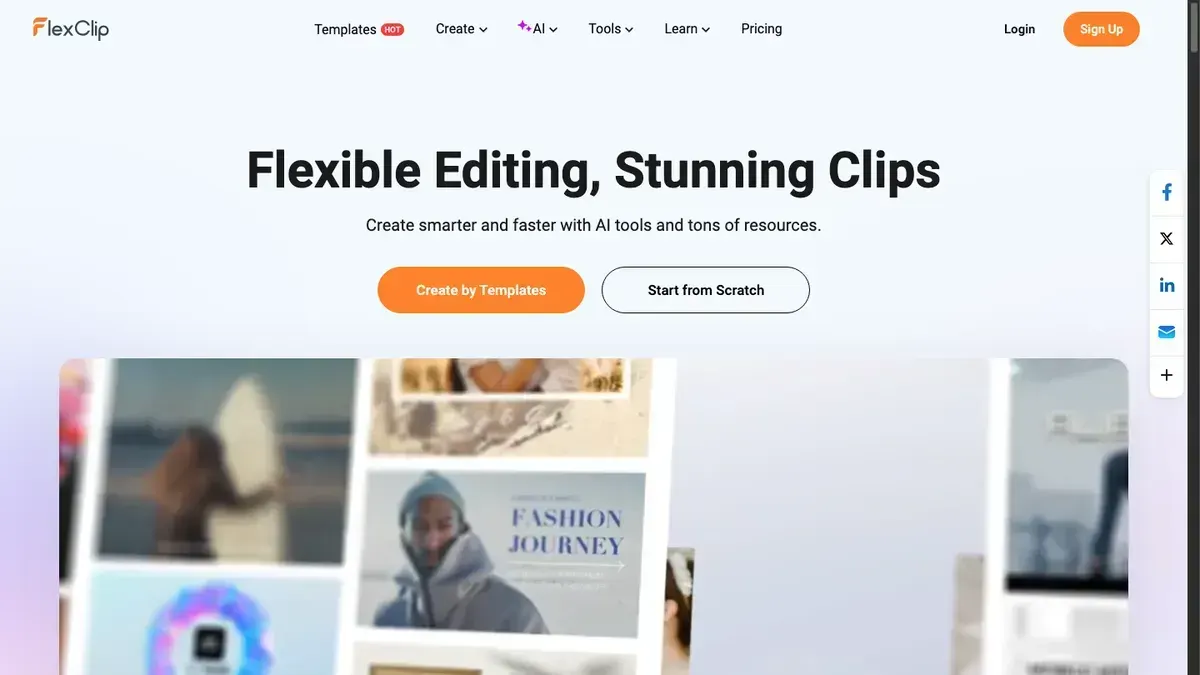
FlexClip is the cheapest full-featured video editor in our roundup of the best real estate video makers. The Free tier gives you 480p exports with a watermark. Plus costs $12/month (annual) and unlocks 1080p, no watermark, and full template access. Business at $20/month (annual) adds team features and priority support. No tier exceeds 1080p.
Reel-E's pricing is tier-based by listing volume: Essential at $44/month (annual, 3 listings/month), Growth at $97/month (10 listings), and Pro at $449/month (50 listings with 4K output). On paper, the gap is around $32/month between FlexClip Plus and Reel-E Essential.
But price per month is not cost per month. Each FlexClip video demands 30-60 minutes of hands-on timeline editing. If you produce 3 listing videos per month, that is 1.5-3 hours of editing. At a conservative $50/hour time value for an active agent, FlexClip's true monthly cost becomes $12 subscription + $75-$150 labor = $87-$162/month. Reel-E Essential at $44/month plus roughly 6 minutes total (2 minutes per video, three videos) costs about $49/month when you factor in time.
At 10 videos per month the math gets worse for FlexClip: $20 subscription + $250-$500 in editing time vs Reel-E Growth at $97 + 20 minutes of uploading. The more videos you produce, the wider the gap.
ROI vs hiring a videographer: Professional real estate videography runs $500-$1,200 per listing. Over 10 listings, you are looking at $5,000-$12,000. Both FlexClip and Reel-E deliver massive savings compared to hiring, but only Reel-E delivers those savings without asking you to become an editor. If you are comparing AI real estate video tools purely on sticker price, FlexClip wins. If you are comparing total cost of ownership including your time, Reel-E wins at any volume above a few videos per year.
Feature-by-feature comparison
| Feature | Reel-E | FlexClip | Winner |
|---|---|---|---|
| Video creation method | Upload photos, AI delivers finished video | Manual timeline editor with templates | Reel-E |
| Time to create | Under 2 minutes (hands-off) | 30-60 minutes (hands-on) | Reel-E |
| AI camera motion | Orbit, push-in, pull-out, Ken Burns | Basic zoom/pan set manually | Reel-E |
| Beat-synced transitions | Automatic | Manual timing | Reel-E |
| Output formats | 4 variants simultaneously | 1 format per export | Reel-E |
| Max resolution | Up to 4K (Pro plan) | 1080p | Reel-E |
| Price | From $44/month (billed yearly) | Free tier, $12-$20/month (annual) | FlexClip |
| Creative control | AI-driven. You choose photos and music. | Full timeline with frame-by-frame control | FlexClip |
| Template library | None. AI builds each video fresh. | 6,000+ templates | FlexClip |
| Text and overlay editing | Contact card + logo | Full text, shape, and overlay tools | FlexClip |
Where FlexClip shines
- Genuinely affordable at $12/month (annual). Hard to argue with that price.
- Full timeline editor gives you total creative control
- 6,000+ templates for real estate, social media, ads, and more
- Text, shapes, overlays, and screen recording tools included
- Generous free tier for basic projects
Where FlexClip falls short
- Every single video requires 30-60 minutes on the timeline
- No AI camera motion. Photos get basic pan and zoom at best.
- No beat-synced transitions. You place every cut by hand.
- No multi-format output. Need vertical? Rebuild from scratch.
- Capped at 1080p resolution
- Quality depends entirely on your editing skill
What's your time worth?
FlexClip is about $${Math.round(PLAN_PRICING.essential.yearlyMonthly / 100 - 12)}/month cheaper than Reel-E. But each listing video takes 30-60 minutes to build by hand. Make three videos a month and that's 1.5 to 3 hours of editing. Even at $50/hour, the editing time costs $75-$150 in opportunity cost. If you're only making one video every few months, FlexClip's price makes sense. If you're producing regular listing content, the math flips fast.
FlexClip is great for people who like editing
Not every agent wants AI to make decisions for them. Some people genuinely enjoy the craft of video editing. They like picking the exact transition point and fine-tuning the timing frame by frame. FlexClip is perfect for those people. It's cheap, capable, and gives you total control. If that sounds fun to you, stop reading and go sign up. If it sounds like a chore, keep reading.
The quality gap you can't close with editing
Some things require specialized rendering technology, not just a better editor. AI camera motion that creates 3D depth from a flat photo. Automatic beat detection that locks every transition to the music's downbeat. Cinematic speed ramps between cuts. These aren't editing features you'll find in any template. FlexClip's quality ceiling, no matter how skilled you are, is lower than Reel-E's floor.
The editing time trap
Thirty to sixty minutes per video sounds manageable until you multiply it. At 5 listings per month, that is 2.5-5 hours on the timeline. At 10 listings per month, you are spending 5-10 hours editing videos instead of prospecting, showing homes, or closing deals. The time compounds every month, and most agents quietly stop making videos for lower-priced listings because the time investment does not feel worth it. With Reel-E, every listing gets a video because it takes 2 minutes instead of an hour. That consistency is what builds a brand.
FlexClip for YouTube, Reel-E for listings
FlexClip's screen recording, subtitle tools, and general-purpose editing features make it a solid choice for YouTube tutorials, market update vlogs, and general marketing content. If you record screen walkthroughs of neighborhood data or create educational content for buyers, FlexClip handles those workflows well. Reel-E is purpose-built for one thing: turning your listing photos into cinematic property tours with AI camera motion and beat-synced transitions. It does not try to be a YouTube editor or a screen recorder. If you need both types of content, some agents use FlexClip for their YouTube channel and Reel-E for their listing tours. Different tools for different jobs.
Output quality compared: what the numbers don't tell you
On paper, FlexClip exports at 1080p and Reel-E exports at up to 4K on the Pro plan. But resolution is the least interesting difference. FlexClip gives you manual zoom and pan on still photos. You set a start position and an end position, and the editor interpolates between them. That is Ken Burns at its most basic. Reel-E's AI analyzes each photo's composition and generates camera movements that create genuine depth: orbits that feel like a drone circling the exterior, push-ins that feel like walking through a doorway, pull-outs that reveal an entire room. Add in automatic beat-synced transitions and speed ramps between cuts, and the result looks like professional videography rather than an animated slideshow. The difference is immediately visible in a side-by-side comparison.
Hands-on testing: we uploaded 15 listing photos to both
We uploaded the same 15 photos from a mid-range suburban listing to both FlexClip and Reel-E. Here is exactly what happened:
FlexClip: We selected a real estate template from the library, uploaded all 15 photos, arranged them on the timeline in room-tour order, set individual durations for each slide, added cross-dissolve transitions between clips, picked a music track from the built-in library, manually adjusted transition timing to roughly match the beat, tweaked a few text overlays, previewed, made corrections, and exported at 1080p. Total time: 38 minutes. The result was a decent slideshow with basic pan-and-zoom effects. Quality depended entirely on the editing choices we made.
Reel-E: We uploaded the same 15 photos, selected a music track, confirmed our saved branding, and clicked create. Total time: 1 minute 47 seconds. The AI delivered four finished videos with cinematic camera motion (orbit around the kitchen island, push-in through the master bedroom, pull-out reveal of the backyard), beat-synced transitions, speed ramps between cuts, and both horizontal and vertical formats.
The editing time trap: FlexClip's quality ceiling depends on your skill level. A beginner produces amateur-looking results with awkward timing and static photos. A skilled editor can produce good results, but they will spend an hour per video getting there. Reel-E's quality floor is higher than FlexClip's ceiling for most users. The AI makes the creative decisions that normally require professional editing experience. For a deeper look at how photos become cinematic video, see our guide on turning listing photos into video.
Sample Reel-E output from our test
Here is the actual Reel-E video generated from our 15 test photos. Every transition is AI-generated and beat-synced to the music, with no manual editing.
Which tool should you choose? Use case scenarios
Choose Reel-E if your time is worth more than the $32/month price difference. At just 2-3 videos per month, the editing time you save with Reel-E exceeds the subscription gap. If you are producing regular listing content and want consistent, professional AI real estate video quality across every property, Reel-E pays for itself.
Choose FlexClip if you genuinely enjoy video editing and only create a few videos per year. Some agents find the editing process creatively satisfying. If you make fewer than one video per month and like having frame-by-frame control, FlexClip at $12/month is an excellent value.
Choose FlexClip if you need features beyond listing tours. FlexClip includes screen recording, YouTube-ready export presets, and general-purpose editing tools that work for tutorials, vlogs, team introductions, and non-real-estate content. Reel-E is purpose-built for property video and does not try to be a general editor.
Choose Reel-E if you produce regular listing content and need consistent professional quality. When every listing gets a video with cinematic AI camera motion, beat-synced transitions, and four delivery formats, your brand stays consistent regardless of how rushed your week is. No editing skill variance, no template fatigue, no timeline sessions.
The bottom line
Choose Reel-E if you want
- Your time is worth more than the $30/month price difference
- You produce listing videos regularly and need speed
- AI camera motion and beat-synced cuts matter to you
- You want four formats delivered automatically per listing
- You'd rather skip the timeline and get straight to results
Choose FlexClip if you want
- Budget is your top priority and $12/month is the right price
- You genuinely enjoy the process of editing video
- You want full creative control over every frame and transition
- You need features beyond listing videos (screen recording, etc.)
- You only create a handful of videos per year
See the difference for yourself
Upload your listing photos and get four cinematic videos in under 2 minutes. No editing required.
Try Reel-E FreeFrequently asked questions
Is FlexClip good for real estate videos?
FlexClip can make real estate videos, but every one requires 30-60 minutes of manual editing. No AI camera motion, no beat-synced transitions, no multi-format output. For automated AI real estate video, Reel-E is purpose-built.
How much cheaper is FlexClip than Reel-E?
FlexClip starts at $12/month vs Reel-E's ${PRICE_ESSENTIAL_YR}/month. About $${Math.round(PLAN_PRICING.essential.yearlyMonthly / 100 - 12)}/month savings on paper, but factor in 30-60 minutes of editing per video. At $50/hour time value with 3 videos/month, FlexClip actually costs $87-$162/month vs Reel-E's effective $${Math.round(PLAN_PRICING.essential.yearlyMonthly / 100 + 5)}/month.
Can FlexClip create AI-powered videos?
FlexClip has basic AI text features, but no AI camera motion, no beat-synced transitions, no speed ramps, and no automatic multi-format output. It is a manual editor with some AI assists, not an AI real estate video generator.
Is FlexClip really free?
FlexClip has a free tier, but it exports at 480p with a watermark. For professional real estate use you need the Plus plan at $12/month (annual) minimum, which unlocks 1080p and removes the watermark. The Business plan at $20/month adds team features.
Can FlexClip create AI-powered listing videos?
No. FlexClip is a manual timeline editor. You arrange photos, set transitions, and time everything by hand. There is no AI camera motion, no automatic beat detection, and no intelligent photo-to-video conversion. For AI-powered listing videos, see our guide on turning listing photos into video.
How long does it take to make a real estate video in FlexClip?
In our testing, creating a single listing video from 15 photos in FlexClip took 38 minutes including template selection, photo arrangement, transition timing, music selection, and export. Reel-E produced four finished video variants from the same photos in 1 minute 47 seconds.
Is FlexClip or Reel-E better for Instagram Reels?
Reel-E delivers a vertical (9:16) video automatically in every render, optimized for Instagram Reels and TikTok. FlexClip can create vertical videos, but you must build each format as a separate project from scratch. If you post listing content to Instagram regularly, Reel-E saves significant time.
Can I use FlexClip and Reel-E together?
Yes. Some agents use FlexClip for general marketing content like YouTube tutorials, market updates, and screen recordings, while using Reel-E for listing-specific property tour videos. The tools serve different purposes and complement each other well.
What is the cheapest AI property video tool?
If you mean a true AI property video generator that creates cinematic videos from photos automatically, Reel-E Essential at ${PRICE_ESSENTIAL_YR}/month is the most affordable option. FlexClip at $12/month is cheaper but is a manual editor, not an AI video tool. See our full roundup for all pricing tiers.
Does FlexClip have real estate templates?
Yes. FlexClip offers real estate templates in its 6,000+ template library. They provide a starting point for manual editing but still require 30-60 minutes of customization per video. The templates use standard pan-and-zoom effects, not the AI camera motion and beat-synced transitions you get from purpose-built tools like Reel-E.
Related comparisons
See how other tools compare: Reel-E vs Canva · Reel-E vs Animoto · Reel-E vs Lumen5.
For a deeper analysis of all the top tools, read our complete roundup of the best AI property video makers in 2026.
Learn how Reel-E's AI technology works, explore our guide to turning listing photos into video, or read about whether video listings actually sell faster.
Looking for an AI property video generator? Try Reel-E free.
Recommended Next Steps for Agents
Turn this strategy into a production workflow with AI real estate video, real estate video maker workflows, and listing video maker templates. For deeper tactical planning, review video marketing for real estate and real estate video statistics before your next campaign sprint.