

Virtual staging
AI virtual staging, for your listing photos
Pick a room and a style. Reel-E furnishes an empty room, or swaps the furniture in a furnished one, and the staged photo goes into the listing video and the listing website.
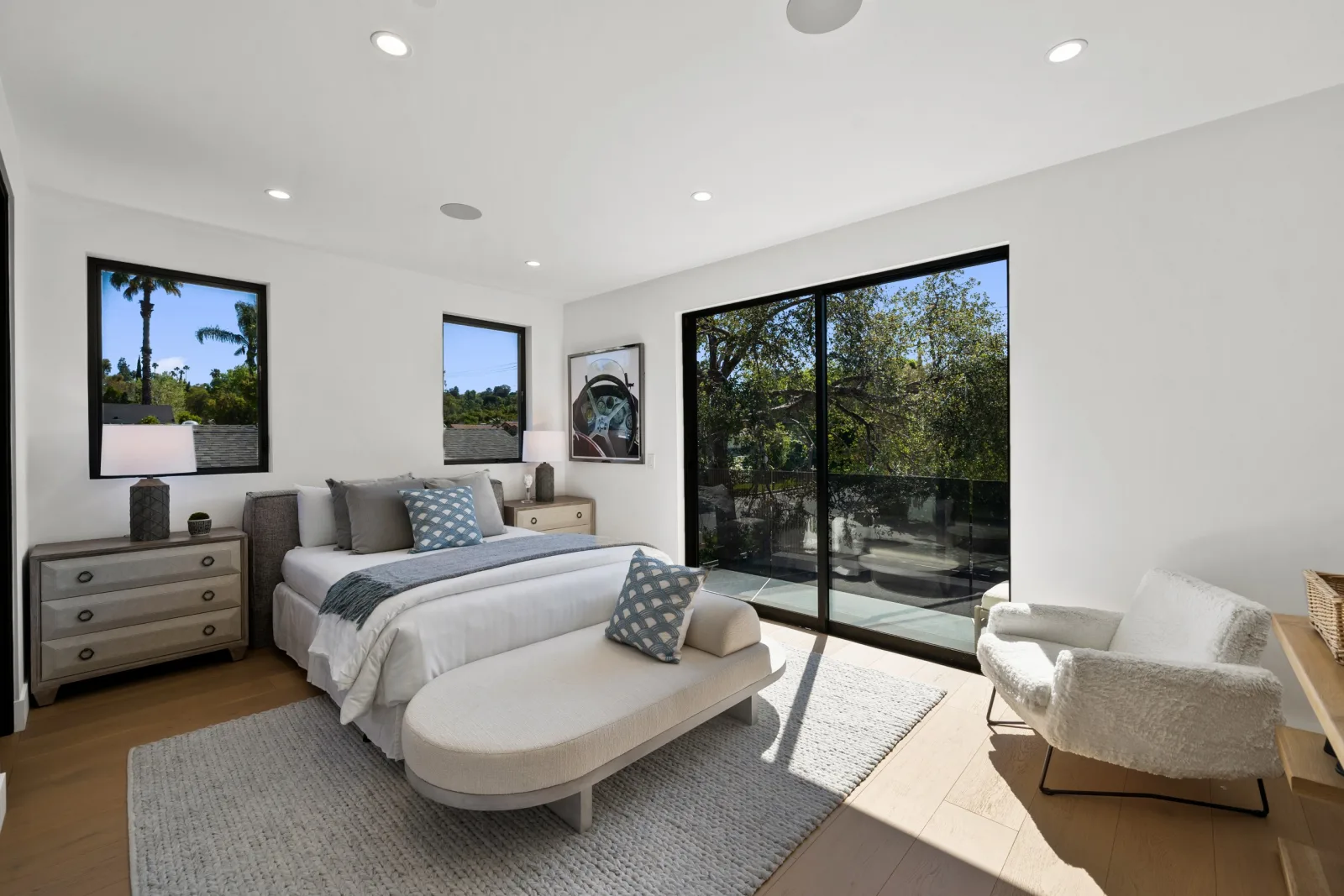
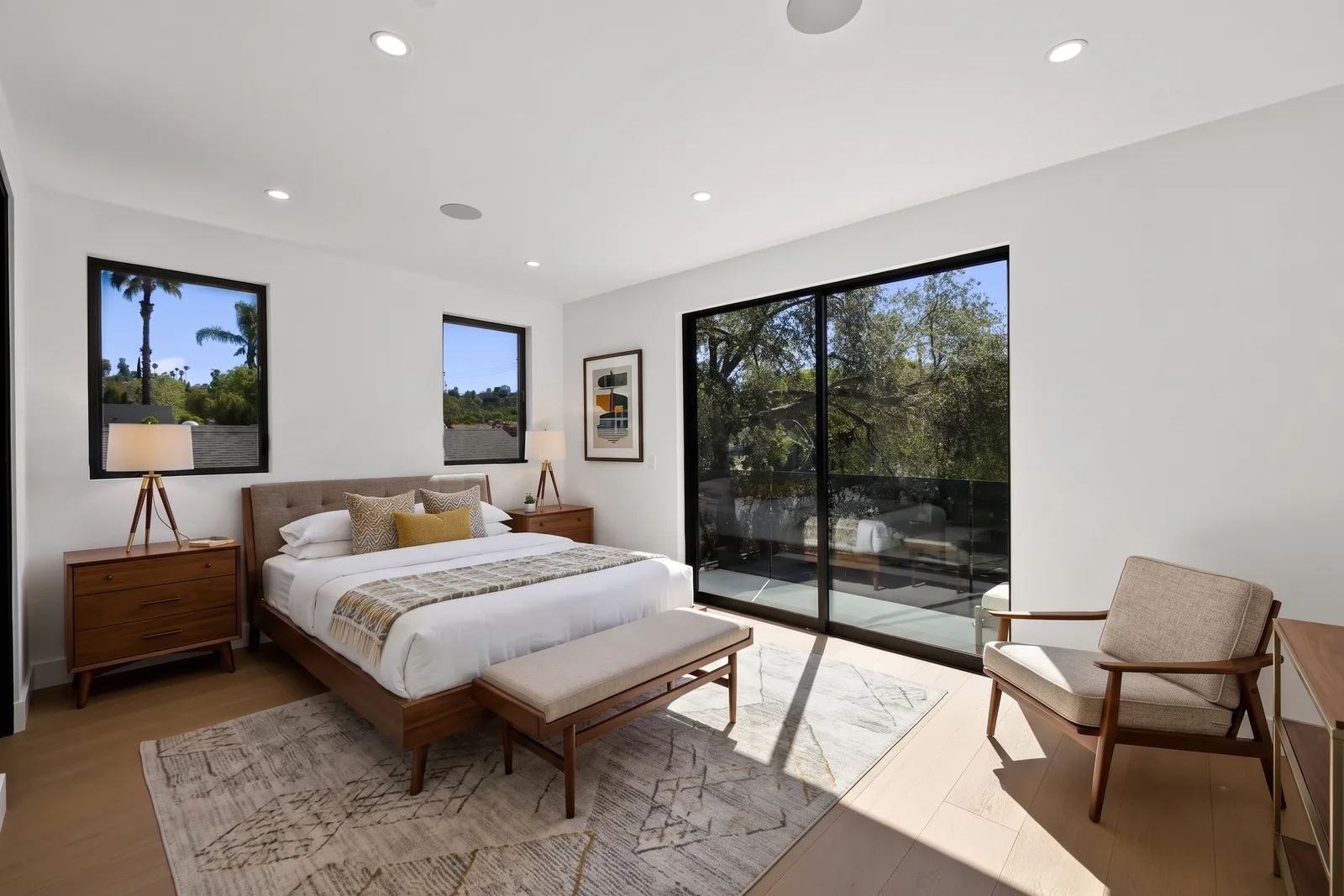
The short answer
What is AI virtual staging?
AI virtual staging adds furniture and decor to a photo of a room, so a buyer can see how the space could be lived in. In Reel-E you choose a style, the room type is detected for you, and you compare the result with the original before you keep it.
Six styles
Modern Minimal, Scandinavian, Luxury, Coastal, Japandi and Transitional. A bedroom is staged as a bedroom, a living room as a living room.
The room is checked
Staging is written to add furniture and decor only. Windows, doors, fireplaces and other fixed features are named before the edit, Reel-E checks the staged photo against yours, and you compare the two before you keep it.
One look across rooms
Match photo carries the staging from one photo to another room, or to the same room shot from another angle.
The original is kept
Every staged photo keeps its original in History, and the listing website can label it as virtually staged.
Virtual staging
Stage a room in the style you pick
Open a photo, choose Staging and a style. The staged version appears beside the original so you can judge it before it goes anywhere.
Virtual staging
In the same editor as every other fix
Staging lives in Reel-E's photo editor, next to declutter, twilight and typed edits. Every version is kept in the photo's history.
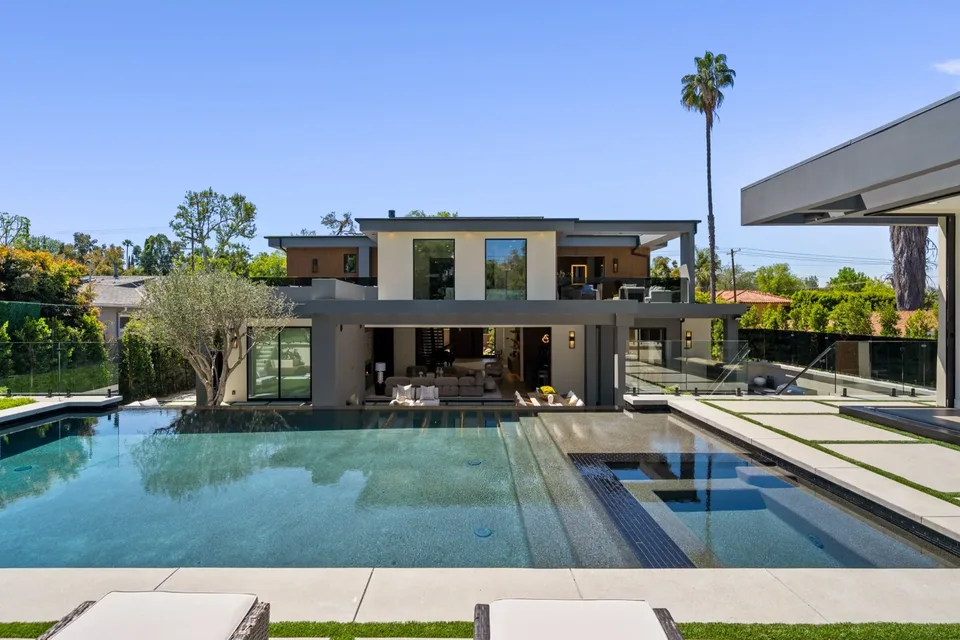
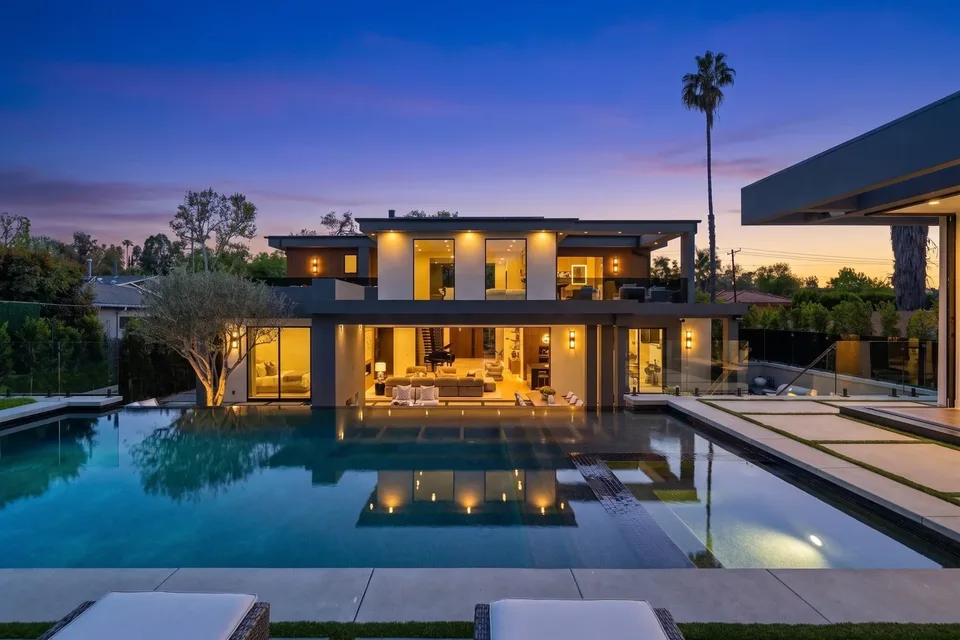
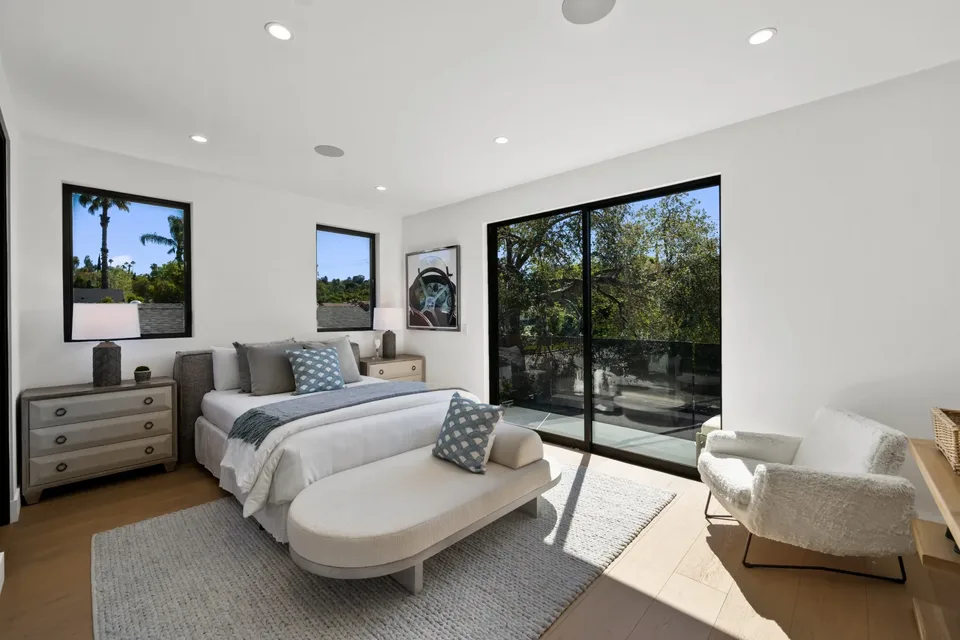
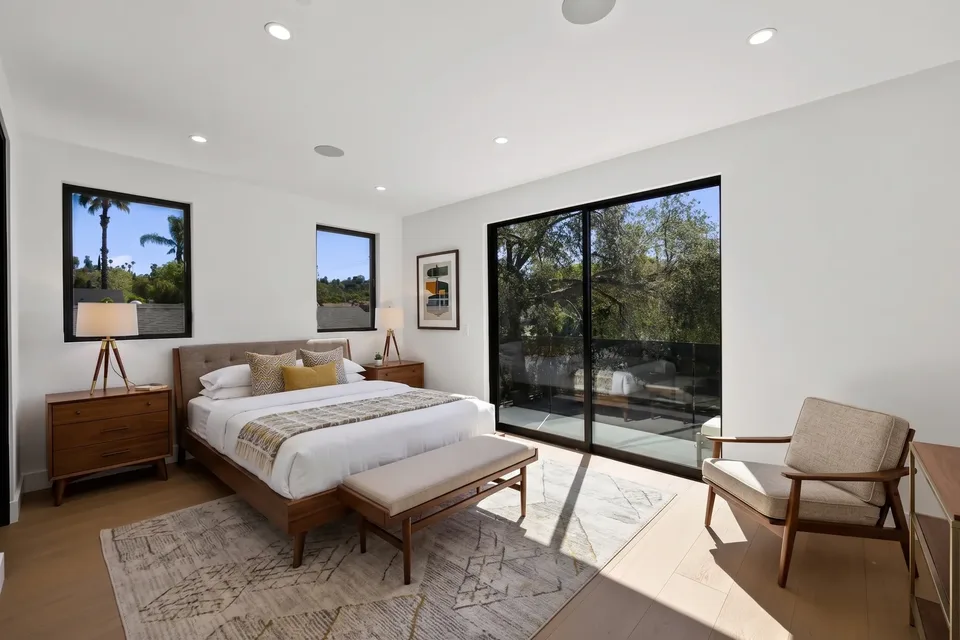
Virtual staging
The staged photo goes where the listing goes
A staged photo replaces the original in the listing video and, once you share, on the listing website. The original stays in History.
01
How does virtual staging work in Reel-E?
You stage a room from the photo you already uploaded for the listing. There is nothing to export and nothing to send to a designer.
- Open the photo of the room in the photo editor.
- Choose Staging and pick a style.
- Compare the staged photo with the original.
- Keep it, try another style, or go back to the original. Each try uses one edit credit.
When one room looks right, Match photo applies the same furniture style to the next room, so the listing reads as one home rather than six showrooms.
02
Which rooms and styles can you stage?
Staging works on an empty room and on a furnished one, in six styles: Modern Minimal, Scandinavian, Luxury, Coastal, Japandi and Transitional. In a furnished room the existing furniture is replaced with pieces in the style you chose. Reel-E reads the room type from the photo, so you do not have to label a bedroom or a dining room.
To take something out without restaging the room, describe it in a typed edit, for example “remove the dining set”. That is part of photo editing, and it draws on the same credits.
03
Does virtual staging change the room itself?
It is not meant to, and Reel-E checks. Staging adds furniture and decor. Before the edit, the room's fixed features (windows, doors, closet doors, fireplaces, built-ins, stairs) are listed and named in the instruction. After it, the staged photo is compared with yours for structural changes and for furniture placed over a door or a window.
You still make the call. Every staged photo sits beside its original before you keep it, and the original is never deleted.
04
How do you disclose a virtually staged photo?
Reel-E's listing website can label staged photos for you. With the listing's label setting on, each staged photo carries a “Virtually staged” label that links to a page showing it beside the original.
The setting is on by default for California addresses and off elsewhere, and you can change it for any listing. Rules on staged photos differ by MLS and by state, so check yours: the label is a tool, not a guarantee of compliance.
05
How many photos can you stage, and what does it cost?
Staging is included in every plan and uses the listing's photo edit credits: 10 to 20 photo edit credits per listing, depending on the plan. Staging and every other edit draw on the same credits, and each new listing starts with a fresh allowance.
Plans start at $44/month on yearly billing and include the listing video and the listing website. The 7-day trial takes a card up front and includes 5 photo edits. See the pricing page.
Staging and photo edit credits by plan
One credit is one staging or one edit. The 7-day trial includes 5 photo edits.
Common Questions
AI virtual staging adds furniture and decor to a photo of a room, empty or furnished, so buyers can picture the space in use. In Reel-E you pick a style and compare the staged photo with the original before keeping it.
Yes. Every plan includes 10 to 20 photo edit credits per listing, and a staging uses one credit. The same credits cover every other photo edit.
Six: Modern Minimal, Scandinavian, Luxury, Coastal, Japandi and Transitional. The room type is detected from the photo.
Staging is meant to add furniture and decor only. Reel-E names the room's fixed features in the instruction, checks the staged photo against your original, and you compare the two before keeping it.
Yes. Every edit is a version in the photo's history, and the original is always there. Going back does not return the credit the staging used.
Rules differ by MLS and by state, so check yours. Reel-E's listing website has a setting that labels staged photos "Virtually staged" and links each to its original; it is on by default for California addresses.
Yes. A staged photo replaces the original in the listing video and, after you share, on the listing website, so the room looks the same everywhere.
Works with
Stage a room on your next listing
A cinematic video, edited photos and a listing website in about 2 minutes. Plans from $44/month.
Free to try · Cancel anytime