Skip to content
All tutorials

Tutorial 12 of 121:29

Account, plan and billing

Find your plan, your allowances and billing, add-ons, email preferences, and your referral link.

0:00/0:00

Step by step

Last one. Here's where to find your account, your plan and your billing, and how to get help.

  1. Start on the dashboard

    Your listings live on the dashboard. Create Video starts a new one.

    In the video at 0:08

    Start on the dashboard, from the Account, plan and billing tutorial
  2. Open the account menu

    Click your initials for the account menu. It shows your plan and how many listings you have left this month, and it's where you'll find these tutorials, the help center, and Log out.

    In the video at 0:14

    Open the account menu, from the Account, plan and billing tutorial
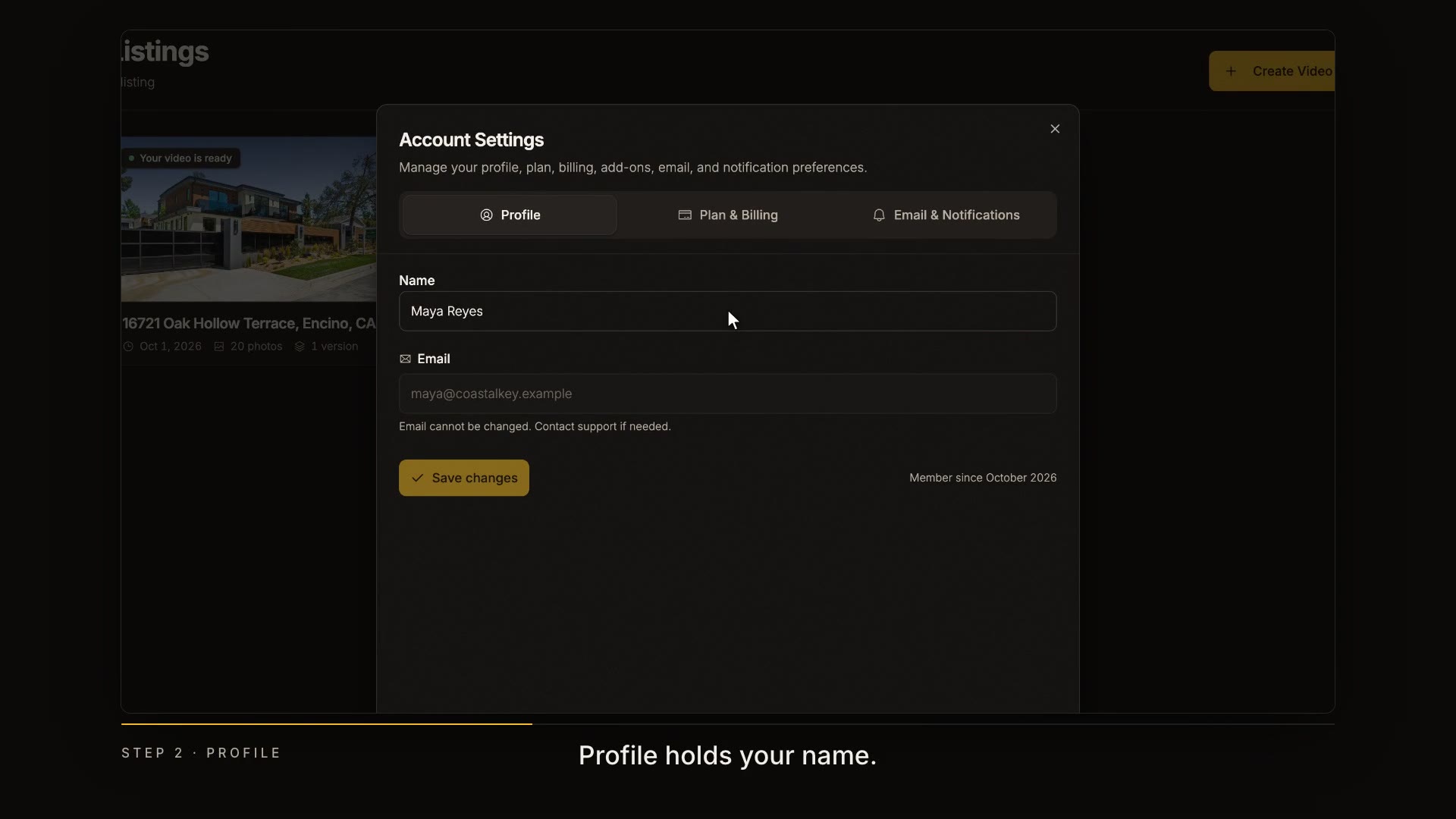
  3. Update your profile

    Account and Billing opens your settings. Profile holds your name.

    In the video at 0:25

    Update your profile, from the Account, plan and billing tutorial
  4. Review your plan and billing

    Plan and Billing shows your plan and when it renews. Change Plan compares every plan, monthly or yearly, and Payment manages your card and invoices.

    In the video at 0:32

    Review your plan and billing, from the Account, plan and billing tutorial
  5. Check your usage

    Here's how many listings you've used this month. You can also pause or cancel your subscription from here.

    In the video at 0:44

    Check your usage, from the Account, plan and billing tutorial
  6. Add more

    Need more? Add-ons give you an extra listing, more photo edits, or more AI Plus.

    In the video at 0:51

    Add more, from the Account, plan and billing tutorial
  7. Choose your emails

    Email and Notifications lets you choose which emails you get.

    In the video at 0:59

    Choose your emails, from the Account, plan and billing tutorial
  8. The danger zone

    And at the very bottom, the danger zone, where you can delete your account.

    In the video at 1:05

    The danger zone, from the Account, plan and billing tutorial
  9. Refer a friend

    Know an agent who'd love this? Invite them, or copy your referral link. You get free months for every friend who subscribes.

    In the video at 1:10

    Refer a friend, from the Account, plan and billing tutorial
Read the transcript

Last one. Here's where to find your account, your plan and your billing, and how to get help. Your listings live on the dashboard. Create Video starts a new one. Click your initials for the account menu. It shows your plan and how many listings you have left this month, and it's where you'll find these tutorials, the help center, and Log out. Account and Billing opens your settings. Profile holds your name. Plan and Billing shows your plan and when it renews. Change Plan compares every plan, monthly or yearly, and Payment manages your card and invoices. Here's how many listings you've used this month. You can also pause or cancel your subscription from here. Need more? Add-ons give you an extra listing, more photo edits, or more AI Plus. Email and Notifications lets you choose which emails you get. And at the very bottom, the danger zone, where you can delete your account. Know an agent who'd love this? Invite them, or copy your referral link. You get free months for every friend who subscribes. That's the series. If you ever get stuck, tap the help button in the corner. We're here.