Downloads and sharing
Download every format, create a video link with ready-made captions, and turn on the MLS link and the embed code.

Step by step
Your video is ready. Here's how to download it in every format, and share it anywhere your listing goes.
Open your listing page
Everything starts on your listing page. Download saves the video, and Share gets it everywhere else.
In the video at 0:09

Preview every format
Preview it widescreen, square or for phones. Switch your branding off to see the unbranded version.
In the video at 0:16

Download your video
Click Download, and choose a format, or get all of them in one ZIP. Reel-E makes the file with your latest edits and saves it when it's ready.
In the video at 0:26

Open Share
Share has more choices. Pick the format, and choose what the video includes, like your branding, or the titles and text.
In the video at 0:38

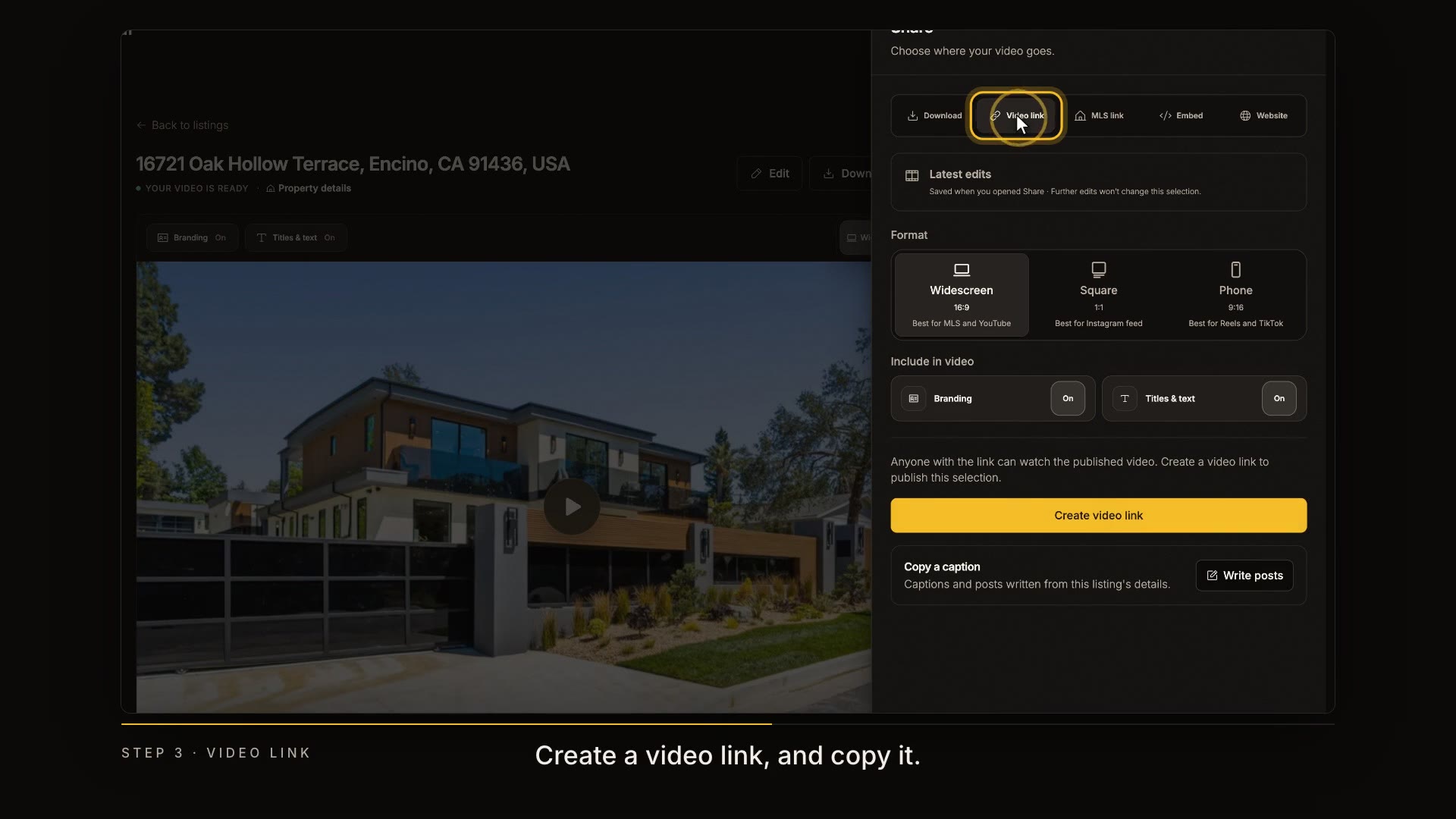
Create a video link
Create a video link, and copy it. Anyone with the link can watch your video, no account needed.
In the video at 0:48

Write a post
Need a caption? Write posts drafts one for Instagram, Facebook and more, from your listing's details. Copy the one you like.
In the video at 0:56

Turn on the MLS link
For the MLS, turn on the MLS link. It's always unbranded, the way MLS video fields expect.
In the video at 1:06

Embed it on another site
Embed puts your video on another website. Copy the code and paste it in.
In the video at 1:15

Publish your website
And your listing website publishes from here too. That's next.
In the video at 1:22

Read the transcript
Your video is ready. Here's how to download it in every format, and share it anywhere your listing goes. Everything starts on your listing page. Download saves the video, and Share gets it everywhere else. Preview it widescreen, square or for phones. Switch your branding off to see the unbranded version. Click Download, and choose a format, or get all of them in one ZIP. Reel-E makes the file with your latest edits and saves it when it's ready. Share has more choices. Pick the format, and choose what the video includes, like your branding, or the titles and text. Create a video link, and copy it. Anyone with the link can watch your video, no account needed. Need a caption? Write posts drafts one for Instagram, Facebook and more, from your listing's details. Copy the one you like. For the MLS, turn on the MLS link. It's always unbranded, the way MLS video fields expect. Embed puts your video on another website. Copy the code and paste it in. And your listing website publishes from here too. That's next. Next up: your listing website.