
The short answer: Connect Reel-E to Claude or ChatGPT once, then ask: "Make a listing video for 12 Harbor Lane from these photos." Reel-E builds the cinematic video, polished photos and a listing website, and your assistant keeps editing from the same chat. Anything that uses a credit or goes public can wait for your yes.
- Setup is one address and one sign-in. About a minute, no API key, nothing to install.
- Your assistant works on your real listing: shots, music, titles, branding, price and stats.
- Every edit has an undo, so you can try things freely.
- You decide how much it does: Full control, or Ask me first.
You're parked outside your next showing. Your seller texts: "Can the video open on the kitchen? That's the room that sells this house."
A few years ago, that text meant calling your videographer, waiting a day and paying for the privilege. Today it usually means opening an editing app on your phone and wondering where the kitchen went.
I filmed real estate for a living before I built Reel-E, and I took that phone call more times than I can count. Nobody got a license to learn what a keyframe is. You got one to sell homes.
So here's the simplest version of what we built. You open the AI assistant you already use, type "open on the kitchen," and it's done. This guide is for agents and teams who already lean on Claude or ChatGPT for descriptions and emails, and want the same assistant handling the listing video.
What You Need Before You Start
- A Reel-E account. Free to try · Cancel anytime.
- A Claude account (a free one can add a connector) or a ChatGPT account with custom plugins available.
- The address: https://www.reel-e.ai/mcp
- Your listing photos.
You'll see the term MCP on the settings screen. It's the standard that lets an AI assistant use another app on your behalf. That's all you need to know about it.
How to Connect Reel-E to Claude
- Go to claude.ai and sign in.
- Open Customize, then Connectors.
- Click + Add, then Add custom connector.
- Name it Reel-E, paste the address and click Continue.
- Sign in to Reel-E, choose how much Claude can do, pick your listings and press Allow.
- Open a new chat, click the + button, choose Connectors and switch Reel-E on.
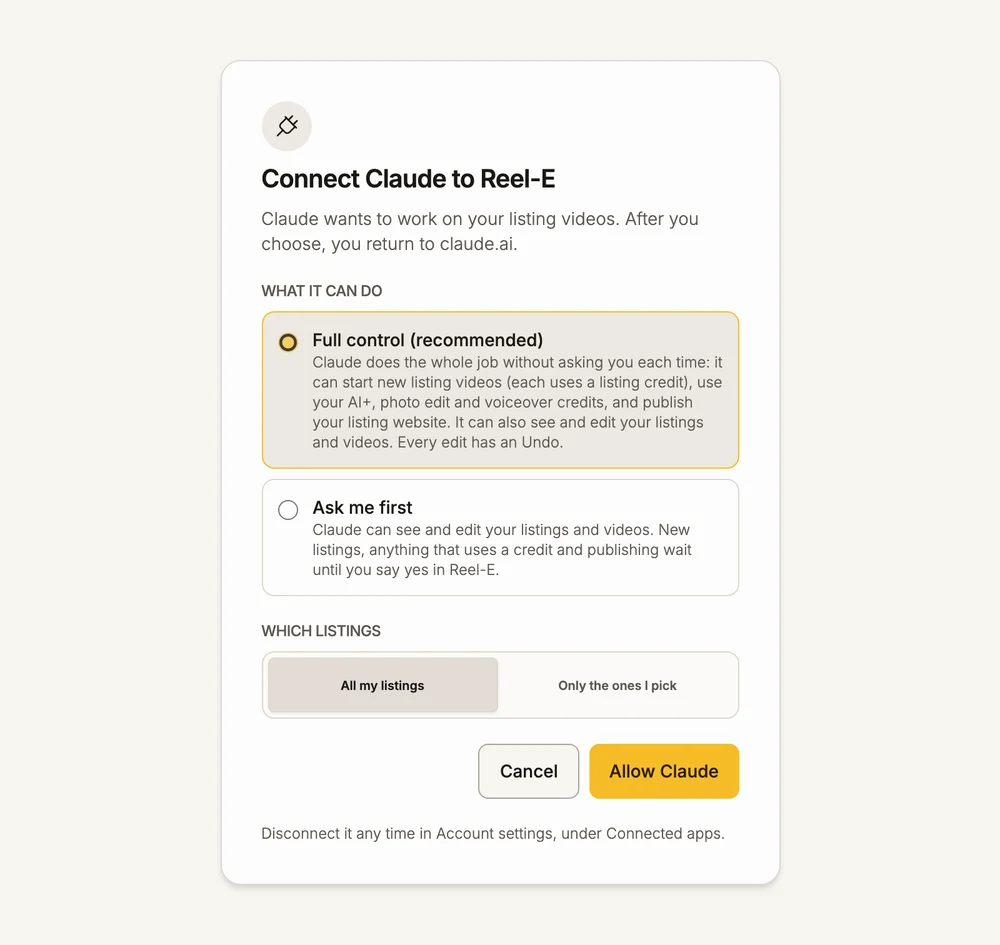
Add it once on the web and it follows you to Claude's desktop and mobile apps. That's the part you'll love in the parking lot. On a Team or Enterprise plan, your organization's Owner adds the connector first.
How to Connect Reel-E to ChatGPT
- Open chatgpt.com, then Settings, then Plugins.
- Click the plus button, then Add custom MCP server.
- Name it Reel-E, paste the address, keep OAuth and create the plugin. Under Advanced OAuth settings, choose Dynamic Client Registration.
- Sign in to Reel-E when it opens and press Allow.
- Back in ChatGPT, install the plugin for yourself.
In ChatGPT, anything that uses a credit, publishes or starts a listing always waits for your yes in Reel-E. If ChatGPT ever skips Reel-E, type @Reel-E at the start of your message.
Your First Listing Video, Start to Finish
1. Ask for it. "Make a listing video for 12 Harbor Lane, Springfield from these photos."
2. Hand over the photos. Drag the listing photos into the chat, or paste the listing link and Reel-E brings the photos in. If your assistant gives you a Reel-E link to add them, open it and drop the photos there. In Claude Code, point it at the folder on your computer.
3. Let Reel-E build it. Your first video is ready in under 2 minutes. Ask "Is it ready?" any time and your assistant will check.
4. Make it yours. "Move the kitchen photo to the front and make the title Just Listed." Each change saves at once, and "undo that" puts it back.
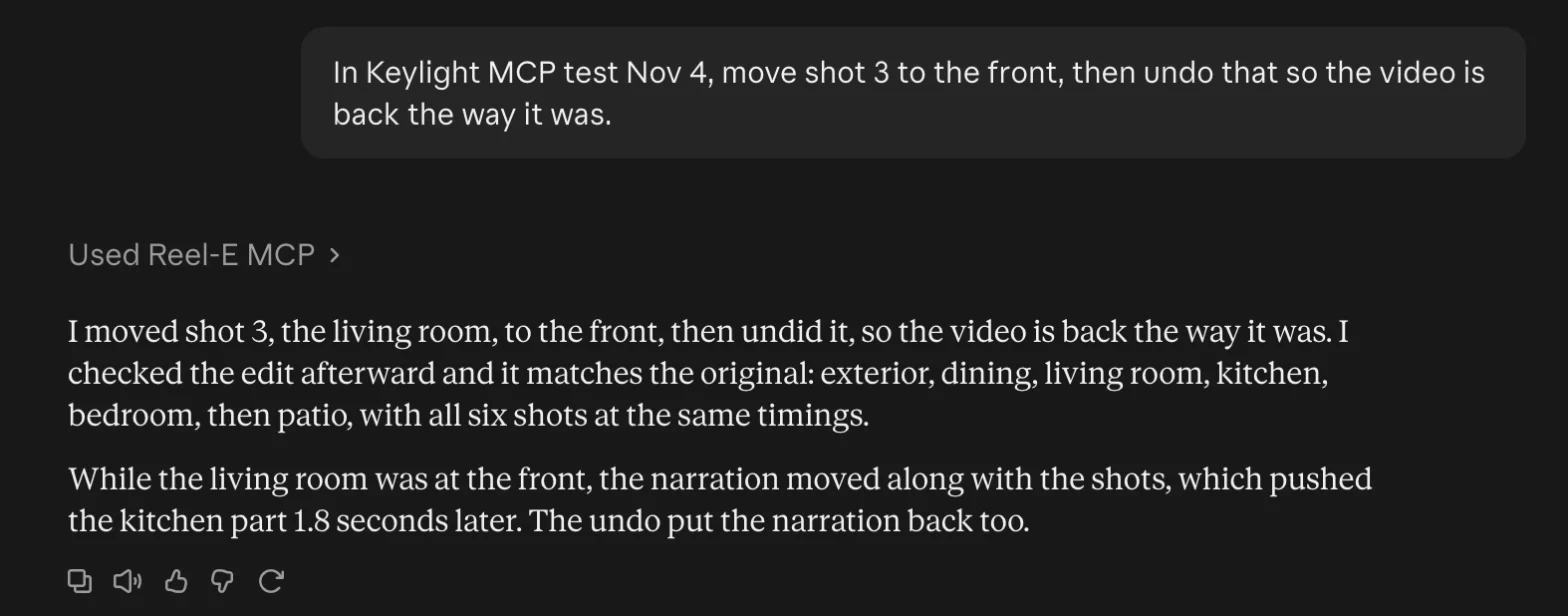
5. Add the extras. "Write a narration and read it in Maya's voice." Then "Publish the listing website."
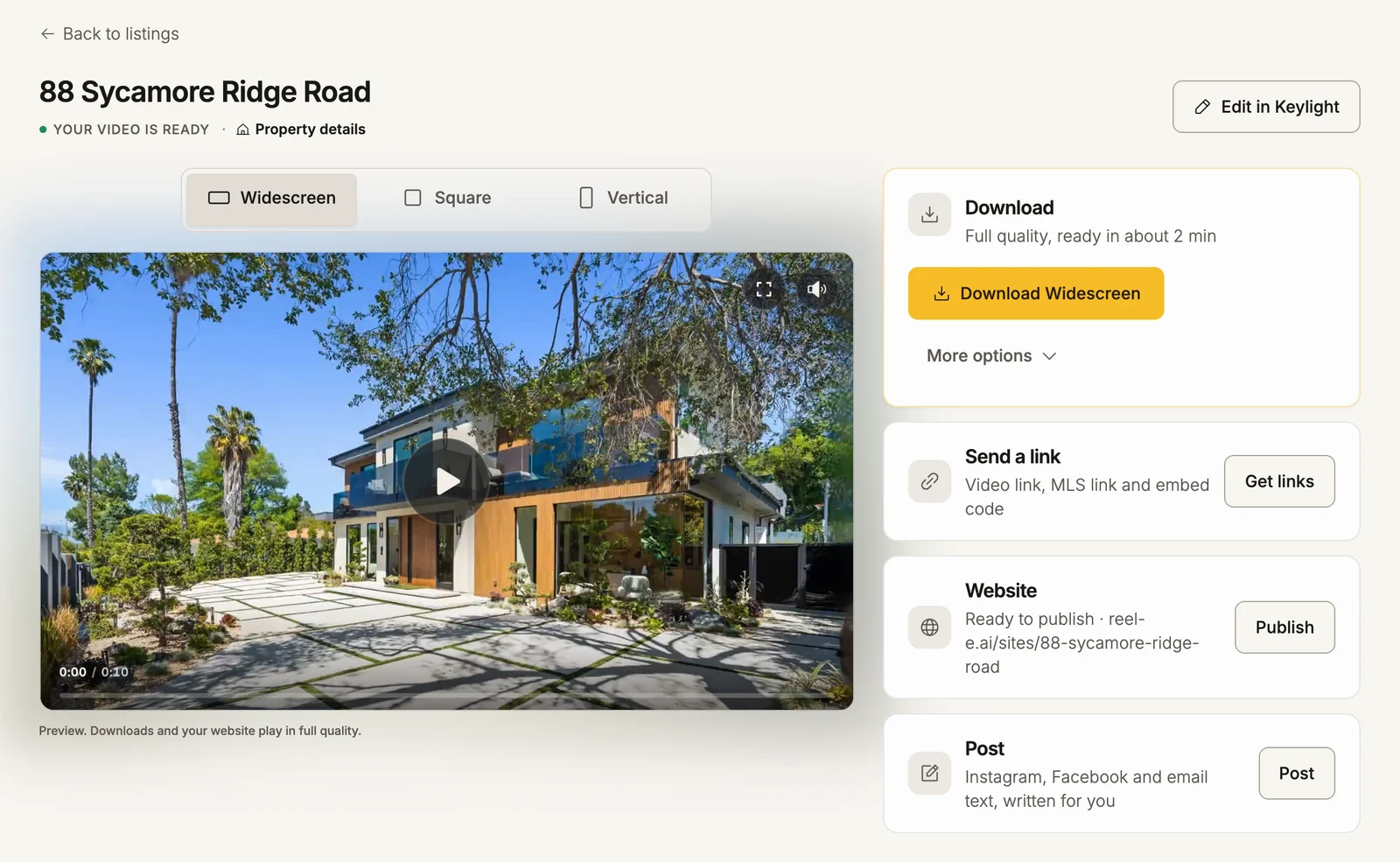
6. Pick up your files. Your finished videos, photos and MLS link are waiting on your listing page in Reel-E. For the fine detail, open the video in Keylight Studio, where you edit your video, photos, captions, voiceover and branding.
One Listing, One Week
Here's how it plays out across a normal listing week. 12 Harbor Lane is an example, and the point is how little typing each job takes.
| When | What's happening | What you type |
|---|---|---|
| Monday | Photos are back from the shoot | "Make a listing video for 12 Harbor Lane from these photos. Make the title Just Listed." |
| Tuesday | Your seller has notes | "Open on the kitchen and use something calmer." |
| Wednesday | You're ready to go live | "Publish the listing website." Then "Get my MLS kit." |
| Thursday | Open house this weekend | "Add text that says Open House Sunday 1 to 3." |
| Monday | Your seller wants to know how it's going | "How are my listing views this week?" Then "Draft an update for my seller." |
| Two weeks in | The price moves | "Change the price to $1,295,000 and make the title Price Improved." |
Add that up and you've run a full listing campaign in about ten sentences, most of them typed from a parking lot.
How to Ask So You Get It Right the First Time
You don't need special prompts. Talk the way you'd brief a sharp assistant, and these habits will save you a round trip:
- Say which listing. Start with the address. If you have twenty listings, "the video" is a guess.
- Name the room. "Move the kitchen photo to the front" beats "move shot 3" when you can't see the timeline.
- Ask what it sees first. "What is in the video for 12 Harbor Lane? Tell me what you would change." You'll get a useful second opinion before you touch anything.
- Describe the feeling. "Calmer," "faster" and "more upscale" all work. You're the marketer, so stay in marketing language.
- Change your mind out loud. "Undo that" is a complete sentence.
Eight Requests Worth Saving
| The job | What to say | Uses a credit? |
|---|---|---|
| Open on a better room | "Open on the kitchen." | No |
| Announce it | "Make the title Just Listed." | No |
| Change the mood | "Find me something calmer." | No |
| New price | "Change the price to $1,295,000." | No |
| Dusk exterior | "Make the front photo twilight." | Yes, a photo edit |
| Bring a room to life | "Give the kitchen photo the AI+ treatment." | Yes, AI+ |
| Check the numbers | "How are my listing views this week?" | No |
| Keep the seller happy | "Draft an update for my seller." | No |
Video edits and re-renders are unmetered on every plan, so that seller who wants "just one more change" costs you nothing but a sentence.
Choose How Much Your Assistant Can Do
When you connect, you pick one of two settings. Nothing is switched on until you do.
| Full control (recommended) | Ask me first | |
|---|---|---|
| Edits to shots, music, titles and text | Runs | Runs |
| AI+, photo edits and narration | Runs, from your allowance | Waits for your yes |
| Publishing your listing website | Runs | Waits for your yes |
| Starting a new listing | Runs | Waits for your yes |
My advice: if you're the only one using it, take Full control and let it do the whole job. If an assistant on your team runs the chat, start with Ask me first. Either way, you pick which listings it can reach, Connected apps shows everything it did, and one click cuts it off.
What Your Assistant Can See
Your seller's trust is the business, so here's the plain version. A connected assistant can see the listings you allowed: their addresses and property details, what's in the video, your contact card and branding, website stats such as visits, video plays and the number of inquiries, and links to your videos and websites. It sees how many people inquired, not who they were.
It won't contact anyone either. When you ask for a seller update, it drafts one from your listing's numbers for you to send. Reel-E keeps a record of each action, and you can read it in Connected apps whenever you like.
If Something Looks Off
- It says you have no listings. Make your first listing at reel-e.ai/create, then ask again.
- The connection won't authorize. Sign in to reel-e.ai in the same browser, allow pop-ups for claude.ai and try Connect again.
- Claude keeps asking to confirm. That's Claude being careful with edits. Choose Always allow for the tools that only read.
- A free Claude account won't add another connector. Free accounts get one custom connector, so remove another first.
- It stopped working after a while. Connections renew on their own. If Claude asks you to sign in again, do that, or reconnect from Customize, Connectors.
What You Get From One Upload
This is the difference between a clip and a listing. One upload gives you a cinematic video in 6 files (widescreen, vertical and square, branded and unbranded), AI-edited photos and a single property website with a lead form and analytics. Your assistant can work on all of it, and your brand stays on it: title, contact card, logo and headshot.
Your Own Assistant or the AI Director?
You have two ways in, and they work on the same listing. The AI Director lives inside Keylight and comes with every plan, so it's there the moment you open a video. Your own assistant is for days when Claude is already open and the listing is one of ten things on your list. Plenty of agents will use both.
Ready to try it? Connect your assistant, then give it your next listing. Free to try · Cancel anytime.