Short answer. Reel-E (reel-e.ai) and Reel Estate (tryreelestate.com) are two different companies that both turn listing photos into video. Reel-E makes three things from one upload, edited and staged photos, a cinematic video in up to six versions in about two minutes, and a single-property listing website, with a full editor (Keylight Studio), AI voiceover and unmetered edits, priced per listing from $44 a month billed yearly ($59 month to month). Reel Estate prices by monthly credits, $60, $120 or $240 a month, with 30 free credits and no card to start.
Last checked October 21, 2026. Reel Estate figures come from tryreelestate.com/pricing, tryreelestate.com/about and tryreelestate.com/comparison/reel-estate-vs-reel-e on that date; Reel-E figures come from our own product.
What Reel-E includes
- A video editor: yes. Keylight Studio is a full-screen editor for shots, order, movement, length, framing for each shape, text, music, voiceover and branding.
- Edits and re-renders: unmetered. No revision cap on any plan or on the trial (trial output is watermarked).
- AI voiceover: yes. A narration script written from your video in timed sections, read by one of five AI voices (Miles, Maya, Theo, Grant, Nora) or recorded by you. English and Spanish, with captions synced to the narration.
- MLS: yes. An MLS link (the unbranded widescreen video on its own page) for the MLS virtual tour field, plus the unbranded widescreen MP4.
- Labels for edited photos. On California listings, photos edited or staged in Reel-E are labelled "Virtually staged" or "Digitally altered" on the listing website, with an originals page (AB 723), on by default.
- Video: widescreen, vertical and square, each branded and unbranded, so up to six versions per listing, in about two minutes to a first video.
- Virtual staging and photo edits: six staging styles, declutter, day to twilight, Match photo and typed edits; 10 credits per listing on Essential and 20 on Growth and Pro.
- Listing website on every plan, with lead form, analytics, QR code and flyer.
Key takeaways
- They are different companies. Reel Estate says it is Texas-based and launched on August 1, 2025.
- Pick Reel-E if you want the video, staged photos and a listing website from one upload, at a published price per listing, with edits that never run out.
- Pick Reel Estate if you want to start with free credits and no card, pay by credit rather than by listing, or want AI drone motion, an AI-Generated video label or a done-for-you service.
- On price, the entry plans are a dollar apart month to month ($59 and $60). What differs is the unit: listings for Reel-E, credits for Reel Estate.
"Reel E" or "Reel Estate"?
If you searched "reel e" and landed here, you probably wanted Reel-E: the tool at reel-e.ai that turns listing photos into a cinematic video, edited photos and a listing website. Reel Estate is a separate product at tryreelestate.com. Neither is a version of the other.
I am writing this partly because Reel Estate's comparison page describes a Reel-E that does not exist: "hands-off by design with no in-app editor", capped revisions, no voiceover. That page says it was verified in June 2026. Whatever it saw then, here is what Reel-E is now, and the rest of this page compares the two fairly, using Reel Estate's own pricing page.
Reel-E vs Reel Estate at a Glance
| Reel-E | Reel Estate | |
|---|---|---|
| What you pay for | A listing: up to 6 video versions, photo edits and staging, a listing website | Credits: stage a photo 1, photo to video 3, voiceover 1 per 10 seconds |
| Monthly price | $59 / $129 / $599 for 3 / 10 / 50 listings | $60 / $120 / $240 for 150 / 420 / 960 credits |
| Yearly | $530 / $1,160 / $5,390 ($44 / $97 / $449 a month) | "Save 10%" |
| Rollover | Unused listings bank up to 9 / 30 / 150 | Credits refresh monthly and do not roll over |
| Free option | None; free to try for 7 days, card required, cancel anytime | 30 free credits, one reel, watermarked, no card |
| Video editor | Keylight Studio, every plan | Yes (customize sequence, branding, music) |
| Edits and re-renders | Unmetered | Re-versioning existing clips is free; regenerating a clip costs 3 credits (pricing page example) |
| AI voiceover | Five voices or your own recording, English and Spanish, captions | Yes, 1 credit per 10 seconds |
| Video versions | Widescreen, vertical and square, each branded and unbranded | Landscape 16:9 and portrait 9:16 |
| Resolution | 1080p (Essential, Growth), 4K (Pro) | 720p (Basic), 1080p (Agent, Pro) |
| Photos per video | 20 (Essential), 40 (Growth, Pro) | 25 / 35 / 45 clips by plan, clips of 3 or 5 seconds |
| Time to a video | About two minutes | "Typically ... 2-3 minutes" |
| Virtual staging | Six styles; 10 / 20 / 20 credits per listing shared with edits | Yes, 1 credit per photo |
| MLS | MLS link plus unbranded widescreen MP4 | MLS compliance tool and hosted links (their comparison page) |
| AI labels | California photo labels on the listing website, on by default | AI-Generated label on the video (their comparison page) |
| Listing website | Yes, every plan | Not listed on the pricing page |
| Done for you | No | "Do It For Me" service |
Reel Estate figures read on tryreelestate.com/pricing and tryreelestate.com/comparison/reel-estate-vs-reel-e on October 21, 2026. Prices change; check both sites before you buy.
Credits vs Listings, Worked Out
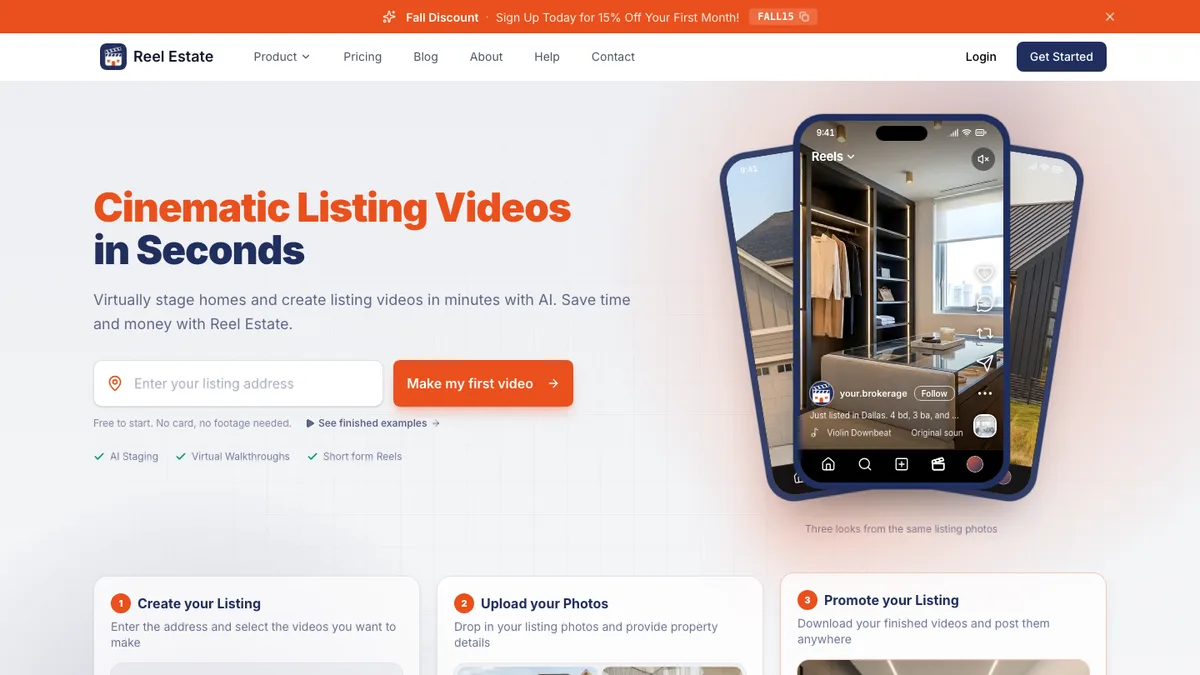
Reel Estate's own pricing page has a worked example: a 20-photo listing is 20 clips at 3 credits, 60 credits, plus 3 credits to regenerate one clip, 63 in all. Using that rate, Basic (150 credits, $60, 720p) covers two 20-photo listings a month. Agent (420 credits, $120, 1080p) covers about six. Pro (960 credits, $240) covers about fifteen. Staging is 1 credit a photo and narration 1 credit per 10 seconds on top, and credits do not roll over.
Reel-E Essential is $59 a month for 3 listings of up to 20 photos at 1080p, or $530 a year, about $14.72 a listing. Each listing already includes up to 10 photo edits or stagings, narration, all six video versions, the listing website and every re-render. Growth is $129 for 10 listings of up to 40 photos. Unused listings bank, so a quiet month carries forward.
The honest summary: at two or three listings a month, Reel-E Essential gives you more per listing at 1080p for a dollar less than Reel Estate Basic at 720p. Reel Estate's credits are more flexible if you make many short videos from one photo set, because re-cutting existing clips costs nothing.
See your own listing in Keylight. Try Reel-E free for 7 days. Card required, cancel anytime.
What Reel Estate's Comparison Gets Wrong
Reel Estate's table is clear about where it thinks it leads, and some rows are right: Reel-E's trial is a trial, not a free tier; Reel-E builds title cards automatically; Reel-E has no drone feature and no dedicated "MLS compliance tool". Five rows are wrong about Reel-E today:
- "Integrated Video Editor: No." Reel-E has Keylight Studio, a full-screen editor for shots, order, movement, length, framing, text, music, voiceover and branding.
- "Reel-e caps revisions per listing." Edits and re-renders are included and unmetered on every plan.
- "AI Voiceovers Built-In: No." Reel-E narrates with five AI voices or your own recording, in English and Spanish, with captions.
- "MLS Compliant Hosted Links: No." Every Reel-E listing has an MLS link, the unbranded widescreen video on its own page, for the MLS virtual tour field.
- "AI Disclosure Option: No." Reel-E labels edited and staged photos "Virtually staged" or "Digitally altered" on California listing websites, with an originals page, on by default. It labels photos, not the video.
Where Each One Is Strong
Where Reel Estate is strong
- 30 free credits with no card
- Credits that let you re-cut many videos from the same clips at no extra cost
- AI drone motion and an AI-Generated video label (per its comparison page)
- Up to 45 clips per video on Pro, and a done-for-you service
Where Reel-E is stronger
- A single-property website for every listing
- Six video versions, including square, from one upload, and 4K on Pro
- Virtual staging and photo edits that replace the originals in the video and on the site
- Unused listings that bank, against credits that expire monthly
- 1080p on the entry plan
Choose Reel Estate or Reel-E
Choose Reel Estate if
- You want to start free with no card.
- You prefer paying by credit and making many short cuts from one set of clips.
- You want AI drone shots or an AI-Generated label on the video itself.
- You would rather someone else made the video for you.
Choose Reel-E if
- You want the video, staged and edited photos and a listing website from one upload.
- You want widescreen, vertical and square, branded and unbranded, plus an MLS link.
- You want narration in English or Spanish and an editor with no revision count.
- You want 1080p on the entry plan and 4K on Pro.
- You list from Redfin, Compass, Coldwell Banker, RE/MAX or your brokerage's site and want to paste the link.
Comparing more tools? See Reel-E vs AutoReel, or every plan on the pricing page.
See it on your own listing
Upload your listing photos and get staged photos, a video in six versions and a listing website. Free to try for 7 days, card required, cancel anytime.
Try Reel-E freeRelated comparisons
See how other tools compare: Reel-E vs AutoReel · Reel-E vs BetterSpace · Reel-E vs FlexClip.
For the wider field, read our roundup of the best real estate video makers or the best AI real estate video generators.
Learn how Reel-E works, or see what a single-property website includes. Try Reel-E free.