
The expensive video mistake usually happens before the camera records anything. A locked gate, missing room, unapproved logo, dead microphone, or surprise construction crew can turn a simple shoot into a reschedule with excellent behind-the-scenes footage and no usable listing video. A checklist is not bureaucracy here. It is how the creative day stays creative.
After a decade producing property video, I can tell you that the glamorous failures are rare. The costly ones are ordinary: a locked room, an old logo, a missing version, an unlicensed track, or six people giving notes in six places. The checklist exists to keep ordinary problems ordinary.
Who this is for: agents, photographers, editors, and coordinators who need a repeatable handoff with fewer missed assets and revisions.
Research note: Observed from Reel-E's listing-video workflow and researched against current industry practice. The checklist is an operating template, not a claim that every listing needs the same creative treatment.

Lock the Brief Before Booking the Shoot
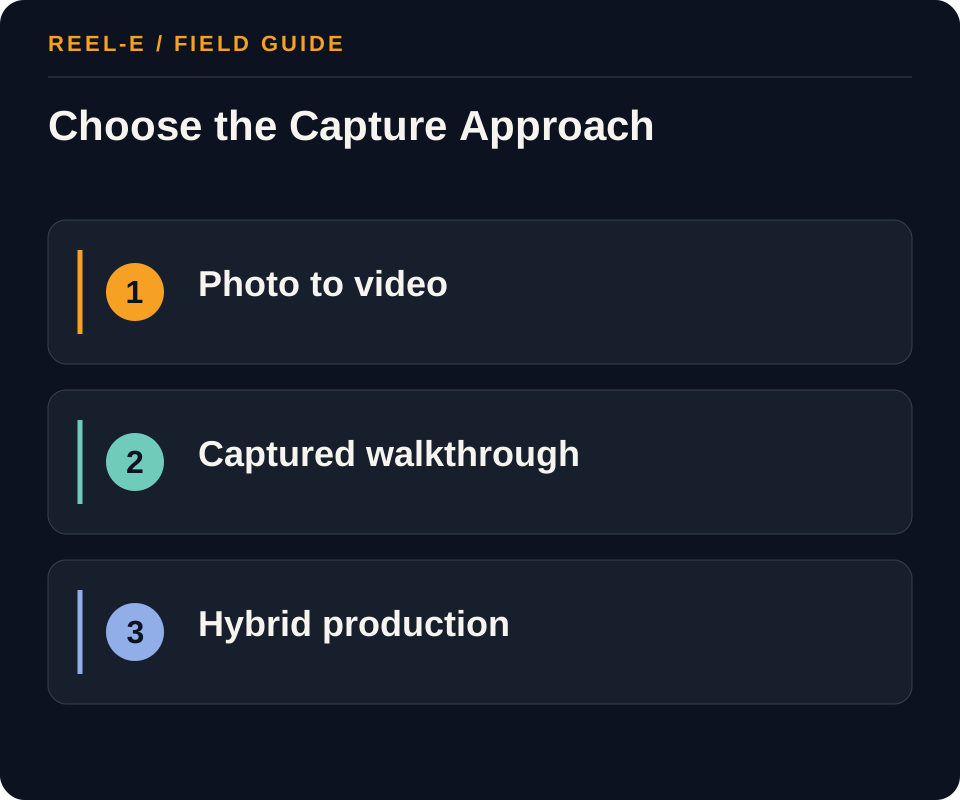
Choose the production route from the property and the distribution need. Then lock the versions, facts, access, rights, and approval owner before the creative work starts.
| Path | Use It When | Reconsider It When |
|---|---|---|
| Photo-To-Video | A complete photo set exists and the goal is fast, consistent multi-format output. | The property story depends on live movement, on-camera narration, or spatial walkthrough footage. |
| Captured Walkthrough | Movement through the space, talent, or a narrated tour is central. | The schedule, budget, or property readiness makes reshoots likely. |
| Hybrid | Stills provide coverage while selective drone, walkthrough, map, or agent footage adds context. | Nobody owns continuity across mixed media. |
Photo-To-Video
- Best Fit: A complete photo set exists and the goal is fast, consistent multi-format output.
- Pause If: The property story depends on live movement, on-camera narration, or spatial walkthrough footage.
- Review: Projects with no property, contact, rights, or branding correction after first cut. Tighten intake or assign a factual reviewer.
- Control: False or Stale Property Claims. Use an approved fact sheet and require factual signoff.
Captured Walkthrough
- Best Fit: Movement through the space, talent, or a narrated tour is central.
- Pause If: The schedule, budget, or property readiness makes reshoots likely.
- Review: Hours categorized as missing input, factual correction, creative preference, technical export, or scope change. Fix the highest recurring upstream cause.
- Control: Unlicensed Media or Music. Record the source and permitted uses for every asset.
Hybrid
- Best Fit: Stills provide coverage while selective drone, walkthrough, map, or agent footage adds context.
- Pause If: Nobody owns continuity across mixed media.
- Review: Projects delivered by deadline with every required export accepted by its destination. Improve capacity or channel-spec checks.
- Control: MLS Branding Conflict. Maintain separate branded and unbranded requirements and verify local rules.
The Boring Details That Protect Good Creative
One Brief Beats Five Helpful Text Threads
The address, property facts, feature order, must-have shots, brand state, formats, deadline, and approver should live together. A producer should not have to reconstruct the job from messages sent between parking and the front door.
Versions Are Part of the Shoot
A horizontal branded film, an MLS-safe cut, and a vertical social version may need different framing and text protection. If versions appear for the first time after the edit, someone is about to discover the joy of cropping a chandelier into a lamp.
Approval Needs One Door
Collect factual, brand, and creative notes through one owner. Conflicting comments are not a revision strategy, even when everyone uses a very friendly tone.
The Day-Of Checks I Refuse to Leave to Memory
Walk the Property Before Unpacking the Whole Kit
Confirm access, staging, construction, people, pets, exterior conditions, sound problems, reflections, and the feature order while changes are still cheap. Compare the property to the approved brief and photograph any condition that could create a later disagreement. The walk also tells the crew whether the planned route is realistic. It is much easier to change a sequence with a clipboard than with a fully built camera rig in a narrow hall.
Check the Deliverables Before Everyone Leaves
Review the must-have rooms, exterior context, audio, talent lines, vertical protection, drone requirements, and any unusual feature on location. This is not a full edit, but it should catch the absence of a critical source. A missing shot discovered at the property is a five-minute adjustment. The same discovery the next morning has travel, scheduling, weather, and client expectations attached to it.
The Version Matrix I Want Before the First Cut
Name Every Finished File
List horizontal, vertical, square, branded, unbranded, MLS-safe, narrated, captioned, and short cuts only when the campaign needs them. For each file, record duration, resolution, aspect ratio, logo state, contact card, music or voice, caption style, thumbnail, destination, and approver. This prevents the phrase ‘we also need a Reel’ from arriving after the horizontal edit has been framed and approved without vertical protection.
Separate Factual, Brand, and Creative Review
Factual review covers the property, labels, dimensions, people, and claims. Brand review covers logos, brokerage rules, names, contact information, colors, and required variants. Creative review covers pacing, sequence, music, graphics, and taste. One person may own more than one lane, but the notes should remain labeled. It is much easier to resolve feedback when ‘the pool is not part of the property’ does not sit beside ‘I prefer the other song’ as though both are optional preferences.
Archive the Approved Truth
Keep the source brief, rights, property facts, project files or generation settings, approved cut, delivered variants, captions, thumbnails, review history, and expiration or reuse limits together. The archive makes later cutdowns and corrections safer and helps the team understand why a decision was made. A folder called final-final-NEW can still be emotionally meaningful, but it is not a version-control system.
A First-Cut Review in Fifteen Minutes
Pass One: Facts and Missing Material
Watch once without stopping. Confirm the property, feature order, required spaces, people, labels, dimensions, neighborhood or amenity context, and the intended call to action. Mark anything false, missing, private, or potentially misleading. This pass is not for music preference. If the story lacks a critical source shot, identify it before the team spends time polishing a sequence that cannot become accurate.
Pass Two: Versions and Mobile Reality
Check the horizontal and vertical frame, text-safe areas, logos, contact card, captions, audio, transitions, poster, and export names against the matrix. View the vertical cut on a phone at normal brightness and the horizontal cut in the intended player. A version can be technically exported and still be functionally unusable. The review should imitate the channel before the channel performs the review publicly.
What the Client Should Receive With the Files
A Delivery Note That Prevents the Next Confusion
List each file, intended channel, brand state, aspect ratio, thumbnail or poster, caption or description, rights boundary, and the approved destination. Include a contact for corrections and archive timing. The note can be short, but it should help someone other than the producer publish the correct version. Delivery is complete when the client can use the work safely, not when a transfer link has demonstrated that it can send an email.
Keep the Correction Path Simple
Tell the client where factual corrections, technical problems, and new creative requests should go, who evaluates them, and when they can expect an answer. A clear correction path protects the relationship when something genuinely needs attention and keeps scattered messages from becoming several unofficial edit lists.
The Checks That Protect the Edit
Lock the Story and Deliverables Before Settings
Write audience, property promise, must-prove features, exclusions, duration, aspect ratios, branding, captions, music, talent, drone, destination, deadline, and approver. Camera settings are downstream. Confirm access, readiness, weather, power, pets, occupants, parking, community rules, and what happens if the property is not ready. A vertical social cut, unbranded MLS tour, and premium film cannot share one vague brief.
Do not schedule capture until the deliverable and readiness brief is approved.
Use a Room-Sequence Map, Not Random Coverage
Start with exterior approach, entry, primary living relationship, kitchen, key transition, primary suite, secondary spaces, outdoor area, and location context when relevant. Add detail shots only when they support material quality or use. For each space, record purpose, camera path, light constraint, continuity direction, and acceptable alternative. Avoid repeated doorway pushes, disorienting speed, misleading lenses, and movement that hides layout.
Map sequence, purpose, and transition for every required space.
Plan Derivatives and Three-Lane QA
List horizontal and vertical crops, branded and unbranded variants, captioned version, thumbnail, poster, MLS requirements, paid use, and archive master. Technical QA covers playback and files; factual QA covers status, labels, boundaries, features, renderings, and disclosures; distribution QA covers crop, thumbnail, page, link, compatibility, tracking, and routing. Record whether failures began in intake, access, capture, edit, approval, export, or publication.
Approve a version matrix and retain failure root causes.
The Complete Property Video Production Run
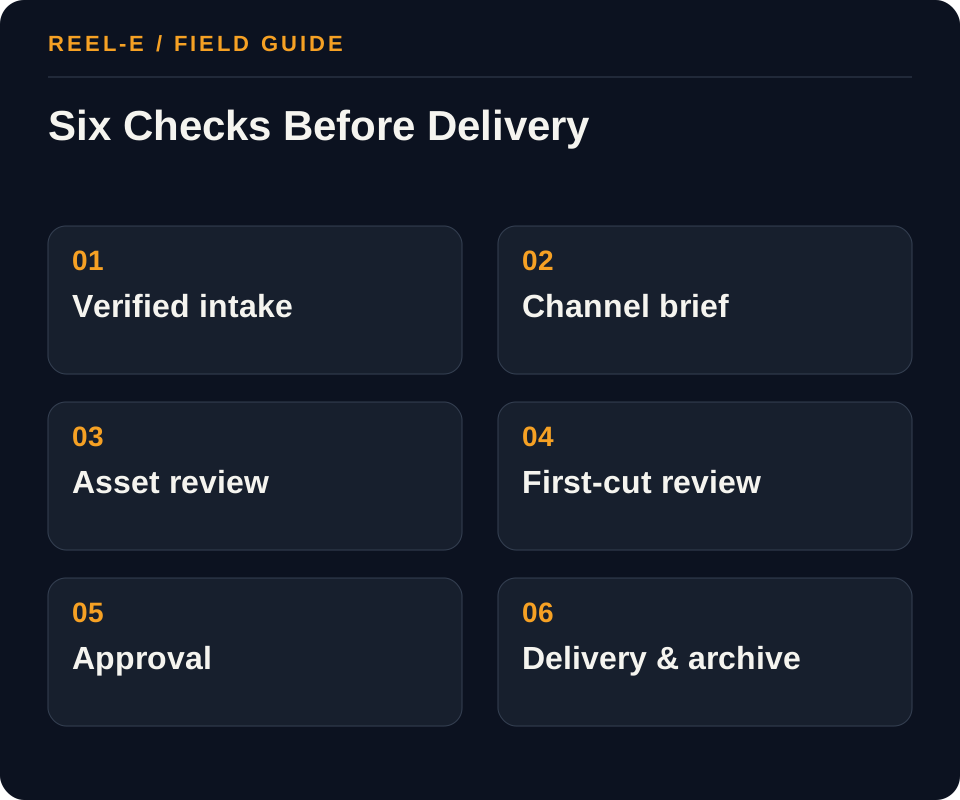
These six gates mirror the way I think about a real property-video job. Each gate has a clear stop condition, because pushing missing information downstream never makes it cheaper.
1. Gate 1, Verified Intake
Collect address, property type, status, approved public facts, source of every photo/clip/logo, usage rights, privacy exclusions, required disclosures, contact destination, due date, and approver. Flag virtual staging, renderings, boundary imagery, and material edits.
- Record: Access and Readiness in the Production Day Checklist
- Control: Use an approved fact sheet and require factual signoff.
- Review: Projects with no property, contact, rights, or branding correction after first cut. Tighten intake or assign a factual reviewer.
2. Gate 2, Channel Brief
Name the primary viewer and next action. Select horizontal, vertical, square, branded, and unbranded outputs based on actual distribution. Define duration range, opening promise, must-show features, prohibited claims, music/voice requirements, and accessibility needs.
- Record: Horizontal and Vertical in the Version and QA Matrix
- Control: Record the source and permitted uses for every asset.
- Review: Hours categorized as missing input, factual correction, creative preference, technical export, or scope change. Fix the highest recurring upstream cause.
3. Gate 3, Asset QA
Check resolution, orientation, duplicates, exposure, ordering, room coverage, filenames, logos, headshots, contact data, and spelling. Reject corrupt or unlicensed assets. Record which image represents each key feature so the edit does not infer from filenames alone.
- Record: Story Order in the Production Day Checklist
- Control: Maintain separate branded and unbranded requirements and verify local rules.
- Review: Projects delivered by deadline with every required export accepted by its destination. Improve capacity or channel-spec checks.
4. Gate 4, First-Cut QA
Review factual accuracy first: correct property, feature labels, contact, branding state, crop safety, image integrity, and required disclaimers. Then review narrative, pace, transitions, music level, captions, and whether the opening earns the next five seconds.
- Record: Captions in the Version and QA Matrix
- Control: Use one approver, one consolidated note set, and versioned scope changes.
- Review: Projects with no property, contact, rights, or branding correction after first cut. Tighten intake or assign a factual reviewer.
5. Gate 5, Approval
Use one consolidated note set and one decision owner. Separate blocking factual errors from preferences. Record approval of the exact cut and do not silently change copy, contact information, or assets afterward.
- Record: Audio and Talent in the Production Day Checklist
- Control: Use an approved fact sheet and require factual signoff.
- Review: Hours categorized as missing input, factual correction, creative preference, technical export, or scope change. Fix the highest recurring upstream cause.
6. Gate 6, Delivery and Archive
Verify filename, aspect ratio, codec, dimensions, file size, audio, thumbnail, caption, landing link, and upload behavior for each destination. Store the master, exports, source manifest, license notes, approval, and retirement date.
- Record: Destination in the Version and QA Matrix
- Control: Record the source and permitted uses for every asset.
- Review: Projects delivered by deadline with every required export accepted by its destination. Improve capacity or channel-spec checks.
A 90-Day Rollout
| Window | Work | Finish Line |
|---|---|---|
| Days 1-30 | Gate 1, Verified Intake; Gate 2, Channel Brief | Baseline and first complete path |
| Days 31-60 | Gate 3, Asset QA; Gate 4, First-Cut QA | Repeatable production and handoff |
| Days 61-90 | Gate 5, Approval; Gate 6, Delivery and Archive | Review, correction, and next allocation |
A Worked Example: Friday Listing Launch with Four Channel Exports
The situation: The photographer delivers stills Wednesday night. The agent needs MLS-safe horizontal, branded Instagram vertical, a square broker-feed version, and an unbranded website cut by Friday morning.
The approach: The coordinator locks facts and rights at intake, approves the opening sequence before rendering all variants, checks safe crops and contact state in each export, and uses one approval link. A late headshot change is treated as a versioned update rather than an informal file swap.
The result to review: All outputs derive from one approved master and have a documented destination. Revision time is controlled because the team does not debate music while the address or branding is still wrong.
The speed in this example comes from fewer surprises, not fewer checks. That is the kind of speed that survives a busy month.
Track Rework Before It Becomes Normal
Track what causes revisions. If factual corrections, missing variants, or approval confusion keep recurring, the edit is not the root problem. The intake is asking for help.
| Metric | Definition | How to Use It |
|---|---|---|
| First-Pass Factual Accuracy | Projects with no property, contact, rights, or branding correction after first cut. | Tighten intake or assign a factual reviewer. |
| Revision Cause | Hours categorized as missing input, factual correction, creative preference, technical export, or scope change. | Fix the highest recurring upstream cause. |
| On-Time Usable Delivery | Projects delivered by deadline with every required export accepted by its destination. | Improve capacity or channel-spec checks. |
Tools You Can Use
Production Day Checklist
Carry the brief through readiness and capture.
- Access and Readiness: Current fact, source, owner, approval date, effect on gate 1, verified intake, and fit with photo-to-video.
- Weather and Light: Current fact, source, owner, approval date, effect on gate 2, channel brief, and fit with captured walkthrough.
- Story Order: Current fact, source, owner, approval date, effect on gate 3, asset qa, and fit with hybrid.
- Room Shot Map: Current fact, source, owner, approval date, effect on gate 4, first-cut qa, and fit with photo-to-video.
- Audio and Talent: Current fact, source, owner, approval date, effect on gate 5, approval, and fit with captured walkthrough.
- Drone Authority: Current fact, source, owner, approval date, effect on gate 6, delivery and archive, and fit with hybrid.
- Media Backup: Current fact, source, owner, approval date, effect on gate 1, verified intake, and fit with photo-to-video.
- Exceptions: Current fact, source, owner, approval date, effect on gate 2, channel brief, and fit with captured walkthrough.
Version and QA Matrix
Prevent wrong crops, branding, claims, or files.
- Master: Current fact, source, owner, approval date, effect on gate 2, channel brief, and fit with captured walkthrough.
- Horizontal and Vertical: Current fact, source, owner, approval date, effect on gate 3, asset qa, and fit with hybrid.
- Branding State: Current fact, source, owner, approval date, effect on gate 4, first-cut qa, and fit with photo-to-video.
- Captions: Current fact, source, owner, approval date, effect on gate 5, approval, and fit with captured walkthrough.
- Poster: Current fact, source, owner, approval date, effect on gate 6, delivery and archive, and fit with hybrid.
- Destination: Current fact, source, owner, approval date, effect on gate 1, verified intake, and fit with photo-to-video.
- Technical QA: Current fact, source, owner, approval date, effect on gate 2, channel brief, and fit with captured walkthrough.
- Factual QA: Current fact, source, owner, approval date, effect on gate 3, asset qa, and fit with hybrid.
- Publisher: Current fact, source, owner, approval date, effect on gate 4, first-cut qa, and fit with photo-to-video.
Where This Usually Breaks
Review facts, rights, branding, and delivery separately. A beautiful cut can still be unusable, and ‘but it looked great on my phone’ is not much comfort after the wrong version goes live.
| Risk | Practical Control |
|---|---|
| False or Stale Property Claims | Use an approved fact sheet and require factual signoff. |
| Unlicensed Media or Music | Record the source and permitted uses for every asset. |
| MLS Branding Conflict | Maintain separate branded and unbranded requirements and verify local rules. |
| Revision Sprawl | Use one approver, one consolidated note set, and versioned scope changes. |
False or Stale Property Claims
- Control: Use an approved fact sheet and require factual signoff.
- Review Stage: Gate 1, Verified Intake
- Early Warning: Projects with no property, contact, rights, or branding correction after first cut.
- Response: Tighten intake or assign a factual reviewer.
Unlicensed Media or Music
- Control: Record the source and permitted uses for every asset.
- Review Stage: Gate 2, Channel Brief
- Early Warning: Hours categorized as missing input, factual correction, creative preference, technical export, or scope change.
- Response: Fix the highest recurring upstream cause.
MLS Branding Conflict
- Control: Maintain separate branded and unbranded requirements and verify local rules.
- Review Stage: Gate 3, Asset QA
- Early Warning: Projects delivered by deadline with every required export accepted by its destination.
- Response: Improve capacity or channel-spec checks.
Revision Sprawl
- Control: Use one approver, one consolidated note set, and versioned scope changes.
- Review Stage: Gate 4, First-Cut QA
- Early Warning: Projects with no property, contact, rights, or branding correction after first cut.
- Response: Tighten intake or assign a factual reviewer.
Verify current primary guidance for the actual jurisdiction, platform, campaign, property, and professional relationship. This researched guide is not individualized legal, aviation, financial, privacy, or compliance advice.
My Bottom Line
Use the checklist to create room for taste. When the facts, rights, versions, and approvals are under control, the team can spend its energy making the property look good instead of locating the latest logo.
Sources and Research Notes
Open the source ledger- NAR video marketing practice article. Industry practice source for concise, audience-centered real-estate video planning. Accessed August 12, 2026.
- National Association of REALTORS Fair Housing resources. Industry resource for fair-housing education; local counsel and brokerage policy remain controlling. Accessed August 12, 2026.
- Adobe Premiere accessibility resources. Primary product guidance for caption and accessible-delivery planning. Accessed August 12, 2026.
- Realtor.com tour link support. Primary platform context for supported listing media links. Accessed August 12, 2026.
- StudioBinder production guide. Format and coverage reference. Broad current overview with solid preproduction coverage but limited property-specific version, rights, and delivery operations. Accessed August 12, 2026.
- Esoft beginner guide. Format and coverage reference. Useful checklist structure but dated 2022 and lighter on current multi-format delivery. Accessed August 12, 2026.
- Tips for Real Estate Photography. Format and coverage reference. Strong practitioner settings context but not a complete client-to-distribution system. Accessed August 12, 2026.
Sources support only the claims described in their notes. Reopen current primary sources before a purchase, launch, or compliance decision.
Keep Reading
- add compliant aerial capture to the brief
- normalize the production quote before booking
- coordinate video with the broader media package
- compare editing options for the post-production step
- create a Reel-E listing video
- compare the strongest real estate video-maker workflows
- see how Reel-E turns approved photos into listing video