
Photography packages look easy to compare until two quotes use the same package name for completely different work. One includes dusk, licensing, a floor plan, and next-day delivery. The other includes twenty photos and a charming collection of add-on fees. Normalize the scope before comparing the price.
I have commissioned, produced, and delivered property media across luxury residential, commercial, resort, and institutional work. Package names have never impressed me much. I want to know what gets captured, what gets delivered, where it can be used, and what happens when weather or access changes the day.
Who this is for: agents buying listing media and photographers or studios packaging photography, tours, video, drone, and floor plans.
Research note: Researched operating framework. Prices vary materially by market, property, travel, scope, rights, and provider; this guide intentionally teaches cost construction instead of publishing a universal rate card.
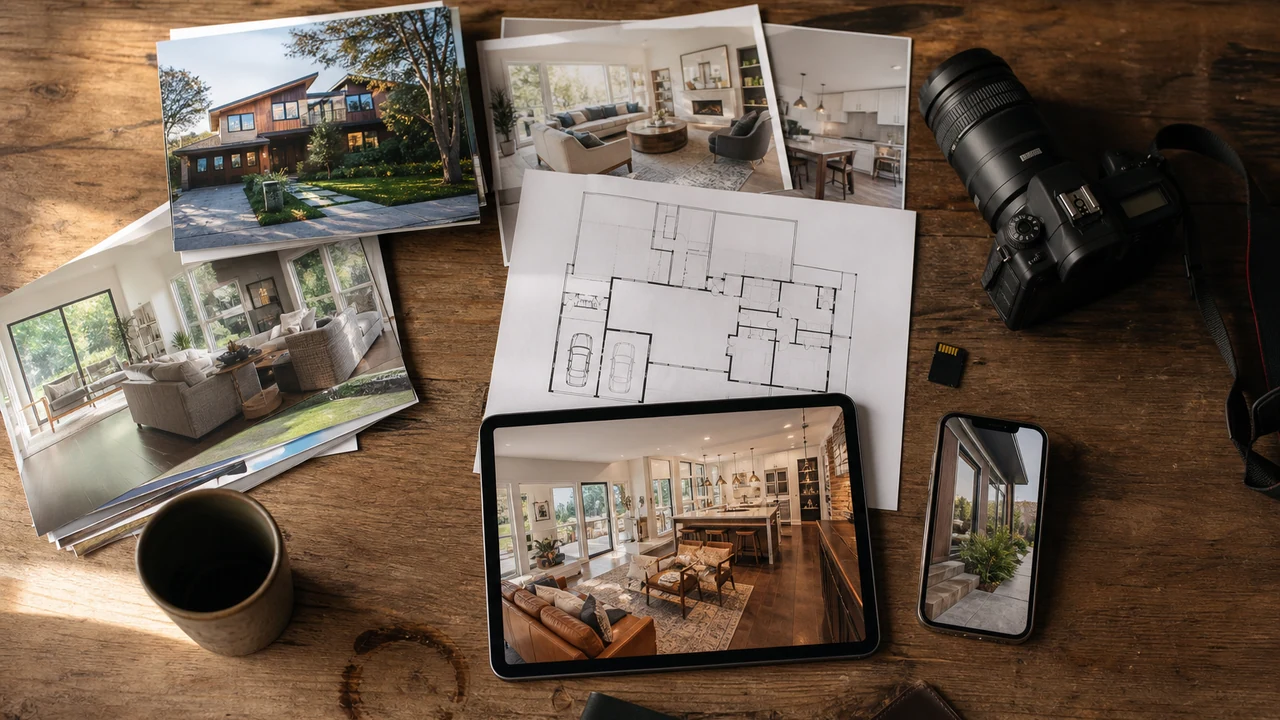
Compare Deliverables Before Package Names
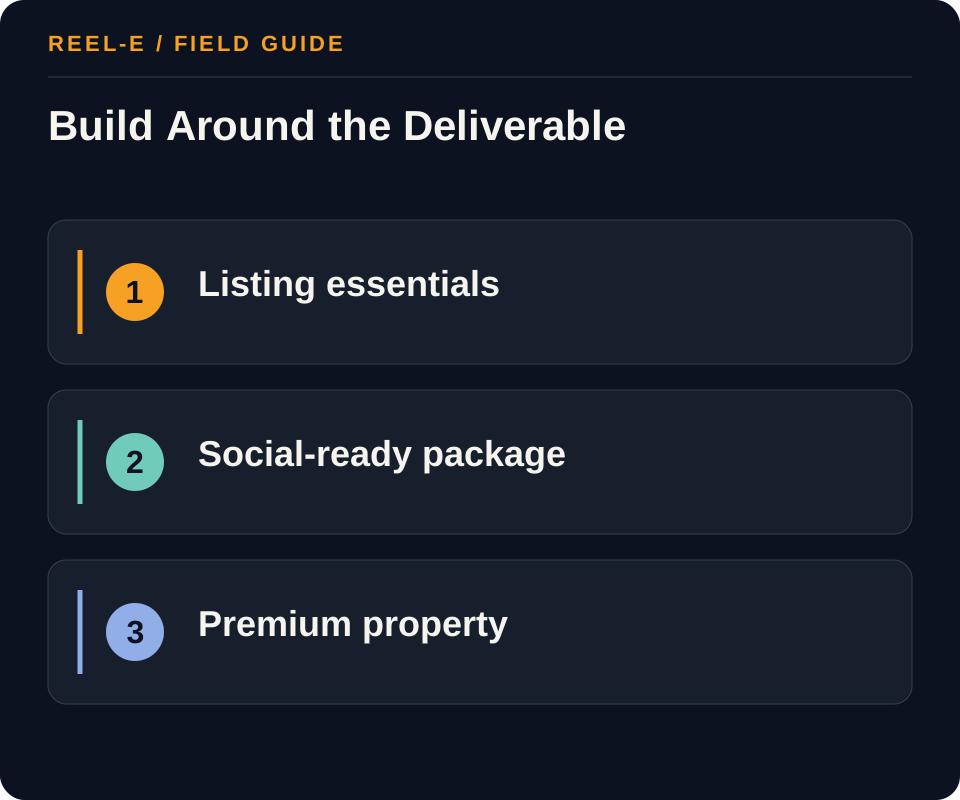
Strip the package names away and compare the actual job. A smaller complete package is better than a deluxe bundle full of things the property cannot use.
| Path | Use It When | Reconsider It When |
|---|---|---|
| Essential Listing Package | Standard inventory needs accurate stills, a simple floor plan or facts, and fast listing launch. | Location, layout, or premium storytelling requires specialized capture. |
| Social-Ready Package | The agent will actively distribute vertical and branded assets beyond the portal. | Nobody owns posting, captions, links, or follow-up. |
| Premium Property Package | The asset merits drone, twilight, tour, longer video, or detailed campaign media. | The upgrade is cosmetic and cannot be tied to the property's marketing plan. |
Essential Listing Package
- Best Fit: Standard inventory needs accurate stills, a simple floor plan or facts, and fast listing launch.
- Pause If: Location, layout, or premium storytelling requires specialized capture.
- Review: Revenue minus variable delivery cost and an allocated share of equipment/software. Change scope, process, or price when a package is busy but unprofitable.
- Control: Competitor-Price Copying. Build a local cost and margin model before market positioning.
Social-Ready Package
- Best Fit: The agent will actively distribute vertical and branded assets beyond the portal.
- Pause If: Nobody owns posting, captions, links, or follow-up.
- Review: Eligible bookings that add a specific job-based upgrade. Improve explanation or remove an upgrade with weak repeat demand.
- Control: Bundle Bloat. Include only deliverables with a named buyer or distribution job.
Premium Property Package
- Best Fit: The asset merits drone, twilight, tour, longer video, or detailed campaign media.
- Pause If: The upgrade is cosmetic and cannot be tied to the property's marketing plan.
- Review: Unplanned labor and travel by root cause. Fix scope language, intake, capture QA, or approval ownership.
- Control: Rights Ambiguity. State allowed channels, duration, transfers, portfolio use, music, and third-party assets.
How I Read a Property Media Quote
Start With the Selling Story
A compact condo, a view property, a new community, and a complicated commercial asset should not inherit the same capture list. The package should follow the questions the media needs to answer.
Rights Are a Deliverable
Ask who can use the work, on which channels, for how long, and whether the photographer or studio can reuse it. ‘Images included’ is not a complete licensing conversation.
Add-Ons Need a Job
Drone, twilight, floor plans, tours, and video can all be valuable. They should be attached because the property or campaign needs them, not because the checkout screen was feeling ambitious.
Five Scope Questions That Make Packages Easier to Compare

How Many Finished Images Are Actually Useful?
More files can be helpful for a large or complex property, but image count should follow the story and distribution plan. Ask whether the package covers every meaningful room, exterior relationship, amenity, and detail without forcing the photographer to deliver near-duplicates. Then confirm whether the stated number is a minimum, maximum, or expected range. A promise of forty images means something different when the property only has twenty distinct decisions to show.
What Does the Turnaround Include?
Define the delivery clock, time zone, weekend treatment, preview availability, and what happens when twilight, drone, weather, or client access creates a second capture window. Fast delivery is valuable when it includes the complete approved set. It is less valuable when the hero images, floor plan, or correction round arrive on a separate schedule nobody mentioned during booking.
Which Corrections Are Normal?
Color, exposure, verticals, window balance, object removal, sky replacement, virtual staging, and factual changes are different kinds of work. The quote should say what is included, what requires approval, and what is not offered. Real estate images should improve presentation without changing material facts. When a requested edit crosses that line, the studio needs a clear way to decline it rather than negotiating truth one object at a time.
Who Pays for a Changed Property?
Weather, unfinished landscaping, active construction, missed cleaning, locked rooms, seller delays, and agent changes can all affect the capture. Put reschedule and reshoot rules into the package. The photographer should not absorb every property-readiness problem, and the client should not discover an undefined fee after a genuine weather cancellation. A short readiness checklist prevents most of this without making the booking feel like a mortgage application.
Can the Assets Support the Campaign After Launch?
Confirm whether the photography can be cropped for portals, social, email, print, video, and presentations, and whether higher-resolution or layered files are available when needed. A package should not collect every possible output, but it should support the channels named in the listing plan. If the team expects to turn stills into motion, graphics, or a long-running builder campaign, that downstream use belongs in the licensing and capture conversation now.
A Simple Three-Package Architecture
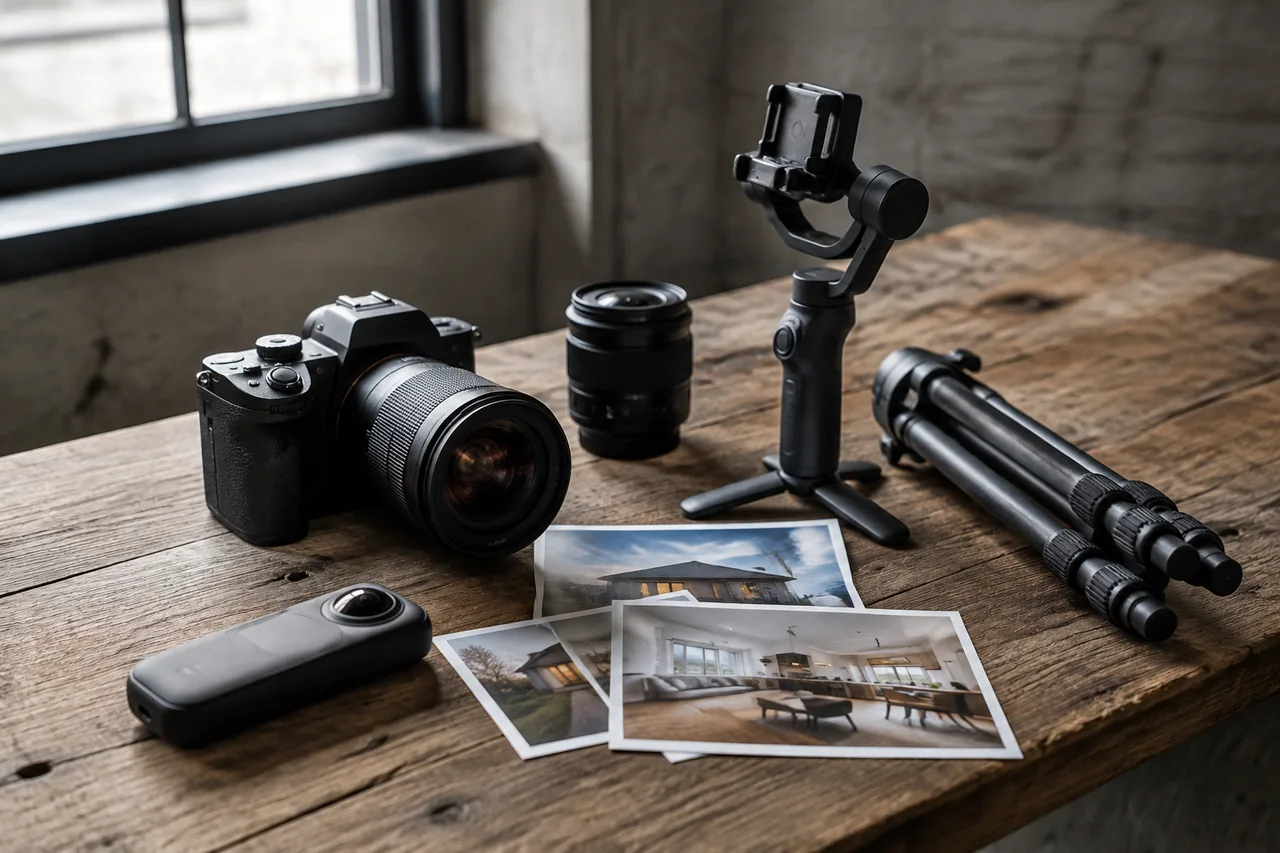
Essential: Complete Listing Coverage
Build the base around a professional still set, predictable turnaround, standard editing, clear use rights, and a property-readiness policy. Add a floor plan when it is part of the normal market expectation or creates meaningful spatial clarity. The base should be profitable and complete on its own. It should not depend on an upgrade to fix a missing hero image, unclear licensing, or an impossible delivery promise.
Social-Ready: Reuse the Approved Stills
Add channel-sized crops, a concise photo-to-video deliverable, a poster or thumbnail, and any branded and unbranded versions the client regularly needs. Define whether the social asset is generated from stills or captured on site. This route works when the client needs consistent distribution without the scope of a full motion shoot. The promise should be clear enough that nobody expects cinematic walkthrough footage from a package built around photography.
Premium: Add Capture That Explains More
Use captured video, drone, twilight, tour, detailed floor plans, community context, or a longer campaign library when the property and marketing plan justify them. Premium should mean a more complete solution to a real property job, not a longer list with a gold border. State weather, access, crew, talent, revision, delivery, and licensing assumptions separately because those are the places where premium production becomes premium rework.

Route Exceptions Instead of Inventing New Packages
Create an exception rule for unusual size, travel, access, commercial complexity, occupied properties, multiple buildings, construction, special rights, or campaign duration. Quote the exception transparently and record why the standard route did not fit. This keeps the package menu understandable while giving the studio room to price real work honestly. A new package for every unusual listing eventually produces a menu that needs its own listing agent.
How to Compare Two Quotes Without Guessing
Normalize the Core Scope
Create one row for property size and type, expected image range, capture window, standard editing, turnaround, delivery method, base licensing, travel, scheduling, and payment. Write ‘not stated’ when the proposal is silent. Do not fill the blank with the assumption most favorable to either vendor. The missing statement is part of the comparison because it predicts where the later clarification or charge may appear.
Normalize Every Campaign Output
Add floor plan, drone, twilight, tour, video, vertical cut, branded and unbranded states, social crops, print resolution, property site, poster, captions, and archive access only when the plan needs them. Compare the included quantity, specification, turnaround, revision rule, and rights for each. A quote with fewer line items may still be the complete one. It may also be waiting for the client to discover that social was never included.
Price the Exceptions You Can Predict
Ask about weather, access failure, property not ready, additional travel, occupied spaces, construction, rush delivery, weekend work, a changed shot list, extra editing, virtual staging, object removal, and reshoots. Use realistic probabilities instead of assuming the smoothest possible year. The goal is not to make every quote look expensive. It is to compare vendors under the conditions the studio or agent actually encounters.
Choose on Fit After the Math
Once totals and rights are comparable, evaluate portfolio fit, communication, property-care standards, backup coverage, support, consistency, and how corrections are handled. Price remains important, but it is no longer carrying unknown scope on its back. The best relationship is usually the provider who can deliver the required job reliably, explain the exceptions calmly, and avoid making every booking feel like a fresh treaty negotiation.
The Package Description Should Be Understandable Before the Call
Write the Outcome, Included Work, and Boundaries Together
Lead with the property or campaign job, then list the capture, finished deliverables, turnaround, standard rights, readiness expectations, and the most common upgrades. Put exceptions where clients can see them. A clear package page will not eliminate conversation, nor should it. It will make the conversation about the property and the plan instead of a scavenger hunt for whether the floor plan, social crop, or extra travel was hiding in a footnote.
Review the Delivered Set Against the Package Promise
After a few jobs, compare what clients selected, what the studio delivered, which files were used, where revisions occurred, and what the work actually cost. Adjust the route from evidence instead of adding another upgrade every time one client asks an unusual question.
Give the Salesperson a Routing Question
Ask what the buyer or renter still needs to understand after seeing the standard photos. Layout, land, view, arrival, condition, amenities, construction, scale, and lifestyle context point toward different additions. This keeps upgrades connected to a decision and makes it easier to explain when the essential package is genuinely enough. Trust grows when the studio can recommend less work without making the client feel that value disappeared with the add-on.
What Changes the Real Cost of a Shoot
Start with the Listing Job, Not a Package Label
Define property type, buyer uncertainty, launch deadline, portal requirements, distribution plan, and seller expectation before choosing deliverables. A standard resale may need accurate stills, a floor plan, and a fast video derivative. Land may need aerial context. Luxury may justify twilight, talent, or a longer film. Rental and portfolio work may prioritize repeatable throughput. Package names help only when media maps to a recognizable job.
Route the property from buyer questions and channel needs.
Normalize Scope and Rights Before Comparing Price
Put every bid into the same rows: stills, floor plan, tour, drone, twilight, video, horizontal and vertical versions, branding, turnaround, revisions, travel, weather, property size, hosting, archive, and support. Mark missing items rather than assuming inclusion. Clarify ownership, MLS, social, paid use, transfer, portfolio, music, talent, duration, and raw files. A low headline price can become expensive when required versions or rights are added.
Compare vendors in one scope-and-rights table.
Evaluate Total Operating Cost and Useful Upgrades
Include coordination, readiness, travel, capture, editing, review, revisions, reshoots, uploads, hosting, internal derivative work, seller requests, archive, and replacement when facts change. For providers, calculate contribution margin from realistic labor. For buyers, compare channel-ready outputs. Aerial, tour, twilight, agent video, and vertical cuts should solve a distinct property or distribution job; otherwise they are bundle bloat.
Review adoption, cost, revision causes, and reuse quarterly.
Build and Review a Package That Can Be Approved
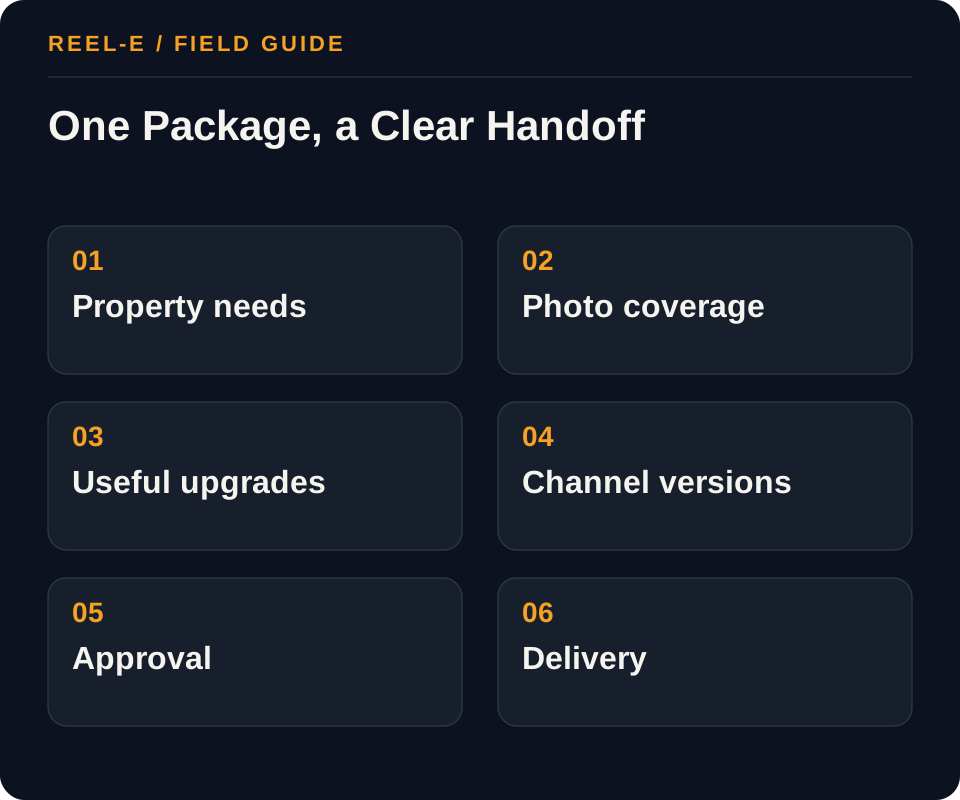
Build three clear routes, document the boundaries, and make exceptions visible. That is easier to sell, easier to deliver, and much easier to review than a menu with twenty-seven small surprises.
1. Segment the Listing Job
Define the common property tiers in the actual book: standard resale, luxury, land, multifamily, rental, commercial, new construction, or recurring portfolio. Name the buyer uncertainty and channel plan for each before selecting deliverables.
- Record: Property Assumptions in the Package Quote Normalizer
- Control: Build a local cost and margin model before market positioning.
- Review: Revenue minus variable delivery cost and an allocated share of equipment/software. Change scope, process, or price when a package is busy but unprofitable.
2. Map Shared Capture
Identify outputs that can be produced in one visit and one asset intake. Still photos can support floor plans, photo-to-video, thumbnails, email, and social; drone or twilight requires different timing, safety, and weather assumptions.
- Record: Buyer Uncertainty in the Package Routing Card
- Control: Include only deliverables with a named buyer or distribution job.
- Review: Eligible bookings that add a specific job-based upgrade. Improve explanation or remove an upgrade with weak repeat demand.
3. Build the Cost Floor
Calculate scheduling, travel, on-site labor, editing, QA, client communication, software, payment fees, equipment allocation, insurance, revisions, reshoots, archive, and expected nonbillable time. Apply target margin after the realistic cost floor.
- Record: Plan or Tour in the Package Quote Normalizer
- Control: State allowed channels, duration, transfers, portfolio use, music, and third-party assets.
- Review: Unplanned labor and travel by root cause. Fix scope language, intake, capture QA, or approval ownership.
4. Write Scope Boundaries
State property-size assumptions, included outputs, delivery timing, revision count, cancellation/reschedule rules, travel zone, weather handling, virtual-staging disclosure, MLS-safe versions, licensing, and how long files remain available.
- Record: Distribution Owner in the Package Routing Card
- Control: Document readiness, access, travel, cancellation, and reschedule rules.
- Review: Revenue minus variable delivery cost and an allocated share of equipment/software. Change scope, process, or price when a package is busy but unprofitable.
5. Design Upgrades with a Job
An upgrade should answer a new need: aerial context, interactive layout, premium dusk appearance, on-camera agent story, same-day social cut, or community overview. Avoid a confusing menu of nearly identical file counts.
- Record: Drone or Twilight in the Package Quote Normalizer
- Control: Build a local cost and margin model before market positioning.
- Review: Eligible bookings that add a specific job-based upgrade. Improve explanation or remove an upgrade with weak repeat demand.
6. Review Mix Quarterly
Track package selection, attach rate, production time, revision cause, gross margin, and client reuse. Retire deliverables that create support load without helping sales or retention, and add capacity only where repeat demand is proven.
- Record: Deadline in the Package Routing Card
- Control: Include only deliverables with a named buyer or distribution job.
- Review: Unplanned labor and travel by root cause. Fix scope language, intake, capture QA, or approval ownership.
A Worked Example: Photography Studio Adding Listing Video
The situation: The studio sells stills profitably, but one-off video quotes take too long and vary by salesperson.
The approach: It adds a photo-to-video social upgrade to the base shoot, a hybrid walkthrough package for properties that need movement, and a premium aerial/twilight package. Each has one approved scope, explicit variants, revision rules, and a measured production allowance.
The result to review: Sales can recommend a package from the property job, while operations can forecast workload. The studio reviews attach rate and contribution margin before expanding the menu.
The useful change is not simply a higher average order. It is a sales and production team using the same definitions, which reduces quoting theater and protects margin.
Measure Accepted Assets and Margin
Watch package margin, useful upgrade rate, reshoots, revisions, and client acceptance. A popular package that loses money or creates constant confusion is just a very successful problem.
| Metric | Definition | How to Use It |
|---|---|---|
| Package Contribution Margin | Revenue minus variable delivery cost and an allocated share of equipment/software. | Change scope, process, or price when a package is busy but unprofitable. |
| Upgrade Attach Rate | Eligible bookings that add a specific job-based upgrade. | Improve explanation or remove an upgrade with weak repeat demand. |
| Revision and Reshoot Cost | Unplanned labor and travel by root cause. | Fix scope language, intake, capture QA, or approval ownership. |
Tools You Can Use
Package Quote Normalizer
Put every provider on the same scope and rights basis.
- Property Assumptions: Current fact, source, owner, approval date, effect on segment the listing job, and fit with essential listing package.
- Stills: Current fact, source, owner, approval date, effect on map shared capture, and fit with social-ready package.
- Plan or Tour: Current fact, source, owner, approval date, effect on build the cost floor, and fit with premium property package.
- Video Versions: Current fact, source, owner, approval date, effect on write scope boundaries, and fit with essential listing package.
- Drone or Twilight: Current fact, source, owner, approval date, effect on design upgrades with a job, and fit with social-ready package.
- Turnaround: Current fact, source, owner, approval date, effect on review mix quarterly, and fit with premium property package.
- Revisions: Current fact, source, owner, approval date, effect on segment the listing job, and fit with essential listing package.
- Travel: Current fact, source, owner, approval date, effect on map shared capture, and fit with social-ready package.
- Hosting: Current fact, source, owner, approval date, effect on build the cost floor, and fit with premium property package.
- Rights: Current fact, source, owner, approval date, effect on write scope boundaries, and fit with essential listing package.
- True Total: Current fact, source, owner, approval date, effect on design upgrades with a job, and fit with social-ready package.
Package Routing Card
Recommend scope from the listing job.
- Property Type: Current fact, source, owner, approval date, effect on map shared capture, and fit with social-ready package.
- Buyer Uncertainty: Current fact, source, owner, approval date, effect on build the cost floor, and fit with premium property package.
- Portal Need: Current fact, source, owner, approval date, effect on write scope boundaries, and fit with essential listing package.
- Distribution Owner: Current fact, source, owner, approval date, effect on design upgrades with a job, and fit with social-ready package.
- Premium Context: Current fact, source, owner, approval date, effect on review mix quarterly, and fit with premium property package.
- Deadline: Current fact, source, owner, approval date, effect on segment the listing job, and fit with essential listing package.
- Avoid List: Current fact, source, owner, approval date, effect on map shared capture, and fit with social-ready package.
- Approved Package: Current fact, source, owner, approval date, effect on build the cost floor, and fit with premium property package.
Where This Usually Breaks
Package bloat, ambiguous rights, and hidden weather or access costs usually show up after the easy comparison is over. Put them in the scope while everyone is still calm.
| Risk | Practical Control |
|---|---|
| Competitor-Price Copying | Build a local cost and margin model before market positioning. |
| Bundle Bloat | Include only deliverables with a named buyer or distribution job. |
| Rights Ambiguity | State allowed channels, duration, transfers, portfolio use, music, and third-party assets. |
| Weather and Access Losses | Document readiness, access, travel, cancellation, and reschedule rules. |
Competitor-Price Copying
- Control: Build a local cost and margin model before market positioning.
- Review Stage: Segment the Listing Job
- Early Warning: Revenue minus variable delivery cost and an allocated share of equipment/software.
- Response: Change scope, process, or price when a package is busy but unprofitable.
Bundle Bloat
- Control: Include only deliverables with a named buyer or distribution job.
- Review Stage: Map Shared Capture
- Early Warning: Eligible bookings that add a specific job-based upgrade.
- Response: Improve explanation or remove an upgrade with weak repeat demand.
Rights Ambiguity
- Control: State allowed channels, duration, transfers, portfolio use, music, and third-party assets.
- Review Stage: Build the Cost Floor
- Early Warning: Unplanned labor and travel by root cause.
- Response: Fix scope language, intake, capture QA, or approval ownership.
Weather and Access Losses
- Control: Document readiness, access, travel, cancellation, and reschedule rules.
- Review Stage: Write Scope Boundaries
- Early Warning: Revenue minus variable delivery cost and an allocated share of equipment/software.
- Response: Change scope, process, or price when a package is busy but unprofitable.
Verify current primary guidance for the actual jurisdiction, platform, campaign, property, and professional relationship. This researched guide is not individualized legal, aviation, financial, privacy, or compliance advice.
My Bottom Line
Compare the property job, not the label. Buy the smallest complete capture plan, document rights and exceptions, and add media only when it improves the campaign. Deluxe can take the afternoon off.
Sources and Research Notes
Open the source ledger- NAR video marketing practice article. Industry practice source for concise, audience-centered real-estate video planning. Accessed August 12, 2026.
- FAA guidance for commercial small-drone operations. Primary source for Part 107 and controlled-airspace context; verify current local requirements before a flight. Accessed August 12, 2026.
- FAA commercial drone operators. Primary federal source for commercial small-drone responsibilities. Accessed August 12, 2026.
- NAR marketing resource center. Current industry marketing resources and planning context. Accessed August 12, 2026.
- Zillow Media Experts packages. Format and coverage reference. Strong service menu and platform integration, but naturally not a vendor-neutral quote-normalization guide. Accessed August 12, 2026.
- Amplifiles package guide. Format and coverage reference. Measured at 2,753 words with eight images and two tables; good inclusions overview but limited rights and operating economics. Accessed August 12, 2026.
- Practitioner package discussions. Format and coverage reference. Shows real scope variability but lacks a controlled comparison method and authoritative contract guidance. Accessed August 12, 2026.
Sources support only the claims described in their notes. Reopen current primary sources before a purchase, launch, or compliance decision.
Keep Reading
- separate video scope, rights, and change orders
- decide when aerial media earns its place
- choose between interactive and linear media
- plan a real estate video budget
- create a Reel-E listing video
- compare the strongest real estate video-maker workflows
- see how Reel-E turns approved photos into listing video