
A real estate email list is not one audience. Past clients, active buyers, homeowners, cold leads, landlords, and referral partners do not need the same message on the same Tuesday. Useful email starts with relationship and timing, then earns attention with something more specific than checking in.
Building Reel-E and writing to agents, teams, partners, and clients has made email feel less like a broadcasting tool and more like a conversation-routing system. The list matters, but the relationship, timing, and reason to reply matter more.
Who this is for: agents and teams building an owned audience without turning every message into a listing blast.
Research note: Researched from the current FTC CAN-SPAM guide and fair-housing resources. This operational overview is not individualized legal advice; teams should apply current law, brokerage policy, vendor terms, and local requirements.

Segment by Relationship, Not Convenience
Segment by what the relationship can reasonably support. Past clients, active buyers, homeowners, and cold leads are not one audience simply because the CRM lets you select all.
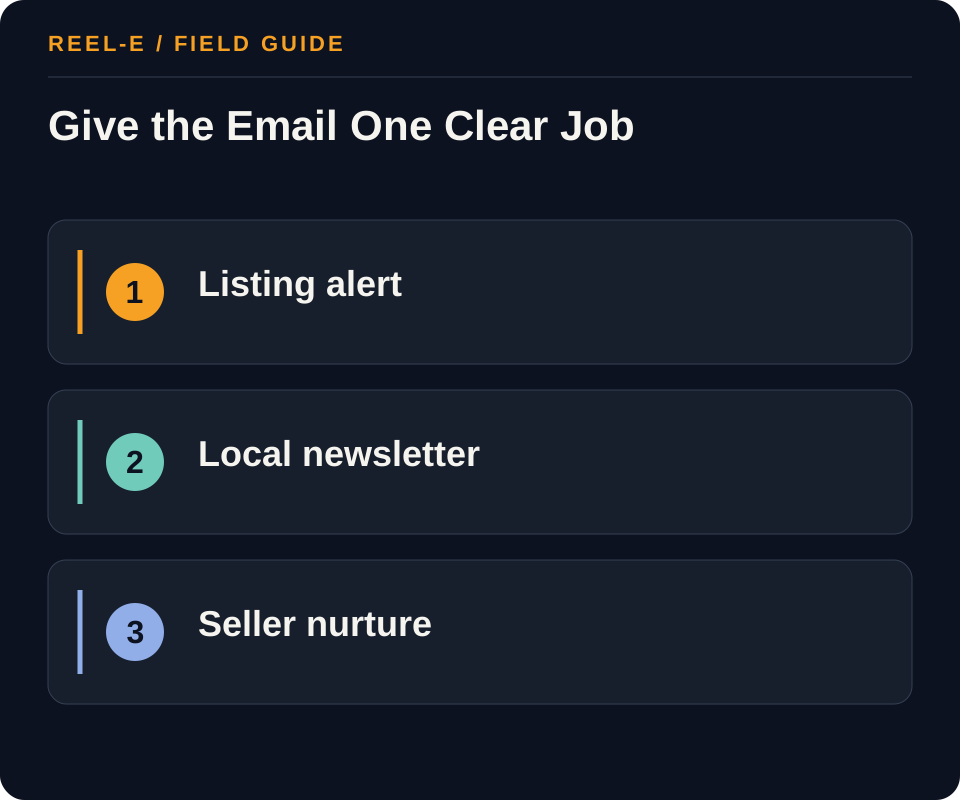
| Path | Use It When | Reconsider It When |
|---|---|---|
| Listing Alert | The recipient has a relevant search, relationship, or explicit interest and the property matches it. | The send is a broad undifferentiated announcement. |
| Local Expertise Newsletter | A consistent local decision, guide, or analysis can earn ongoing attention. | The email is recycled generic market commentary. |
| Seller Nurture Sequence | Homeowners have asked for valuation, timing, preparation, or marketing information. | The sequence implies urgency or certainty unsupported by the relationship. |
Listing Alert
- Best Fit: The recipient has a relevant search, relationship, or explicit interest and the property matches it.
- Pause If: The send is a broad undifferentiated announcement.
- Review: Relevant human replies divided by delivered messages. Improve topic relevance, sender familiarity, and question design.
- Control: Noncompliant Commercial Email. Apply current CAN-SPAM, vendor, brokerage, and applicable local requirements.
Local Expertise Newsletter
- Best Fit: A consistent local decision, guide, or analysis can earn ongoing attention.
- Pause If: The email is recycled generic market commentary.
- Review: Delivered recipients taking the stated site, inquiry, or appointment action. Fix the offer and landing destination.
- Control: Reimported Unsubscribes. Maintain a durable suppression source across campaigns and tools.
Seller Nurture Sequence
- Best Fit: Homeowners have asked for valuation, timing, preparation, or marketing information.
- Pause If: The sequence implies urgency or certainty unsupported by the relationship.
- Review: Unsubscribes and complaints by list source and campaign. Stop problematic sources and reset expectations.
- Control: Irrelevant Segmentation. Segment from expressed relationship and need, with fair-housing review.
How I Keep Email From Sounding Like Email Marketing
Write to a Real Situation
A seller deciding whether to prepare now needs a different note from a buyer waiting for a specific property type. Specific context makes the message warmer without requiring fake personalization.
Make the Reply Easy
A useful question often does more work than a polished button. Give the reader a simple way to tell you where they are, then make sure the answer reaches a human who can help.
Use Video as a Destination
Most inboxes are not the place to force a large embedded player. Use a truthful poster, descriptive text, and a fast hosted destination. The click should reward the reader, not introduce them to a loading spinner.
Six Email Jobs Worth Building Deliberately
The New Relationship Welcome
Explain who the reader will hear from, what you send, and how to change preferences or leave. Deliver the promised resource immediately and ask one question that helps you understand the relationship. A welcome sequence should reduce uncertainty, not unleash the entire archive because the contact has demonstrated the technical ability to submit a form.
The Listing Match
Send a property when the fit is explainable: area, price, property type, feature, timing, or a request the person made. Use a lightweight poster and a fast property destination for video. State what changed and make it easy to reply with a preference. Relevance builds trust faster than an artificial claim that every new listing is the one they have been waiting for.
The Seller Decision Note
Choose one decision such as timing, preparation, pricing context, media, or offer review and explain it plainly. Use current evidence and name the limits. The note should help a homeowner think, even if they are not ready to list. That usefulness is what gives a longer nurture sequence permission to continue.
The Local Expertise Letter
Avoid assembling five links and calling the result local expertise. Pick one change, event, property pattern, planning question, or recurring misconception and add judgment the reader cannot get from the headline alone. A good newsletter can be short when the point is clear and the sources are close at hand.
The Client Service Update
Transaction and listing updates should say what happened, what it means, who owns the next action, and when the client will hear again. This is operational email, not a marketing campaign, but it shapes the referrals and reputation future marketing depends on. Warmth here comes from clarity and attention, not extra exclamation points.
The Quiet Re-Engagement
Use a genuine reason to reconnect, remind the person why they are receiving the note, and give them a clean way to choose what happens next. Do not disguise a cold blast as a personal check-in. If the relationship or permission is unclear, pause and verify it. A smaller clean list is easier to serve than a large list of people trying to remember who you are.
The Send Checklist I Would Use Every Time
Confirm the Audience and Permission
Name the cohort, the relationship, the source of the address, the reason the message is relevant, and the suppression rules. Remove unsubscribed, invalid, complaint, and ineligible contacts through one controlled process. Do not rebuild a clean list by exporting an old list into a new tool. The software may see a fresh upload. The person still remembers asking to leave.
Read the Message Without the Design
Check the subject, preview text, sender, opening, useful point, link, reply path, address, and unsubscribe experience as plain text. Images may be blocked, dark mode may be creative, and the recipient may read on a small screen between appointments. If the email only makes sense after every visual behaves perfectly, it is carrying too much structural weight in decoration.
Open Every Destination on a Phone
Test property pages, articles, calendars, forms, videos, and preference links with tracking applied. Confirm the page loads quickly, the promised item is visible, the form is usable, and the destination matches the segment. A beautiful thumbnail linked to a desktop-only page is not multimedia marketing. It is a very attractive warning about the next step.
Route Replies Before Sending
Decide who receives replies, how coverage works, what counts as urgent, which context reaches the CRM, and how a conversation leaves the automation. Test the reply address. An email that successfully starts a human conversation should not continue sending the recipient a generic nurture series as if nothing happened. Automation is allowed to notice when it has completed its assignment.
Review by Cohort, Not One Blended Average
Compare qualified replies, next actions, opt-outs, complaints, bounces, and downstream conversations by audience and message job. A broad newsletter and a requested property alert should not be judged by the same response expectation. Keep definitions stable and look for fatigue or mismatch. The goal is to make the program more relevant, even when relevance asks you to send fewer emails.
How I Would Write the First Draft
Start With Why This Person Is Receiving It
Open with the relationship or current decision, not a ceremonial greeting followed by company news. A buyer can receive a relevant property because it matches a request. A homeowner can receive a preparation note because the season or local question makes it timely. A past client can receive something genuinely useful to them. Context makes the message feel personal without pretending the sender typed it individually at that exact moment.
Give One Useful Point Before the Link
Explain the main observation, tradeoff, or change in the email itself. The destination can hold the complete property, guide, video, calculator, or booking step, but the note should reward opening even if the reader does not click. This builds trust and improves accessibility. It also keeps the campaign from behaving like a subject line attached to a locked door.
End With a Human-Sized Action
Ask for a reply, preference, question, appointment, or clearly described click that fits the relationship. Avoid stacking four equal buttons because the sender has several quarterly goals. The reader should understand what happens next and who will answer. A good email can be short because it has made a decision. It does not need to fill the page simply because the template included another module.
Read It as the Recipient
Remove internal campaign language, unnecessary urgency, vague excitement, and personalization that sounds generated. Check names, pronouns, addresses, property facts, dates, prices, and links. Then read it aloud. If it sounds like a company announcing that it values relationships, rewrite it as a person being useful in one. Warmth is usually a property of the sentence, not the banner image.
A Note on Frequency
Choose a Promise the Team Can Keep
A weekly newsletter is appropriate when the team has a weekly reason to write and readers asked for it. A monthly decision letter may create more value for a relationship-based list. Property alerts follow the requested criteria, while transactional updates follow the transaction. Let relevance and expectation set the rhythm. Sending more often is not automatically nurturing. Sometimes it is simply checking whether the unsubscribe link remains operational.
Protect the Most Engaged Readers From Too Much Automation
When someone replies, requests a showing, enters an active transaction, or starts a serious conversation, review which scheduled messages should pause. The most valuable relationship in the system should not receive the least situational awareness. Use clear CRM states and a human owner so automated education can step aside when the real conversation begins. This is not only a deliverability improvement. It is basic social competence expressed through software.
Keep an Accessible Archive When the Content Deserves One
For recurring market or decision letters, publish durable versions on an owned page when the information remains useful, with dates, sources, and update rules. The archive supports search, sharing, and readers who join later without forcing the inbox to carry the whole knowledge base. Do not archive private client updates or messages whose value depends on an expiring offer. Email and the website can support each other without pretending every campaign is an article.
Let Behavior Change the Cadence Carefully
Use replies, preferences, explicit requests, and meaningful actions to improve the path without turning every click into permission for a more aggressive sequence. Provide a preference center where practical and preserve suppression centrally. Review fatigue by cohort. The warmest email program is not the one that knows the most about the recipient. It is the one that uses what it knows with restraint.
Build Emails Around the Next Useful Conversation
Segment by Relationship and Decision Stage
Separate past clients, active buyers, active sellers, open-house visitors, portal leads, sphere contacts, partners, and requested market education. Store source, consent or relationship basis, market, status, owner, and last meaningful interaction. A homeowner considering a sale should not receive the same sequence as an active buyer. Suppression and unsubscribe state override campaign enthusiasm.
Require a documented segment and useful next decision for every send.
Build Sequences Around Service, Proof, and Reply
Map trigger, message job, source fact, promise, proof, reply owner, response time, and exit for welcome, buyer, seller, listing, past-client, and partner communication. Avoid pretending automation is a personal conversation when it is not. Host video on an owned mobile destination and use a clear thumbnail, descriptive link, context, and text-safe fallback instead of a large attachment.
Approve the complete sequence and reply path before activation.
Protect Sender Quality and Measure Beyond Opens
Use authenticated domains, accurate headers, honest subjects, a physical address, working unsubscribe, prompt suppression, and current provider rules. Monitor bounces, complaints, blocks, clicks, qualified replies, appointments, and unsubscribes. Privacy features make opens unreliable alone. Purchased or scraped lists create legal, brand, and deliverability risk and usually lack relationship context.
Run consent, authentication, unsubscribe, rendering, and reply checks before scale.
Five Sequences With Clear Owners
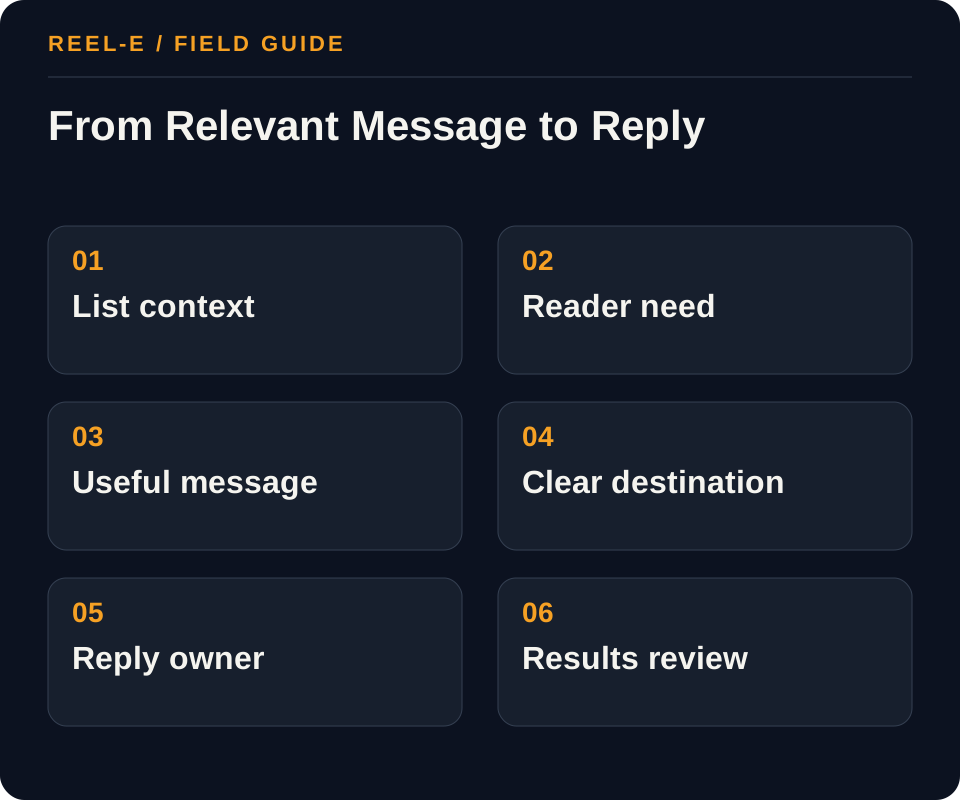
Build a few dependable sequences with clear entry rules, exits, owners, and suppression logic. That is less exciting than a giant automation map and much more likely to treat people well.
1. Define List Provenance
Document how each subscriber entered the list, what they expected, which sender they recognize, and what suppression rules apply. Separate customers, active prospects, event contacts, referrals, and newsletter subscribers when the relationship changes the message.
- Record: Segment in the Email Sequence Map
- Control: Apply current CAN-SPAM, vendor, brokerage, and applicable local requirements.
- Review: Relevant human replies divided by delivered messages. Improve topic relevance, sender familiarity, and question design.
2. Create Four Recurring Jobs
Use listing relevance, local decision support, seller preparation, and proof of marketing process. Every edition should answer a real question or present a clearly relevant property,not fill a calendar slot.
- Record: Authentication in the Send Preflight
- Control: Maintain a durable suppression source across campaigns and tools.
- Review: Delivered recipients taking the stated site, inquiry, or appointment action. Fix the offer and landing destination.
3. Build the Message Contract
Use an accurate sender, subject, and preview; identify the business; include the required physical address and a functioning opt-out; and avoid deceptive routing or urgency. Keep suppression centralized so an unsubscribe does not reappear through another campaign.
- Record: Message Job in the Email Sequence Map
- Control: Segment from expressed relationship and need, with fair-housing review.
- Review: Unsubscribes and complaints by list source and campaign. Stop problematic sources and reset expectations.
4. Use Media Deliberately
Link a compressed thumbnail or poster to a fast landing page or hosted video. Provide descriptive text for clients that block images, avoid giant attachments, and verify the destination on mobile before sending.
- Record: Unsubscribe in the Send Preflight
- Control: Use a tested thumbnail link and mobile-ready hosted page.
- Review: Relevant human replies divided by delivered messages. Improve topic relevance, sender familiarity, and question design.
5. Route Replies and Intent
Name who handles replies, listing questions, referrals, valuation requests, and unsubscribes. Put qualified intent into the CRM with the campaign and topic so follow-up has context.
- Record: Proof or Link in the Email Sequence Map
- Control: Apply current CAN-SPAM, vendor, brokerage, and applicable local requirements.
- Review: Delivered recipients taking the stated site, inquiry, or appointment action. Fix the offer and landing destination.
6. Review by Cohort
Compare deliverability, opt-outs, replies, clicks, conversations, and appointments by list source and content job. Do not treat opens as a reliable universal signal or use one campaign's click rate as proof of revenue causality.
- Record: Mobile in the Send Preflight
- Control: Maintain a durable suppression source across campaigns and tools.
- Review: Unsubscribes and complaints by list source and campaign. Stop problematic sources and reset expectations.

A 90-Day Rollout
| Window | Work | Finish Line |
|---|---|---|
| Days 1-30 | Define List Provenance; Create Four Recurring Jobs | Baseline and first complete path |
| Days 31-60 | Build the Message Contract; Use Media Deliberately | Repeatable production and handoff |
| Days 61-90 | Route Replies and Intent; Review by Cohort | Review, correction, and next allocation |
A Worked Example: Monthly Seller Education Plus Listing Launches
The situation: An agent has past clients, open-house contacts, and valuation leads mixed in one tool and sends only when a new listing arrives.
The approach: The agent documents provenance, separates relationship cohorts, starts a monthly seller decision email, and sends a listing only to relevant segments. Each video thumbnail leads to a property or guide page, and every reply has an owner.
The result to review: The program becomes useful between listings, while suppression and relationship context reduce careless blasting. Performance is reviewed by qualified reply and appointment, not opens alone.
The improvement here comes from relevance and routing. The team sends fewer mismatched messages and becomes better prepared for the replies it earns.
Look Past Opens and Track Replies
Opens are increasingly noisy. I would watch qualified replies, downstream actions, opt-outs, complaints, and whether each cohort keeps earning a place in the program.
| Metric | Definition | How to Use It |
|---|---|---|
| Qualified Reply Rate | Relevant human replies divided by delivered messages. | Improve topic relevance, sender familiarity, and question design. |
| Downstream Action Rate | Delivered recipients taking the stated site, inquiry, or appointment action. | Fix the offer and landing destination. |
| Opt-Out and Complaint Rate | Unsubscribes and complaints by list source and campaign. | Stop problematic sources and reset expectations. |
Tools You Can Use
Email Sequence Map
Design around relationship, stage, and useful decision.
- Segment: Current fact, source, owner, approval date, effect on define list provenance, and fit with listing alert.
- Trigger: Current fact, source, owner, approval date, effect on create four recurring jobs, and fit with local expertise newsletter.
- Message Job: Current fact, source, owner, approval date, effect on build the message contract, and fit with seller nurture sequence.
- Source Fact: Current fact, source, owner, approval date, effect on use media deliberately, and fit with listing alert.
- Proof or Link: Current fact, source, owner, approval date, effect on route replies and intent, and fit with local expertise newsletter.
- Reply Owner: Current fact, source, owner, approval date, effect on review by cohort, and fit with seller nurture sequence.
- Exit or Suppression: Current fact, source, owner, approval date, effect on define list provenance, and fit with listing alert.
- Metric: Current fact, source, owner, approval date, effect on create four recurring jobs, and fit with local expertise newsletter.
Send Preflight
Protect consent, sender quality, and destination accuracy.
- Source and Consent: Current fact, source, owner, approval date, effect on create four recurring jobs, and fit with local expertise newsletter.
- Authentication: Current fact, source, owner, approval date, effect on build the message contract, and fit with seller nurture sequence.
- Subject and From: Current fact, source, owner, approval date, effect on use media deliberately, and fit with listing alert.
- Unsubscribe: Current fact, source, owner, approval date, effect on route replies and intent, and fit with local expertise newsletter.
- Suppression: Current fact, source, owner, approval date, effect on review by cohort, and fit with seller nurture sequence.
- Mobile: Current fact, source, owner, approval date, effect on define list provenance, and fit with listing alert.
- Video Link: Current fact, source, owner, approval date, effect on create four recurring jobs, and fit with local expertise newsletter.
- Reply Routing: Current fact, source, owner, approval date, effect on build the message contract, and fit with seller nurture sequence.
- Tracking: Current fact, source, owner, approval date, effect on use media deliberately, and fit with listing alert.
Where This Usually Breaks
List provenance, unsubscribe handling, sender identity, and current CAN-SPAM requirements are not fine print. They are the basic agreement that lets email remain useful.
| Risk | Practical Control |
|---|---|
| Noncompliant Commercial Email | Apply current CAN-SPAM, vendor, brokerage, and applicable local requirements. |
| Reimported Unsubscribes | Maintain a durable suppression source across campaigns and tools. |
| Irrelevant Segmentation | Segment from expressed relationship and need, with fair-housing review. |
| Slow or Broken Video Destination | Use a tested thumbnail link and mobile-ready hosted page. |
Noncompliant Commercial Email
- Control: Apply current CAN-SPAM, vendor, brokerage, and applicable local requirements.
- Review Stage: Define List Provenance
- Early Warning: Relevant human replies divided by delivered messages.
- Response: Improve topic relevance, sender familiarity, and question design.
Reimported Unsubscribes
- Control: Maintain a durable suppression source across campaigns and tools.
- Review Stage: Create Four Recurring Jobs
- Early Warning: Delivered recipients taking the stated site, inquiry, or appointment action.
- Response: Fix the offer and landing destination.
Irrelevant Segmentation
- Control: Segment from expressed relationship and need, with fair-housing review.
- Review Stage: Build the Message Contract
- Early Warning: Unsubscribes and complaints by list source and campaign.
- Response: Stop problematic sources and reset expectations.
Slow or Broken Video Destination
- Control: Use a tested thumbnail link and mobile-ready hosted page.
- Review Stage: Use Media Deliberately
- Early Warning: Relevant human replies divided by delivered messages.
- Response: Improve topic relevance, sender familiarity, and question design.
Verify current primary guidance for the actual jurisdiction, platform, campaign, property, and professional relationship. This researched guide is not individualized legal, aviation, financial, privacy, or compliance advice.
My Bottom Line
Write to the relationship, make the reply easy, and route it well. A warm, relevant email does not need to announce that it is exciting news. If it is useful, the reader will notice.
Sources and Research Notes
Open the source ledger- FTC CAN-SPAM compliance guide. Primary federal guide for commercial email requirements; state and industry rules may add obligations. Accessed August 12, 2026.
- HUD guidance on digital housing advertising. Primary federal guidance on Fair Housing Act considerations in digital targeting and delivery. Accessed August 12, 2026.
- National Association of REALTORS Fair Housing resources. Industry resource for fair-housing education; local counsel and brokerage policy remain controlling. Accessed August 12, 2026.
- Google email sender guidelines. Primary platform guidance for authentication, consent, unsubscribe, and sender quality. Accessed August 12, 2026.
- Mailchimp real estate email. Format and coverage reference. Strong platform education but lighter on property video, source facts, and real estate response operations. Accessed August 12, 2026.
- Campaign Monitor realtor guide. Format and coverage reference. Useful lifecycle and partner ideas; limited source-level economics and governance. Accessed August 12, 2026.
- MoxiWorks templates. Format and coverage reference. Practical templates but not a complete consent, deliverability, segmentation, and handoff system. Accessed August 12, 2026.
Sources support only the claims described in their notes. Reopen current primary sources before a purchase, launch, or compliance decision.