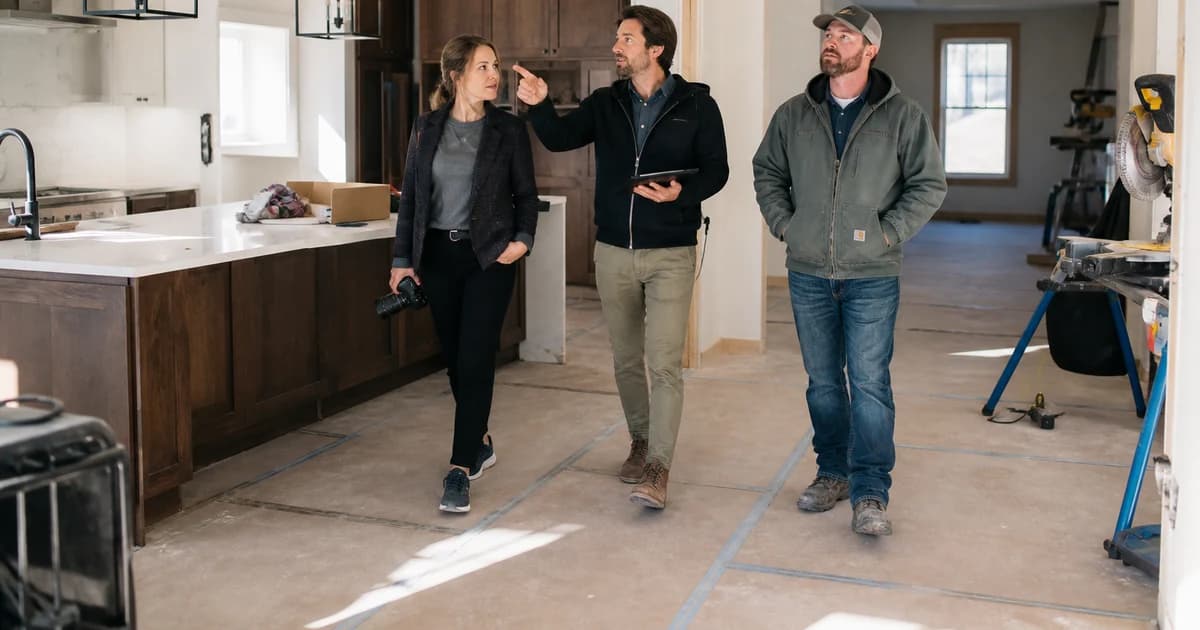
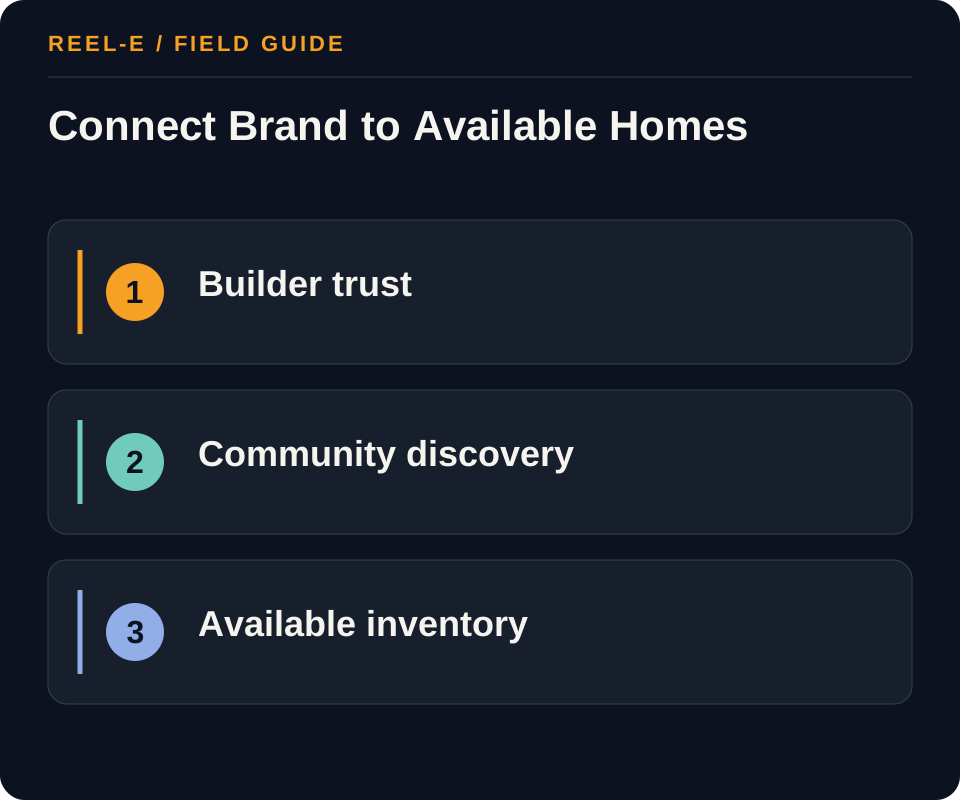
Home builder marketing has at least three moving targets: the builder brand, the community, and the specific inventory a buyer can actually purchase. Renderings, model-home footage, progress photos, incentives, and availability age at different speeds. If the source of truth is fuzzy, the campaign can become outdated before the cabinets arrive.
I have produced property media for builders including Toll Brothers and Lennar, where the story moves from brand to community to plan to model to available home. Those layers are related, but they age at very different speeds. Good builder marketing makes that status visible.
Who this is for: regional builders, community marketers, and sales teams coordinating brand, community, model, and inventory campaigns.
Research note: Researched vertical operating framework using current fair-housing and video-practice sources where applicable. Local rules, asset facts, platform terms, and performance claims require project-specific verification.

Separate Builder, Community, and Inventory Stories
Separate builder trust, community discovery, floor-plan consideration, model inspiration, and current inventory. Then label what is planned, representative, complete, optional, or available now.
| Path | Use It When | Reconsider It When |
|---|---|---|
| Builder Brand Trust | This audience is the constraint on qualified community visits, appointments, and sales progression and the team has proof and response capacity for it. | The same creative and destination are being used for a different stakeholder journey. |
| Community and Floor-Plan Discovery | community and floor-plan discovery is the constraint on qualified community visits, appointments, and sales progression, and the team can prove floor plans and options plus construction progress at the owned destination. | builder brand trust and community and floor-plan discovery still share one generic promise, response queue, or campaign page. |
| Inventory and Sales Conversion | inventory and sales conversion depends on longer-cycle trust, permissioned location/access facts, and a response path through email nurture or social/video. | The home builder team cannot maintain location/access facts or identify the owner who advances inventory and sales conversion. |
Builder Brand Trust
- Best Fit: This audience is the constraint on qualified community visits, appointments, and sales progression and the team has proof and response capacity for it.
- Pause If: The same creative and destination are being used for a different stakeholder journey.
- Review: Share of the home builder audience taking the defined action that advances qualified community visits, appointments, and sales progression within builder brand trust, community and floor-plan discovery, or inventory and sales conversion. Improve the promise, model/spec media, destination, or qualification for the weak home builder journey.
- Control: Rendering or Availability Presented as Final. Label renderings, options, status, dates, and changes prominently.
Community and Floor-Plan Discovery
- Best Fit: community and floor-plan discovery is the constraint on qualified community visits, appointments, and sales progression, and the team can prove floor plans and options plus construction progress at the owned destination.
- Pause If: builder brand trust and community and floor-plan discovery still share one generic promise, response queue, or campaign page.
- Review: Time and conversion between named home builder stages under a consistent cohort and source definition. Fix the owner, community map, or handoff between builder brand trust, community and floor-plan discovery, and inventory and sales conversion.
- Control: Fair-Housing Exposure. Review community language, targeting, delivery, and automation.
Inventory and Sales Conversion
- Best Fit: inventory and sales conversion depends on longer-cycle trust, permissioned location/access facts, and a response path through email nurture or social/video.
- Pause If: The home builder team cannot maintain location/access facts or identify the owner who advances inventory and sales conversion.
- Review: Contribution toward qualified community visits, appointments, and sales progression compared with production, community website distribution, and response cost. Change the home builder channel, scope, or audience instead of optimizing impressions alone.
- Control: Brand and Inventory Systems Disagree. Use one current source for plans, pricing/status, media, and disclosures.
What Builder Media Has to Keep Straight
The Phase Changes the Proof
Early work may rely on plans, renderings, location, and the builder record. Construction adds dated progress. Models show a representative experience. Inventory needs current facts. Reusing one phase as though it were another creates avoidable confusion.
A Model Is Not Every Home
Upgrades, furnishings, views, landscaping, and lot conditions should be clear. The model can be aspirational without quietly volunteering to represent every available home.
Sales Needs the Same Source
Campaigns, community pages, inventory feeds, incentives, and the sales counselor should reconcile. A beautiful ad that sends a buyer to yesterday's availability is mostly a beautifully produced apology.
Three Media Records That Make the Next Phase Easier
The Dated Progress Record
Capture the site, community infrastructure, model, amenity, and representative construction milestones with dates, locations, and status. Store the approved descriptions beside the media. Progress material can support buyer updates, social, sales conversations, corporate reporting, and future project storytelling, but only if the team can tell what it shows and whether it remains current.
The Representative-Image Ledger
For every rendering, model image, staged room, upgraded feature, view, and community amenity, record what it represents and the disclosure required where it appears. This keeps the sales center, website, listings, video, and ads aligned. It also lets the team reuse strong creative without turning each reuse into a fresh debate over whether the image depicts the available home.
The Inventory Handoff
Define how current homes, lots, plans, prices, incentives, and availability reach the public destination and sales team. Name the update owner and acceptable delay. Creative campaigns can operate on a slower rhythm than inventory, so the handoff needs a deliberate source rather than copy pasted into captions. The buyer should move from inspiration to an accurate next choice without changing information systems mid-sentence.
A Buyer Journey From Dirt to Delivery
Early Community Discovery
Use approved location context, community vision, builder record, plan families, amenities, schedule ranges, and clearly labeled renderings or representative media. Give interested buyers a permissioned update path and explain what remains subject to change. Early marketing is allowed to create anticipation. It should not create the impression that a planned pool is ready for Saturday.
Model and Plan Consideration
Connect each model to the plan, options, included and upgraded features, lot or view assumptions, and current availability. Use video to explain sequence and livability, tours or plans to support inspection, and a sales counselor to resolve current choices. The media should inspire without volunteering the decorated model as a factual inventory sheet.
Available-Home Conversion
Show the actual home or label representative material, then reconcile price, incentives, completion, lot, plan, options, fees, and appointment availability with the sales source. Give the campaign an expiration and owner. Inventory marketing moves quickly, which is exactly why an old screenshot should not be trusted to run the launch unsupervised.
Owner and Resident Story After Move-In
With permission, capture the completed community, lived experience, service process, and lessons that support future buyers and the builder brand. Keep resident privacy and truthful representation central. The best long-term builder story is not a permanent stream of sold signs. It is credible evidence that the plan, construction, communication, and finished place connect.
The Monthly Builder Content Mix I Would Use
One Current Inventory Story
Show an available home, lot, plan, or release with current facts, actual or clearly representative media, and a direct sales next step. Record the expiration and owner. Inventory content should be the most current layer of the system, not a caption copied from the last release. Buyers should be able to move from the post to the same home and terms without learning that social media lives in a slightly earlier month.
One Plan or Model Explanation
Use video, diagrams, photography, or a counselor explanation to show circulation, options, tradeoffs, storage, light, indoor-outdoor relationships, or how a plan fits a household need without targeting protected classes. Label upgrades and representative features. The goal is to help a buyer compare choices, not simply to prove that the model home's furniture is exceptionally cooperative.
One Progress or Craft Story
Document a dated construction phase, material, trade, quality-control step, design decision, site condition, or community milestone with the appropriate safety and access controls. Explain what the viewer is seeing and what remains incomplete. Progress content builds trust when it reveals the process. It becomes noise when every month announces that construction is, once again, progressing.
One Builder or Community Proof Piece
Share a completed place, service process, team expertise, resident story with permission, local partnership, or case example that supports the long-term brand. Connect it to the current community without implying identical results. This layer gives the builder a story beyond the immediate release and creates source material that can support future projects after the current inventory has moved on.
How I Would Brief the Video Team
Create Separate Shot Priorities by Phase
For land and early construction, show location, access, context, site relationships, and dated progress. For models, show sequence, plan logic, representative options, finish detail, and lifestyle without implying the furnishings are included. For available homes, prioritize the actual home, lot, completion, features, and path to a current appointment. A single generic builder shot list produces attractive footage and leaves the sales team to explain which year, phase, and home the footage was meant to represent.
Give Every Published Cut an Expiration Owner
The person responsible for inventory or claims should know where each video appears and when it needs review. Builder media can remain visually beautiful long after availability, incentives, status, or representative details have changed.
Capture Horizontal and Vertical With Intent
Plan protected framing, openings, text zones, narration, brand state, and the destination for each format. Do not rely on cropping a wide model-home move into a vertical frame after the most important cabinetry has left the picture. Capture once where possible, but make the derivative requirements visible on site. The same source day can support community, plan, inventory, progress, and corporate stories when the brief names those jobs before the camera starts collecting beautiful generalities.
Match Media to the Construction Phase
Separate Brand, Community, Plan, Model, and Inventory
Builder brand explains credibility, process, warranty, markets, and point of view. Community marketing explains location, master plan, amenities, phases, and status. Plan marketing explains layout and options. Model media demonstrates a configured example. Inventory marketing describes a specific home and timing. Keep layers connected but label them clearly; a model or rendering should never silently stand in for an available home.
Assign every claim and asset to one product layer.
Create One Source for Status, Options, and Disclosures
Centralize release, availability, construction stage, estimated timing, plan, elevation, options, upgrades, included features, incentives, pricing context, community status, maps, media labels, and required disclosures. Record owner and expiry for time-sensitive fields. When a source changes, update pages, feeds, ads, captions, email, and sales materials. Marketing speed is useless when buyers receive conflicting information.
Operate a versioned inventory and claims source.
Plan Media by Phase and Connect the Sales Handoff
Prelaunch may use labeled renderings, site context, plan explanation, and process education. Model opening adds walkthroughs, option labels, and orientation. Inventory needs current specific-home media. Progress content must be dated and retired. Route community, plan, model, inventory, broker, and database responses to the right owner with campaign context, current facts, response time, backup, appointment path, and disposition.
Use a phase-based media and response matrix.
Keep Campaign Claims Current From Dirt to Delivery
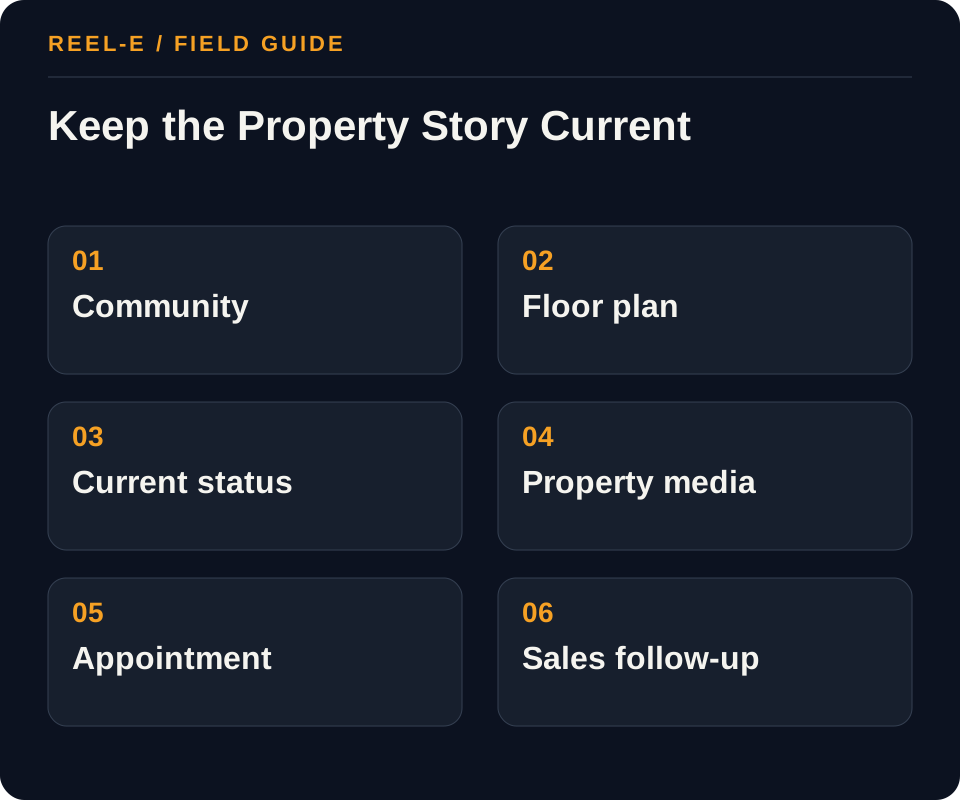
Build one claims matrix, map media by construction phase, connect it to the community and inventory destinations, and assign an owner for every field that changes. The marketing calendar should follow the build, not race ahead of it.
1. Separate the Journeys
Map builder brand trust, community and floor-plan discovery, and inventory and sales conversion independently. For each, record the triggering event, core uncertainty, required facts, people involved, typical objections, destination, conversion action, response owner, and sales or leasing stage.
- Record: Layer in the Builder Claims Matrix
- Control: Label renderings, options, status, dates, and changes prominently.
- Review: Share of the home builder audience taking the defined action that advances qualified community visits, appointments, and sales progression within builder brand trust, community and floor-plan discovery, or inventory and sales conversion. Improve the promise, model/spec media, destination, or qualification for the weak home builder journey.
2. Create the Verified Proof Set
Assemble current, permissioned evidence such as model/spec media, community map, floor plans and options, construction progress, location/access facts, warranty and process information. Date time-sensitive facts, disclose renderings or staged imagery, distinguish aspiration from delivered condition, and remove any asset that cannot be licensed or substantiated.
- Record: Buyer Question in the Construction-Phase Media Plan
- Control: Review community language, targeting, delivery, and automation.
- Review: Time and conversion between named home builder stages under a consistent cohort and source definition. Fix the owner, community map, or handoff between builder brand trust, community and floor-plan discovery, and inventory and sales conversion.
3. Build the Owned Destination
Give the home builder campaign an owned page or sales asset that combines model/spec media, community map, and floor plans and options with the current status, next action, accessibility, and analytics needed for qualified community visits, appointments, and sales progression. Posts in community website and search should route to this source rather than carry every changeable detail.
- Record: Source in the Builder Claims Matrix
- Control: Use one current source for plans, pricing/status, media, and disclosures.
- Review: Contribution toward qualified community visits, appointments, and sales progression compared with production, community website distribution, and response cost. Change the home builder channel, scope, or audience instead of optimizing impressions alone.
4. Plan Capture and Derivatives
Write the home builder media brief from unanswered questions in builder brand trust and community and floor-plan discovery. Capture model/spec media, community map, floor plans and options, then produce horizontal, vertical, still, thumbnail, presentation, or email derivatives only for named jobs in community website, search, portal listings, email nurture. Label exceptions that affect inventory and sales conversion instead of hiding them in cinematic coverage.
- Record: Label and Disclosure in the Construction-Phase Media Plan
- Control: Keep one verified home builder asset library, but give builder brand trust, community and floor-plan discovery, and inventory and sales conversion distinct messages, destinations, and actions.
- Review: Share of the home builder audience taking the defined action that advances qualified community visits, appointments, and sales progression within builder brand trust, community and floor-plan discovery, or inventory and sales conversion. Improve the promise, model/spec media, destination, or qualification for the weak home builder journey.
5. Assign Channel Roles
Use community website, search, portal listings, email nurture, social/video, broker outreach selectively. Label each as discovery, proof, nurture, retargeting, sales enablement, or retention; set owner, cadence, spend, audience rule, destination, and stop condition.
- Record: Model or Option Label in the Builder Claims Matrix
- Control: Define the qualified action, movement toward qualified community visits, appointments, and sales progression, and source economics before launching through community website.
- Review: Time and conversion between named home builder stages under a consistent cohort and source definition. Fix the owner, community map, or handoff between builder brand trust, community and floor-plan discovery, and inventory and sales conversion.
6. Run the Operating Review
For the home builder program, review model/spec media completion and response through community website weekly, movement toward qualified community visits, appointments, and sales progression biweekly, and source economics monthly. Diagnose whether builder brand trust, community and floor-plan discovery, or inventory and sales conversion is constrained by proof, destination, channel, or follow-up before concluding that demand is weak.
- Record: Destination in the Construction-Phase Media Plan
- Control: Label renderings, options, status, dates, and changes prominently.
- Review: Contribution toward qualified community visits, appointments, and sales progression compared with production, community website distribution, and response cost. Change the home builder channel, scope, or audience instead of optimizing impressions alone.

A 90-Day Rollout
| Window | Work | Finish Line |
|---|---|---|
| Days 1-30 | Separate the Journeys; Create the Verified Proof Set | Baseline and first complete path |
| Days 31-60 | Build the Owned Destination; Plan Capture and Derivatives | Repeatable production and handoff |
| Days 61-90 | Assign Channel Roles; Run the Operating Review | Review, correction, and next allocation |
A Worked Example: Home Builder Campaign with Three Stakeholder Journeys
The situation: The team has credible property assets but one generic brochure and campaign currently attempts to serve builder brand trust, community and floor-plan discovery, and inventory and sales conversion. Engagement is reported, but nobody can show which journey advances.
The approach: The team creates separate messages and destinations, reuses one verified media library, and shows model/spec media, community map, floor plans and options only where each is relevant. community website, search, portal listings receive distinct hooks and next actions, while one owner handles every qualified response.
The result to review: Reporting now shows which journey contributes to qualified community visits, appointments, and sales progression. The team can improve the weak stage without replacing the entire campaign or publishing more generic content.
The buyer receives inspiration and current choice in the right order. The builder also gains a reusable media record instead of starting over at each milestone.
Track Lead Quality Against Real Availability
Track qualified inquiries and appointments against real community, plan, and inventory availability. Review lead quality, source, response, and sales progression without pretending the last ad created the whole decision.
| Metric | Definition | How to Use It |
|---|---|---|
| Home Builder Qualified Next-Action Rate | Share of the home builder audience taking the defined action that advances qualified community visits, appointments, and sales progression within builder brand trust, community and floor-plan discovery, or inventory and sales conversion. | Improve the promise, model/spec media, destination, or qualification for the weak home builder journey. |
| Home Builder Stage Velocity | Time and conversion between named home builder stages under a consistent cohort and source definition. | Fix the owner, community map, or handoff between builder brand trust, community and floor-plan discovery, and inventory and sales conversion. |
| Home Builder Contribution Economics | Contribution toward qualified community visits, appointments, and sales progression compared with production, community website distribution, and response cost. | Change the home builder channel, scope, or audience instead of optimizing impressions alone. |
Tools You Can Use
Builder Claims Matrix
Keep product layers and truth aligned.
- Layer: Current fact, source, owner, approval date, effect on separate the journeys, and fit with builder brand trust.
- Claim: Current fact, source, owner, approval date, effect on create the verified proof set, and fit with community and floor-plan discovery.
- Source: Current fact, source, owner, approval date, effect on build the owned destination, and fit with inventory and sales conversion.
- Current or Planned: Current fact, source, owner, approval date, effect on plan capture and derivatives, and fit with builder brand trust.
- Model or Option Label: Current fact, source, owner, approval date, effect on assign channel roles, and fit with community and floor-plan discovery.
- Media: Current fact, source, owner, approval date, effect on run the operating review, and fit with inventory and sales conversion.
- Expiry: Current fact, source, owner, approval date, effect on separate the journeys, and fit with builder brand trust.
- Approver: Current fact, source, owner, approval date, effect on create the verified proof set, and fit with community and floor-plan discovery.
- Dependent Channels: Current fact, source, owner, approval date, effect on build the owned destination, and fit with inventory and sales conversion.
Construction-Phase Media Plan
Capture the right proof at the right phase.
- Phase: Current fact, source, owner, approval date, effect on create the verified proof set, and fit with community and floor-plan discovery.
- Buyer Question: Current fact, source, owner, approval date, effect on build the owned destination, and fit with inventory and sales conversion.
- Available Proof: Current fact, source, owner, approval date, effect on plan capture and derivatives, and fit with builder brand trust.
- Label and Disclosure: Current fact, source, owner, approval date, effect on assign channel roles, and fit with community and floor-plan discovery.
- Horizontal and Vertical: Current fact, source, owner, approval date, effect on run the operating review, and fit with inventory and sales conversion.
- Destination: Current fact, source, owner, approval date, effect on separate the journeys, and fit with builder brand trust.
- Retirement Trigger: Current fact, source, owner, approval date, effect on create the verified proof set, and fit with community and floor-plan discovery.
- Owner: Current fact, source, owner, approval date, effect on build the owned destination, and fit with inventory and sales conversion.
Where This Usually Breaks
Renderings, representative imagery, upgrades, incentives, dates, availability, and fair-housing controls need current review. The farther the campaign scales, the more valuable a boring source-of-truth meeting becomes.
| Risk | Practical Control |
|---|---|
| Rendering or Availability Presented as Final | Label renderings, options, status, dates, and changes prominently. |
| Fair-Housing Exposure | Review community language, targeting, delivery, and automation. |
| Brand and Inventory Systems Disagree | Use one current source for plans, pricing/status, media, and disclosures. |
| One Creative for Every Home Builder Stakeholder | Keep one verified home builder asset library, but give builder brand trust, community and floor-plan discovery, and inventory and sales conversion distinct messages, destinations, and actions. |
| Home Builder Vanity Measurement | Define the qualified action, movement toward qualified community visits, appointments, and sales progression, and source economics before launching through community website. |
Rendering or Availability Presented as Final
- Control: Label renderings, options, status, dates, and changes prominently.
- Review Stage: Separate the Journeys
- Early Warning: Share of the home builder audience taking the defined action that advances qualified community visits, appointments, and sales progression within builder brand trust, community and floor-plan discovery, or inventory and sales conversion.
- Response: Improve the promise, model/spec media, destination, or qualification for the weak home builder journey.
Fair-Housing Exposure
- Control: Review community language, targeting, delivery, and automation.
- Review Stage: Create the Verified Proof Set
- Early Warning: Time and conversion between named home builder stages under a consistent cohort and source definition.
- Response: Fix the owner, community map, or handoff between builder brand trust, community and floor-plan discovery, and inventory and sales conversion.
Brand and Inventory Systems Disagree
- Control: Use one current source for plans, pricing/status, media, and disclosures.
- Review Stage: Build the Owned Destination
- Early Warning: Contribution toward qualified community visits, appointments, and sales progression compared with production, community website distribution, and response cost.
- Response: Change the home builder channel, scope, or audience instead of optimizing impressions alone.
One Creative for Every Home Builder Stakeholder
- Control: Keep one verified home builder asset library, but give builder brand trust, community and floor-plan discovery, and inventory and sales conversion distinct messages, destinations, and actions.
- Review Stage: Plan Capture and Derivatives
- Early Warning: Share of the home builder audience taking the defined action that advances qualified community visits, appointments, and sales progression within builder brand trust, community and floor-plan discovery, or inventory and sales conversion.
- Response: Improve the promise, model/spec media, destination, or qualification for the weak home builder journey.
Home Builder Vanity Measurement
- Control: Define the qualified action, movement toward qualified community visits, appointments, and sales progression, and source economics before launching through community website.
- Review Stage: Assign Channel Roles
- Early Warning: Time and conversion between named home builder stages under a consistent cohort and source definition.
- Response: Fix the owner, community map, or handoff between builder brand trust, community and floor-plan discovery, and inventory and sales conversion.
Verify current primary guidance for the actual jurisdiction, platform, campaign, property, and professional relationship. This researched guide is not individualized legal, aviation, financial, privacy, or compliance advice.
My Bottom Line
Tell the builder, community, plan, model, and inventory stories separately, then connect them. Buyers can handle a project in progress. What they should not have to handle is guessing which parts are real today.
Sources and Research Notes
Open the source ledger- HUD guidance on digital housing advertising. Primary federal guidance on Fair Housing Act considerations in digital targeting and delivery. Accessed August 12, 2026.
- National Association of REALTORS Fair Housing resources. Industry resource for fair-housing education; local counsel and brokerage policy remain controlling. Accessed August 12, 2026.
- NAR video marketing practice article. Industry practice source for concise, audience-centered real-estate video planning. Accessed August 12, 2026.
- U.S. Census new residential construction. Primary federal source for current permit, start, and completion releases. Accessed August 12, 2026.
- ChatterBuzz builder strategies. Format and coverage reference. The breadth benchmark at 5,802 words and 43 images; opportunity is rigorous inventory, disclosure, media, and handoff operations. Accessed August 12, 2026.
- ECI new-home tips. Format and coverage reference. Current 3,200-word guide with 22 images and builder-system context. Accessed August 12, 2026.
- Bokka builder strategy. Format and coverage reference. Specialist five-step framing; limited copyable source-of-truth and retirement tools. Accessed August 12, 2026.
Sources support only the claims described in their notes. Reopen current primary sources before a purchase, launch, or compliance decision.
Keep Reading
- apply a consistent proof system across communities
- scope production across models and inventory
- measure the source-to-appointment handoff
- adapt the demand system for rental communities
- create a Reel-E listing video
- compare the strongest real estate video-maker workflows
- see how Reel-E turns approved photos into listing video