

Change, pause or cancel
Change your plan, take a break, update your card, get invoices or cancel, all from Account & Billing, and see what happens to your work each way.
- Time
- 2 minutes
- Where
- Avatar > Account & Billing > Plan & Billing
- Who
- Account owner
- Cost
- Plan changes show the exact charge before you confirm
Click your avatar in the top right and open Account & Billing, then Plan & Billing. You see your plan, when it renews, and what you have used.
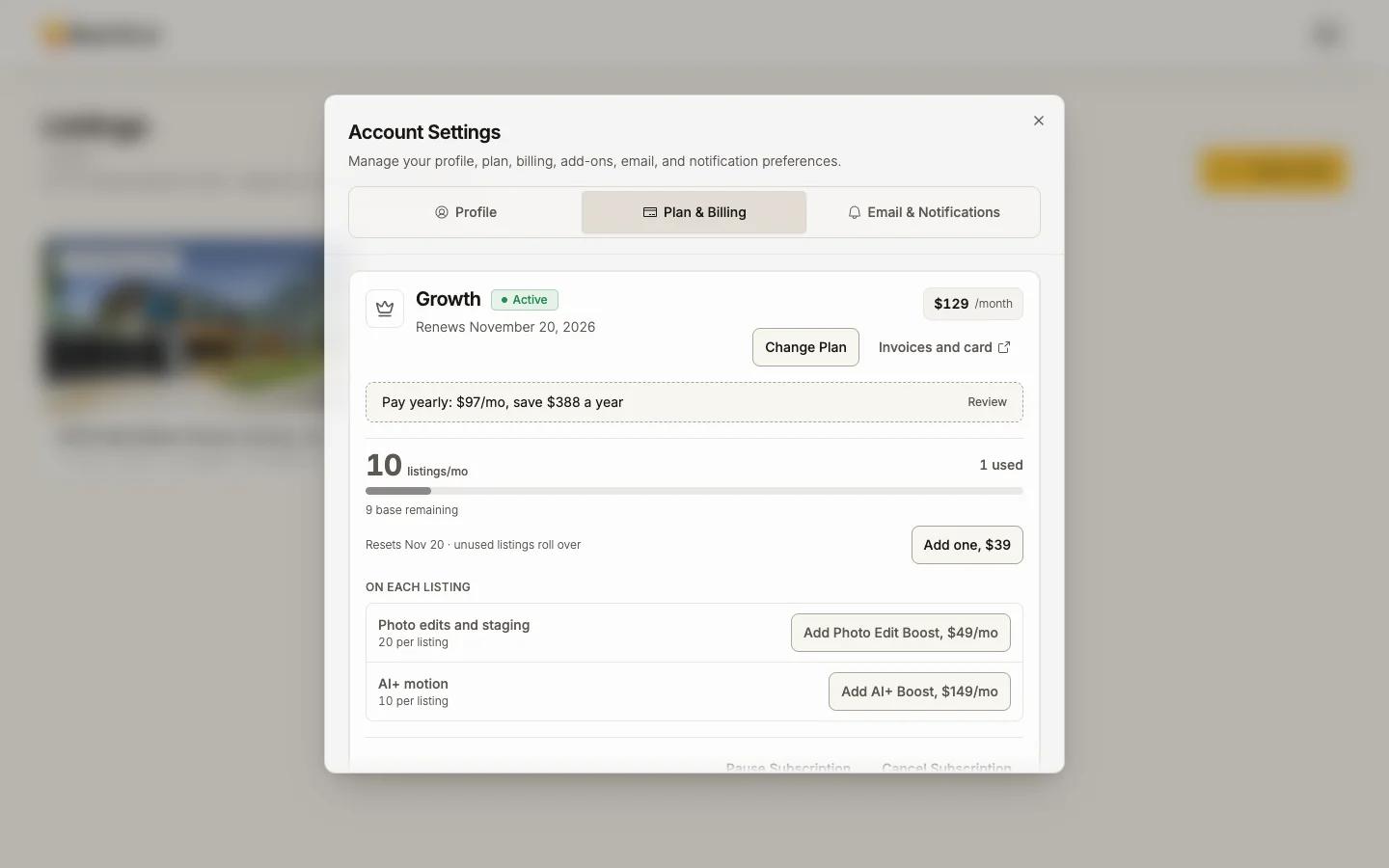
Change plan
Press Change Plan and pick a plan or billing period.
- Upgrades apply right away and are prorated; the app shows the exact amount first ("New plan, prorated", "Credit for unused time", "Total today"), and you press Confirm.
- Downgrades apply at the end of the current period. Your current limits stay until then.
- During the trial, switching plans is free.
- If a card is declined during an upgrade, your current plan stays; use Update card in the same dialog.
Invoices and your card
Invoices and card opens the secure billing portal: past invoices and receipts, and the card on file. Need a company name, address or VAT number on invoices? Email support@reel-e.ai.
Pause
A paid plan can be paused for 1, 2 or 3 months instead of cancelled: Pause Subscription, choose how long, then press Pause for that length.
- Nothing is collected while paused (a yearly renewal that falls inside the pause is charged when you resume).
- Your listing websites, MLS links and video links are offline while paused, and come back when you resume.
- Resume Subscription ends the pause early. Your paid days are kept.
- Pause is not available during the trial.
Cancel
You can cancel yourself at any time, in about a minute:
Press Cancel Subscription in Plan & Billing
Choose a reason and add a short note
Both are required. Pick a reason under Why are you cancelling? and write a sentence about it; the line under the box counts down to the minimum length.
See the alternative, or go on
We may offer an alternative, such as a pause or a different plan. No thanks, continue cancelling goes on.
Press Confirm Cancellation
During a trial the button is End Trial and Cancel.
- During a trial: your card is never charged, and you keep trial access until the trial's scheduled end.
- On a paid plan: you are not charged again, and you keep full access until the end of the period you paid for. Changed your mind? Undo cancellation in the app before that date.
- A confirmation email goes out right away with your end date, a statement that you will not be charged again, what happens to your projects and listing sites, and how to restart.
What happens to your work
- Your work is kept for 365 days after your plan ends, with warning emails 30 days and 7 days before anything is removed.
- Listing websites and share links go offline while the account is inactive, and come back automatically if you subscribe again within that time. You rebuild nothing.
- While your plan is inactive, clean downloads are locked.
Payments that do not go through
If a renewal fails, new videos, publishing and clean downloads pause, and published sites stay up for a few days. Nothing is deleted. Update your card under Invoices and card; the payment is attempted again and everything resumes. A yearly plan whose renewal fails can switch to monthly.
Refunds
Subscription payments are non-refundable under section 9.11 of our Terms of Service, so cancelling stops future charges rather than refunding past ones. We do refund a charge made twice for the same thing, a charge you did not authorize, and a billing error on our side. Email support@reel-e.ai with the date and amount.
Reel-E bills only by card, monthly or yearly, and the statement reads REEL-E. A charge from REELAI, ReelShort, an app store, PayPal or a weekly subscription is a different company. Contact that merchant or your bank.
The whole policy on one page: Trial and billing.