

AI Director (beta)
Tell Keylight Studio what you want in your own words. The AI Director makes the change, and every change has an Undo.
- Time
- Seconds per request
- Where
- Keylight Studio > AI Director (top bar)
- Who
- Trial and every plan
- Cost
- Asking is free. Anything that uses a credit asks first
Ask for a change
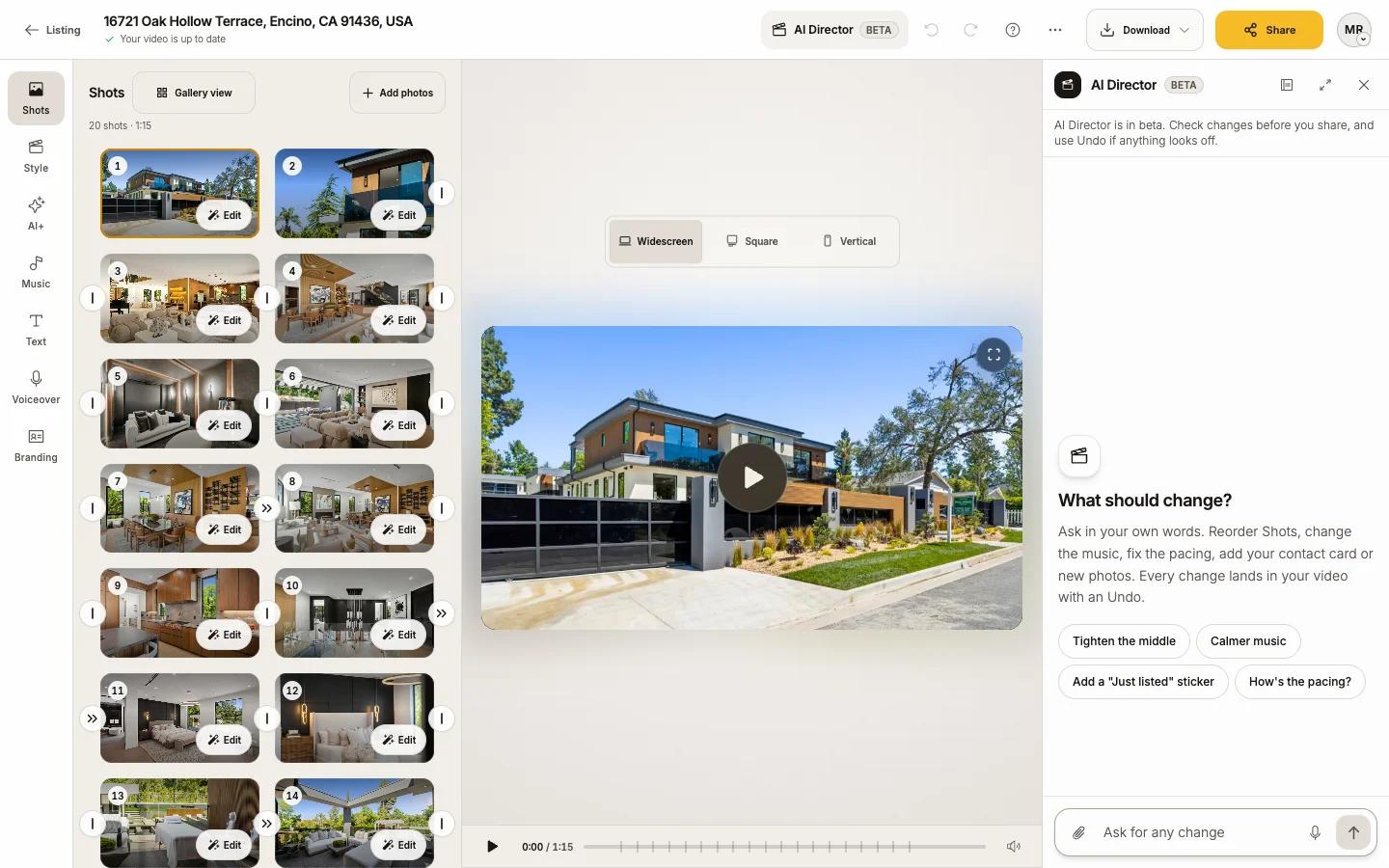
Press AI Director in the top bar
It is the clapperboard; on a phone, the icon alone. The panel opens beside the video and asks What should change?
Tap a suggestion, or type your own
Suggestions change with your video, for example Open on the exterior, Calmer music, Tighten the middle, Add my contact card or Add a "Just listed" sticker. Or type in the box and press send. You can also dictate, or attach photos, a logo or a Headshot.
Check the change
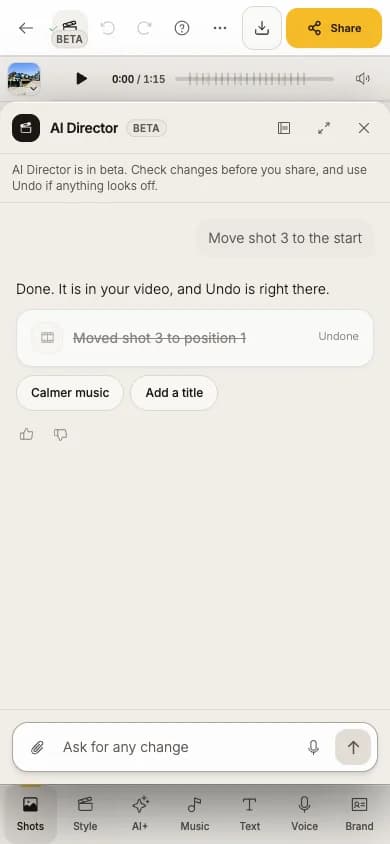
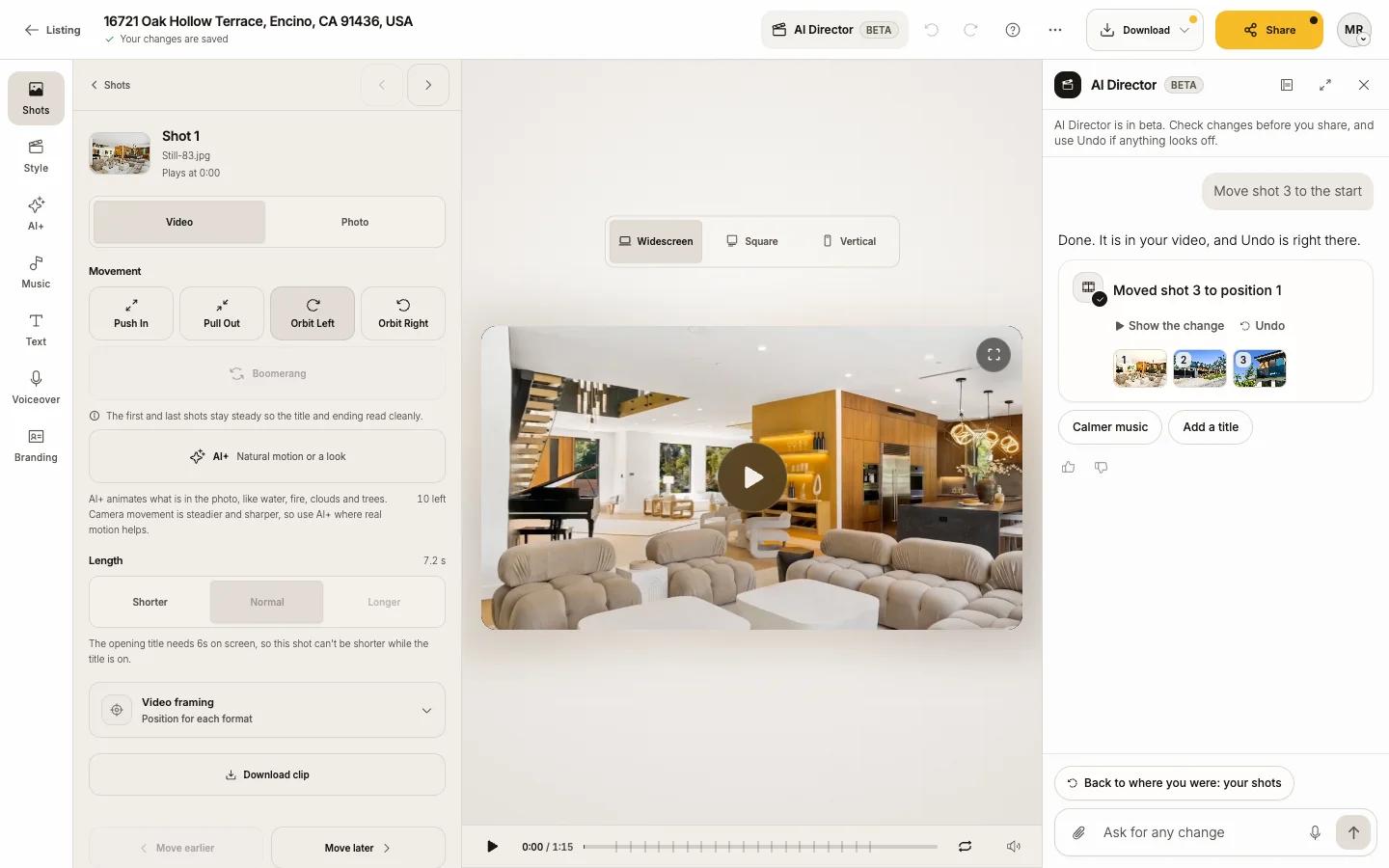
The Director replies with what it did. Each change has Show the change and Undo, plus follow-up suggestions.
Things you can ask
- "Open on the exterior", "Make it under a minute", "Move the kitchen after the living room"
- "Calmer music", "Start the first cut on the drop"
- "Make shot 2 an orbit", "Make the bedrooms shorter", "Use Fade for every join"
- "Add my contact card", "Add a Just listed sticker", "Put the price on the title"
- "Add these photos" (attach them)
- "How's the pacing?" (it can look at your video and answer)
What asks before it happens
Free changes happen right away. Anything that uses a credit or makes something public waits for Yes, go ahead (or No thanks), and the card says what it uses:
| Request | The card says |
|---|---|
| AI+ motion or a look, AI Seamless | Uses 1 AI+ credit |
| Edit a photo | Uses 1 photo edit |
| Create a soundtrack | Uses 1 music generation |
| Write or record narration | Uses 1 script generation or 1 voice generation |
| Publish the website, turn on the MLS link | Makes the website public, or makes the MLS video page public |
What it cannot do
It cannot download a clean video, remove the watermark, change your plan or billing, or contact anyone. Keylight's own buttons do everything the Director does, by hand.
Good to know
- One request is one step: a single Undo takes the whole request back.
- Director view hides the other tools so you see just the video and the chat; Show the full Studio brings them back.
- It remembers notes about this listing (the memory button in the panel header); you can remove them.
- Rate replies with thumbs up or down and add a note. It helps us improve the beta.
Limits
Chatting uses no credits. To keep things fair there is a daily ceiling. If you reach it, the Director says it is back tomorrow; everything in Keylight still works by hand.
If something looks off
Press Undo on the change, or Undo in the top bar. If a request fails, the Director says so: "That didn't go through, and nothing was charged."