

Leads and analytics
See who asked about the home, how many people watched and where they came from, and send your seller a report.
- Time
- 1 minute
- Where
- Listing page > Listing Website > Leads, Visits this week
- Who
- Trial and every plan, on a published website
- Cost
- Included
Leads
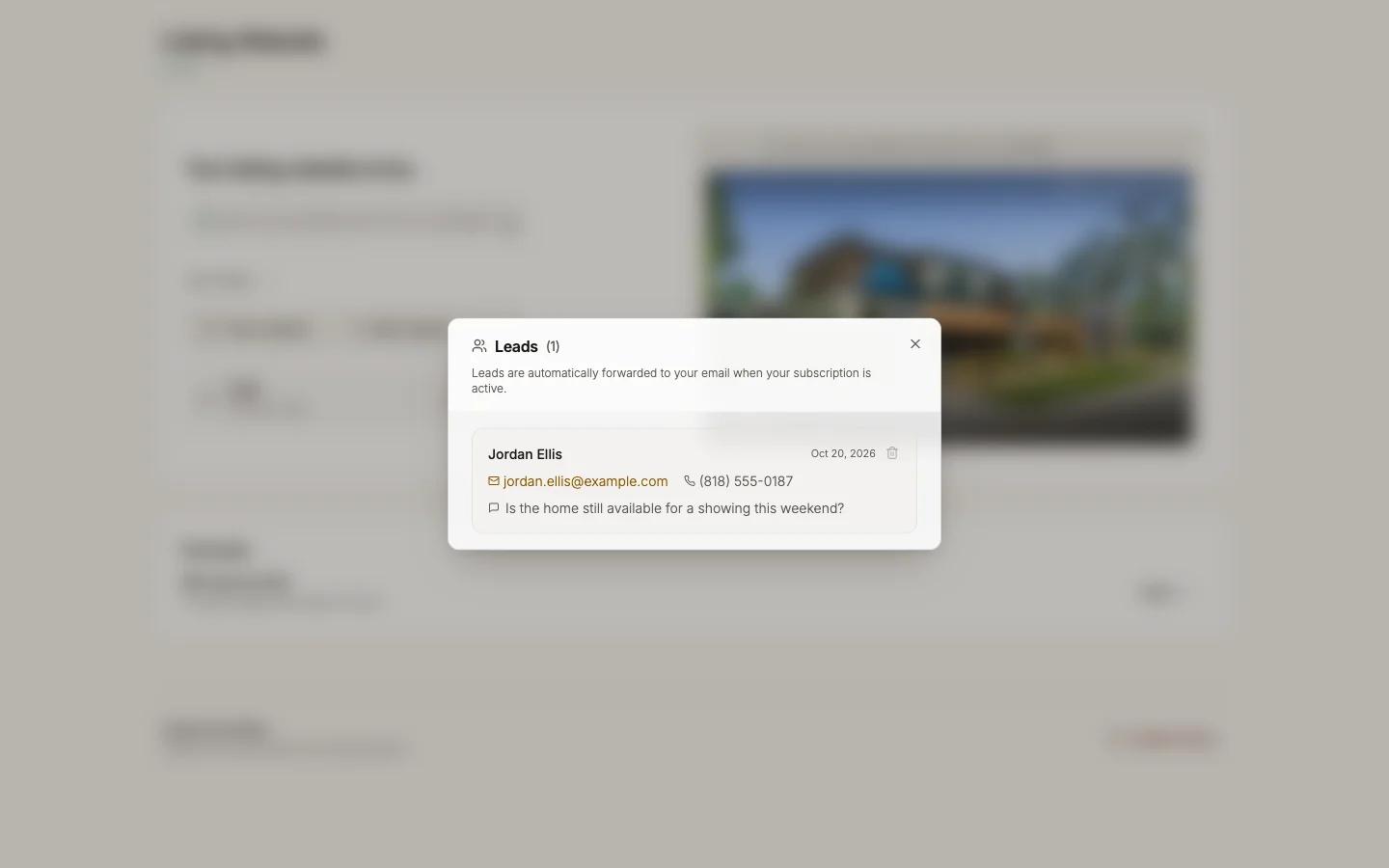
Visitors ask about the home with the website's form ("Request a showing", "Ask about this home" and similar, depending on the status). Each inquiry:
- arrives in your email at the Lead notification email set in Website settings > Inquiry form. Reply and it goes straight to the visitor;
- is listed under Leads in the Listing Website section. Press the Leads chip to open the list, with the count beside the title. You can delete a lead.
Leads are forwarded while your subscription is active. To stop inquiries on one listing, turn off Inquiry form; the site then has no form. Repeated sends from one email address are limited to block spam.
Analytics
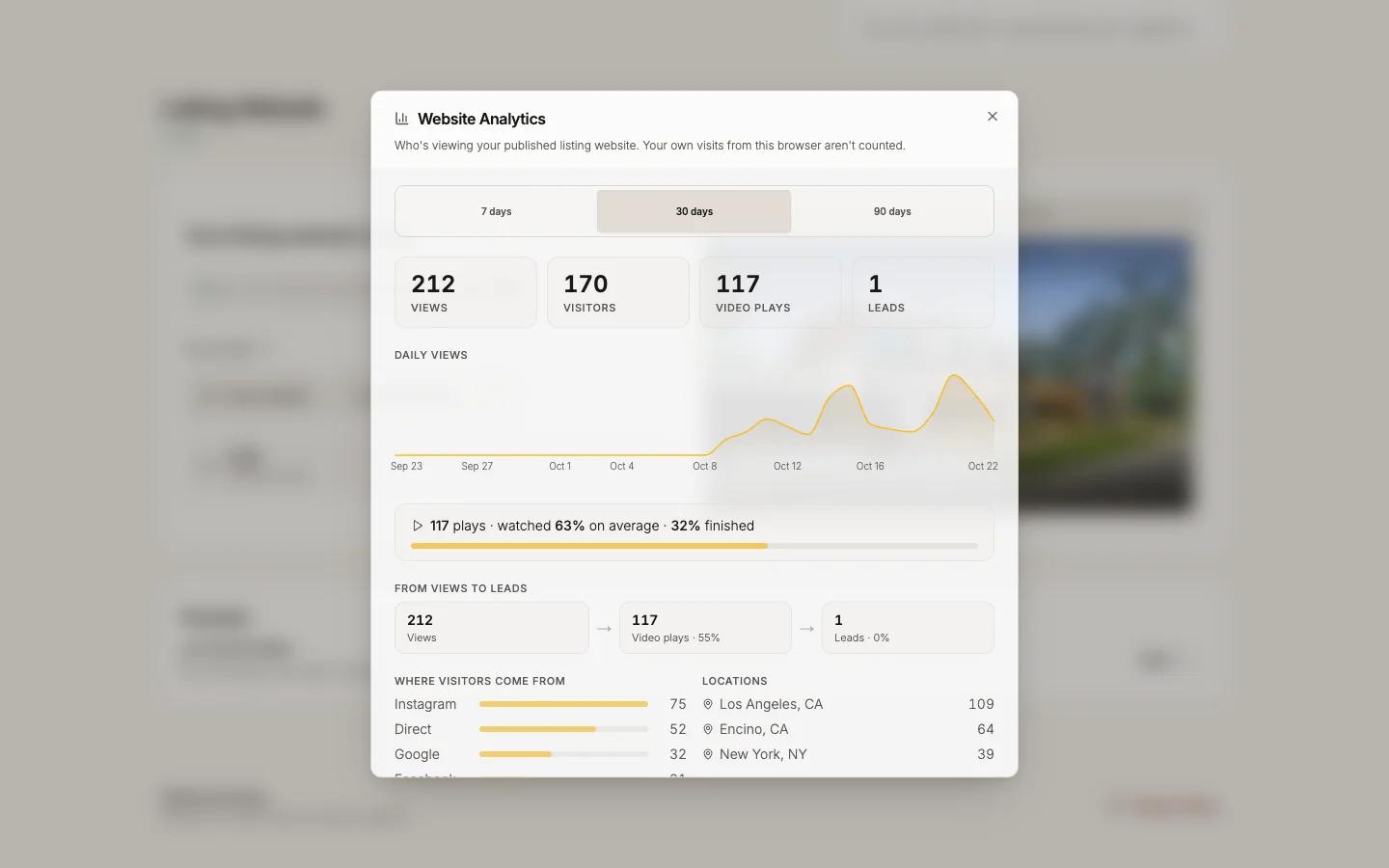
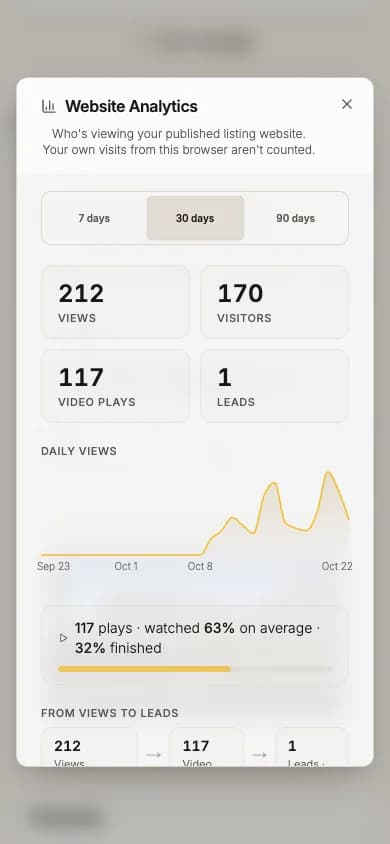
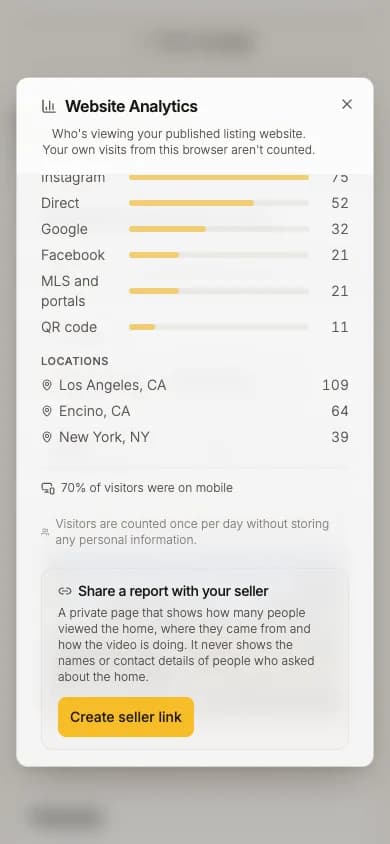
Press Visits this week to open Website Analytics. Choose 7 days, 30 days or 90 days.
- Views, Visitors, Video plays, Leads
- Daily views, From views to leads, By video link
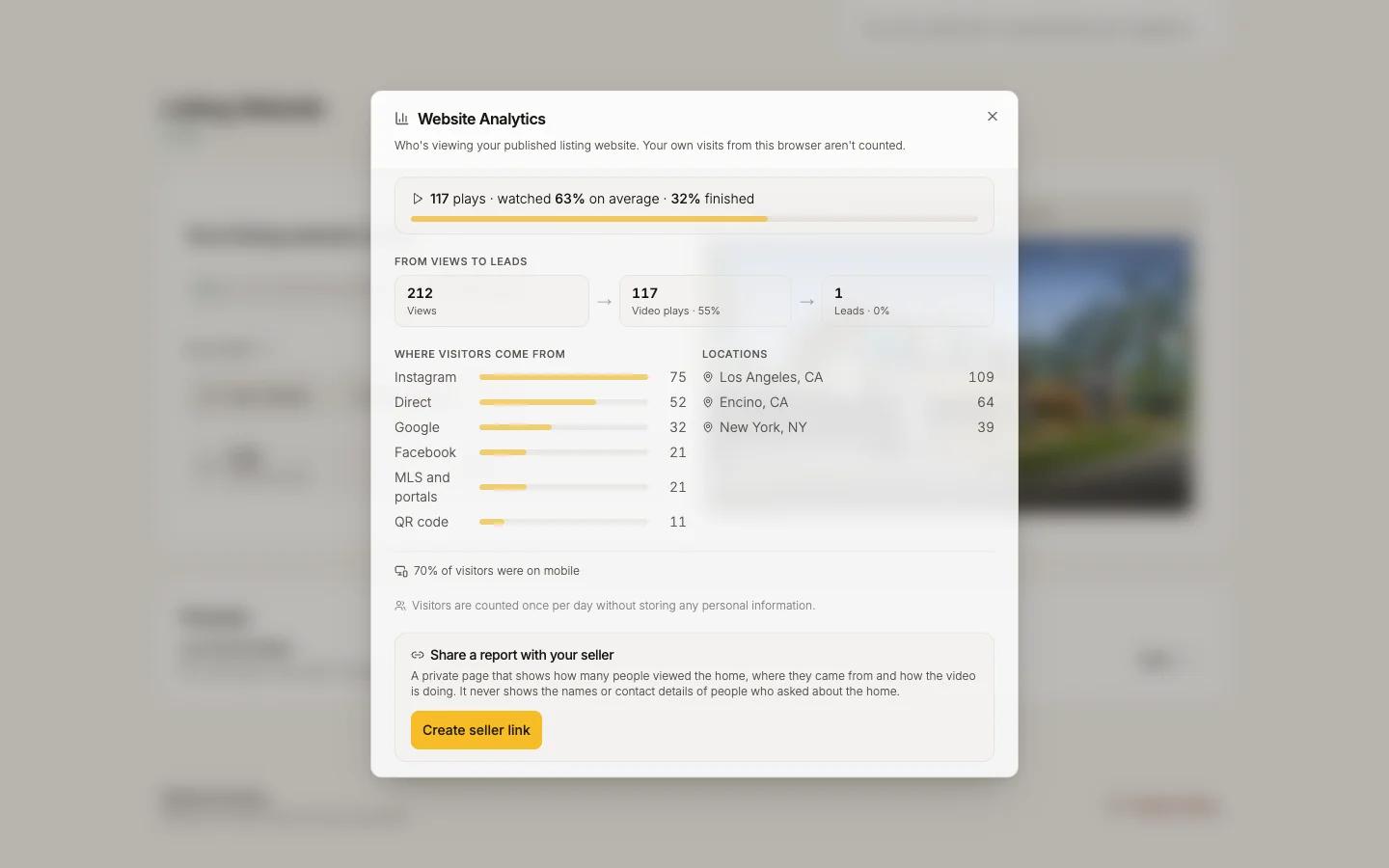
- Where visitors come from: Instagram, Facebook, Google, Direct, QR code, MLS and portals, Other
- Locations
Your own visits are not counted.
Share a report with your seller
In Website Analytics, under Share a report with your seller:
Press Create seller link, then Copy link
Send it to your seller. The link shows only once.
Your seller opens the report
They see visits, inquiries and where traffic came from, never names or contact details.
Replace or remove the link when you need to
Get a new link replaces it (the old one stops working). Turn off link removes the page.
Email your seller each week: add the seller's name and email, tick My seller agreed to get this email., then Turn on weekly email. A recap goes out on Mondays for weeks with visits, plays or inquiries; a quiet week sends nothing.