

Virtual staging
Furnish an empty room in one of six styles, or match the furniture of a room you already staged.
- Time
- About a minute per room
- Where
- Keylight > Shots > Edit on a shot > Photo > Staging
- Who
- Trial and every plan
- Cost
- 1 photo edit credit per staging, from the same pool as photo edits
Staging adds furniture and decor to a room. It is made to leave walls, windows and doors where they are, so the photo still shows the real space. Reel-E works out the room type, so a bedroom is staged as a bedroom.
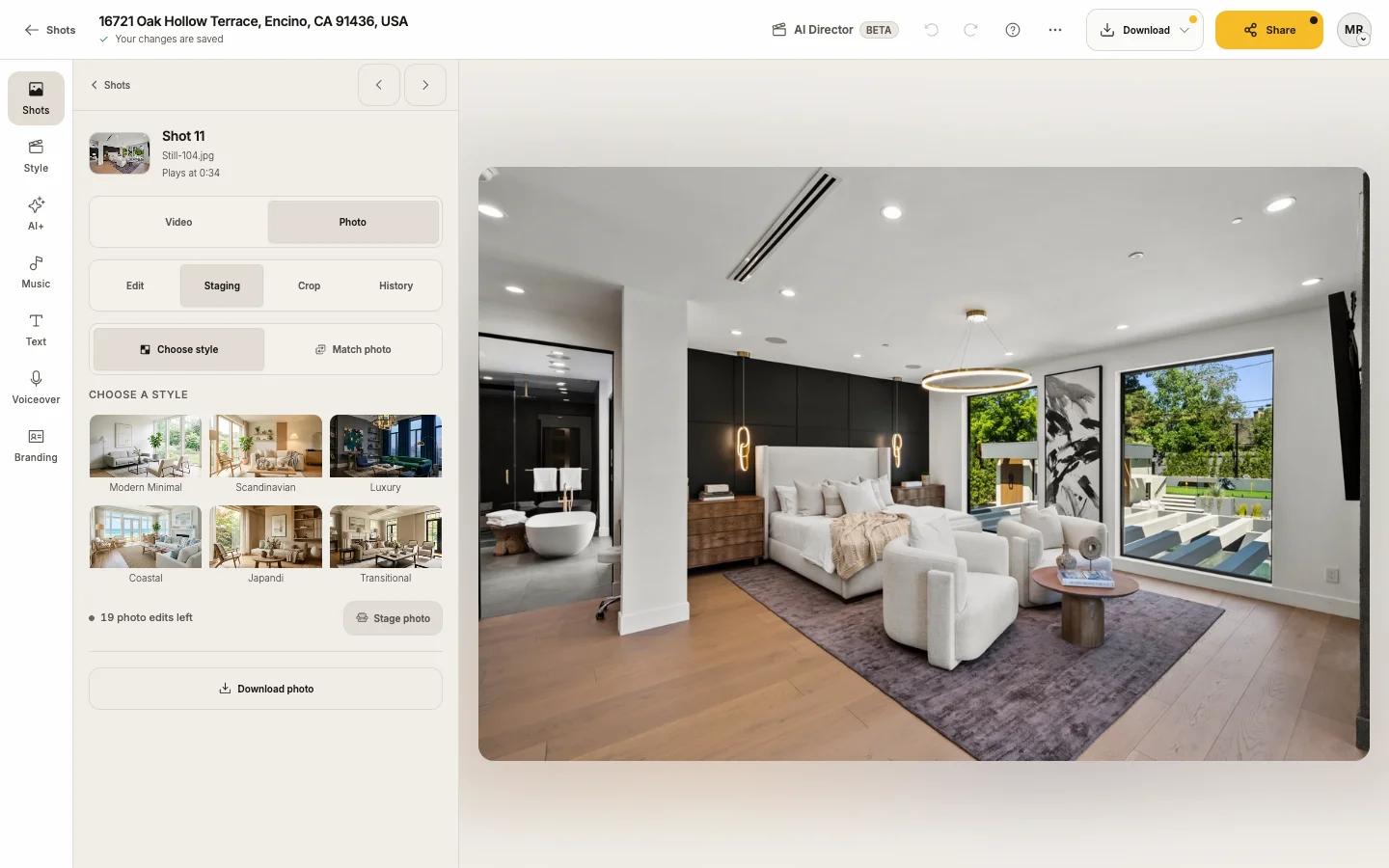
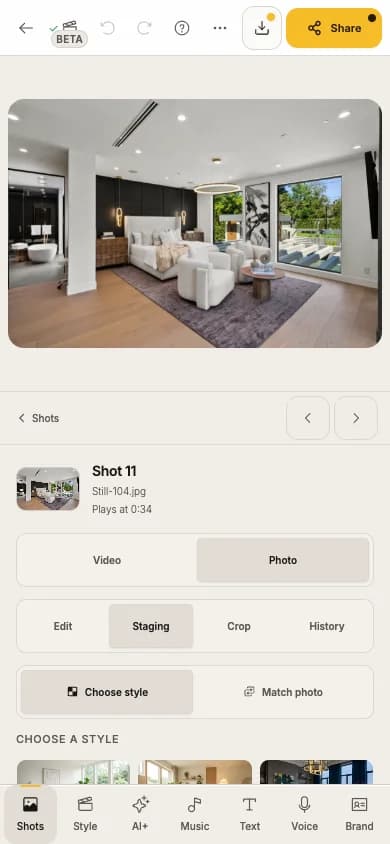
Stage a room
Open the shot's Photo tab and choose Staging
See Edit a photo for how to open a photo.
Pick a style
Keep Choose style selected and pick one under Choose a style: Modern Minimal, Scandinavian, Luxury, Coastal, Japandi or Transitional.
Press Stage photo
It shows Staging… and then the staged room. The staged photo replaces the empty one in your video.
Match another room
Staging several rooms of one home? Make them look like one home.
Stage the first room with a style
Open the next room and choose Match photo
Open its Photo tab, choose Staging, then Match photo.
Pick the staged room under Choose a reference
Turn on Same room from another angle when both photos show the same room.
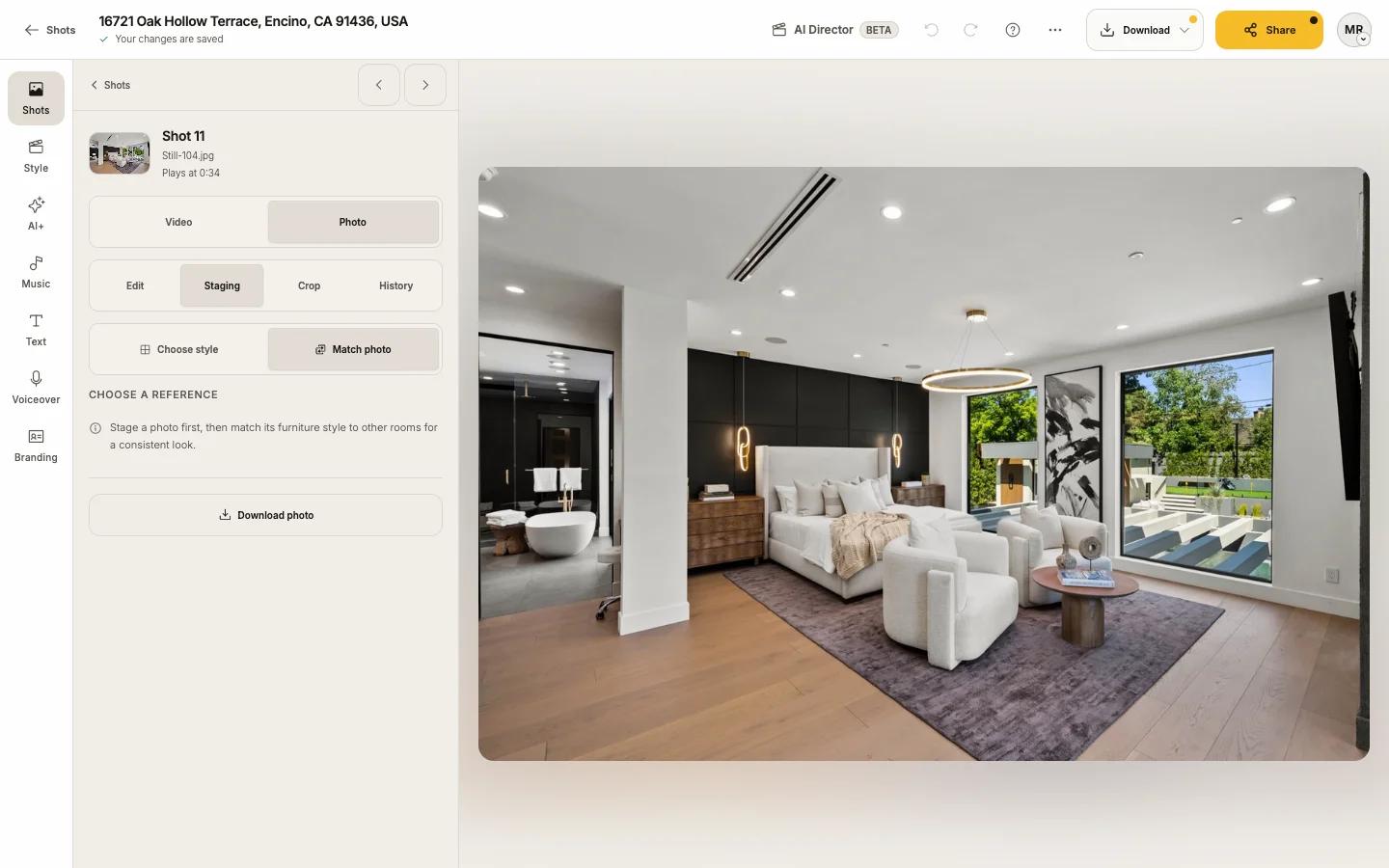
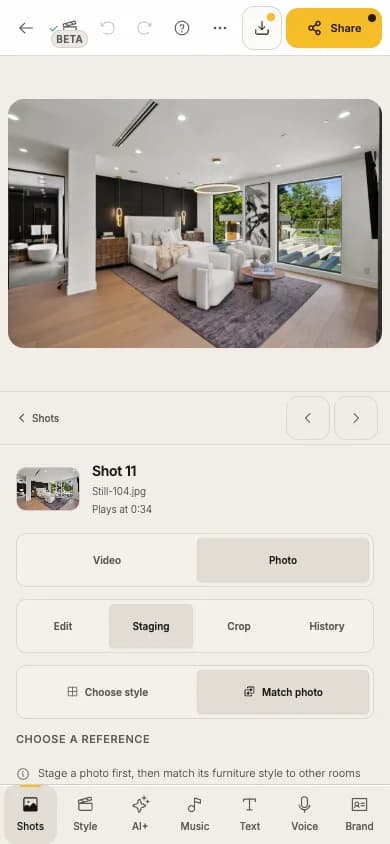
Press Match photo
Undo a staging
Staging is a version like any other edit. Use original puts the empty room back; History has every version. See Edit a photo.
Labels and disclosure
Staged photos show the real property with furniture added. Many markets expect them to be disclosed. On California listings, your listing website labels staged and matched photos "Virtually staged" and links the originals. The switch is Label edited photos (California law) in Website settings. Check your own MLS and local rules; Reel-E does not decide them for you.
Limits
| Limit | Trial | Essential | Growth | Pro |
|---|---|---|---|---|
| Staging and photo edits per listing | 5 | 10 | 20 | 20 |
Tips
If something looks off
"This photo couldn't be staged. Try a different style." means that style was turned down for this photo. Another style usually works, and no credit is used.